Public goods token
For a token that funds public goods.
On this page
Deploying soonSet it up now without A reward token made in the app, for Swap Reward Mint, which is deploying soon. Runs on live blocks.
Royalty and tax fund up to eight public-goods recipients fixed at launch, and traders earn donor points.
Why it is different. Every recipient and every share is fixed at launch and readable on chain.
The pools
Launch · split 60/30/10 · royalty split
- ETHtick spacing 60
Royalty to the recipients
- Live:Anti-Snipe
- Live:Dynamic fees
- Live:Auto Burn
- Live:LP Rewards
- Live:Creator royalty
- Live:Arb recapture
- Live:King of the Pool
- USDGtick spacing 10
Tax to a public-goods treasury
- Live:Dynamic fees
- Live:LP Rewards
- Live:Arb recapture
- Live:Tax + Conversionadvisory
- HOOKRtick spacing 200
Swaps mint donor points
- Live:LP Rewards
- Live:Arb recapture
- Live:Swap Reward Mintadvisory
How the pools work together
- Royalty pays up to eight recipients through Revenue Router, each share fixed at launch.
- Tax pays a public-goods treasury fixed at launch.
- Fee Bridge named as one royalty payee, would pass a share of the royalty, in ETH, to the ETH pool's in-range LPs. Proposed
- Family Pinger would run the bridge's drips without a keeper. Proposed
Beside the pools and at launch
- Live:Revenue Router
- Live:Vesting Milestone
- Live:Recovery reserve
- Live:Limit orders
Proposed connectors
- Proposed:Fee Bridge
- Proposed:Family Pinger
Walkthrough
Every section of the launch floor this combo uses, in order, with what to check, select and fill in each.
Full walkthrough: Launch 1: GOODS
The link leaves Creator royalty off on pool 1. Connect your wallet, then turn it on.
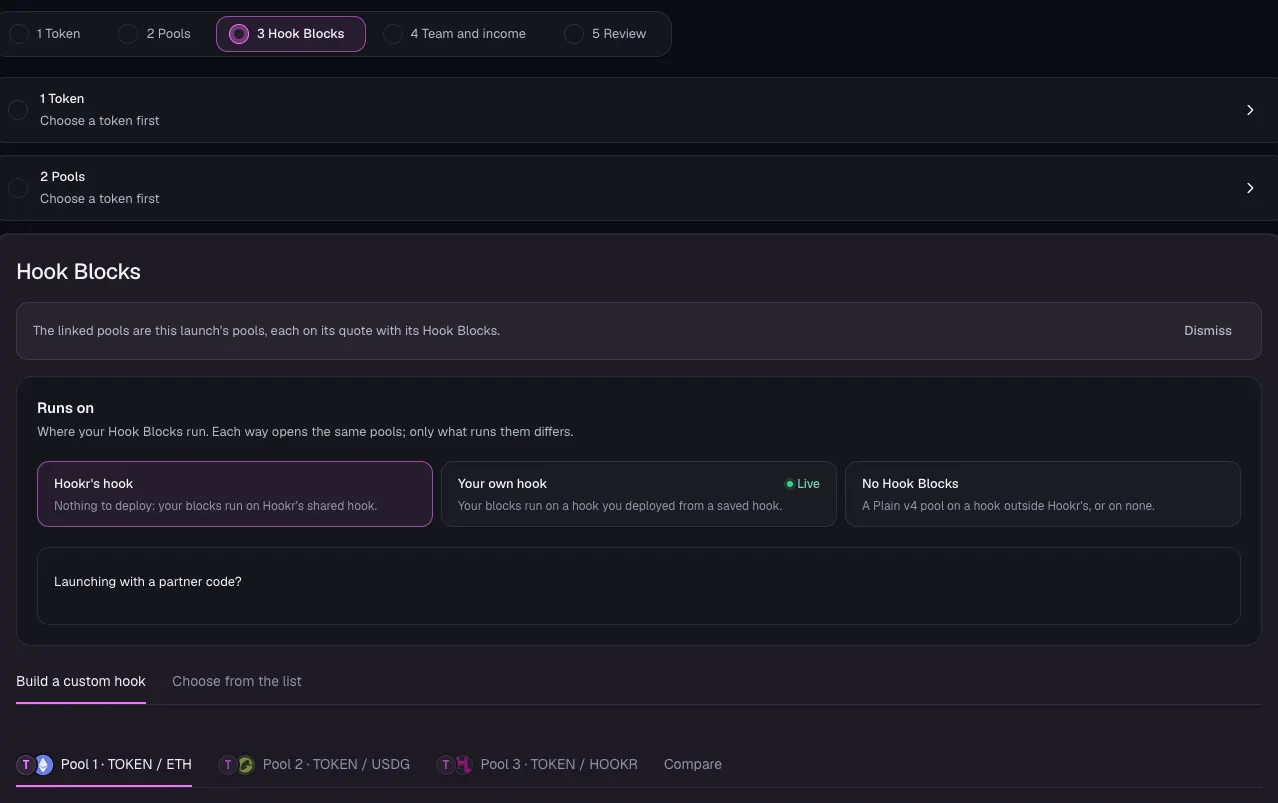
Open the family
- Open the launch page on this family.
- Check that Hook Blocks shows three pool tabs: Pool 1 · TOKEN / ETH, Pool 2 · TOKEN / USDG and Pool 3 · TOKEN / HOOKR.
- Leave Runs on at Hookr's hook.
Name the token
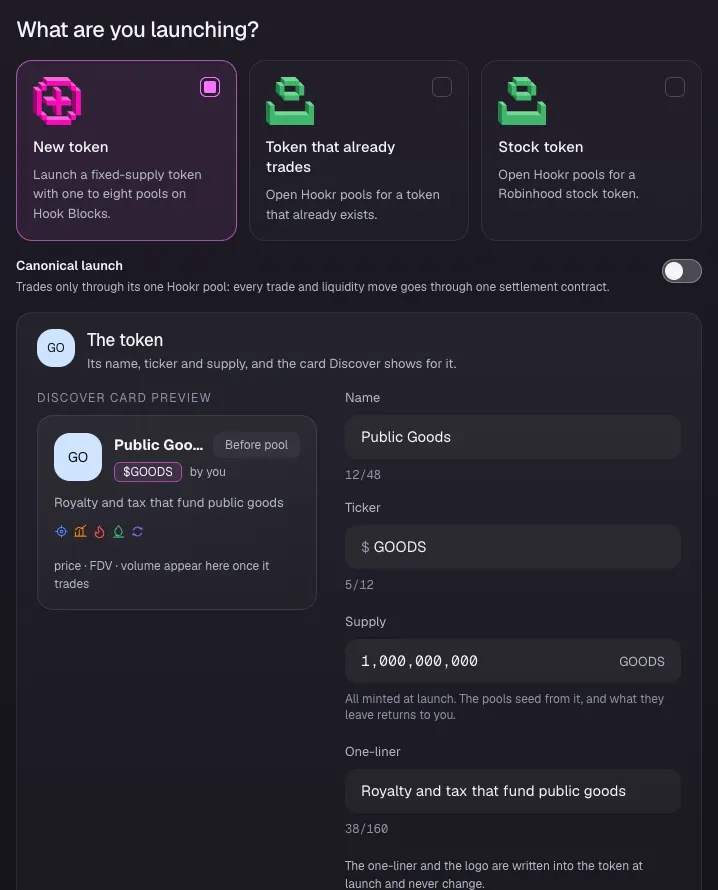
- Click 1 Token.
- Under What are you launching?, keep New token.
- Type Public Goods in Name and GOODS in Ticker. Both are examples.
- Leave Supply at 1,000,000,000.
- Type a One-liner, for example Royalty and tax that fund public goods.
- Click Continue.
Pool 1 · GOODS / ETH
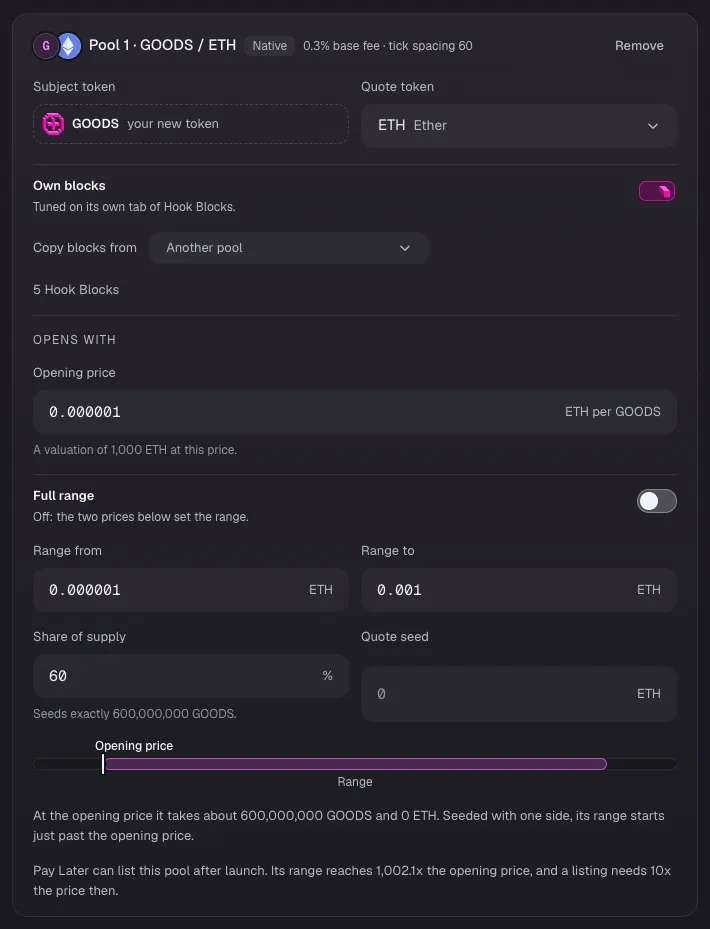
- Type 0.000001 in Opening price. This example values the token at 1,000 ETH.
- Leave Full range off. Type 0.000001 in Range from and 0.001 in Range to.
- Check that Share of supply reads 60.
- Leave Quote seed empty, so the pool opens with GOODS only.
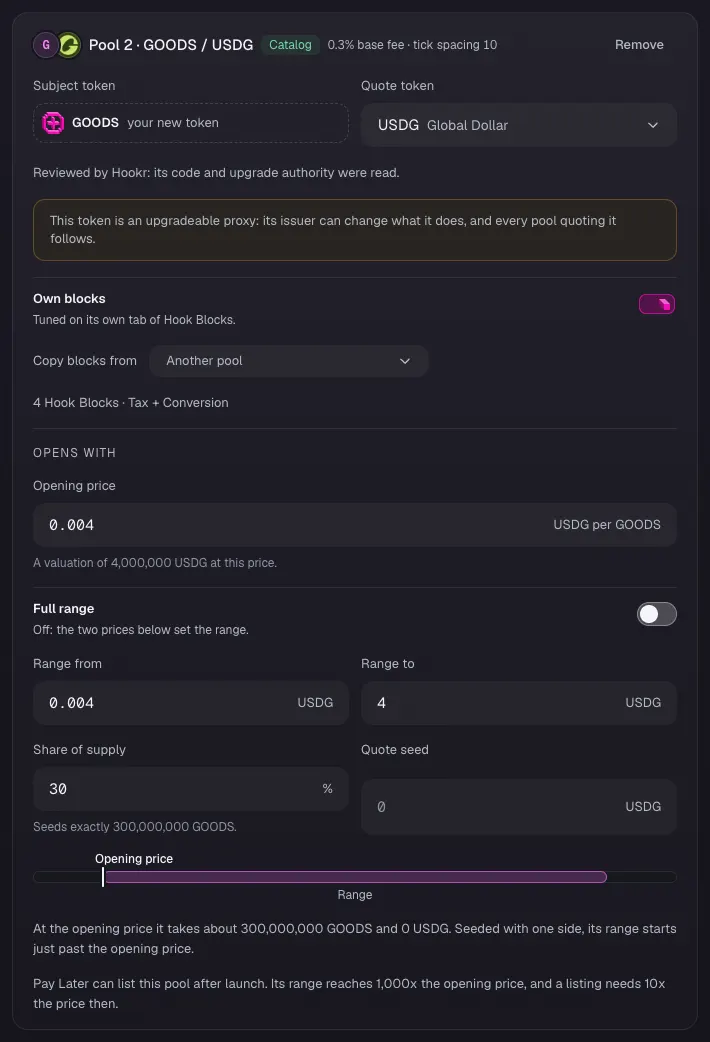
Pool 2 · GOODS / USDG
- Type 0.004 in Opening price (an example).
- Type 0.004 in Range from and 4 in Range to.
- Check that Share of supply reads 30.
- Leave Quote seed empty.
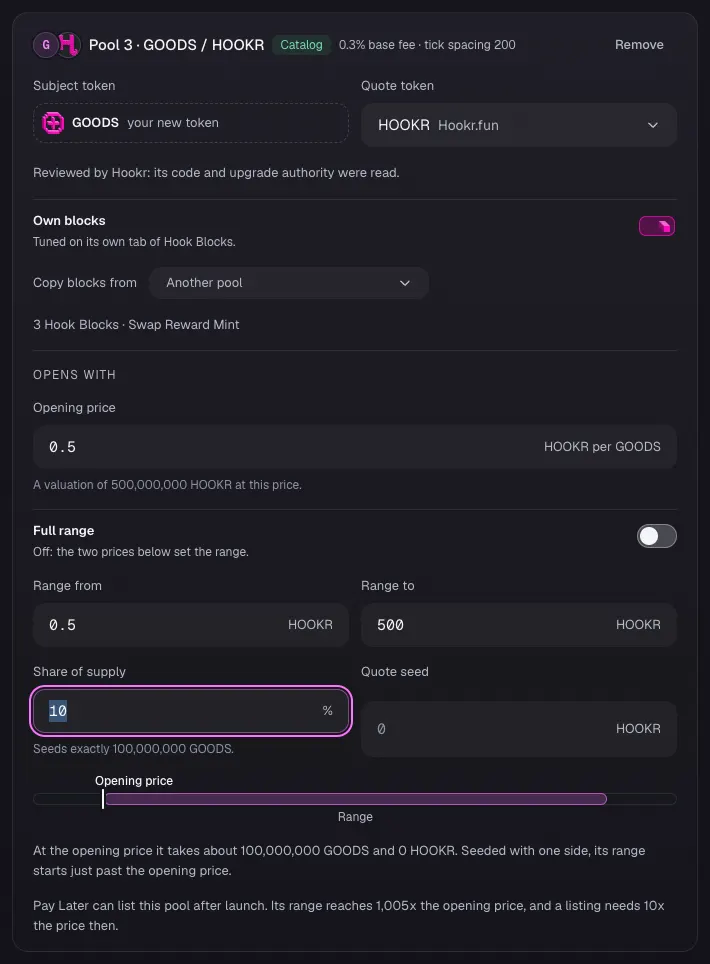
Pool 3 · GOODS / HOOKR
- Type 0.5 in Opening price (an example).
- Type 0.5 in Range from and 500 in Range to.
- Check that Share of supply reads 10.
- Leave Quote seed empty.
Supply split
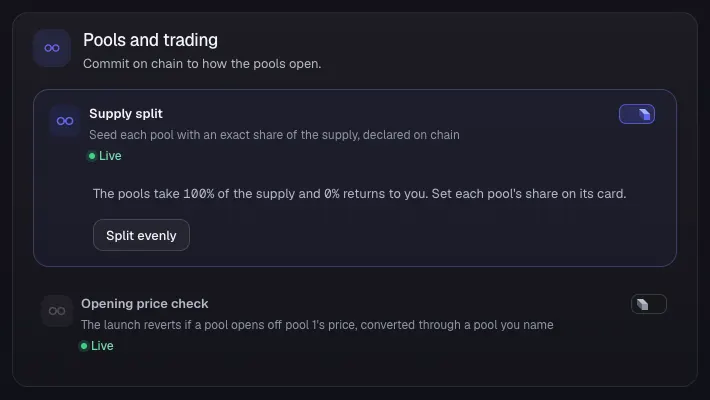
- Under Pools and trading, check that Supply split is on and reads The pools take 100% of the supply and 0% returns to you.
- Leave Opening price check off.
- Click Continue.
Pool 1 · ETH blocks
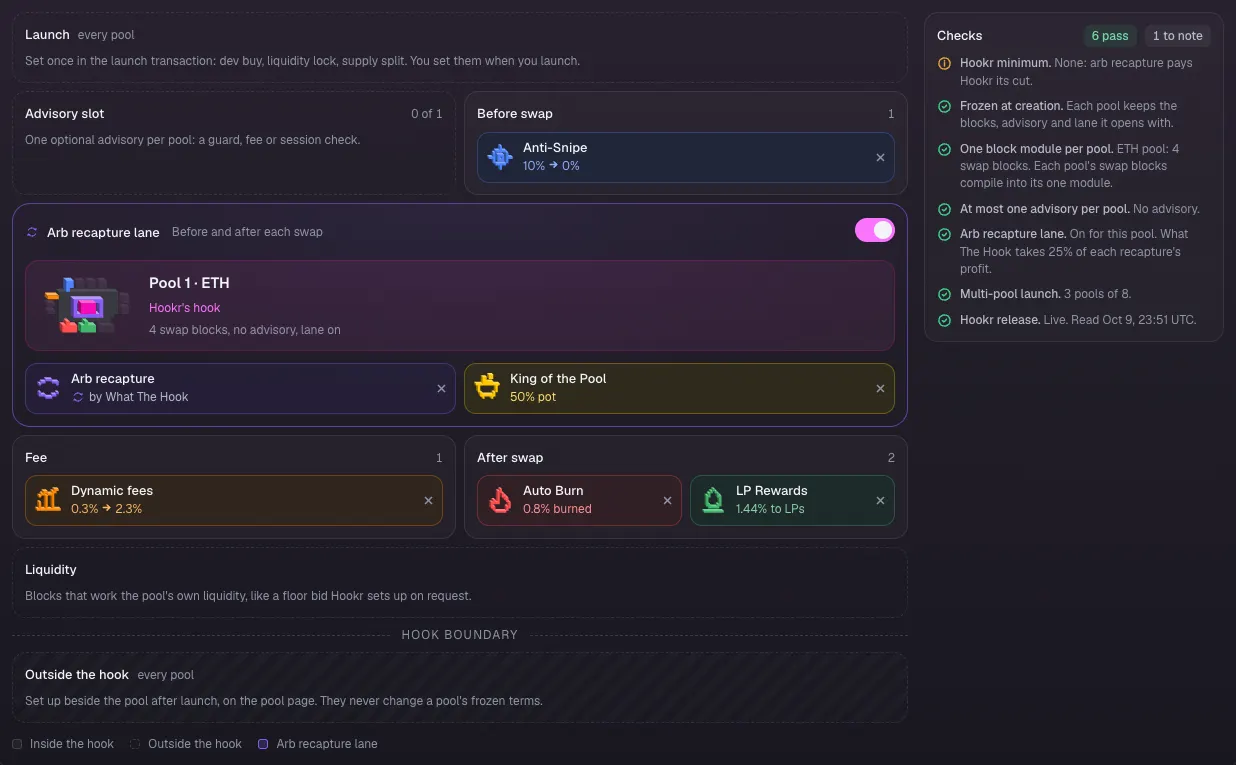
- In Hook Blocks, click the Pool 1 · GOODS / ETH tab.
- Check the board: Anti-Snipe before the swap, Arb recapture and King of the Pool in the Arb recapture lane, Dynamic fees, Auto Burn and LP Rewards after it.
- Check that Advisory slot reads 0 of 1. This pool takes no advisory.
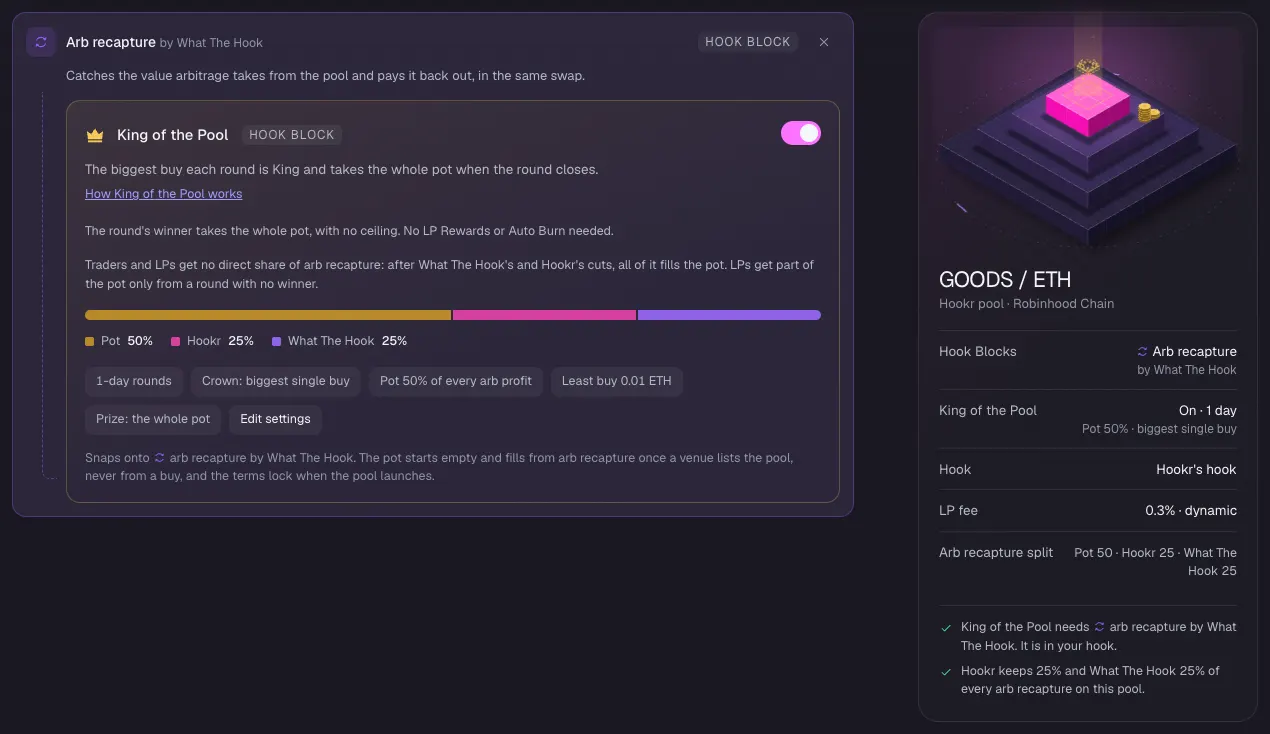
King of the Pool
- Under Arb recapture by What The Hook, check that King of the Pool is on.
- Check its terms: 1-day rounds, Pot 50% of every arb profit, Least buy 0.01 ETH, Prize: the whole pot.
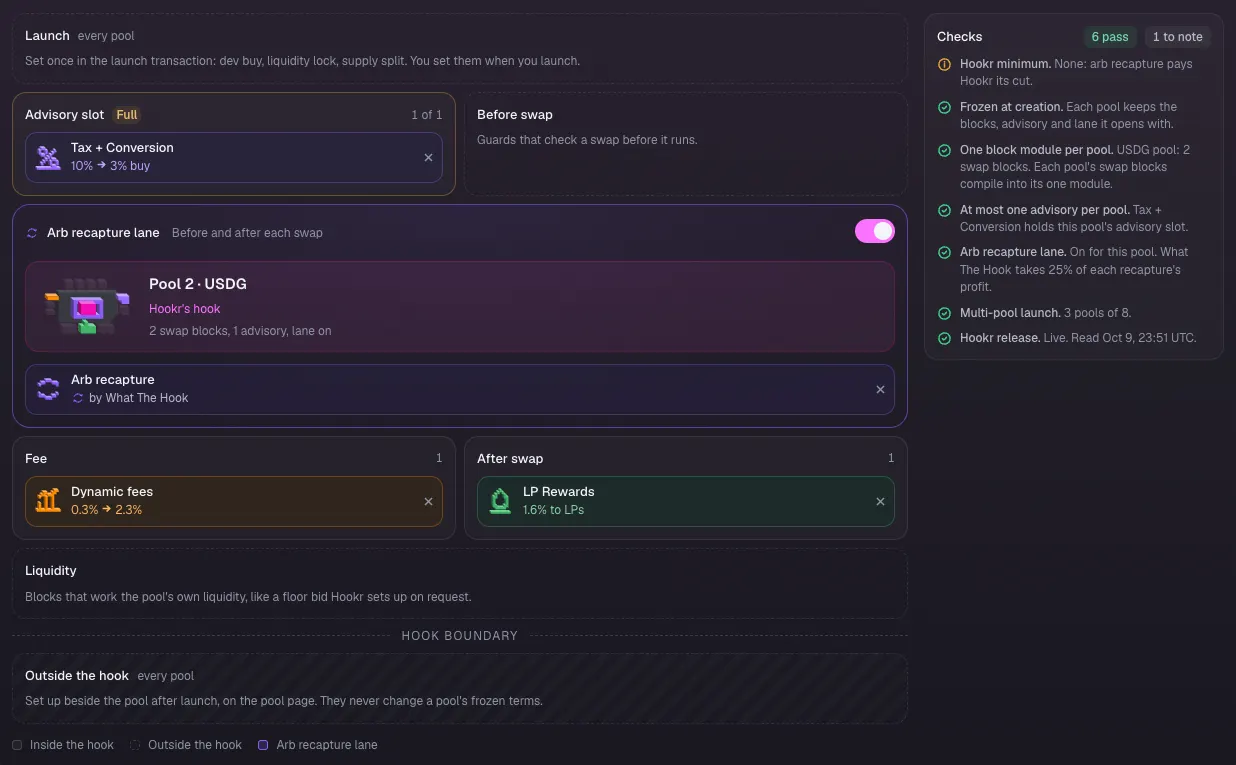
Pool 2 · USDG blocks
- Click the Pool 2 · GOODS / USDG tab.
- Check that Tax + Conversion fills the Advisory slot (1 of 1), next to Arb recapture, Dynamic fees and LP Rewards.
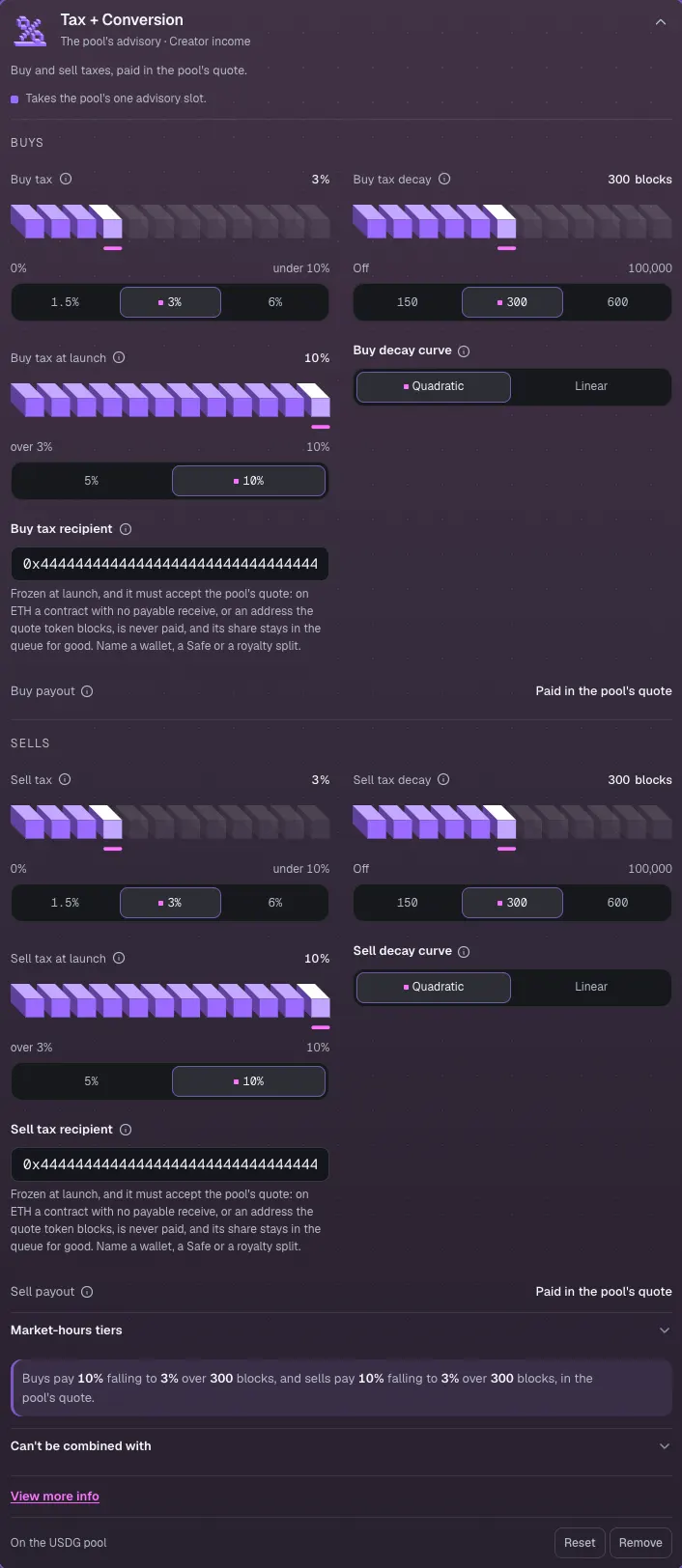
Tax to the treasury
- Click Tax + Conversion to open it.
- Replace the prefilled address in Buy tax recipient with the public-goods treasury's address. 0x4444…4444 in the image is an example.
- Replace Sell tax recipient with the same address.
- Leave Buy tax and Sell tax at 10% falling to 3% over 300 blocks.
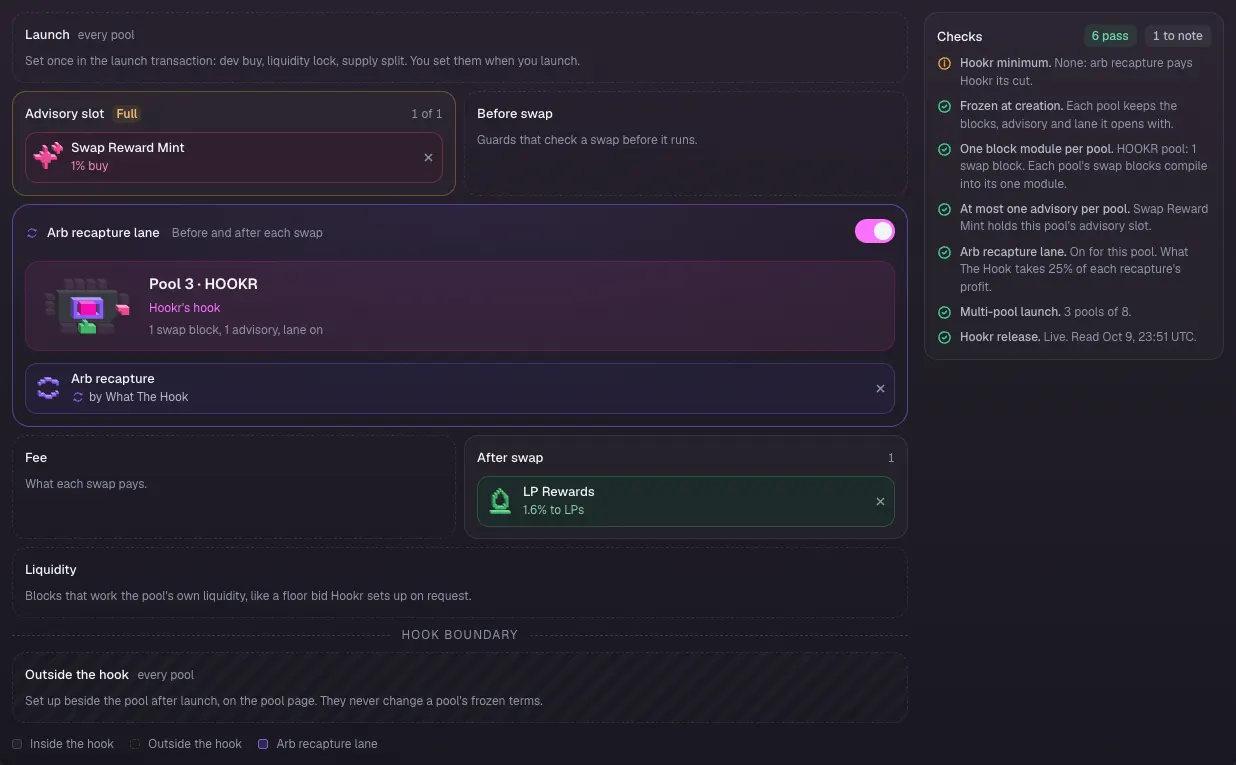
Pool 3 · HOOKR blocks
- Click the Pool 3 · GOODS / HOOKR tab.
- Check that Swap Reward Mint fills the Advisory slot (1 of 1), next to Arb recapture and LP Rewards.
Donor points
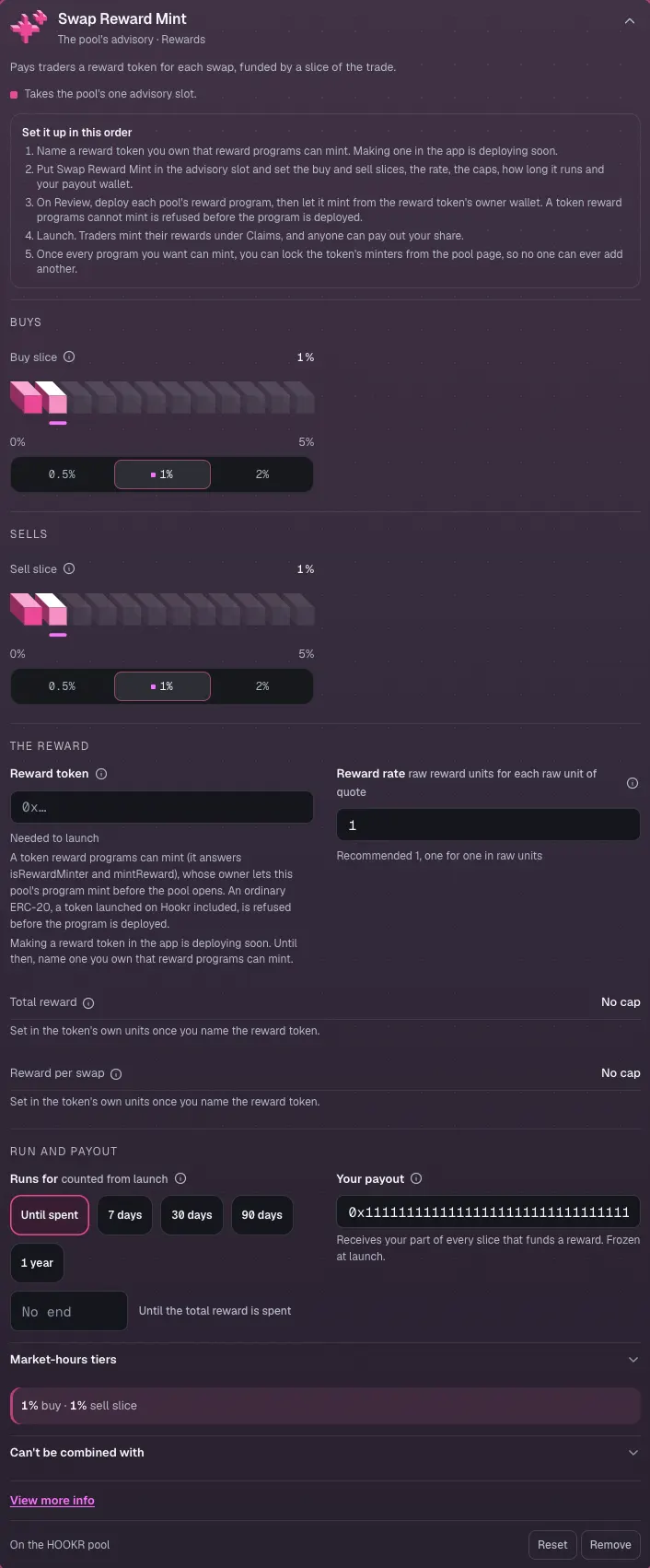
- Click Swap Reward Mint to open it.
- Clear the prefilled Reward token and paste a reward token you own that reward programs can mint. Until you do, it reads Needed to launch. Making one in the app is deploying soon.
- Set Your payout to your wallet. 0x1111…1111 in the image is an example.
- Leave Buy slice and Sell slice at 1%, Reward rate at 1 and Runs for at Until spent.
Royalty split
- Click 4 Team and income.
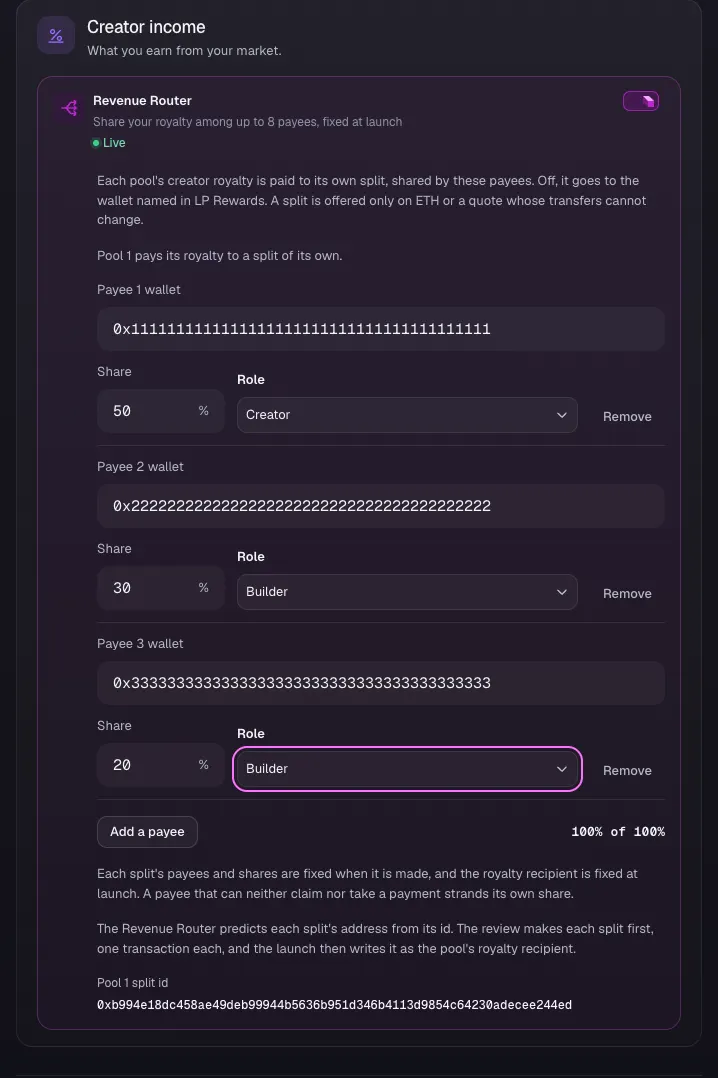
- Under Creator income, turn on Revenue Router.
- Click Add a payee twice, so there are three payees.
- Type the recipients' wallets in Payee 1 wallet, Payee 2 wallet and Payee 3 wallet. The addresses in the image are examples.
- Type 50, 30 and 20 in Share, so the total reads 100% of 100%.
- Click Continue.
Check the royalty
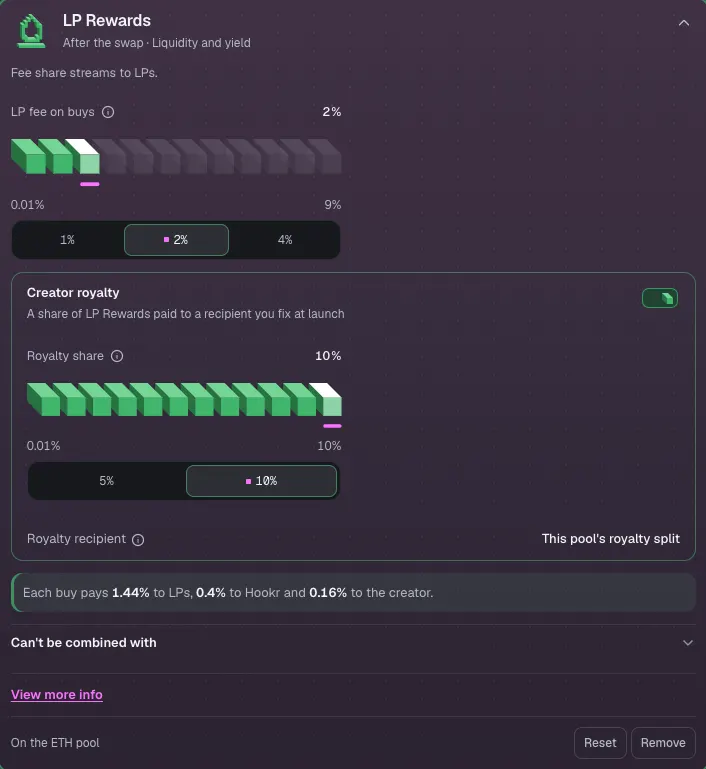
- In Hook Blocks, on the Pool 1 · GOODS / ETH tab, click LP Rewards.
- Check that Creator royalty is on at 10% and Royalty recipient reads This pool's royalty split.
Review the launch
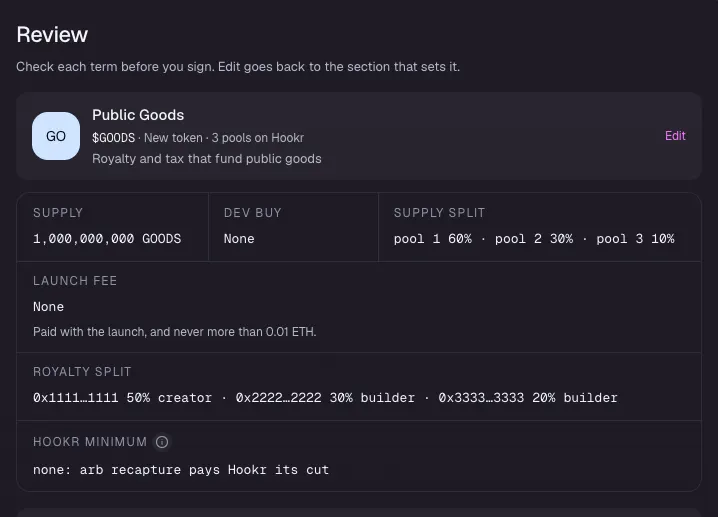
- Click 5 Review.
- Check that Supply split reads pool 1 60% · pool 2 30% · pool 3 10%.
- Check that Royalty split lists your three payees and their shares.
Compare the pools
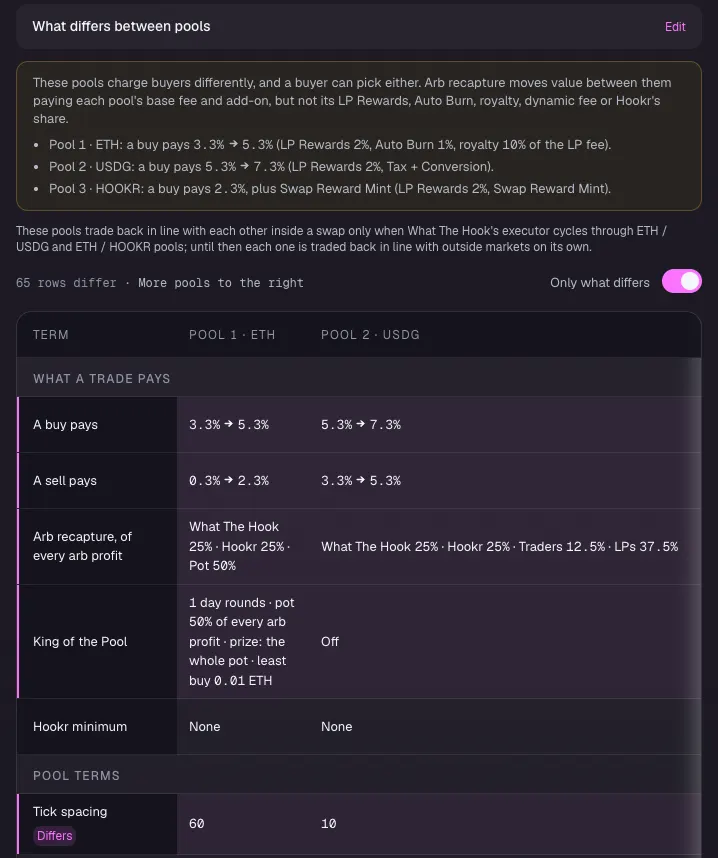
- Under What differs between pools, check Tick spacing: 60, 10 and 200.
- Check that King of the Pool is on for Pool 1 · ETH and Off for the others.
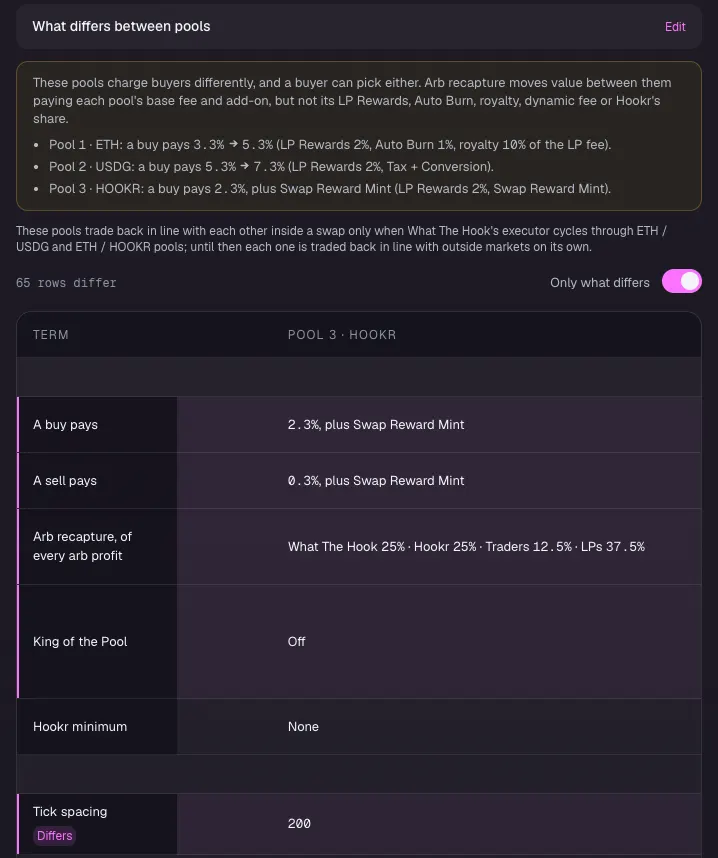
Pool 3 column
- Scroll the table to the right to see Pool 3 · HOOKR: a buy pays 2.3%, plus Swap Reward Mint.
Before you sign
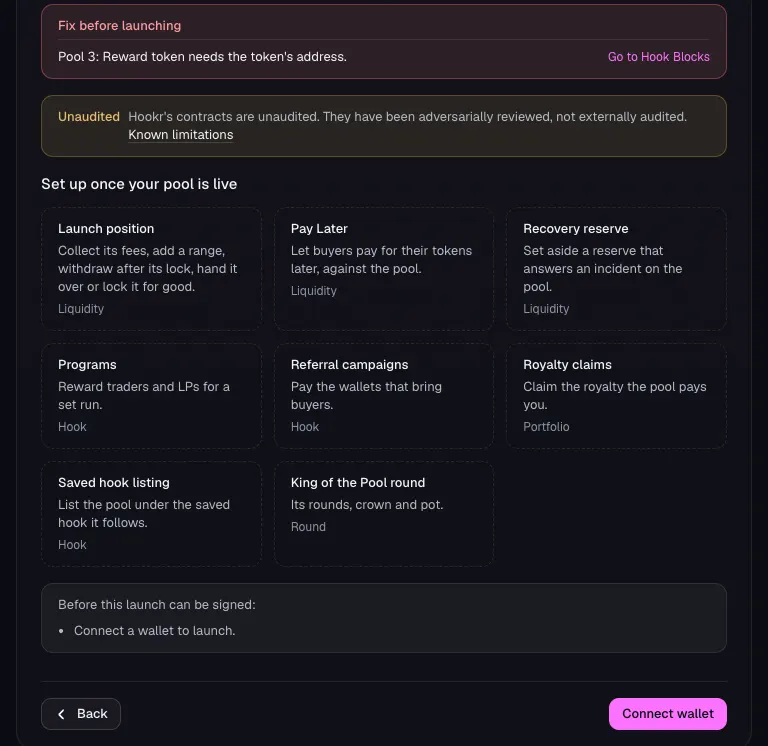
- Read Fix before launching. Without a reward token it reads Pool 3: Reward token needs the token's address.
- Click Connect wallet when you are ready to sign. Review makes the royalty split first, then the launch.