Fair venue
For a high-volume token whose traders want MEV paid back.
On this page
LiveEverything outside the proposed connectors is live. Runs on live blocks.
Arbitrage pays traders back, and on the USDG pool one wallet buying and selling in the same block is refused.
Why it is different. More of the value bots take goes back to traders and LPs.
The pools
Three pools · trader share at its 50% maximum
- USDGtick spacing 10
Round trips refused
- Live:Dynamic fees
- Live:LP Rewards
- Live:Arb recapture
- Live:Buy/Sell Blockadvisory
- HOOKRtick spacing 200
Desk: a capped surcharge
- Live:LP Rewards
- Live:Arb recapture
- Live:Managed feeadvisory
How the pools work together
- Per 1 ETH of arb profit What The Hook keeps 0.25, Hookr 0.25, the trader named on the swap up to 0.25 and LPs the rest.
- Buy/Sell Block refuses one wallet buying and selling in the same block on the USDG pool.
Beside the pools and at launch
- Live:Limit orders
Proposed connectors
- Proposed:Family Pulse
Walkthrough
Every section of the launch floor this combo uses, in order, with what to check, select and fill in each. The screenshots use WTH 0xb8fa8010833463aac5595b55b9045479239eff79 (an example: the family quotes HOOKR, so HOOKR cannot be the token; use your own token) as the token.
Full walkthrough: Launch 1: three pools that pay traders back
Open the family
- Open the launch page on this family.
- Check the floor says The linked pools are this launch's pools, each on its quote with its Hook Blocks.
- Under Runs on, keep Hookr's hook.
- Check there are three pool tabs: Pool 1 · TOKEN / ETH, Pool 2 · TOKEN / USDG and Pool 3 · TOKEN / HOOKR.
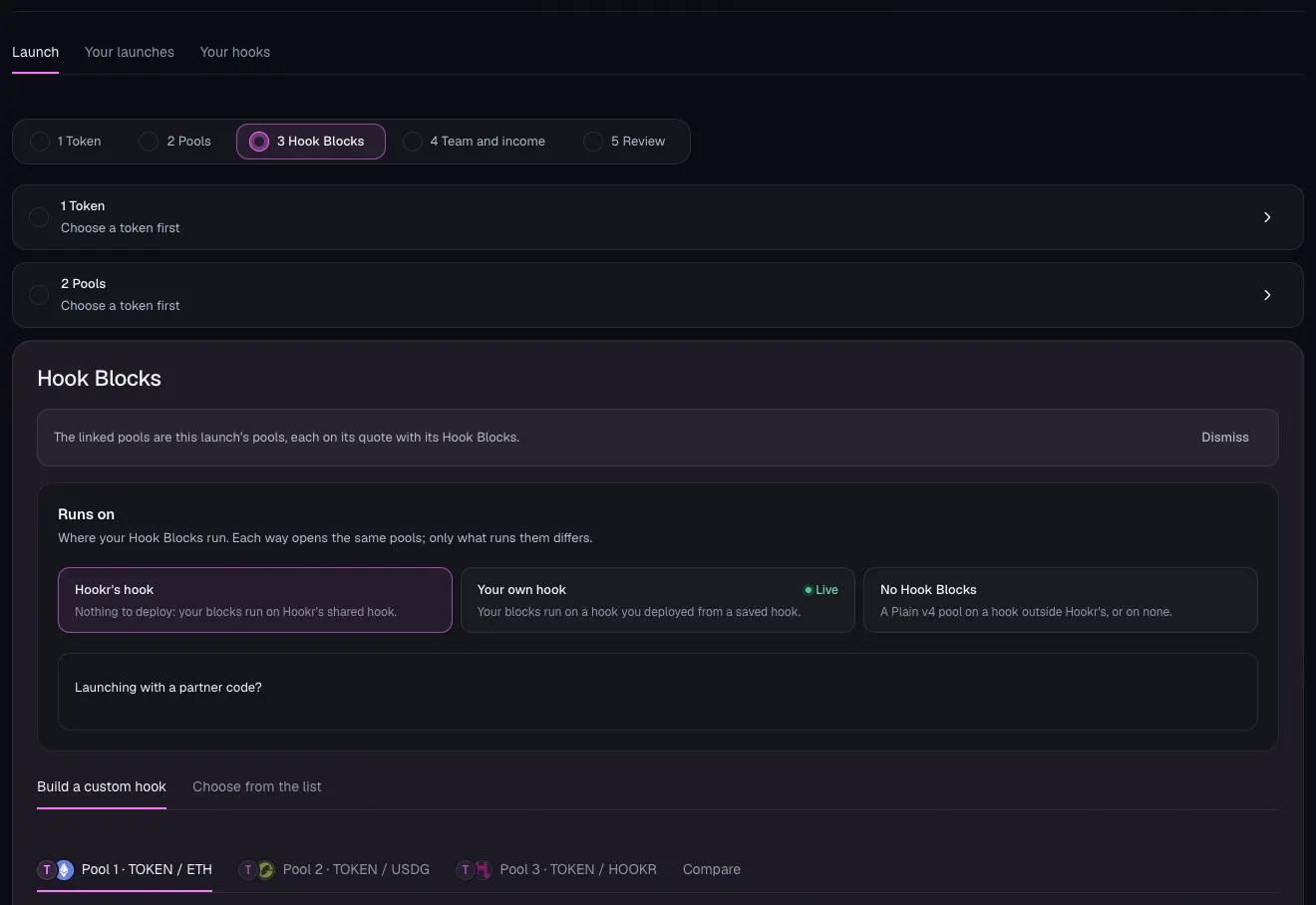
Choose your token
- Click 1 Token.
- Under What are you launching?, choose Token that already trades.
- In Token contract, paste your token's address. This example uses WTH, 0xb8fa8010833463aac5595b55b9045479239eff79.
- Check Already on Hookr. Here it says WTH has no Hookr pools yet, so these pools are its first launch.
- Leave Skip pools already open off, then click Continue.
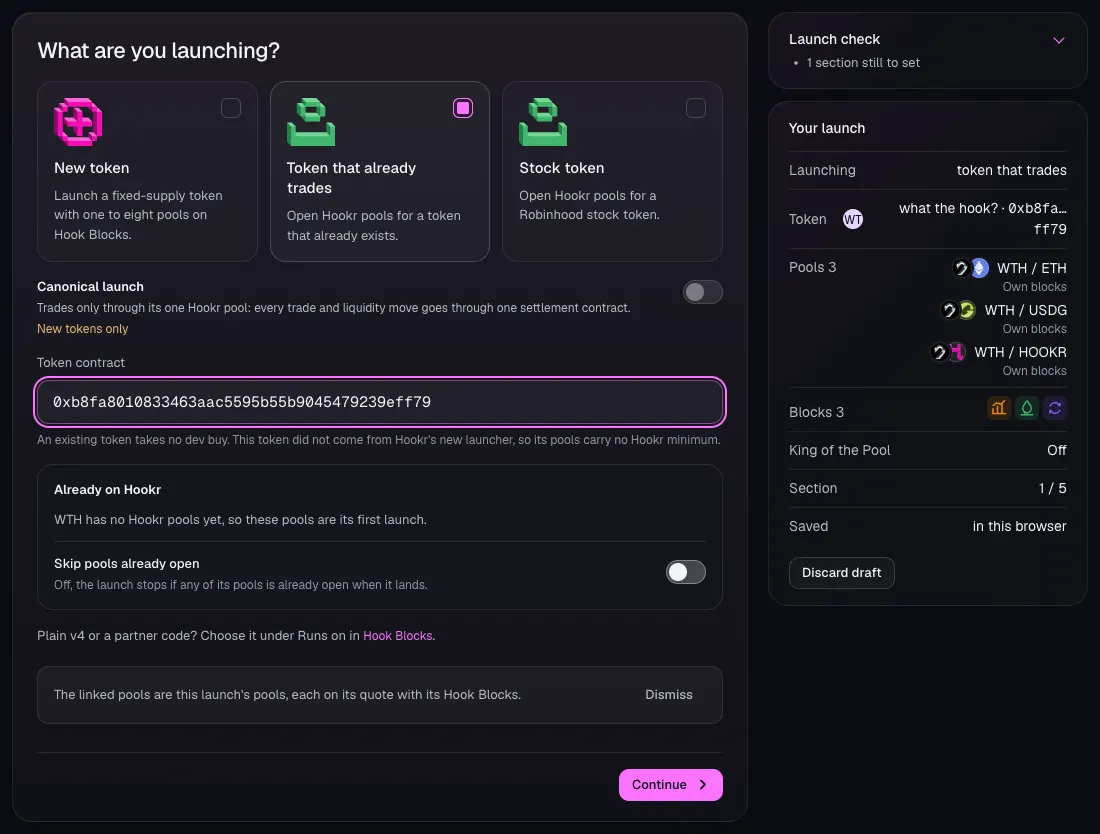
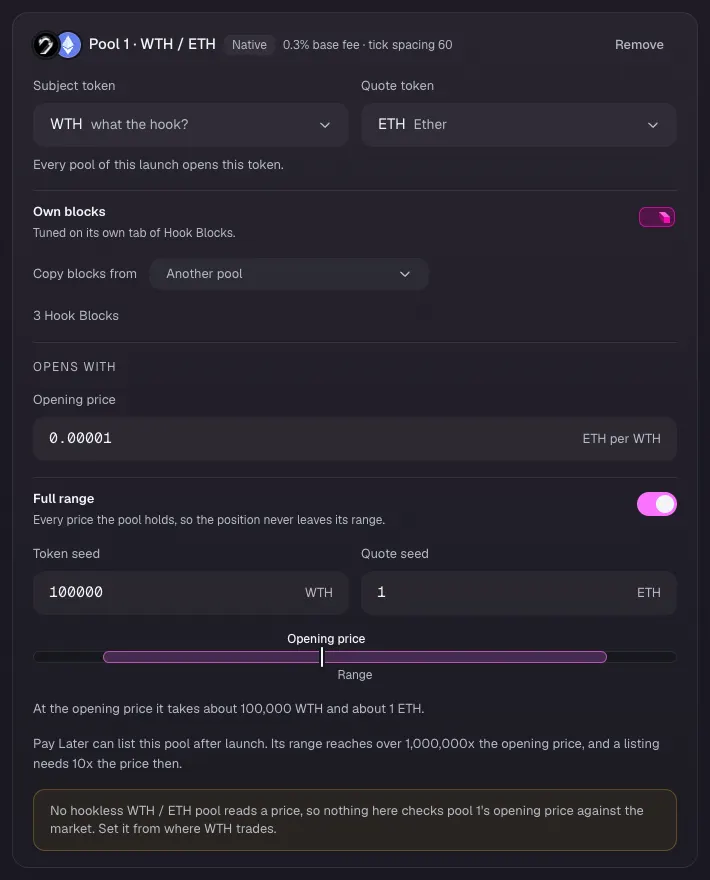
Pool 1: WTH / ETH
- Check Pool 1 · WTH / ETH reads 0.3% base fee · tick spacing 60 and 3 Hook Blocks.
- In Opening price, type the price your token trades at in ETH. This example uses 0.00001. If a hookless pool of your token reads a price, click Open at the market price instead; for WTH none does.
- Turn on Full range.
- In Token seed type 100000 and in Quote seed type 1. These are example amounts.
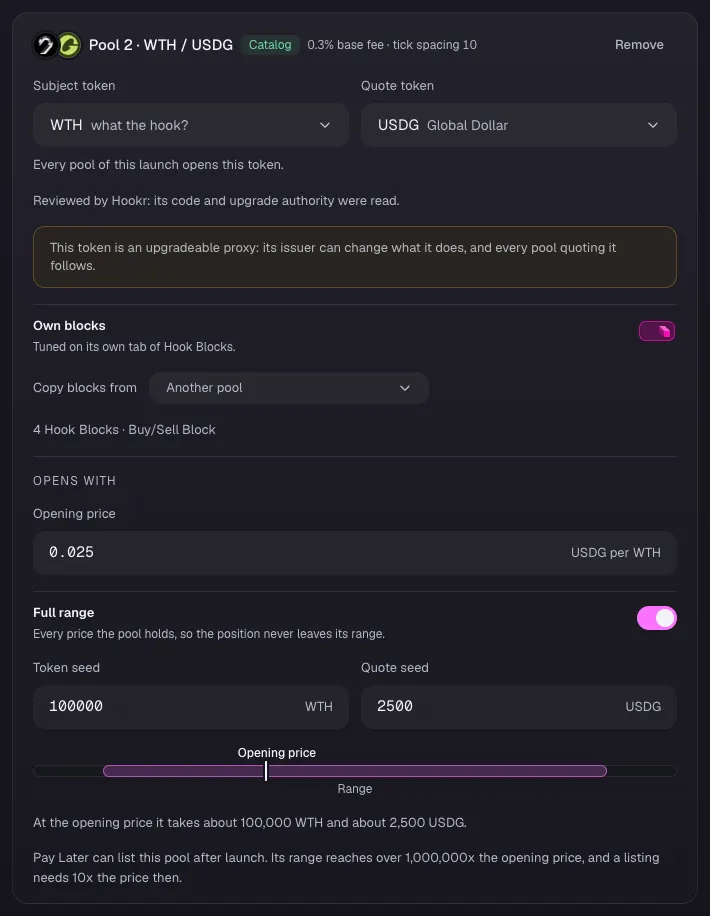
Pool 2: WTH / USDG
- Check Pool 2 · WTH / USDG reads 0.3% base fee · tick spacing 10 and 4 Hook Blocks · Buy/Sell Block.
- In Opening price, type the price in USDG. This example uses 0.025.
- Turn on Full range.
- In Token seed type 100000 and in Quote seed type 2500. These are example amounts.
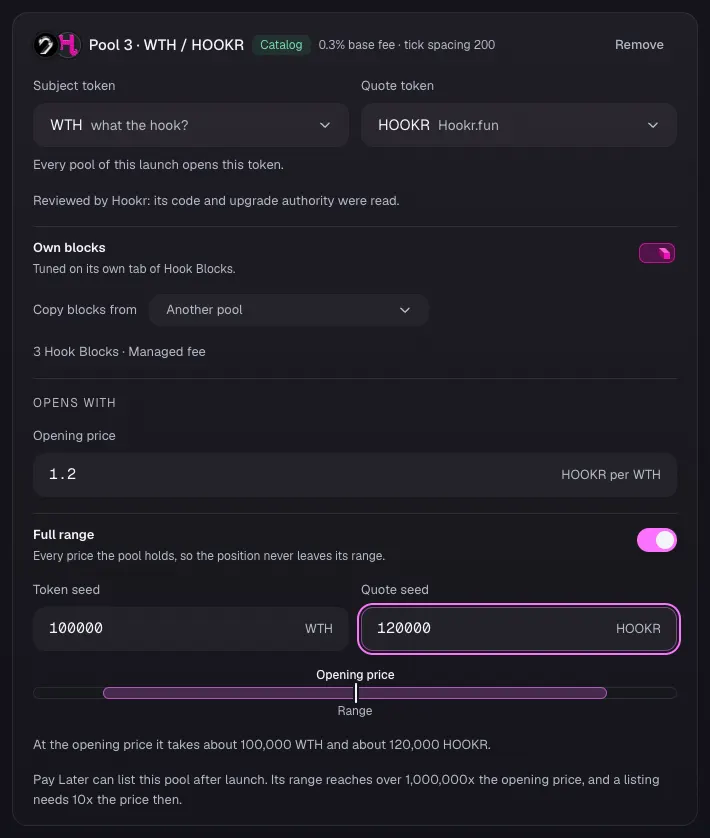
Pool 3: WTH / HOOKR
- Check Pool 3 · WTH / HOOKR reads 0.3% base fee · tick spacing 200 and 3 Hook Blocks · Managed fee.
- In Opening price, type the price in HOOKR. This example uses 1.2.
- Turn on Full range.
- In Token seed type 100000 and in Quote seed type 120000. These are example amounts.
- Check Launch check reads Nothing on the sections stops this launch, then click Continue.
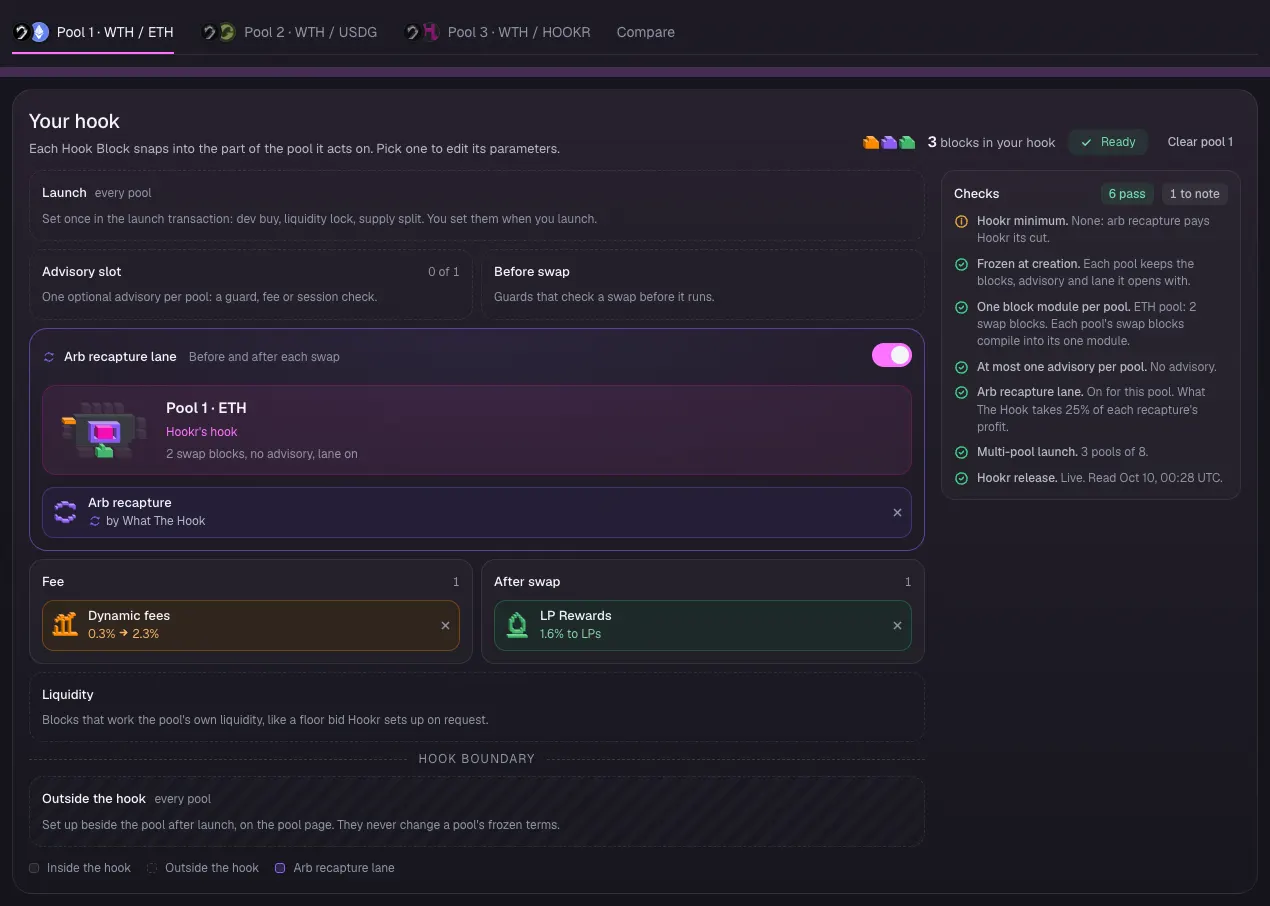
Hook Blocks on pool 1
- Click the Pool 1 · WTH / ETH tab.
- Check the Arb recapture lane is on with Arb recapture by What The Hook.
- Check Fee holds Dynamic fees and After swap holds LP Rewards.
- Leave the Advisory slot empty on this pool.
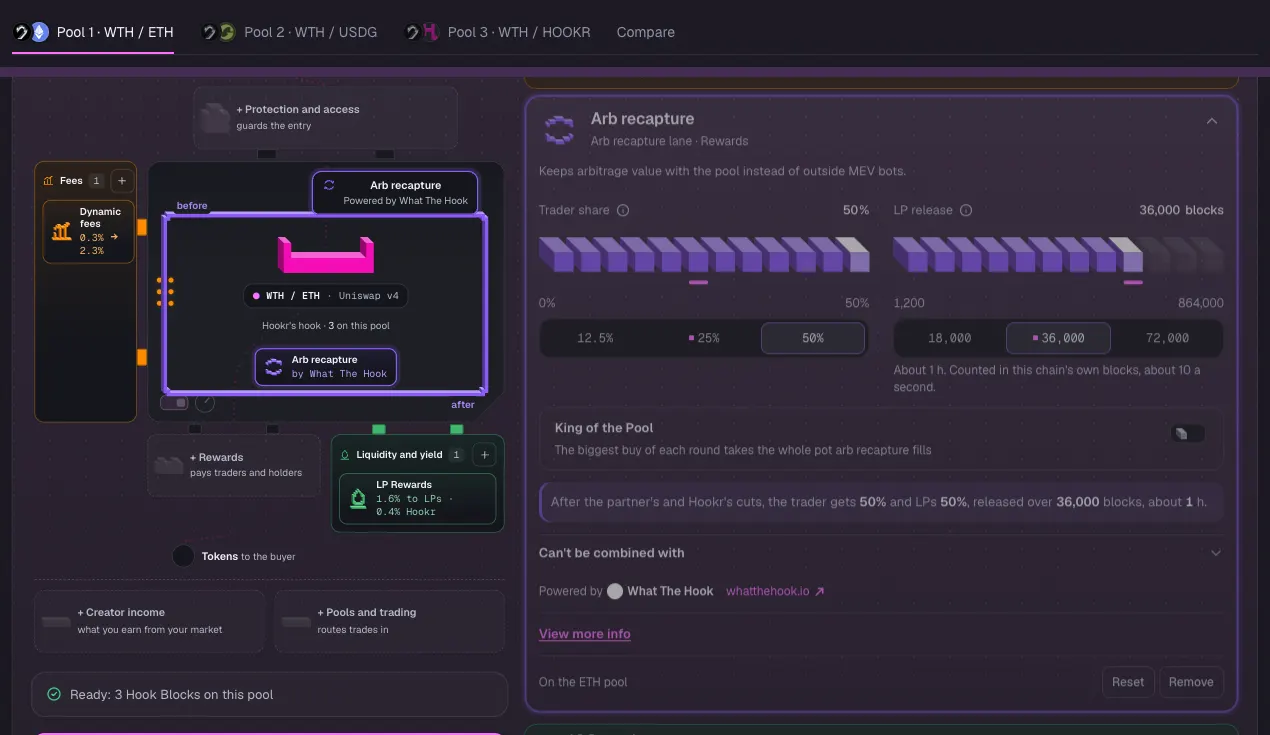
Trader share at its maximum
- Click Arb recapture to open it.
- Check Trader share reads 50%, its maximum. If it does not, click 50%.
- Check the line under it reads the trader gets 50% and LPs 50%.
- Leave King of the Pool off and LP release at 36,000 blocks.
- Do the same check on pools 2 and 3: their Arb recapture reads What The Hook 25% · Hookr 25% · Traders 25% · LPs 25%.
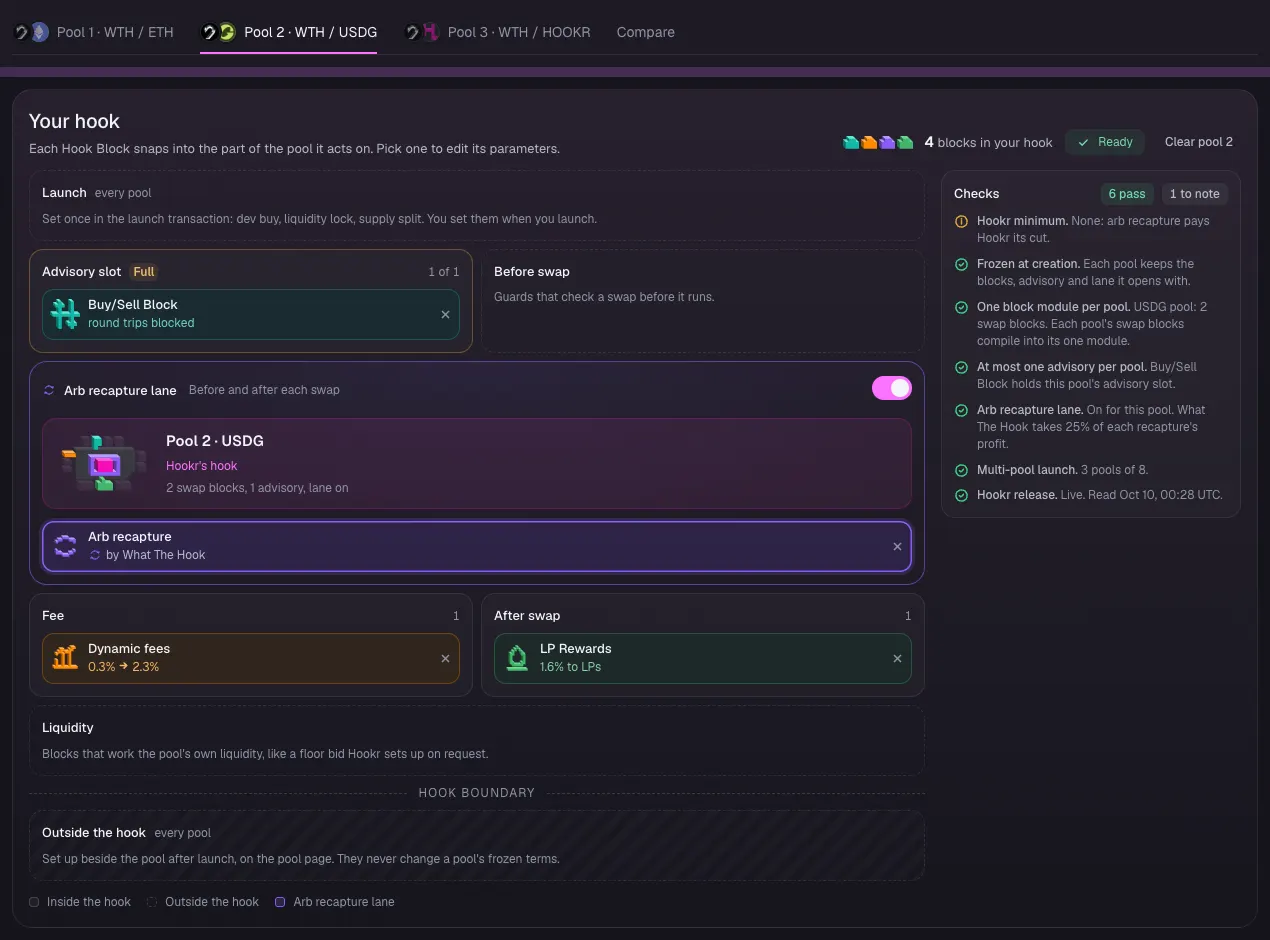
Hook Blocks on pool 2
- Click the Pool 2 · WTH / USDG tab.
- Check Buy/Sell Block holds the Advisory slot and reads round trips blocked.
- Check the Arb recapture lane is on, with Dynamic fees under Fee and LP Rewards under After swap.
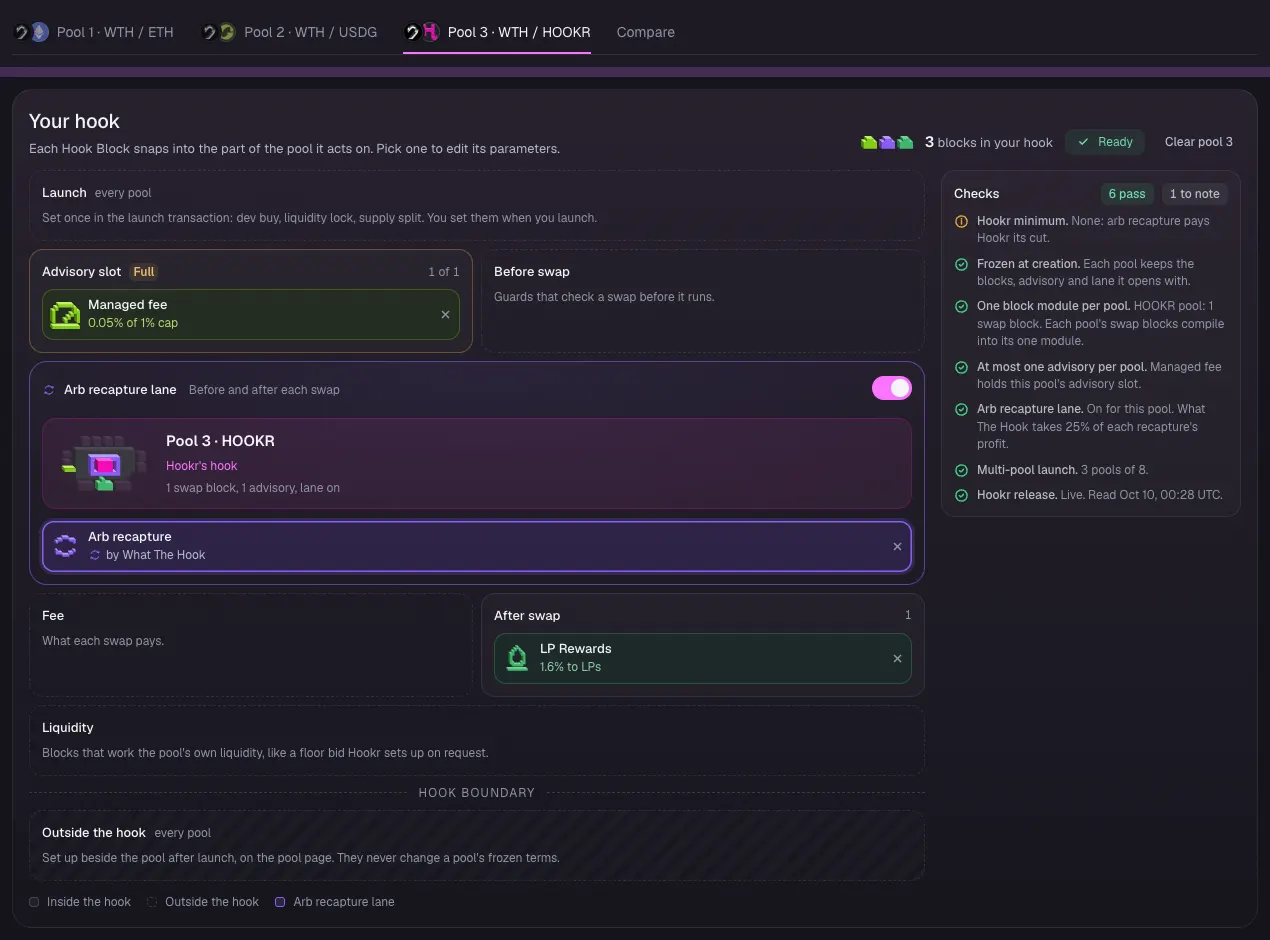
Hook Blocks on pool 3
- Click the Pool 3 · WTH / HOOKR tab.
- Check Managed fee holds the Advisory slot at 0.05% of 1% cap.
- Check the Arb recapture lane is on and After swap holds LP Rewards. This pool has no Dynamic fees.
Team and income, then Review
- Click 4 Team and income. Leave Liquidity lock and Revenue Router off, then click Continue.
- Under What differs between pools, check tick spacing 60, 10 and 200, Buy/Sell Block on pool 2 only and Managed fee on pool 3 only.
- Check Arb recapture reads What The Hook 25% · Hookr 25% · Traders 25% · LPs 25% on all three pools, and King of the Pool Off.
- This walkthrough stops here: connect a wallet and sign only when you mean to launch.