Treasury desk
For a DAO or foundation holding a large share of its own token.
On this page
Deploying soonSet it up now without Dev Drip, Floor bid and Pay Later, which are deploying soon. The pools run on live blocks. Dev Drip and Floor bid are deploying soon.
Sell slowly, earn while waiting, and support the price, on terms set in advance.
Why it is different. Treasury moves set in advance that anyone can read on chain.
The pools
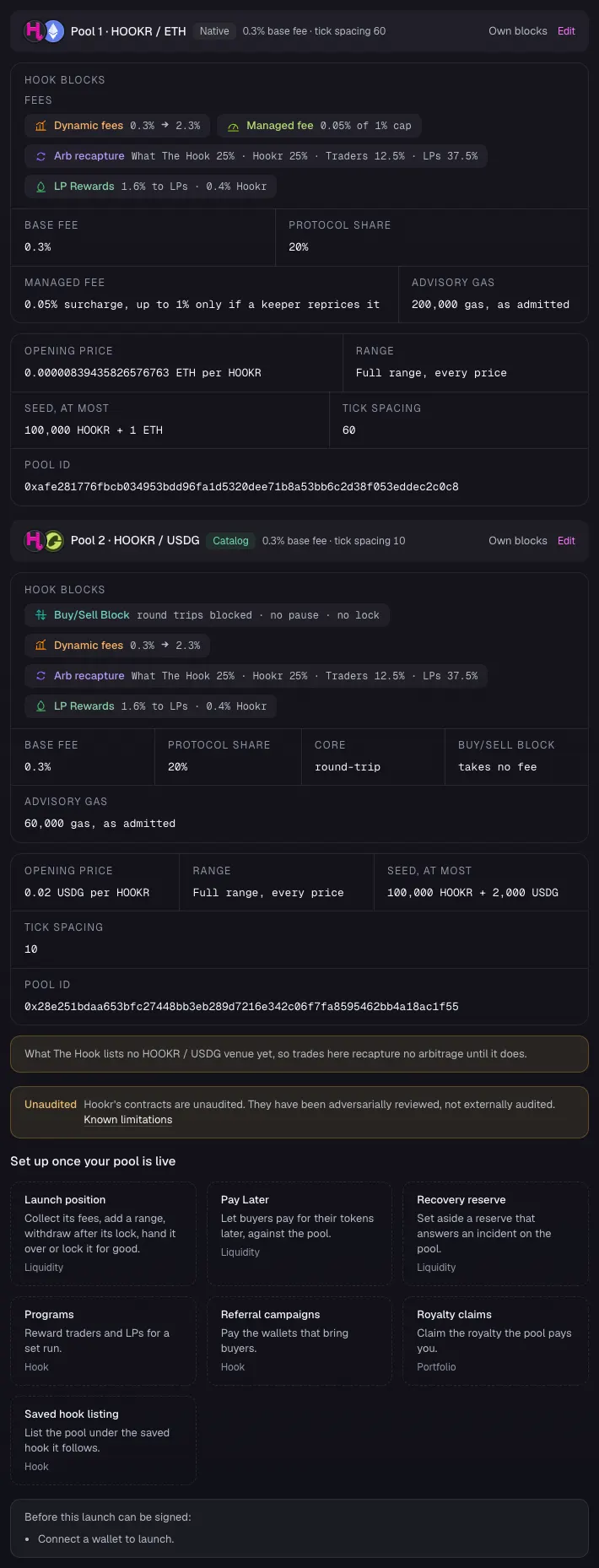
Two pools · liquidity locked 100,000 blocks
- ETHtick spacing 60
Desk: a capped surcharge
- Live:Dynamic fees
- Live:LP Rewards
- Live:Arb recapture
- Live:Managed feeadvisory
- USDGtick spacing 10
Round trips refused
- Live:Dynamic fees
- Live:LP Rewards
- Live:Arb recapture
- Live:Buy/Sell Blockadvisory
How the pools work together
- Dev Drip releases the treasury's allocation through the pool a slice per window, never faster.
- Pay Later sells covered calls on treasury tokens for premium income instead of selling outright.
- Floor bid keeps a standing bid below the price.
- Family Pulse would skip a drip window while the family is already selling. Proposed
Beside the pools and at launch
- Deploying soon:Dev DripDeploying soon
- Live:Limit orders
- Deploying soon:Pay LaterDeploying soon
- Deploying soon:Floor bidDeploying soon
- Live:Recovery reserve
- Live:Liquidity lock
Proposed connectors
- Proposed:Family Pulse
- Proposed:Liquidity Ladder
Walkthrough
Every section of the launch floor this combo uses, in order, with what to check, select and fill in each. The screenshots use HOOKR 0x18e674231a58c239dc7daedcffe15ec3a24cff5c (an example; use your own token) as the token.
Full walkthrough: Launch 1: two pools for your token
Open the family
- Open the launch page on this family.
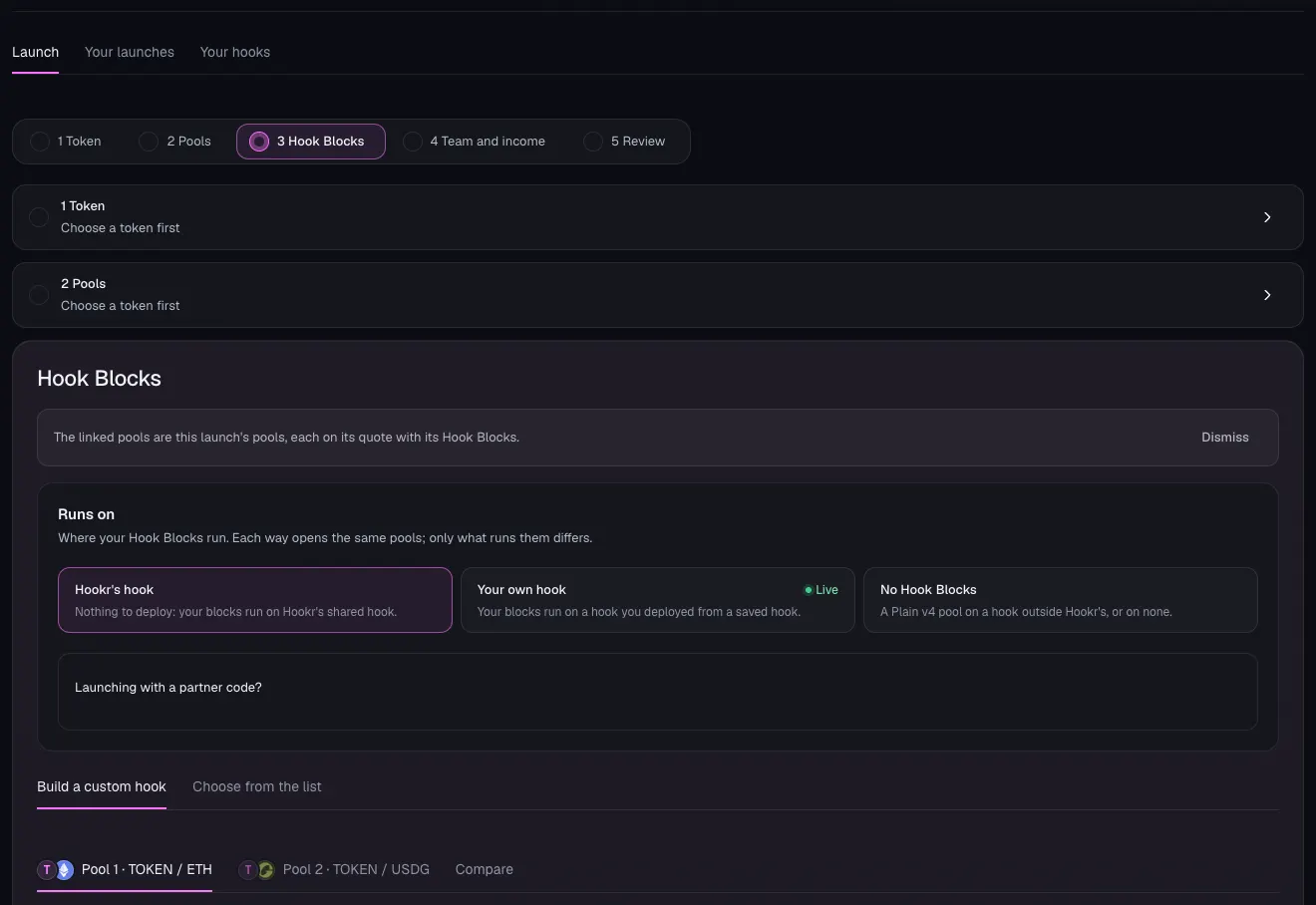
- Check the floor says The linked pools are this launch's pools, each on its quote with its Hook Blocks.
- Under Runs on, keep Hookr's hook.
- Check there are two pool tabs: Pool 1 · TOKEN / ETH and Pool 2 · TOKEN / USDG.
Choose your token
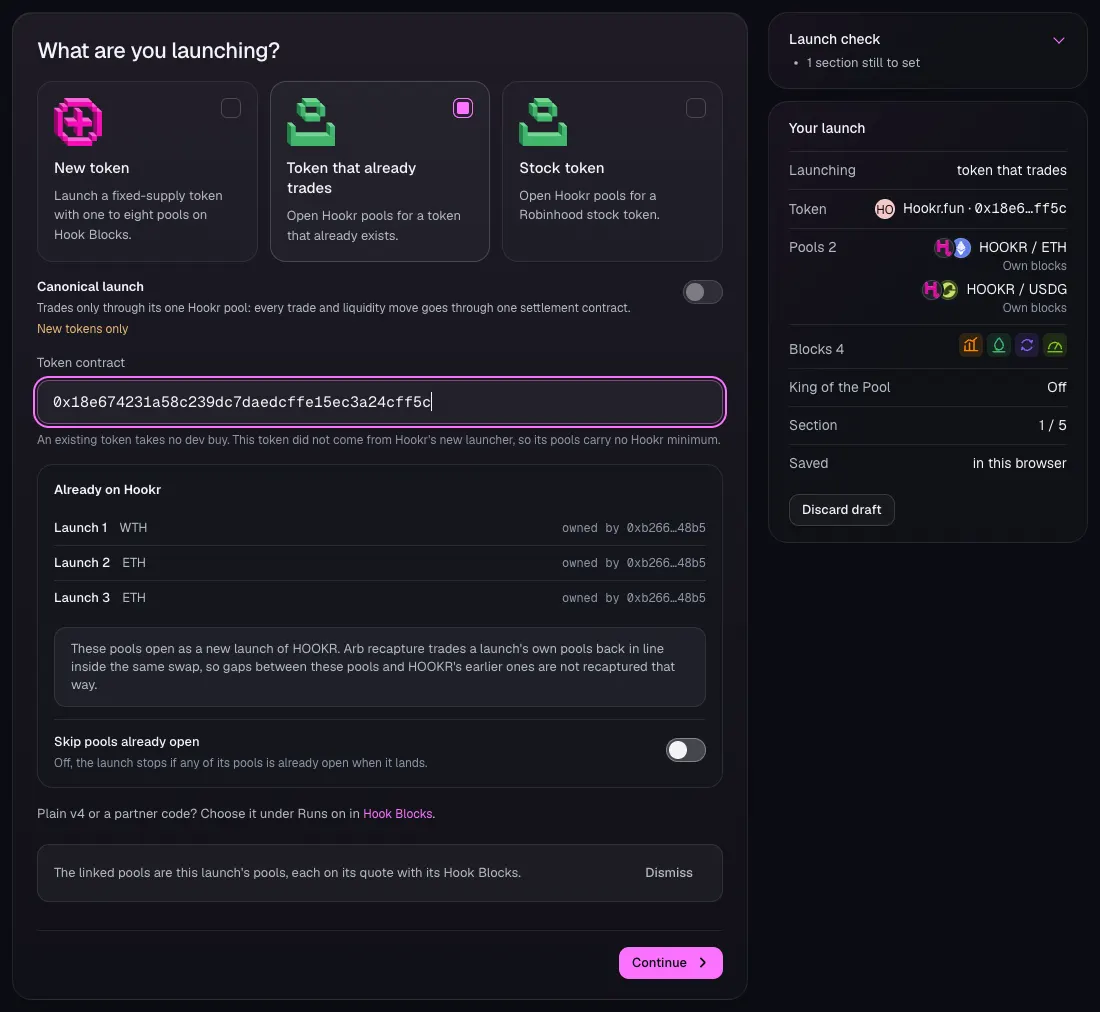
- Click 1 Token.
- Under What are you launching?, choose Token that already trades.
- In Token contract, paste your token's address. This example uses HOOKR, 0x18e674231a58c239dc7daedcffe15ec3a24cff5c.
- Check Already on Hookr lists any launches the token already has.
- Leave Skip pools already open off.
- Check Your launch lists HOOKR / ETH and HOOKR / USDG, then click Continue.
Pool 1: HOOKR / ETH
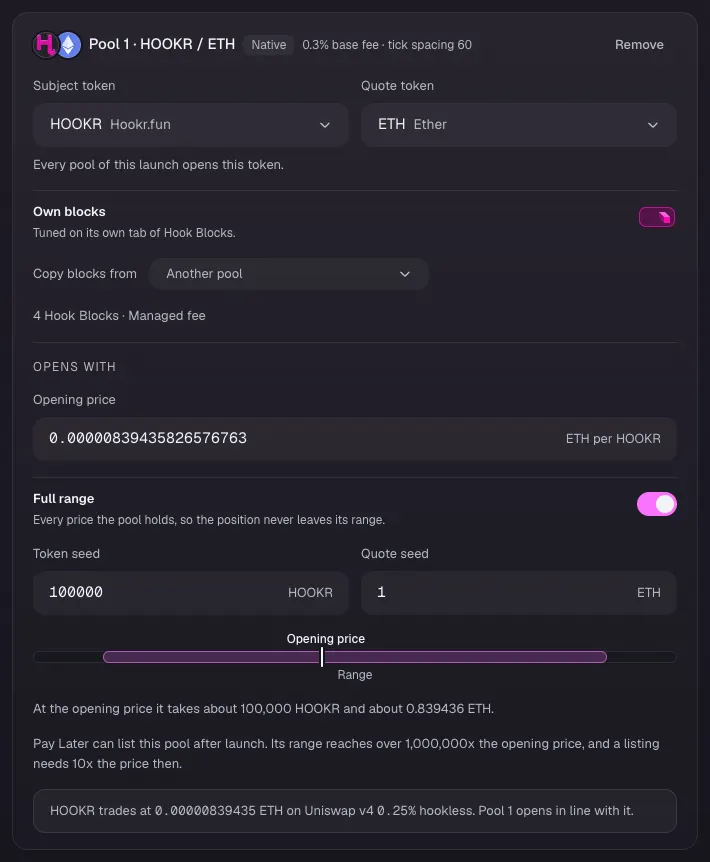
- Check Pool 1 · HOOKR / ETH reads 0.3% base fee · tick spacing 60 and 4 Hook Blocks · Managed fee.
- Wait for the line at the bottom of the card to say where HOOKR trades, then click Open at the market price.
- Turn on Full range.
- In Token seed type 100000 and in Quote seed type 1. These are example amounts: at the market price the pool takes about 100,000 HOOKR and 0.84 ETH.
- Check the line now says Pool 1 opens in line with it.
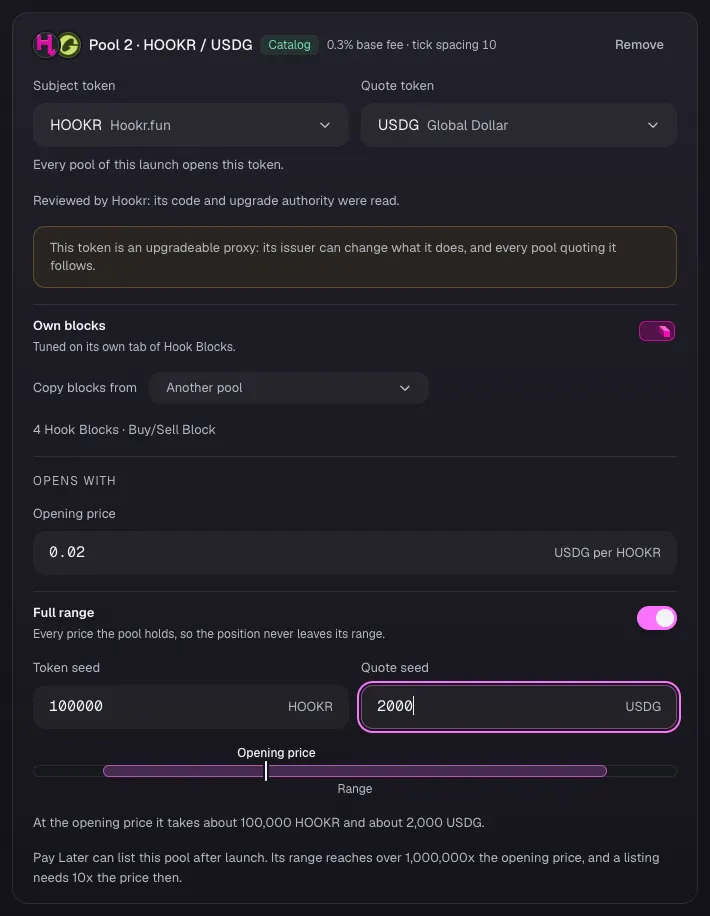
Pool 2: HOOKR / USDG
- Check Pool 2 · HOOKR / USDG reads 0.3% base fee · tick spacing 10 and 4 Hook Blocks · Buy/Sell Block.
- In Opening price, type the price your token trades at in USDG. This example uses 0.02.
- Turn on Full range.
- In Token seed type 100000 and in Quote seed type 2000. These are example amounts.
- Click Continue.
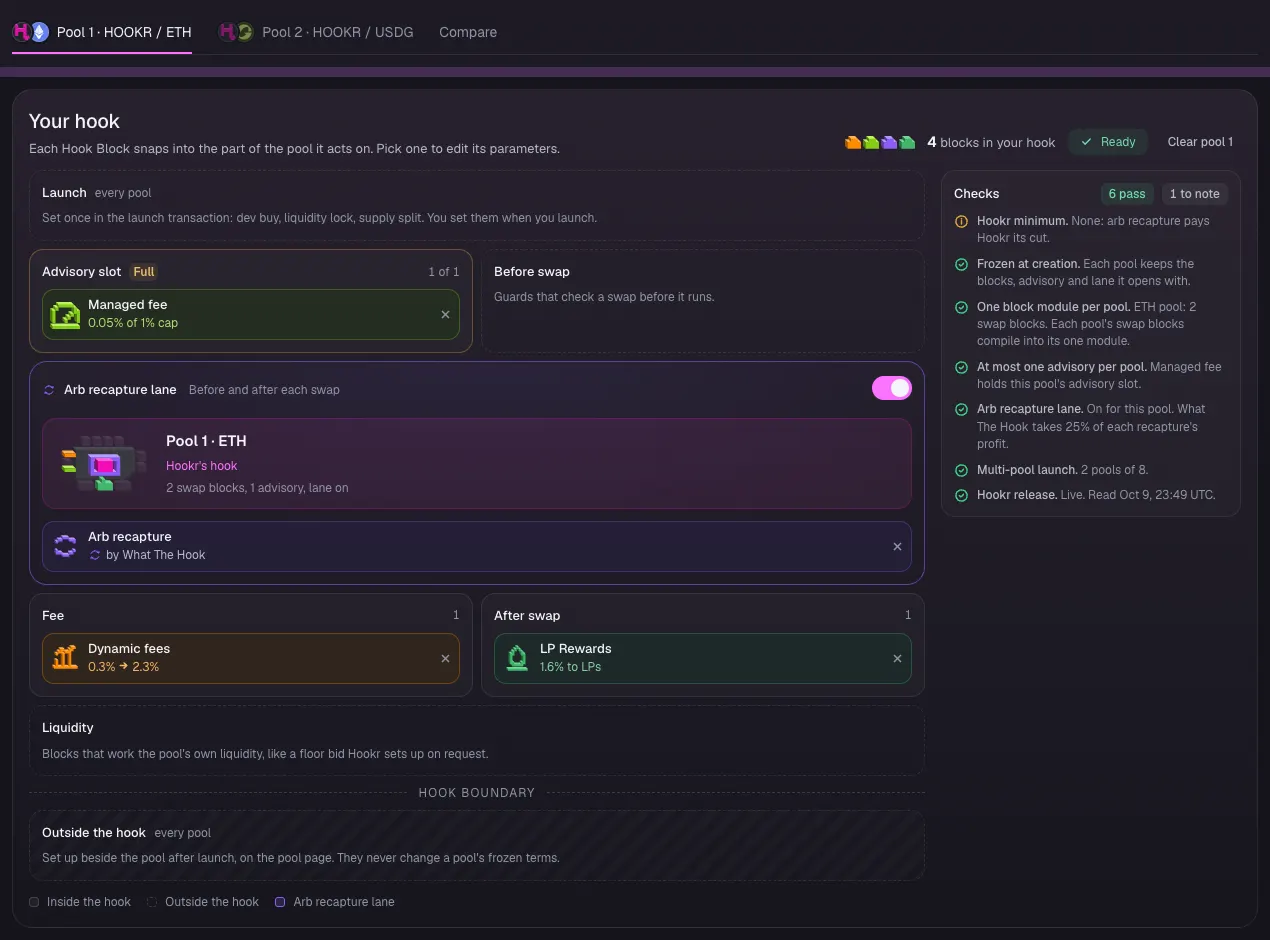
Hook Blocks on pool 1
- Click the Pool 1 · HOOKR / ETH tab.
- Under Your hook, check Managed fee holds the Advisory slot at 0.05% of 1% cap.
- Check the Arb recapture lane is on with Arb recapture by What The Hook.
- Check Fee holds Dynamic fees, 0.3% to 2.3%, and After swap holds LP Rewards, 1.6% to LPs.
- Check Checks reads 6 pass and 1 to note.
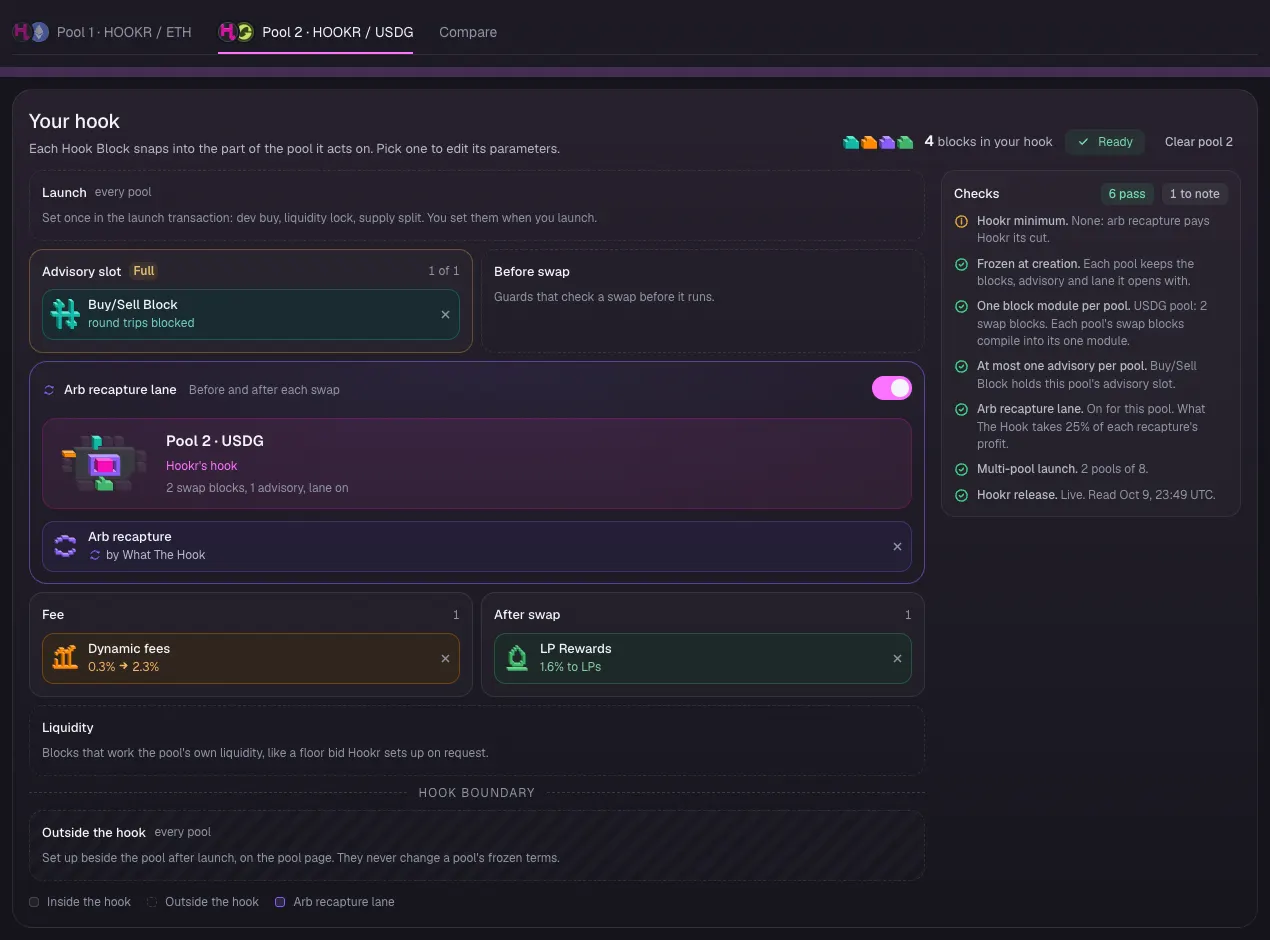
Hook Blocks on pool 2
- Click the Pool 2 · HOOKR / USDG tab.
- Check Buy/Sell Block holds the Advisory slot and reads round trips blocked.
- Check the Arb recapture lane is on, with Dynamic fees under Fee and LP Rewards under After swap.
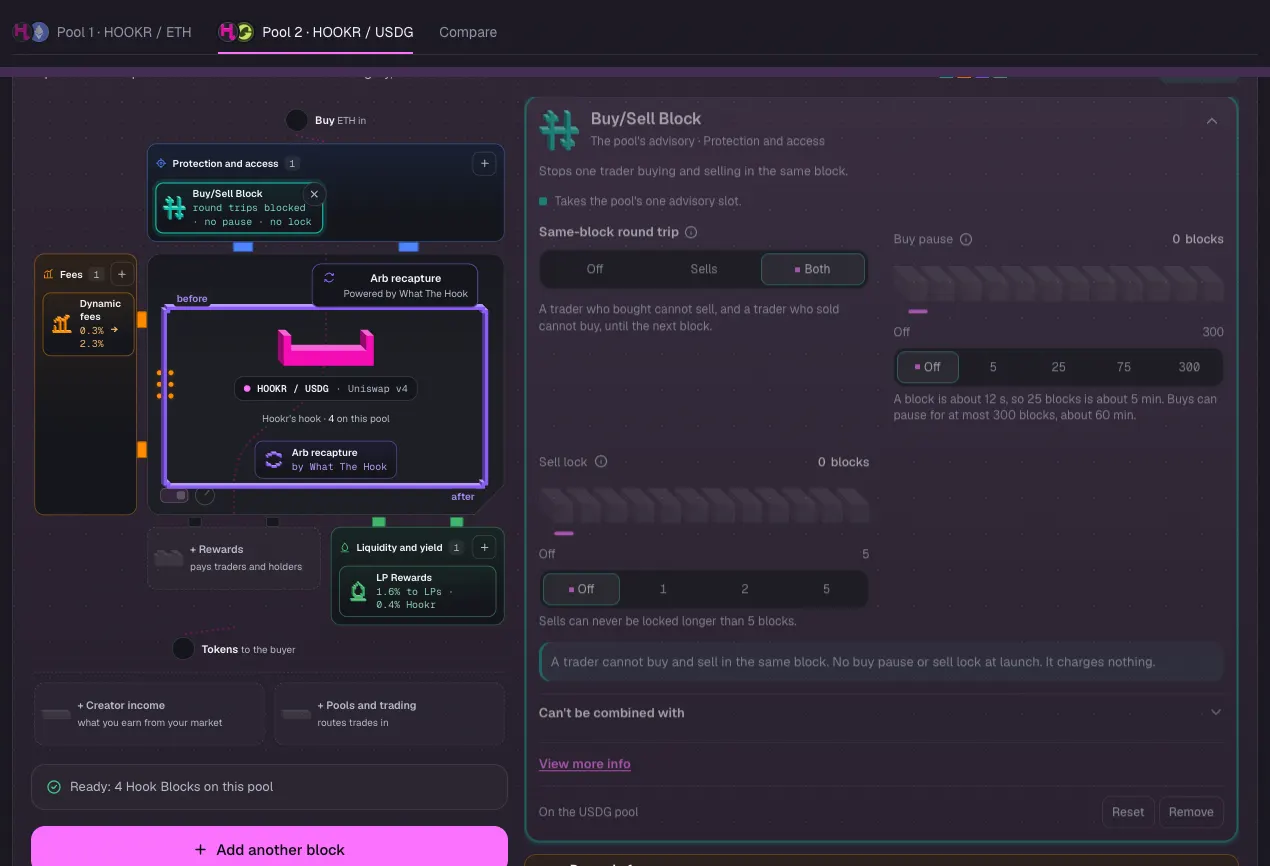
Buy/Sell Block settings
- Click Buy/Sell Block in the block list to open it.
- Under Same-block round trip, check Both is selected.
- Leave Buy pause and Sell lock at Off.
Liquidity lock
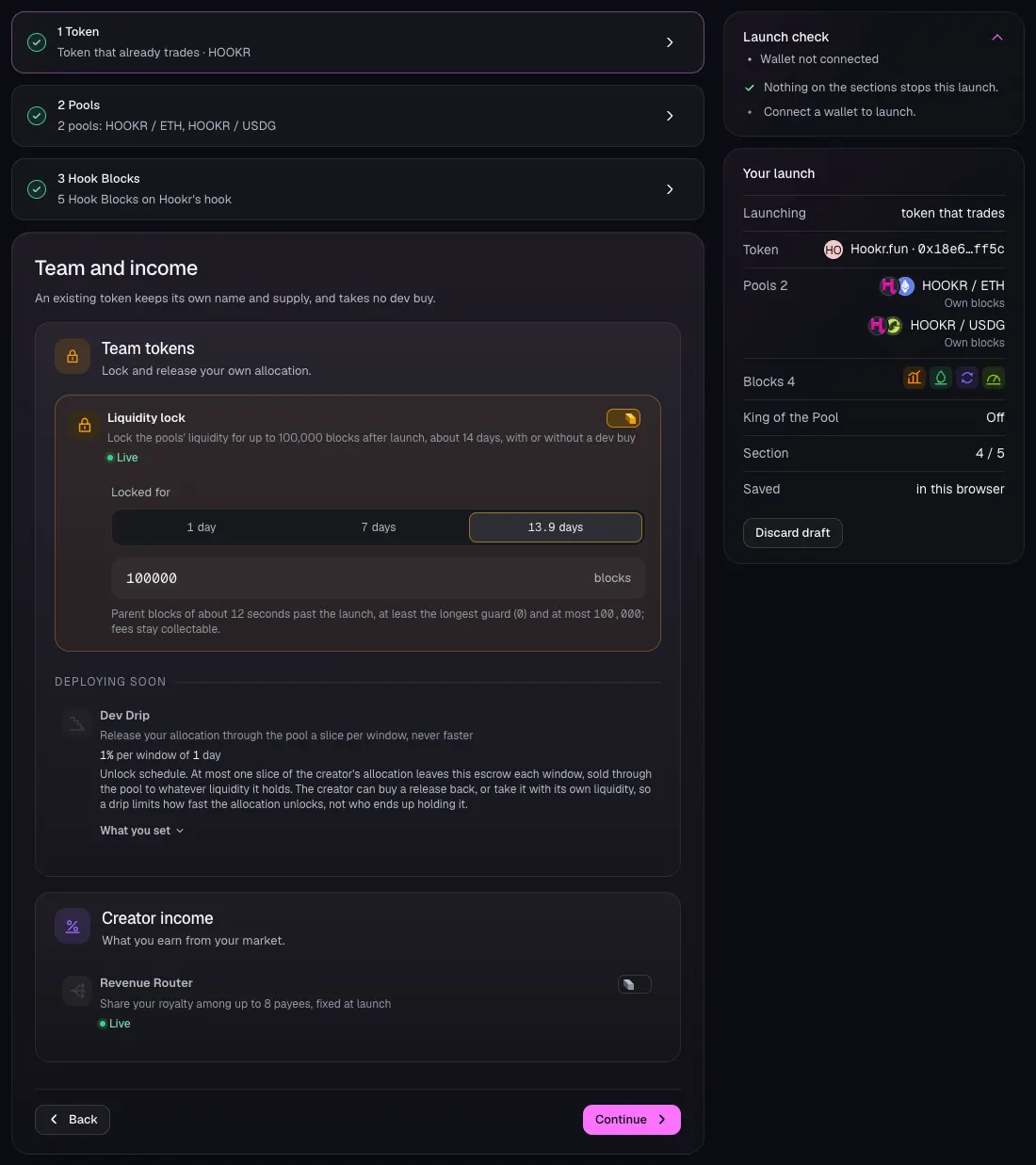
- Click 4 Team and income.
- Check Liquidity lock is on. If it is off, turn it on.
- Click 13.9 days, or type 100000 in blocks.
- Leave Revenue Router off. Dev Drip shows Deploying soon and cannot be set yet.
- Click Continue.
Review what differs
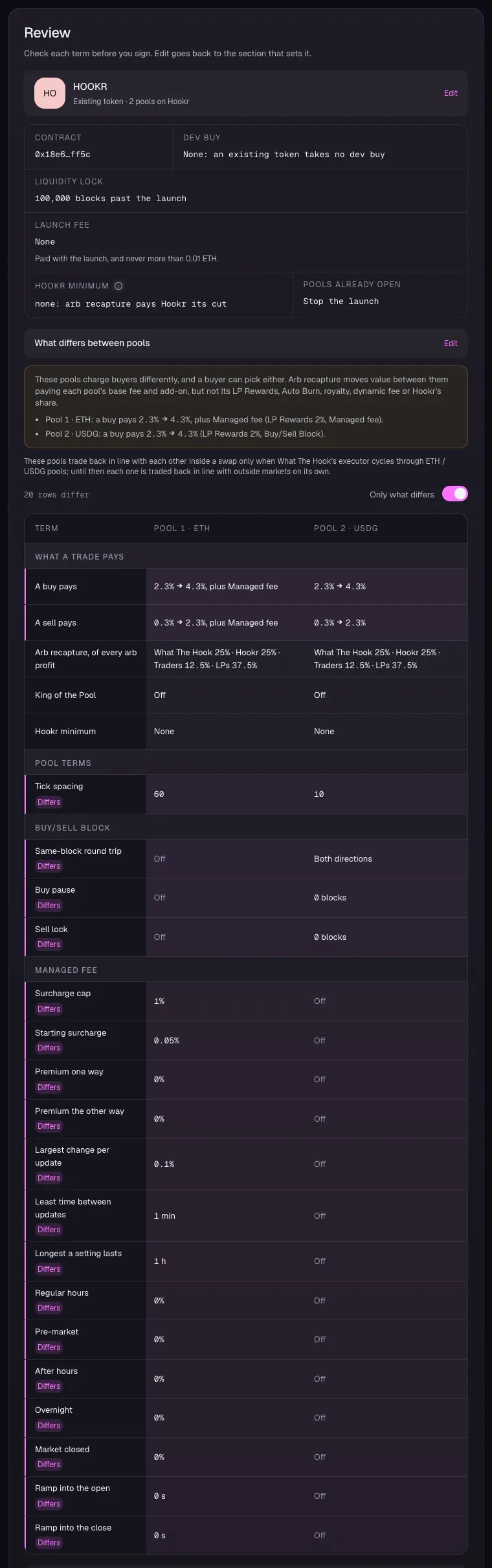
- Check Liquidity lock reads 100,000 blocks past the launch and Dev buy reads None.
- Under What differs between pools, check tick spacing reads 60 and 10.
- Check Same-block round trip reads Both directions on Pool 2 only, and the Managed fee rows are set on Pool 1 only.
- Check King of the Pool reads Off on both pools.
Review each pool
- Check each pool's Hook Blocks, opening price, Full range and seed.
- This walkthrough stops here. Connect a wallet and sign only when you mean to launch.