Liquidity home
For an established Robinhood Chain token moving its main depth.
On this page
Deploying soonSet it up now without A reward token made in the app, for Swap Reward Mint, which is deploying soon. Runs on live blocks.
Four new pools that pay LPs more than a plain pool does, with the project's own liquidity locked a week, so outside LPs move in.
Why it is different. A migration that pays LPs to come.
The pools
Four pools · liquidity locked a week (50,400 blocks)
- USDGtick spacing 10
Desk: a capped surcharge
- Live:Dynamic fees
- Live:LP Rewards
- Live:Arb recapture
- Live:Managed feeadvisory
How the pools work together
- What The Hook's executor trades the new pools in line with the token's old venues; each recapture's pool half pays traders and LPs on three of the pools, and on the crown pool it fills the pot.
- LP Rewards pays LPs a share of every buy on top of the base fee.
- Liquidity Ladder would move the project's own extra depth over in tranches. Proposed
Beside the pools and at launch
- Live:Liquidity lock
- Live:Limit orders
- Deploying soon:Pay LaterDeploying soon
Proposed connectors
- Proposed:Family Pinger
- Proposed:Liquidity Ladder
Walkthrough
Every section of the launch floor this combo uses, in order, with what to check, select and fill in each. The screenshots use PONS 0x39dbed3a2bd333467115de45665cc57f813c4571 (HOOKR and WTH are both quotes of this launch, so PONS is only an example) as the token.
Full walkthrough: Launch 1: four pools for a token that already trades
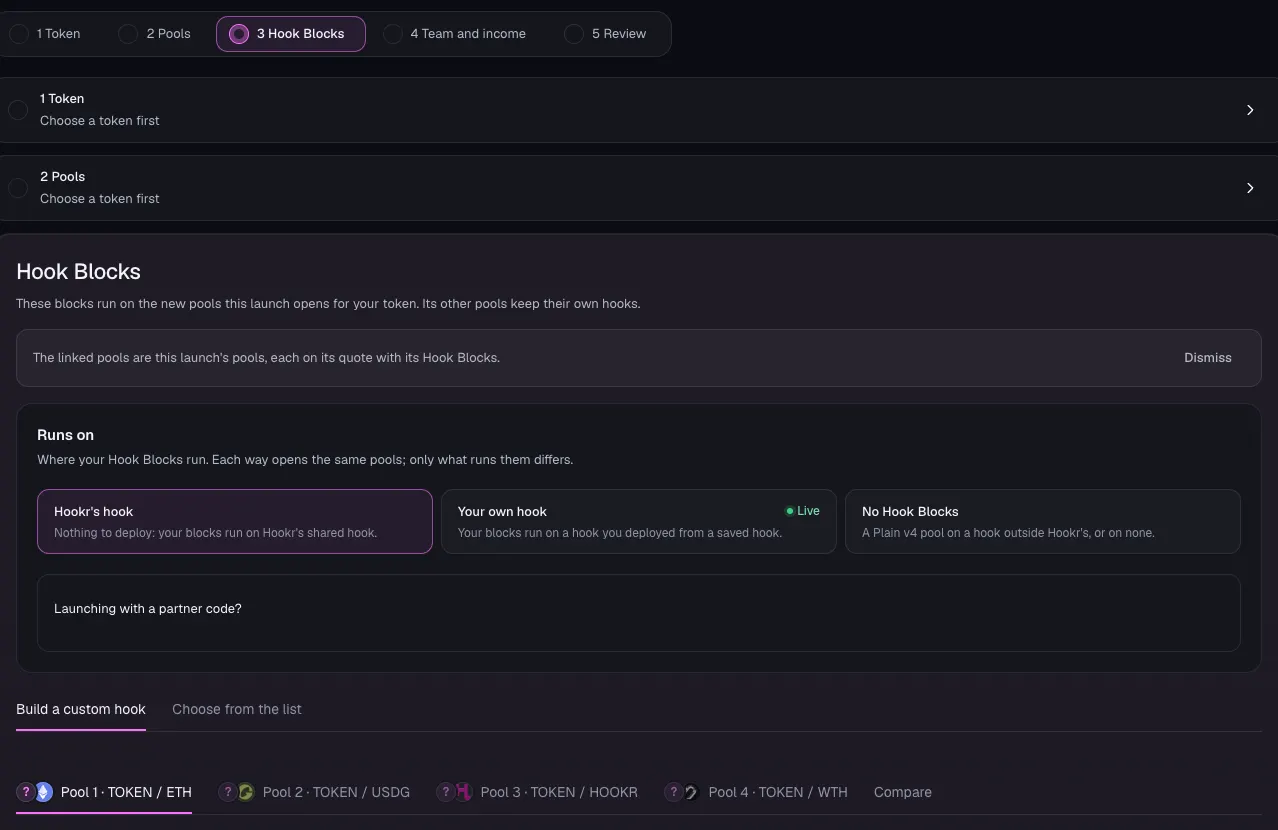
Open the family
- Open the launch page on this family.
- Check that Hook Blocks shows four pool tabs: Pool 1 · TOKEN / ETH, Pool 2 · TOKEN / USDG, Pool 3 · TOKEN / HOOKR and Pool 4 · TOKEN / WTH.
- Leave Runs on at Hookr's hook.
Choose your token
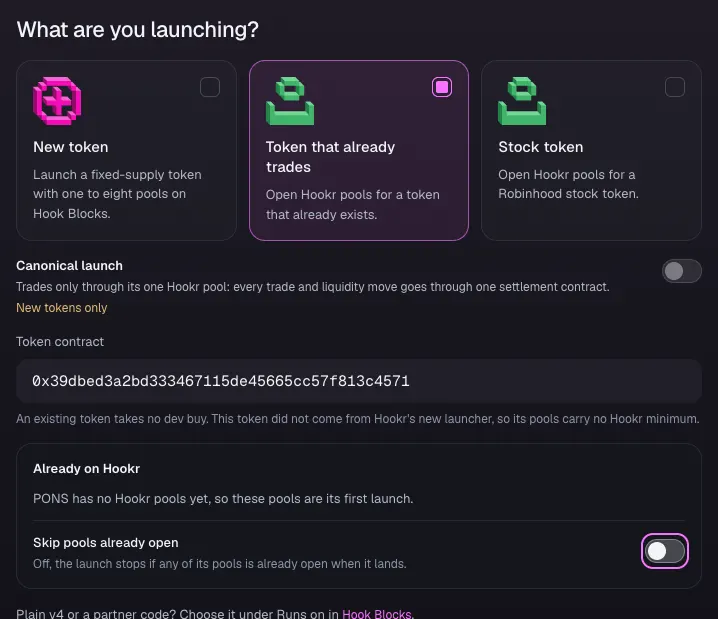
- Click 1 Token.
- Under What are you launching?, click Token that already trades.
- Paste your token's address in Token contract. The image uses PONS (0x39dbed3a2bd333467115de45665cc57f813c4571) only as an example.
- Check that Already on Hookr says the token has no Hookr pools yet.
- Leave Skip pools already open off.
- Click Continue.
Pool 1 · ETH
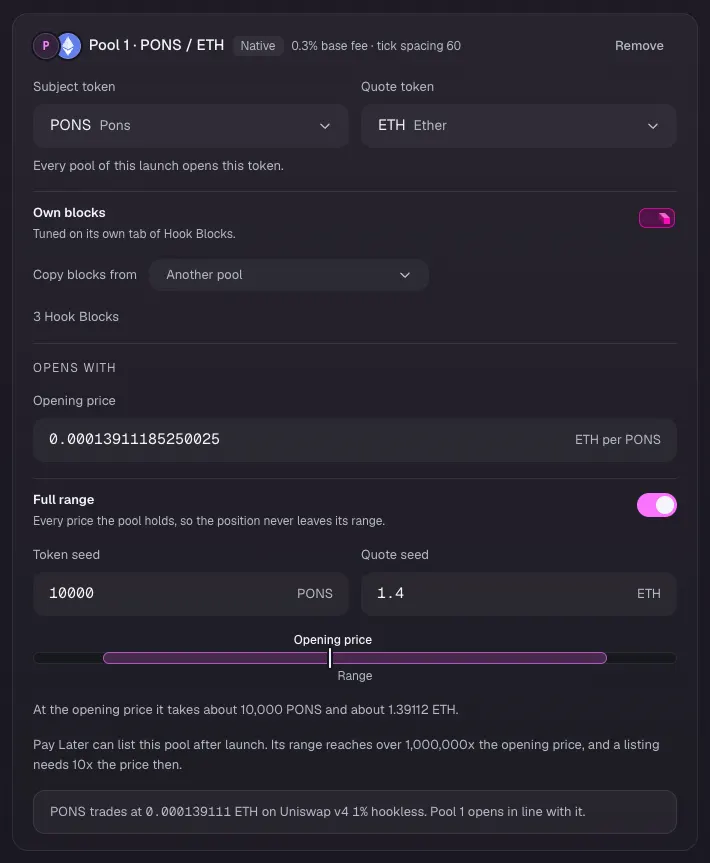
- Click Open at the market price, so pool 1 opens at the token's current ETH price.
- Turn on Full range.
- Type the Token seed and the Quote seed you will add. The image uses 10000 PONS and 1.4 ETH as examples.
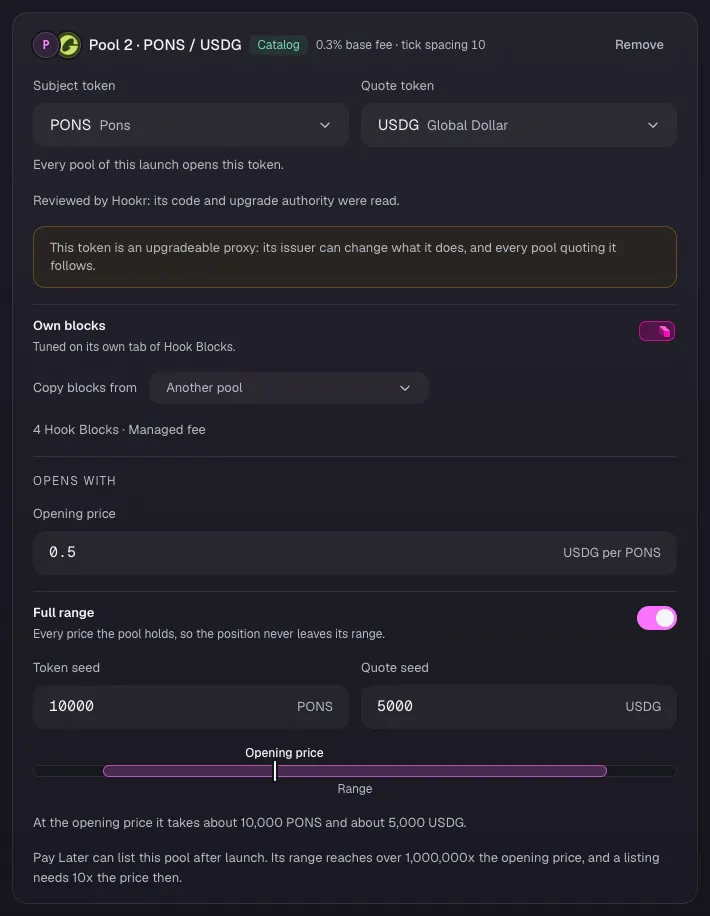
Pool 2 · USDG
- Type the token's USDG price in Opening price. 0.5 in the image is an example.
- Turn on Full range.
- Type the Token seed and the Quote seed. The image uses 10000 and 5000 as examples.
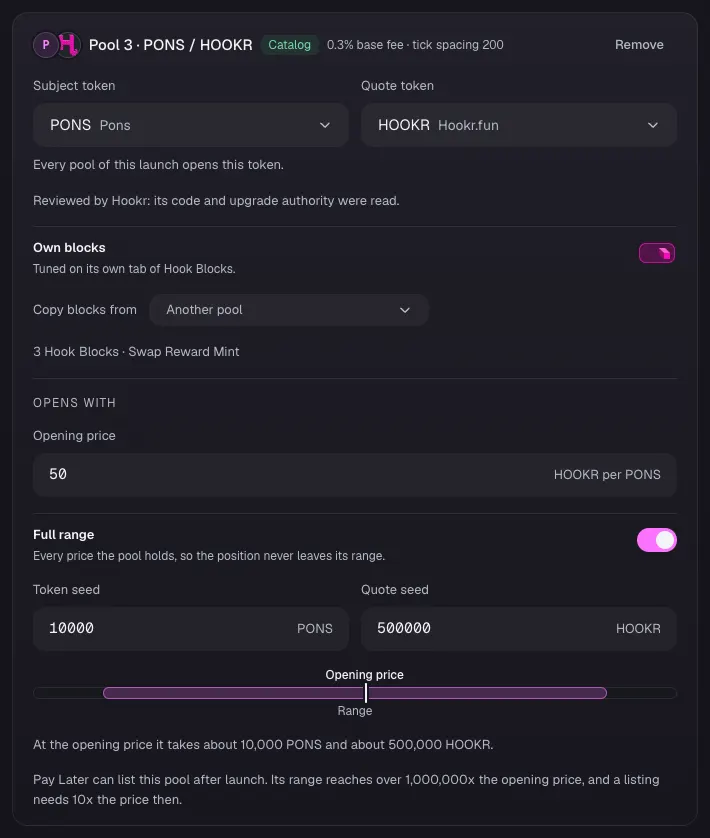
Pool 3 · HOOKR
- Type the token's HOOKR price in Opening price. 50 in the image is an example.
- Turn on Full range.
- Type the Token seed and the Quote seed. The image uses 10000 and 500000 as examples.
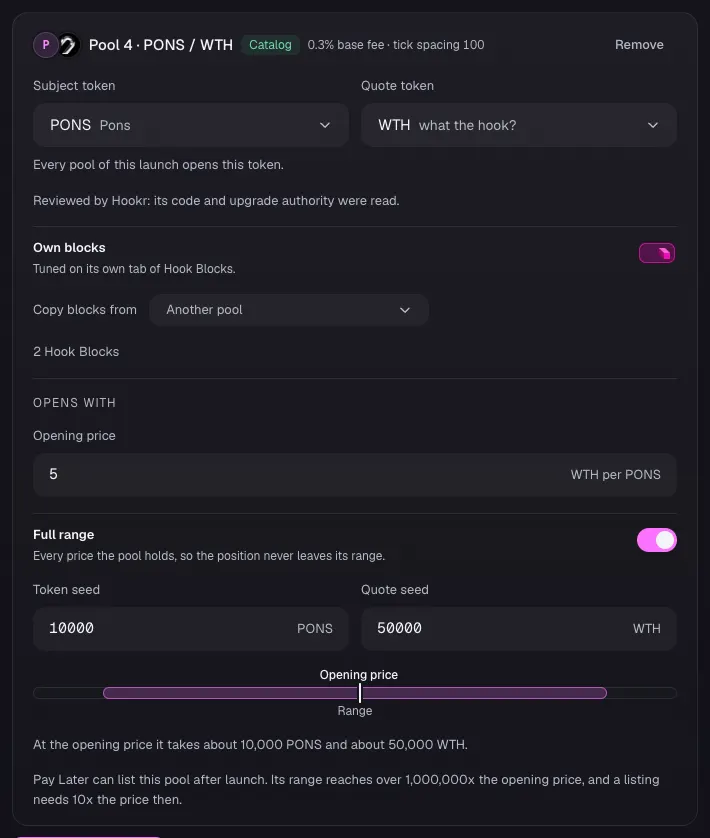
Pool 4 · WTH
- Type the token's WTH price in Opening price. 5 in the image is an example.
- Turn on Full range.
- Type the Token seed and the Quote seed. The image uses 10000 and 50000 as examples.
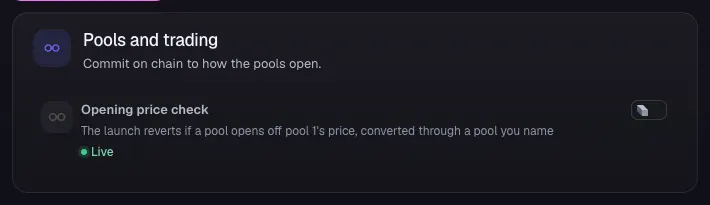
Pools and trading
- Leave Opening price check off, or turn it on to make the launch revert if a pool opens off pool 1's price.
- Click Continue.
Pool 1 · ETH blocks
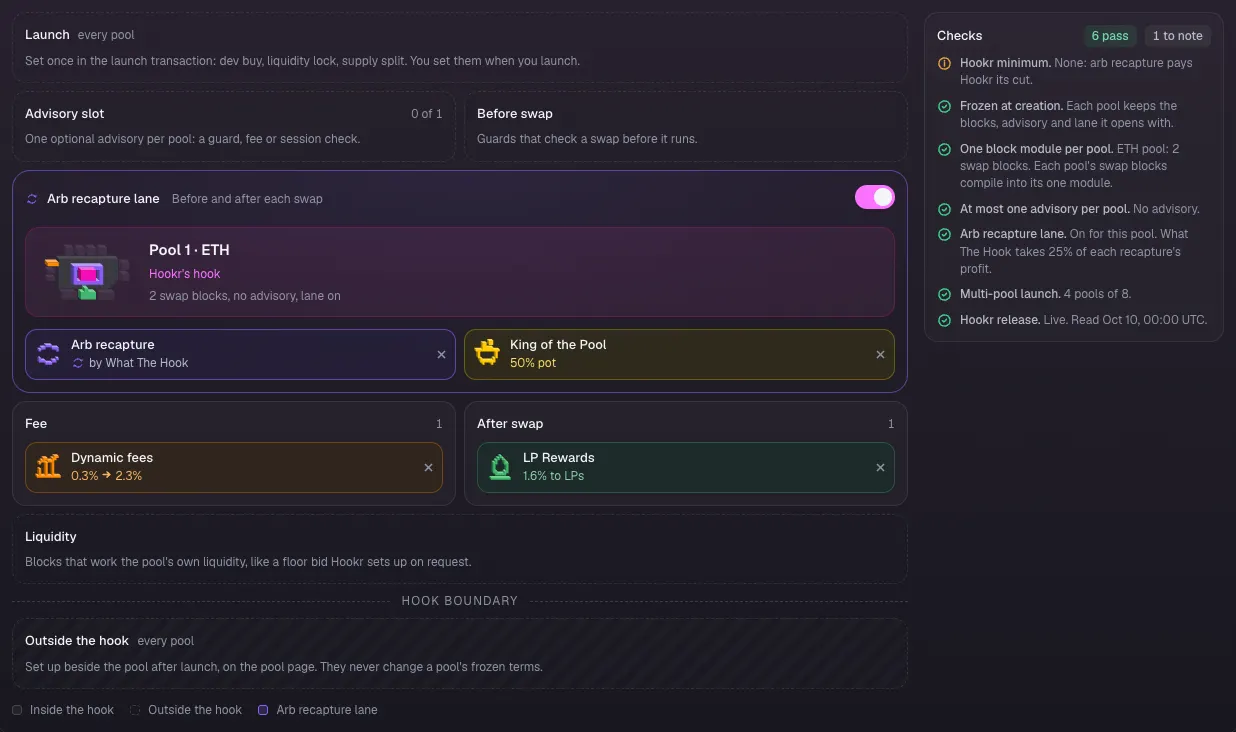
- In Hook Blocks, click the Pool 1 · PONS / ETH tab.
- Check the board: Arb recapture and King of the Pool in the Arb recapture lane, Dynamic fees, and LP Rewards after the swap.
- Check that Advisory slot reads 0 of 1.
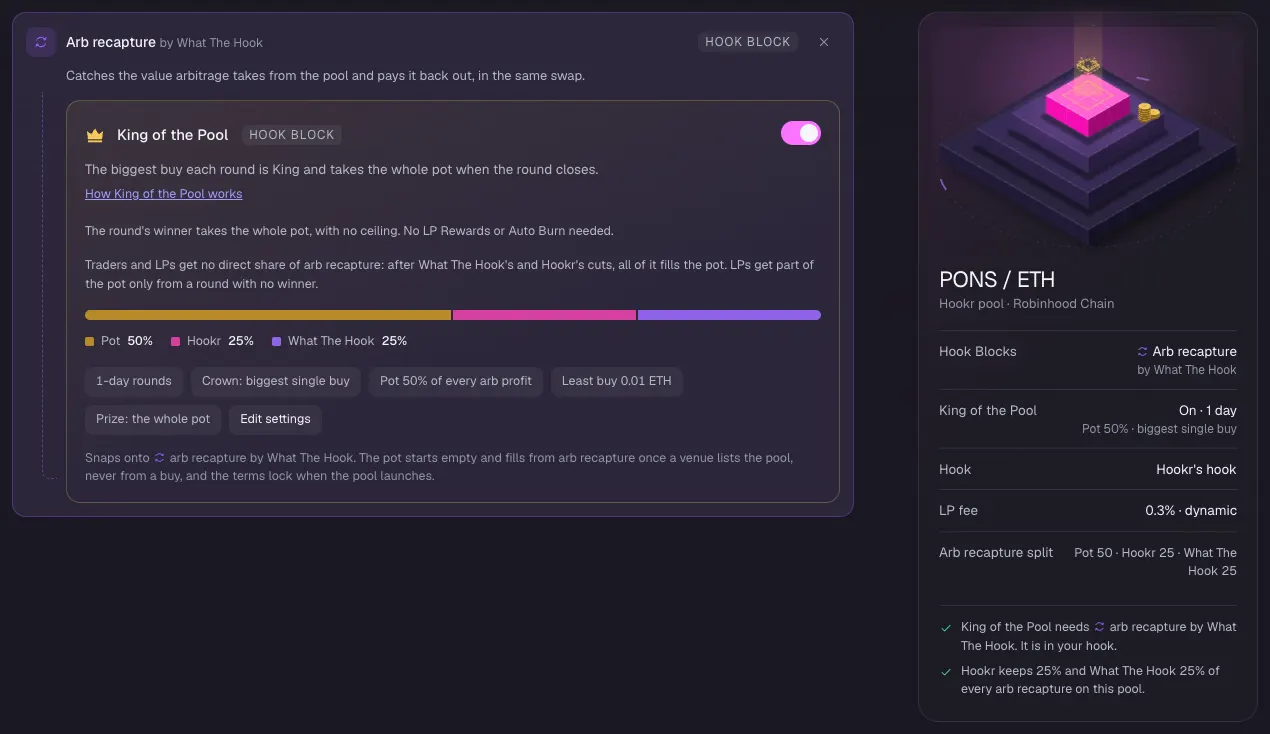
King of the Pool
- Under Arb recapture by What The Hook, check that King of the Pool is on: 1-day rounds, Pot 50% of every arb profit, Least buy 0.01 ETH, Prize: the whole pot.
Pool 2 · USDG blocks
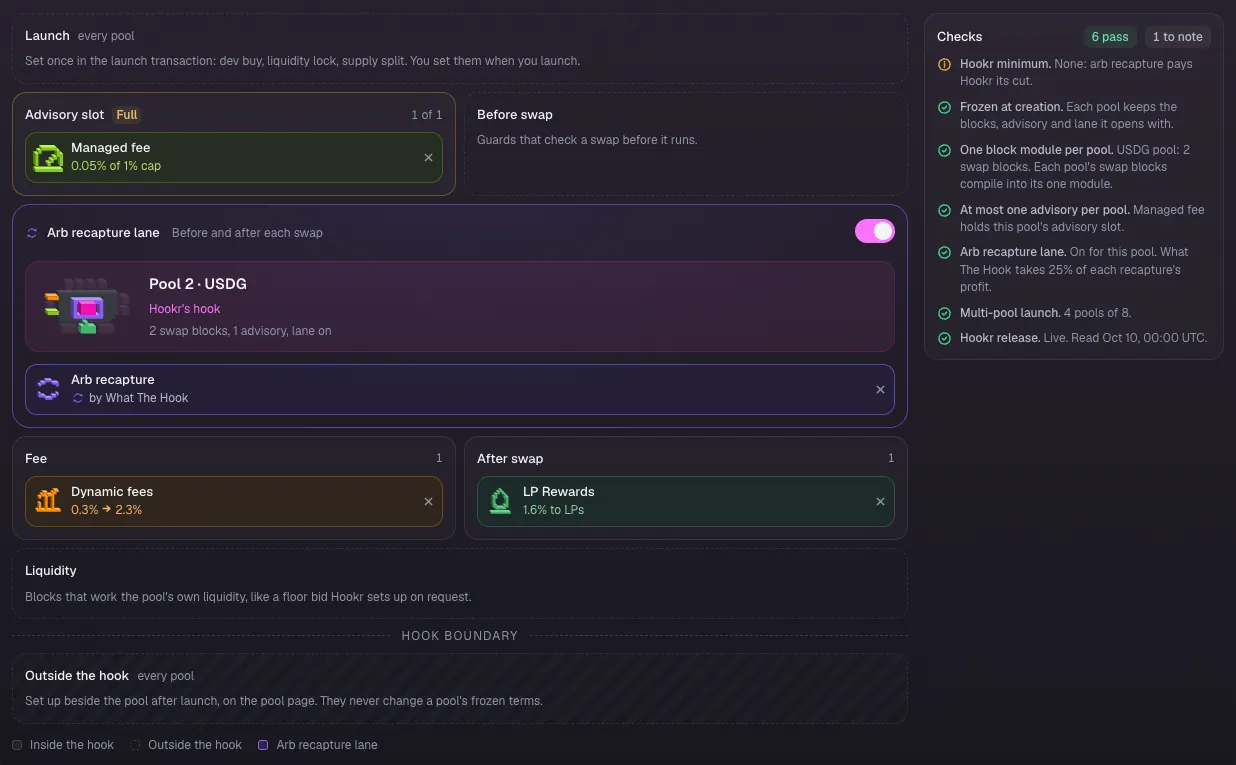
- Click the Pool 2 · PONS / USDG tab.
- Check that Managed fee fills the Advisory slot (1 of 1), next to Arb recapture, Dynamic fees and LP Rewards.
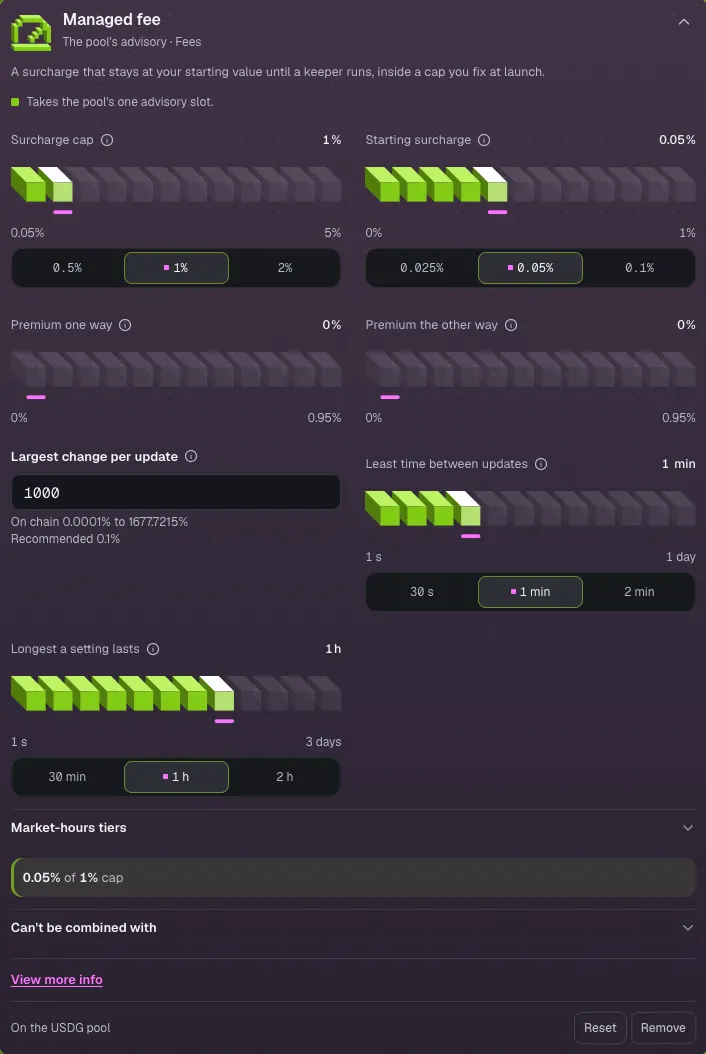
Managed fee
- Click Managed fee to open it.
- Leave Surcharge cap at 1% and Starting surcharge at 0.05%.
- Leave Largest change per update at 1000. The field is in raw pips, so 1000 is the recommended 0.1%.
Pool 3 · HOOKR blocks
- Click the Pool 3 · PONS / HOOKR tab.
- Check that Swap Reward Mint fills the Advisory slot (1 of 1), next to Arb recapture and LP Rewards.
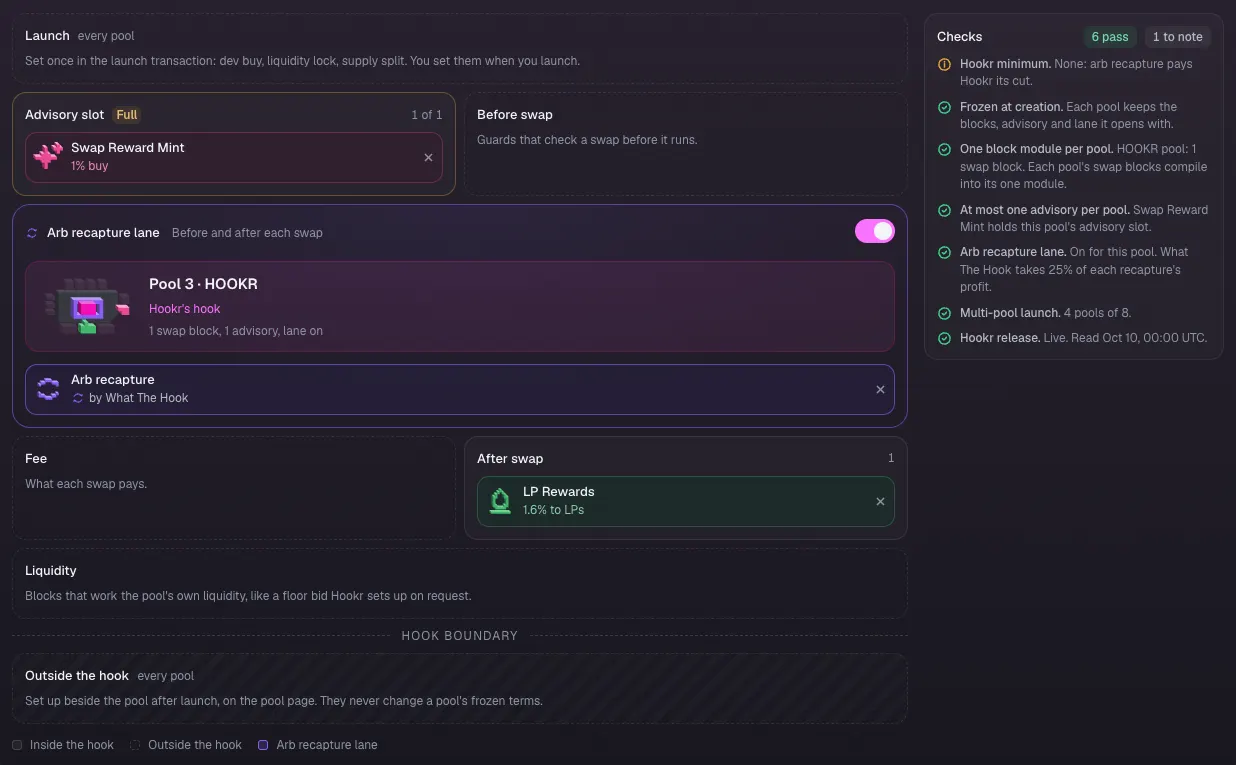
Points for traders
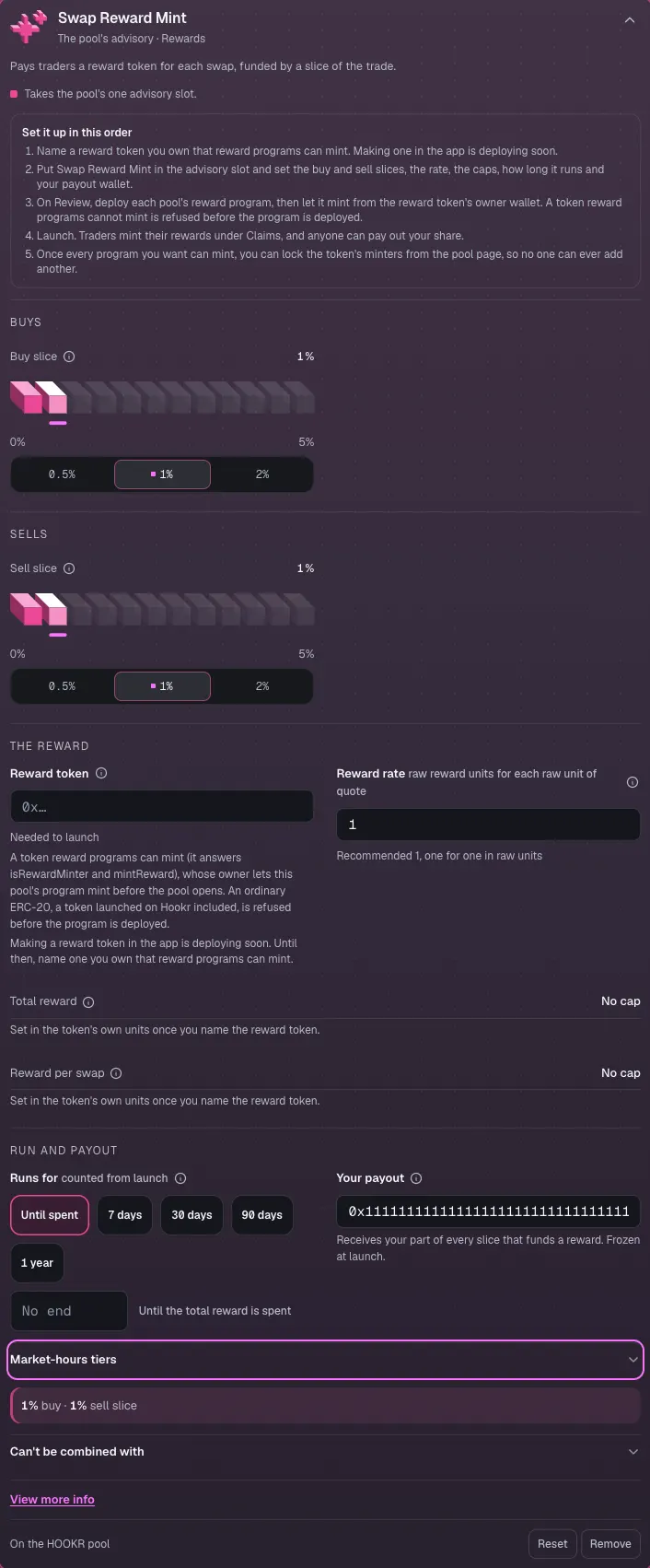
- Click Swap Reward Mint to open it.
- Clear the prefilled Reward token and paste a reward token you own that reward programs can mint. Until you do, it reads Needed to launch. Making one in the app is deploying soon.
- Set Your payout to your wallet. 0x1111…1111 in the image is an example.
- Leave Buy slice and Sell slice at 1%, Reward rate at 1 and Runs for at Until spent.
Pool 4 · WTH blocks
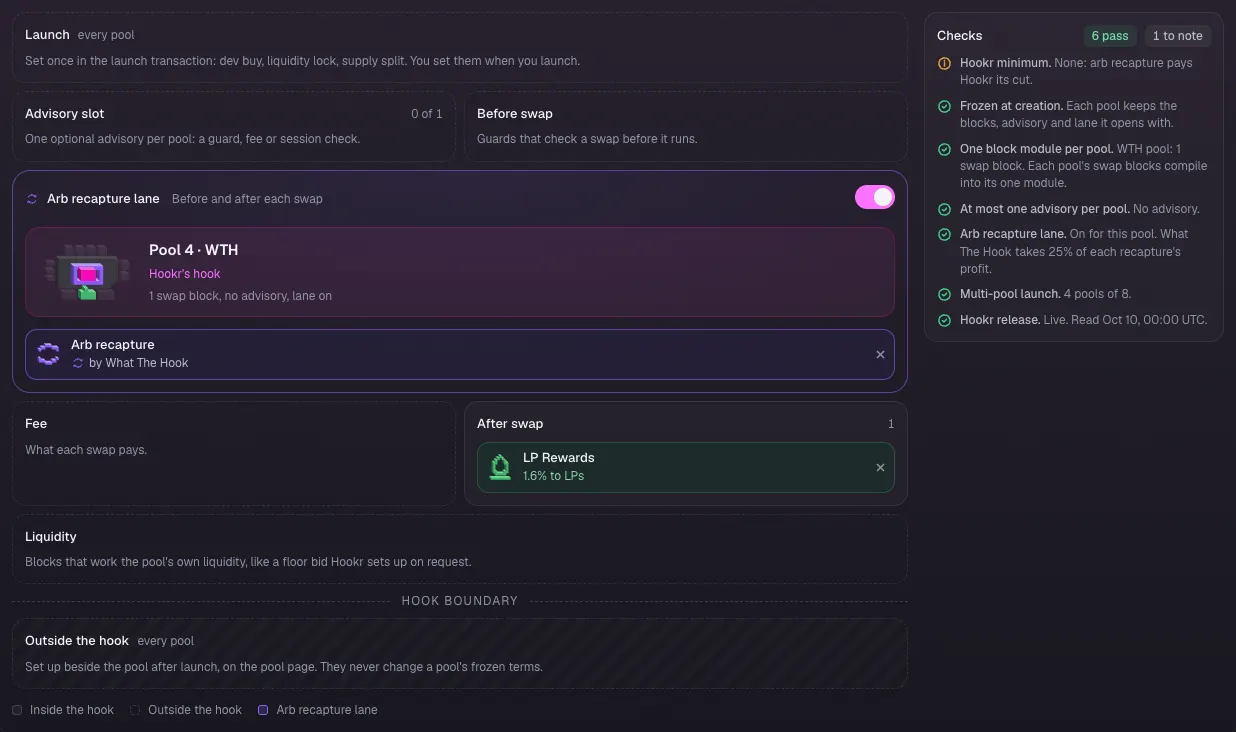
- Click the Pool 4 · PONS / WTH tab.
- Check the board: Arb recapture in the lane and LP Rewards after the swap, Advisory slot 0 of 1.
Lock your liquidity
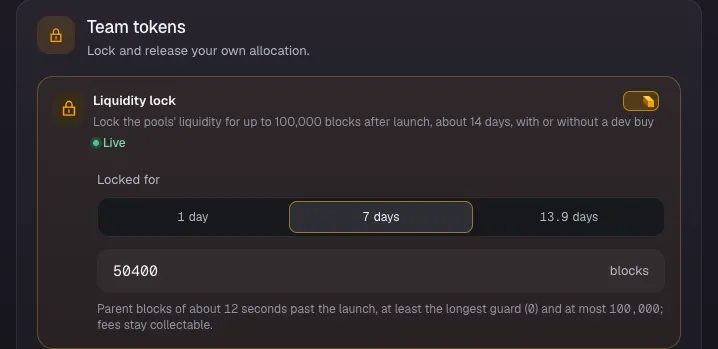
- Click 4 Team and income.
- Check that Liquidity lock is on and Locked for reads 7 days (50400 blocks).
- Click Continue.
Review the launch
- Click 5 Review.
- Check Contract, and that Liquidity lock reads 50,400 blocks past the launch.
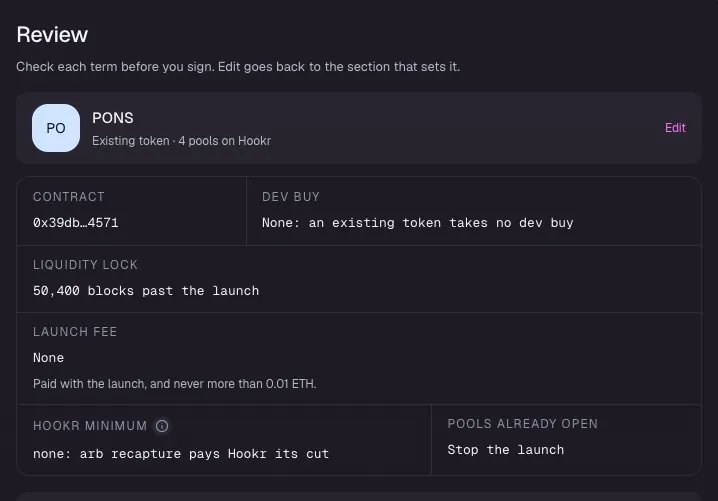
Compare the pools
- Under What differs between pools, check that King of the Pool is on for Pool 1 · ETH only and Tick spacing reads 60, 10, 200 and 100.
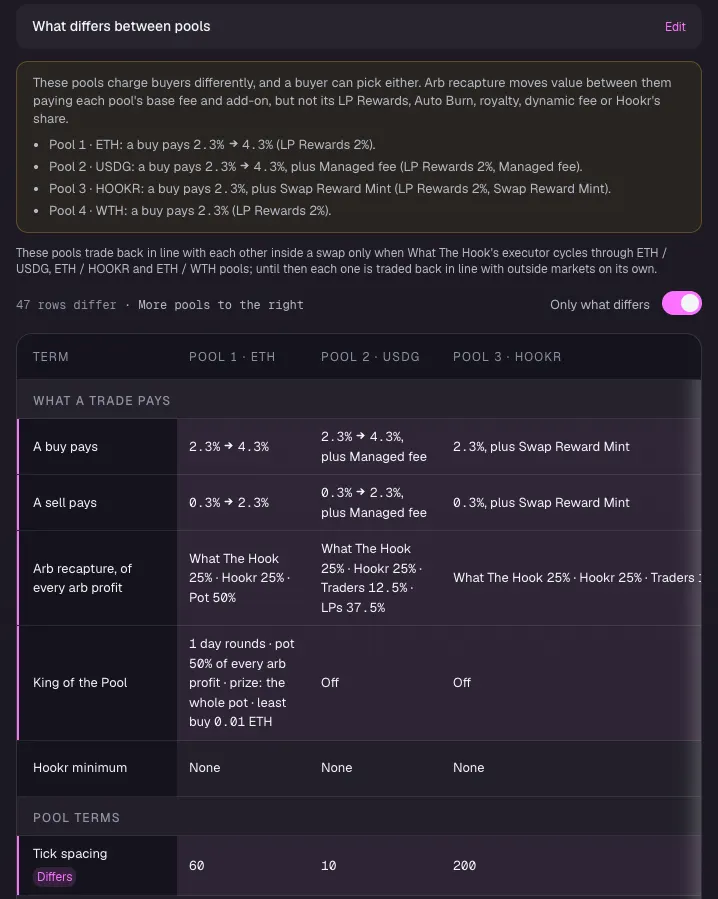
Pools 3 and 4
- Scroll the table to the right to see Pool 3 · HOOKR (plus Swap Reward Mint) and Pool 4 · WTH (2.3% a buy).
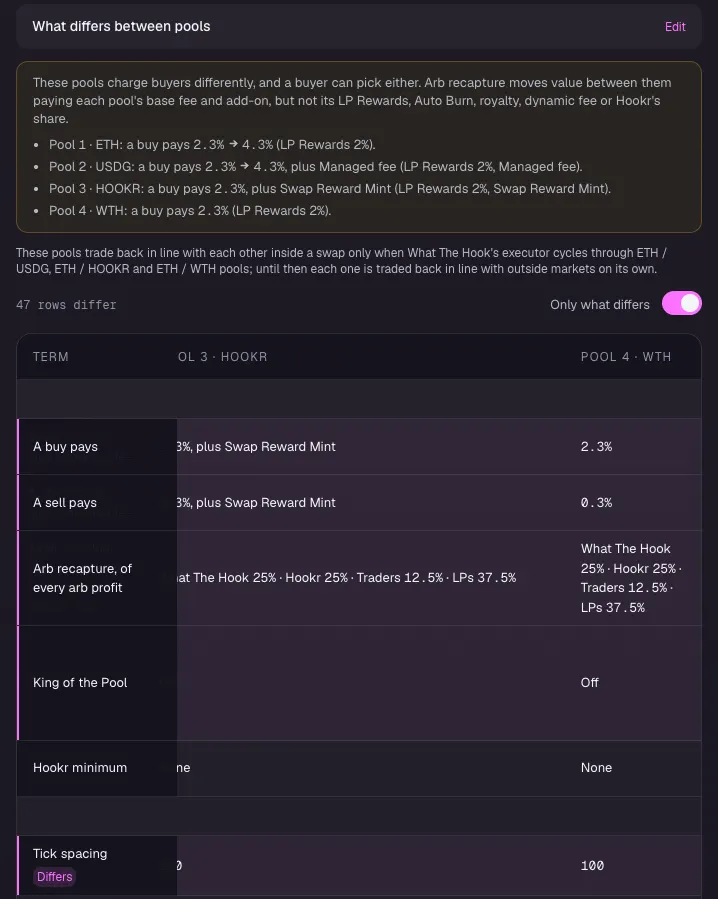
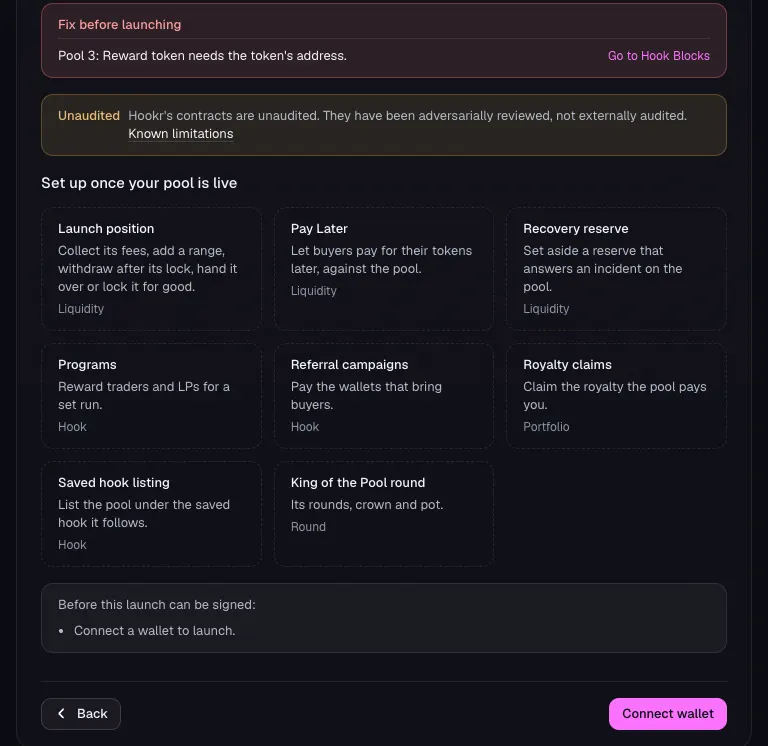
Before you sign
- Read Fix before launching. Without a reward token it reads Pool 3: Reward token needs the token's address.
- Click Connect wallet when you are ready to sign.