Bot-resistant fair launch
For a team that wants early bots to pay the people who stay.
On this page
Deploying soonSet it up now without Dev Drip, which is deploying soon. Runs on live blocks. Dev Drip is deploying soon.
Snipers pay extra, same-block round trips are refused on the USDG pool, and arbitrage pays half its profit back to the pool.
Why it is different. Bots can still trade here, but much of what they pay lands with the pool's LPs and traders.
The pools
Launch · split 60/30/10 · keep at most 2% · locked 100,000 blocks
- ETHtick spacing 60
Guarded launch pool
- Live:Anti-Snipe
- Live:Dynamic fees
- Live:Auto Burn
- Live:LP Rewards
- Live:Arb recapture
- USDGtick spacing 10
Round trips refused
- Live:Anti-Snipe
- Live:Dynamic fees
- Live:LP Rewards
- Live:Arb recapture
- Live:Buy/Sell Blockadvisory
- HOOKRtick spacing 200
A launch tax set to decay
- Live:Anti-Snipe
- Live:Dynamic fees
- Live:LP Rewards
- Live:Arb recapture
- Live:Tax + Conversionadvisory
How the pools work together
- Early buys are capped and pay Anti-Snipe's extra LP fee, and on HOOKR a tax set to start high and decay over its first blocks (300 by default).
- One wallet buying and selling in the same block is refused on the USDG pool.
- Arbitrage pays half of every recapture's profit to the pool.
- Fee Bridge named as the HOOKR pool's tax recipient, would pay that tax back to the HOOKR pool's in-range LPs a little at a time, so it reaches LPs who stay. Proposed
Beside the pools and at launch
- Live:Liquidity lock
- Live:Supply you keep
- Live:Vesting Milestone
- Deploying soon:Dev DripDeploying soon
- Live:Recovery reserve
- Live:Limit orders
Proposed connectors
- Proposed:Fee Bridge
Walkthrough
Every section of the launch floor this combo uses, in order, with what to check, select and fill in each.
Full walkthrough: Launch 1: EXMPL
Open the launch page on this family
- Open the launch page on this family.
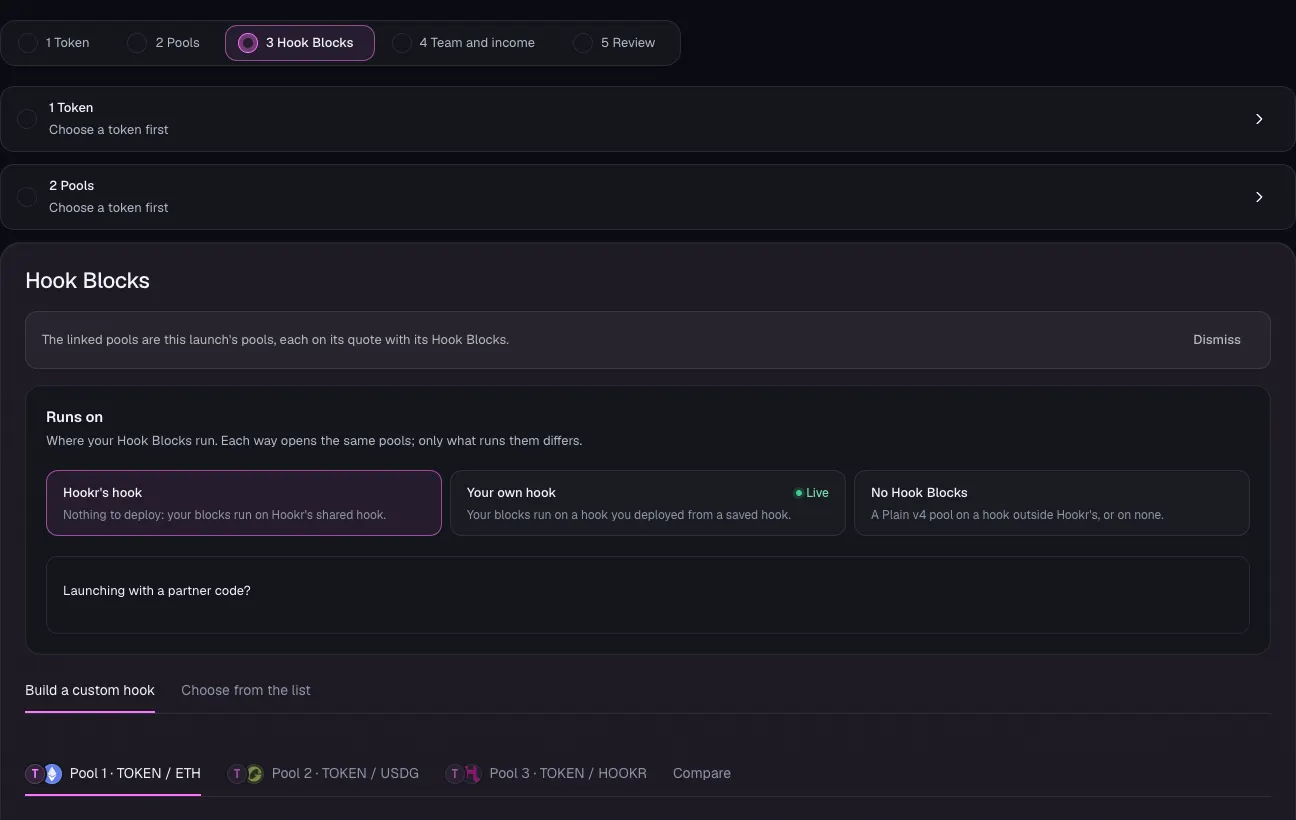
- Check that Hook Blocks shows three pool tabs: Pool 1 · TOKEN / ETH, Pool 2 · TOKEN / USDG and Pool 3 · TOKEN / HOOKR.
- Leave Runs on at Hookr's hook.
Name the token
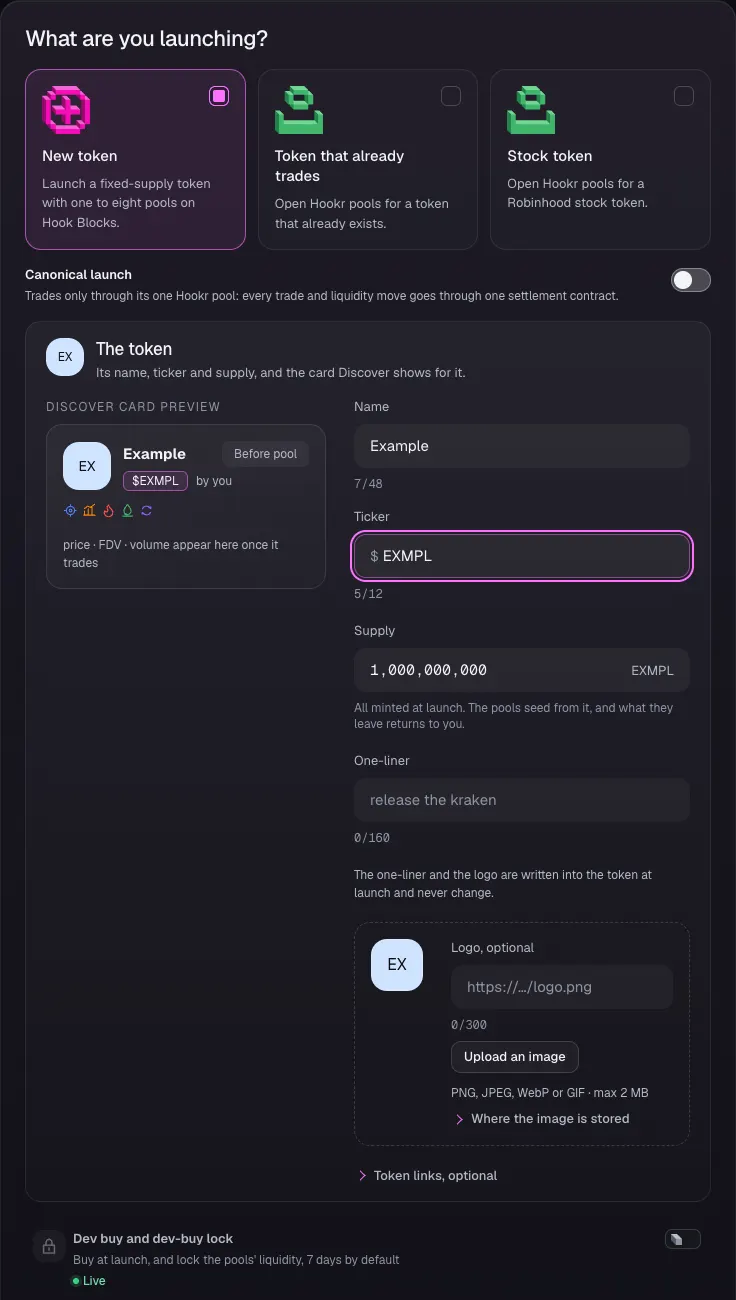
- Open 1 Token and keep New token selected.
- Type a name in Name and a ticker in Ticker. This example uses Example and EXMPL.
- Leave Supply at 1,000,000,000 and Dev buy and dev-buy lock off.
- Click Continue.
Open pool 1 on ETH
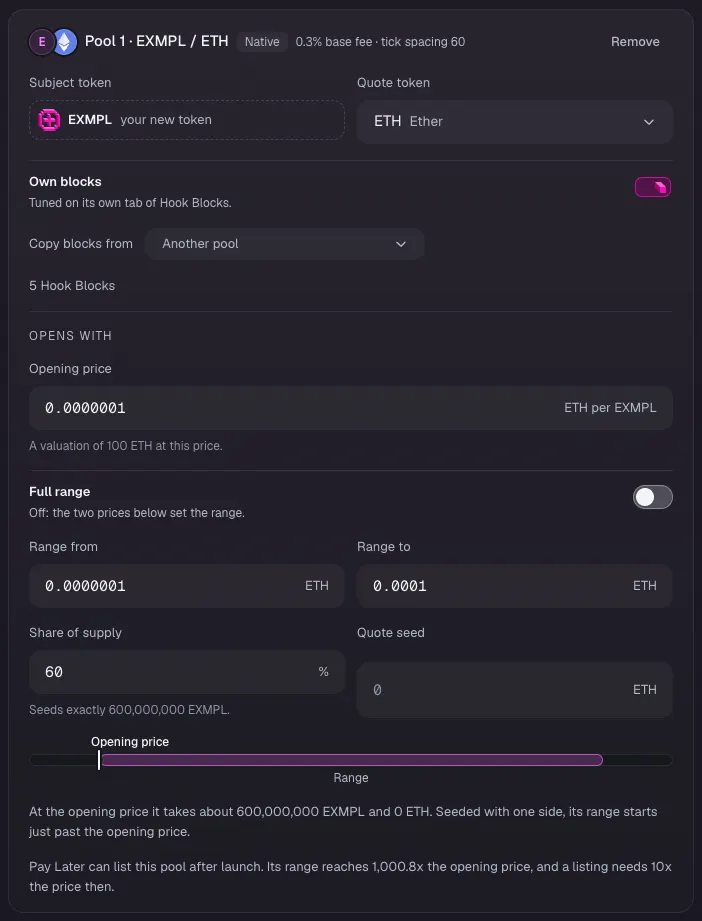
- In 2 Pools, on Pool 1 · EXMPL / ETH, type the Opening price in ETH per EXMPL. This example uses 0.0000001.
- Leave Full range off and type Range from and Range to. This example uses 0.0000001 to 0.0001.
- Check that Share of supply reads 60 and leave Quote seed empty.
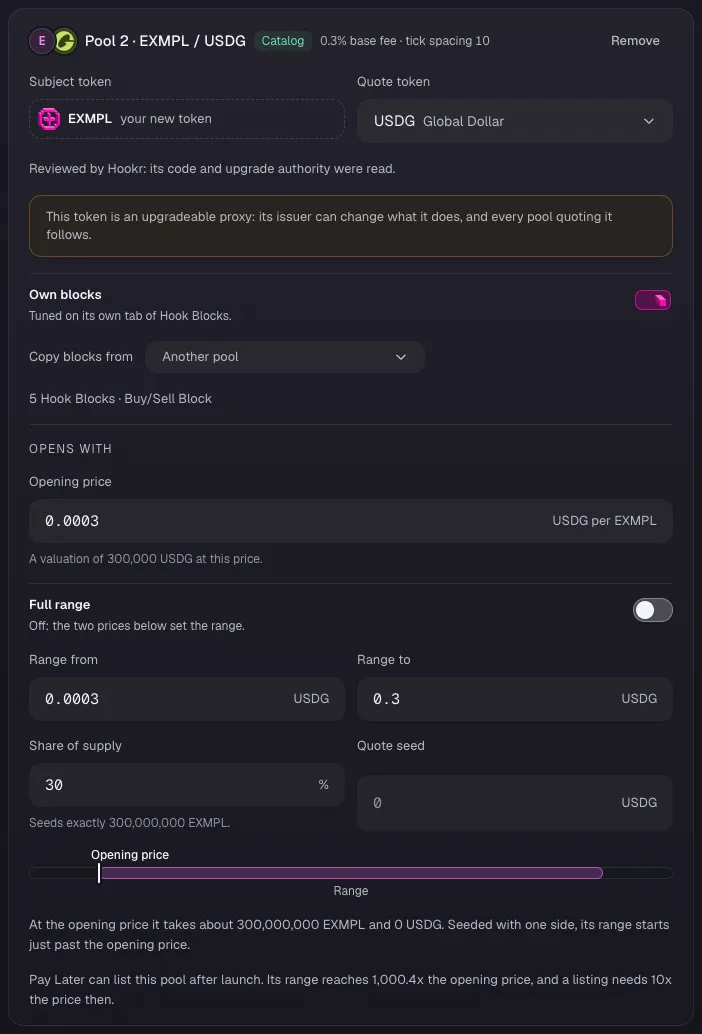
Open pool 2 on USDG
- On Pool 2 · EXMPL / USDG, type the Opening price in USDG per EXMPL. This example uses 0.0003.
- Leave Full range off and type Range from and Range to. This example uses 0.0003 to 0.3.
- Check that Share of supply reads 30 and leave Quote seed empty.
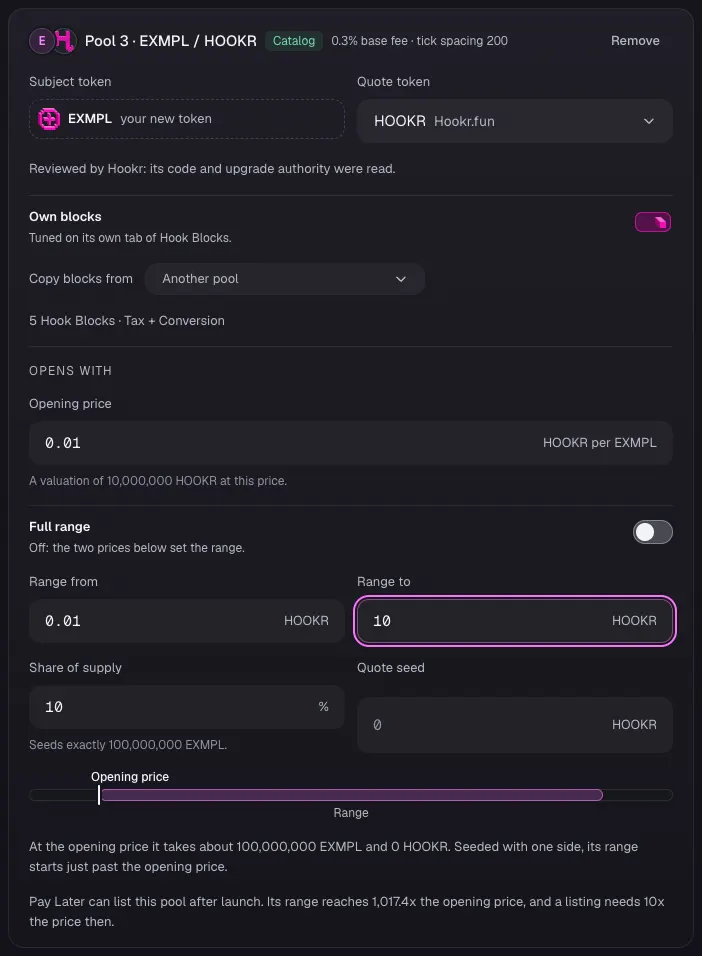
Open pool 3 on HOOKR
- On Pool 3 · EXMPL / HOOKR, type the Opening price in HOOKR per EXMPL. This example uses 0.01.
- Leave Full range off and type Range from and Range to. This example uses 0.01 to 10.
- Check that Share of supply reads 10 and leave Quote seed empty.
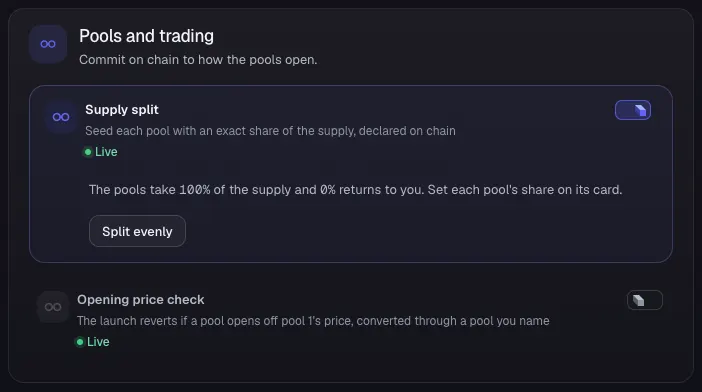
Check the supply split
- Under Pools and trading, check that Supply split is on and the pools take 100% of the supply.
- Leave Opening price check off.
- Click Continue.
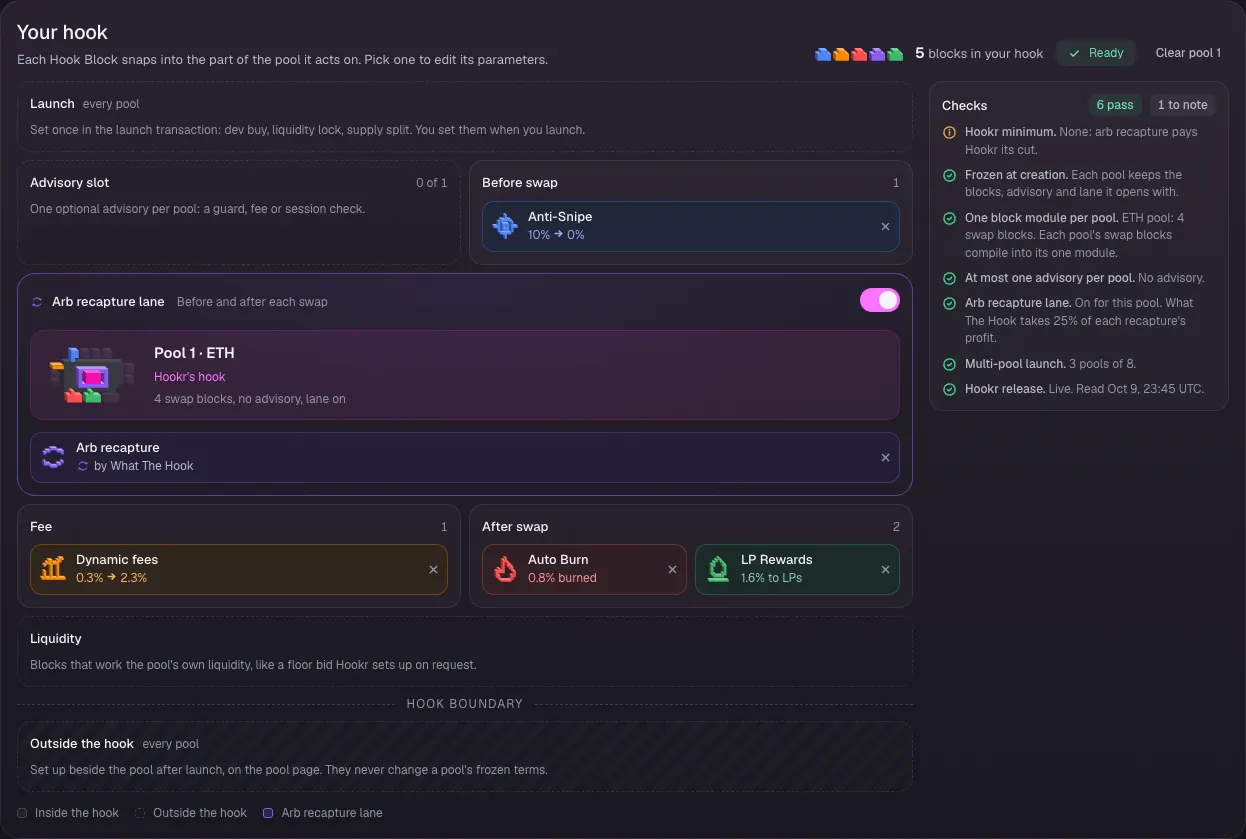
Check pool 1's Hook Blocks
- In 3 Hook Blocks, click the Pool 1 · EXMPL / ETH tab.
- Check that Your hook shows Anti-Snipe, Dynamic fees, Auto Burn, LP Rewards and Arb recapture, with the Advisory slot empty (0 of 1).
- Leave King of the Pool off.
Check pool 2's Hook Blocks
- Click the Pool 2 · EXMPL / USDG tab.
- Check that Your hook shows Anti-Snipe, Dynamic fees, LP Rewards and Arb recapture, with Buy/Sell Block in the Advisory slot (1 of 1).
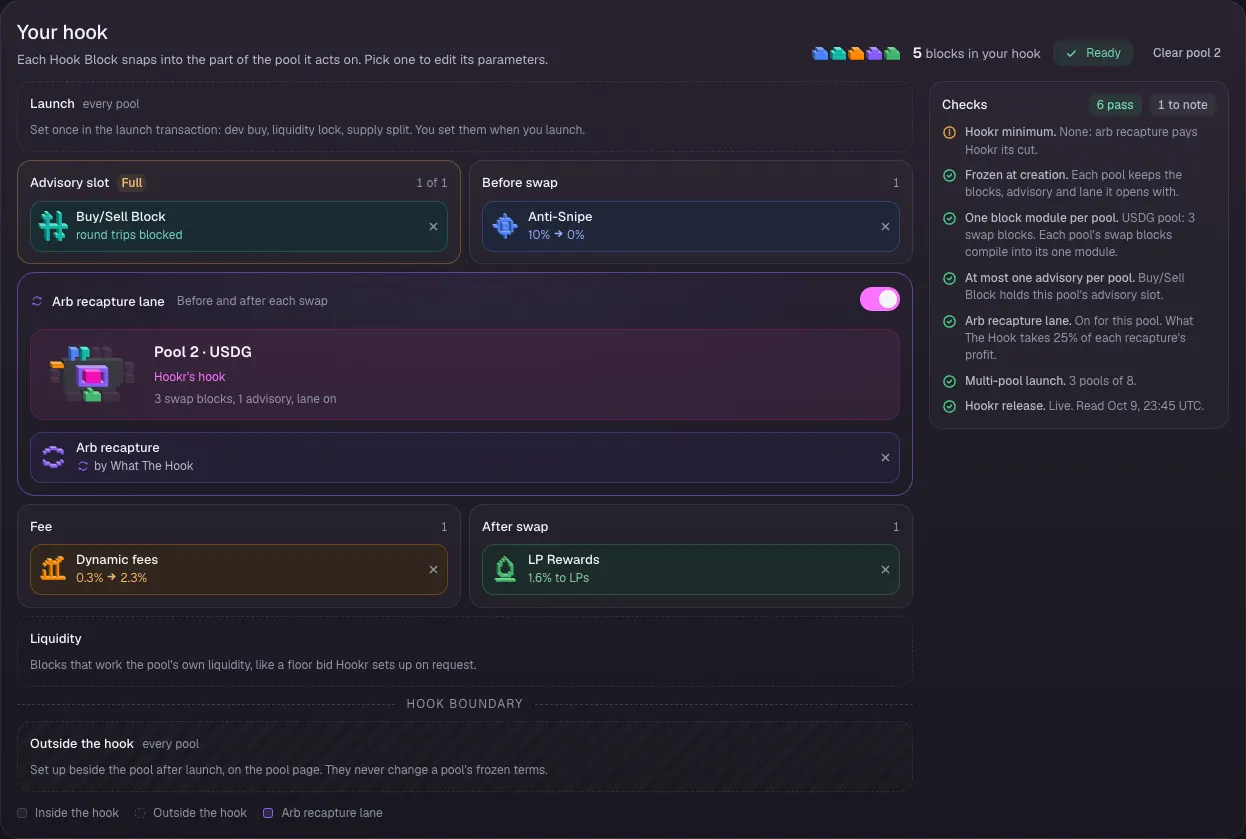
Refuse same-block round trips on USDG
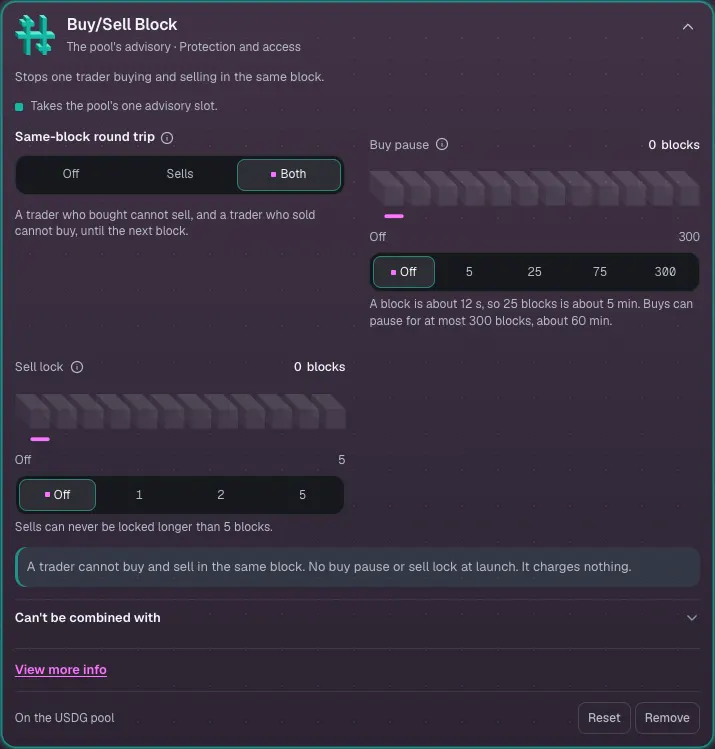
- Click Buy/Sell Block to open its settings.
- Check that Same-block round trip is set to Both.
- Leave Buy pause and Sell lock at Off.
Check pool 3's Hook Blocks
- Click the Pool 3 · EXMPL / HOOKR tab.
- Check that Your hook shows Anti-Snipe, Dynamic fees, LP Rewards and Arb recapture, with Tax + Conversion in the Advisory slot (1 of 1).
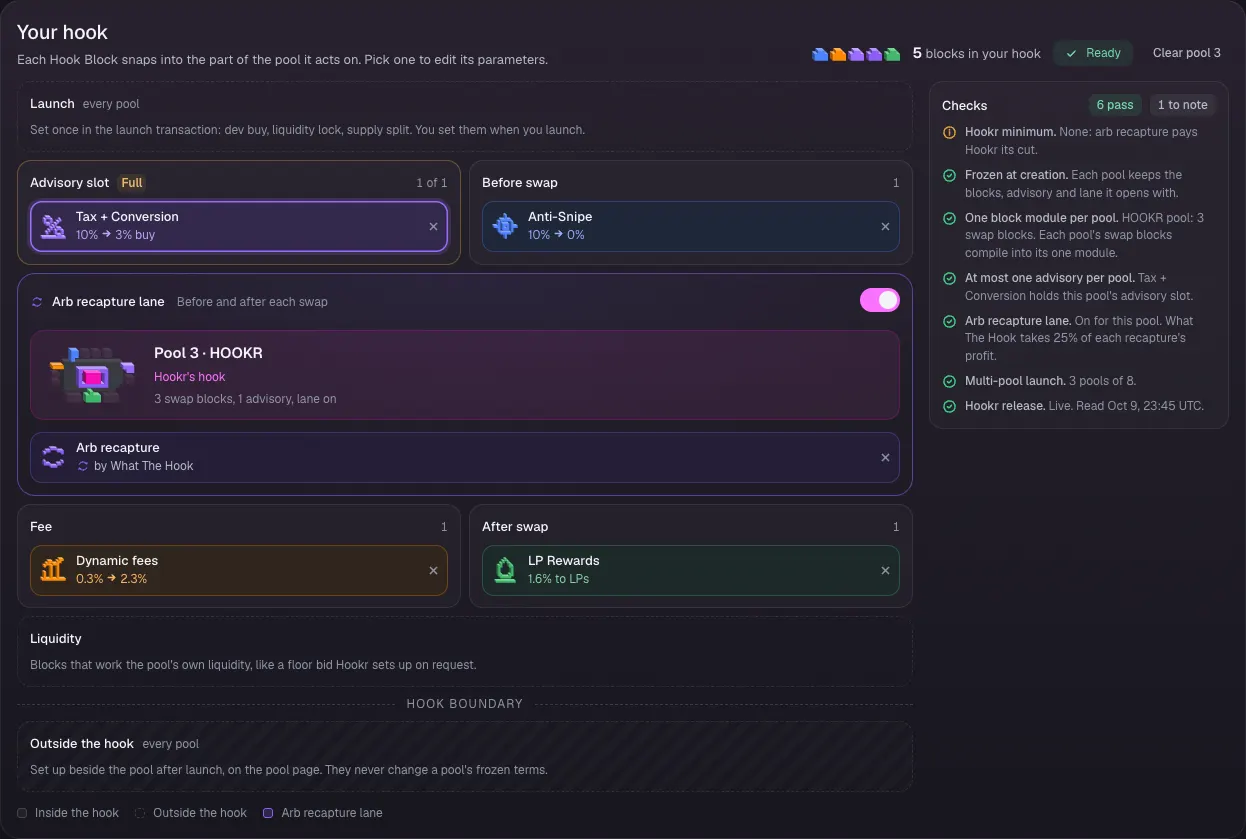
Set the decaying tax and its recipient
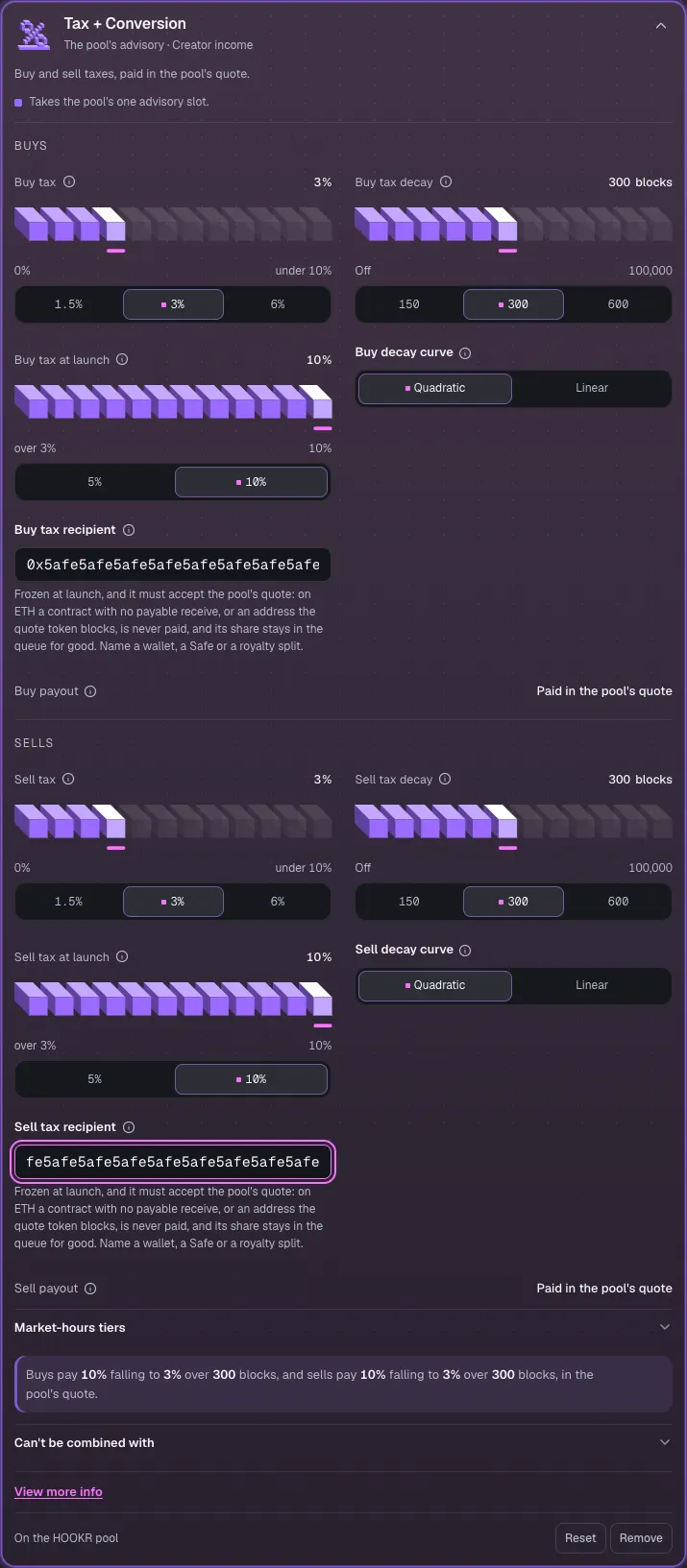
- Click Tax + Conversion to open its settings.
- Check Buy tax 3%, Buy tax decay 300 blocks, Buy tax at launch 10% and Buy decay curve Quadratic, and the same values under Sells.
- Set Buy tax recipient and Sell tax recipient to your team's Safe or treasury address. this example shows 0x5afe…5afe.
Lock liquidity and cap what you keep
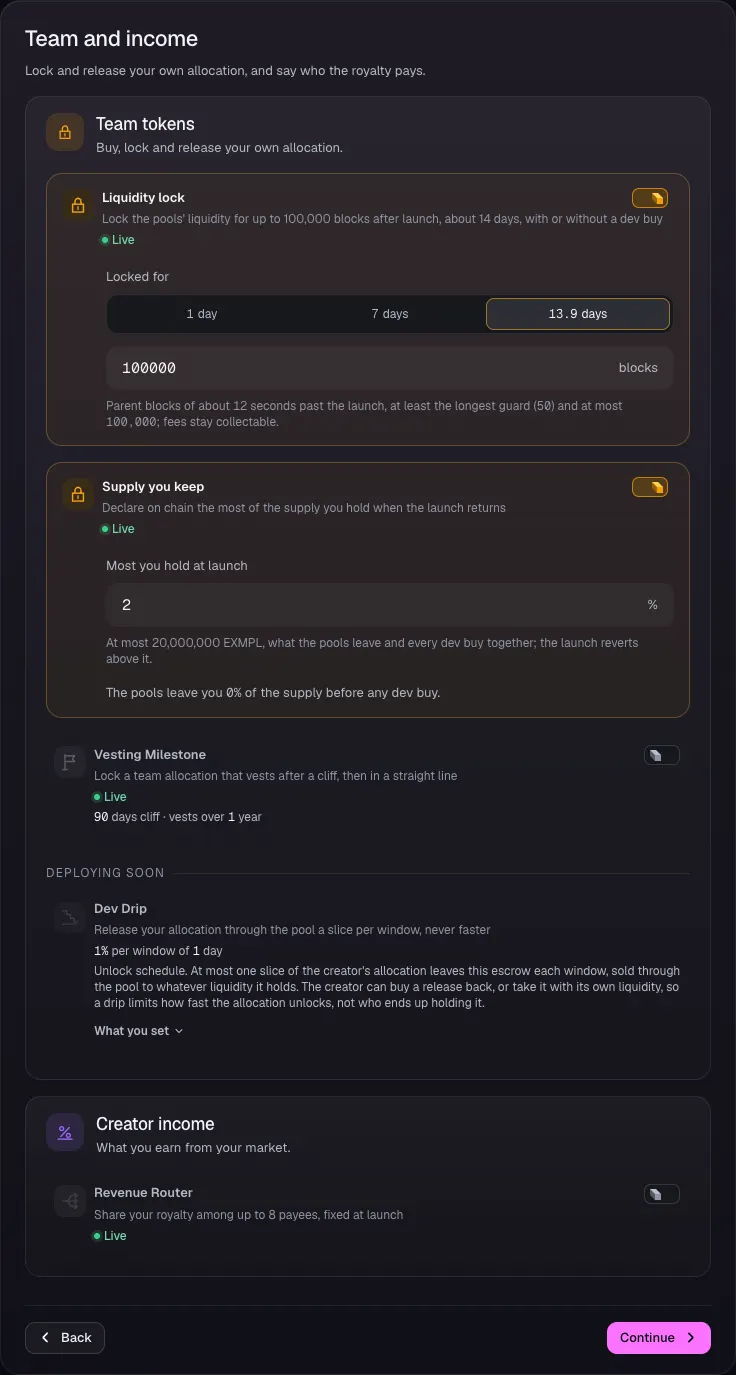
- Open 4 Team and income.
- Check that Liquidity lock is on and Locked for reads 100000 blocks (13.9 days).
- Check that Supply you keep is on and Most you hold at launch reads 2.
- Leave Vesting Milestone off unless you keep a team allocation to vest.
- Skip Dev Drip. It is Deploying soon.
- Click Continue.
Review the launch
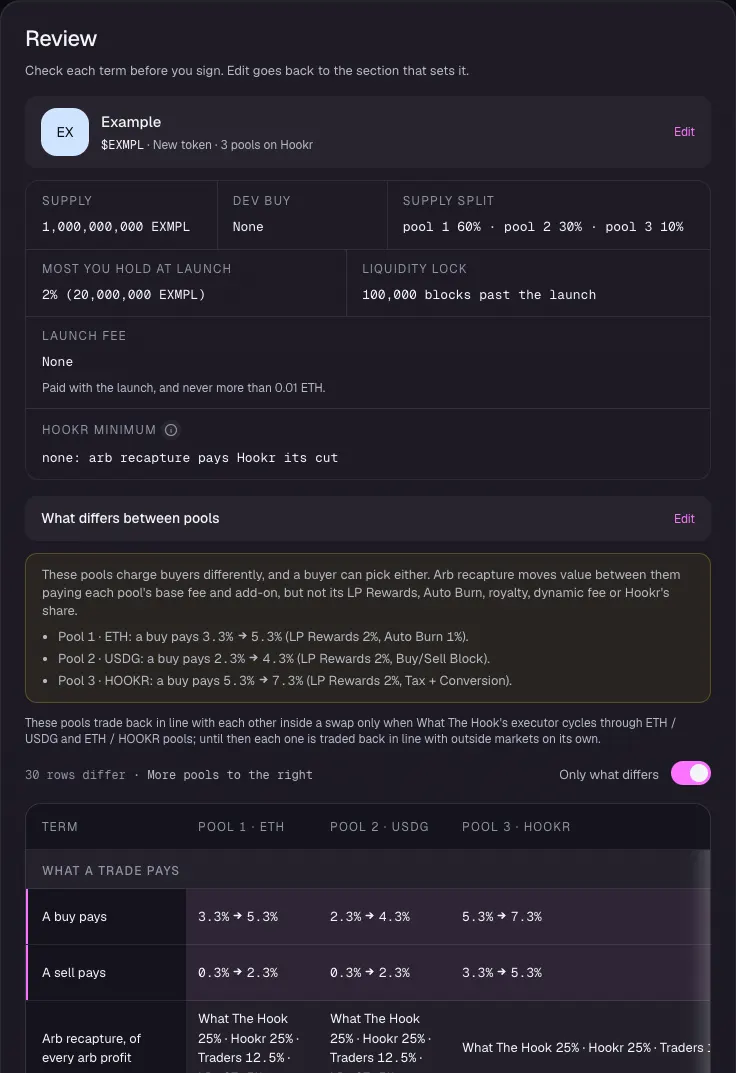
- In 5 Review, check Supply split pool 1 60% · pool 2 30% · pool 3 10%, Most you hold at launch 2% and Liquidity lock 100,000 blocks past the launch.
- Under What differs between pools, check that a buy pays 3.3% to 5.3% on ETH, 2.3% to 4.3% on USDG and 5.3% to 7.3% on HOOKR.
Compare the pools
- In the pools table, check tick spacing 60, 10 and 200, King of the Pool Off on every pool, and Traders 12.5% · LPs 37.5% of every arb profit on every pool.
- Check Same-block round trip Both directions on USDG and the HOOKR pool's tax rows.
- Click Connect wallet and sign when you are ready. This walkthrough stops before the wallet.
- After launch, set up Recovery reserve and Limit orders from each pool's page.