Creator coin with fan perks
For a streamer, artist or podcast.
On this page
Deploying soonSet it up now without A reward token made in the app, for Swap Reward Mint and Dev Drip, which are deploying soon. Runs on live blocks. Dev Drip is deploying soon.
A creator token where fans earn points by swapping, the largest buy of each round wins the crown pot, and the creator's royalty splits among the team in shares fixed at launch.
Why it is different. Fan points and the crown run in the pools themselves, with lower fees for fans the next step.
The pools
Launch · split 60/30/10 · keep at most 5% · royalty split
- ETHtick spacing 60
Stage: the day's top fan wears the crown
- Live:Anti-Snipe
- Live:Dynamic fees
- Live:Auto Burn
- Live:LP Rewards
- Live:Creator royalty
- Live:Arb recapture
- Live:King of the Pool
- USDGtick spacing 10
Fan club: swaps mint FAN points
- Live:Dynamic fees
- Live:LP Rewards
- Live:Arb recapture
- Live:Swap Reward Mintadvisory
- HOOKRtick spacing 200
Desk: a capped surcharge
- Live:LP Rewards
- Live:Arb recapture
- Live:Managed feeadvisory
How the pools work together
- The Stage pool's royalty splits among the creator and up to seven other payees through Revenue Router, in shares fixed at launch; it sits on the ETH pool because a split is paid in exact amounts.
- FAN points minted on Fan club swaps would count toward a Hold Pass that lowers a fan's fee on every pool of the family. Proposed
- Pay Later lets fans pay a premium now for the right to buy later at a fixed price, covered by tokens the pools earn or the creator adds.
Beside the pools and at launch
- Live:Revenue Router
- Live:Vesting Milestone
- Deploying soon:Dev DripDeploying soon
- Deploying soon:Pay LaterDeploying soon
- Live:Limit orders
Proposed connectors
- Proposed:Family Ledger
- Proposed:Hold Pass
Walkthrough
Every section of the launch floor this combo uses, in order, with what to check, select and fill in each.
Full walkthrough: Launch 1: Creator coin
The link leaves Creator royalty off on pool 1. Connect your wallet, then turn it on.
Open the launch page on this family
- Open the launch page on this family with the button above.
- If this browser holds another launch's draft, click Discard draft under Your launch on 1 Token before you open the link, so King of the Pool loads with its whole pot.
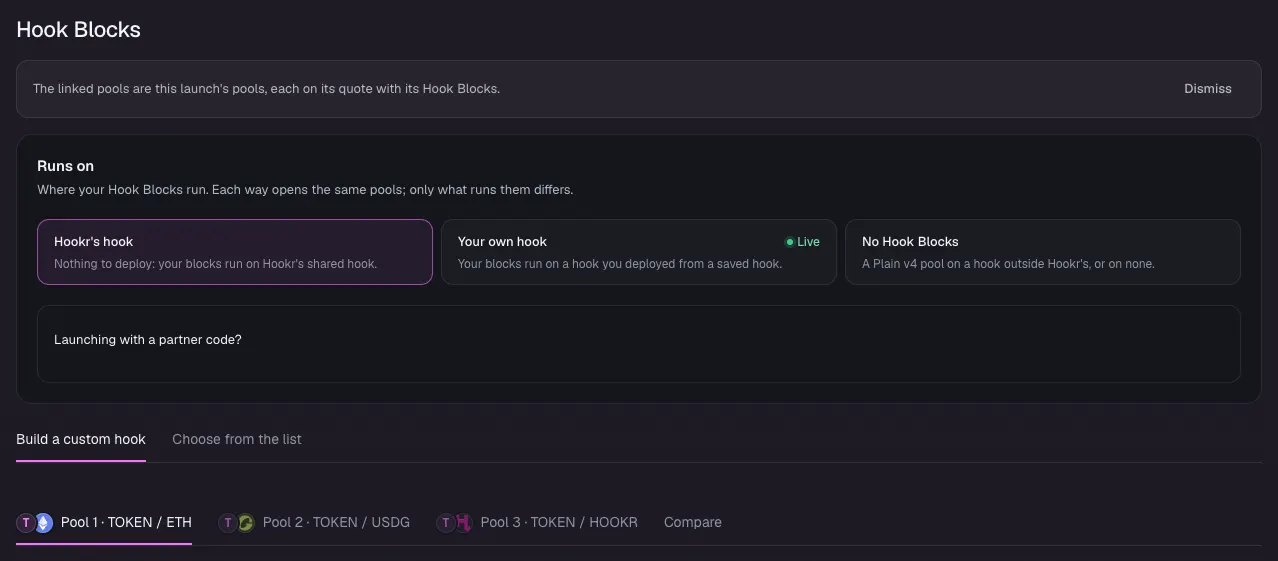
- Check that Hook Blocks says The linked pools are this launch's pools, with pools on ETH, USDG and HOOKR.
- Keep Runs on at Hookr's hook.
Name the token
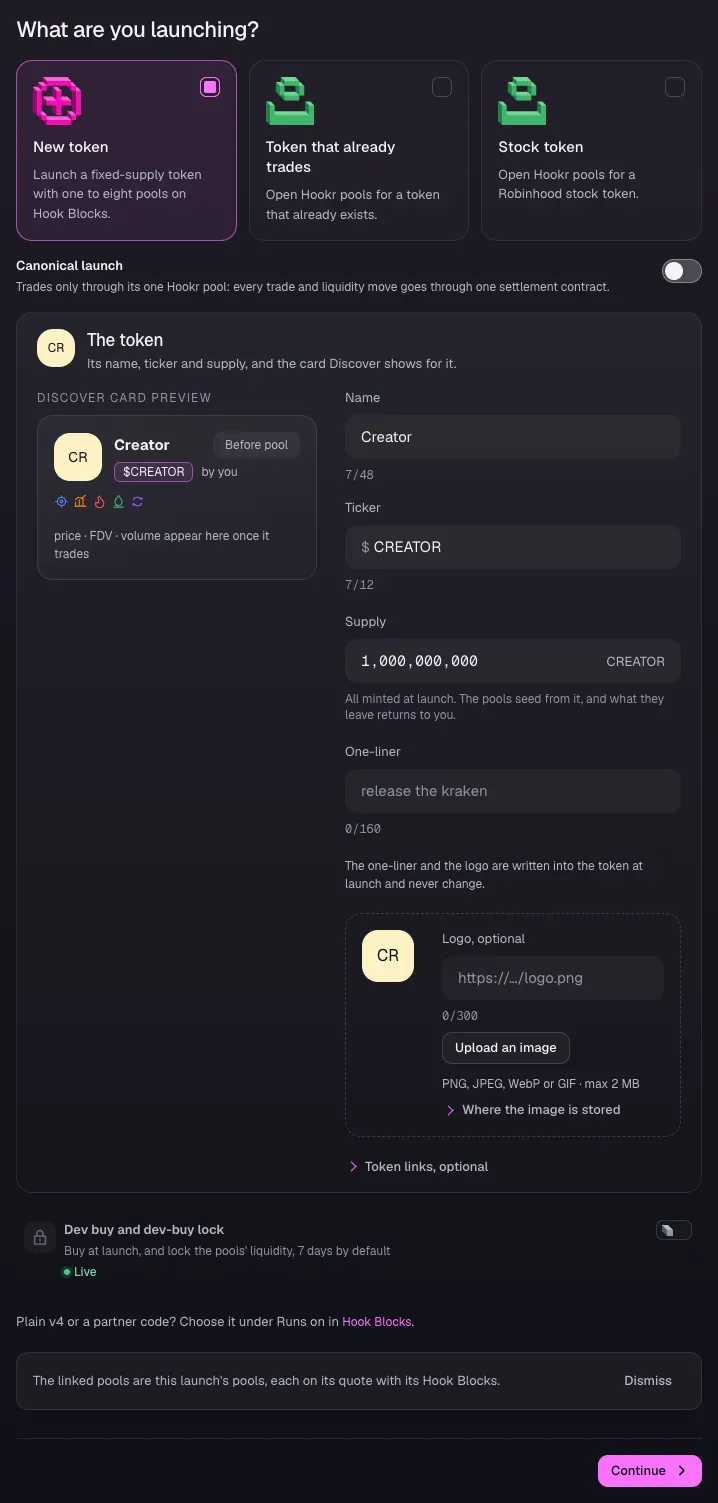
- Open 1 Token and pick New token.
- Type Creator under Name and CREATOR under Ticker. Use your own name and ticker.
- Leave Supply at 1,000,000,000.
Open the Stage pool on ETH
- Open 2 Pools.
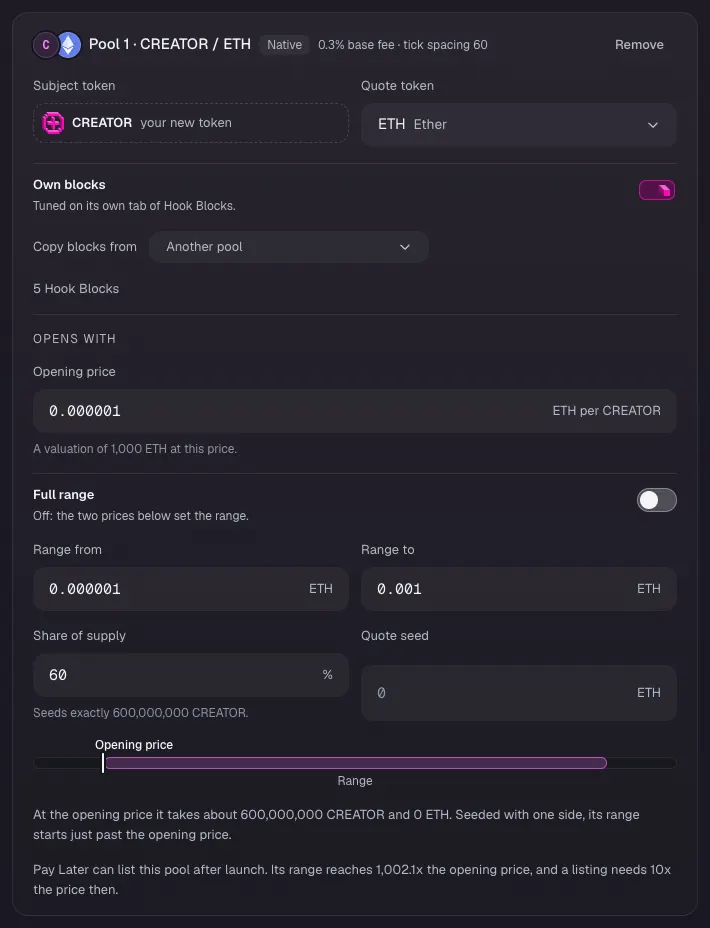
- On Pool 1 · CREATOR / ETH, type 0.000001 under Opening price. The prices and ranges here are examples.
- Leave Full range off. Type 0.000001 under Range from and 0.001 under Range to.
- Check that the card reads tick spacing 60 and Share of supply 60.
Open the Fan club pool on USDG
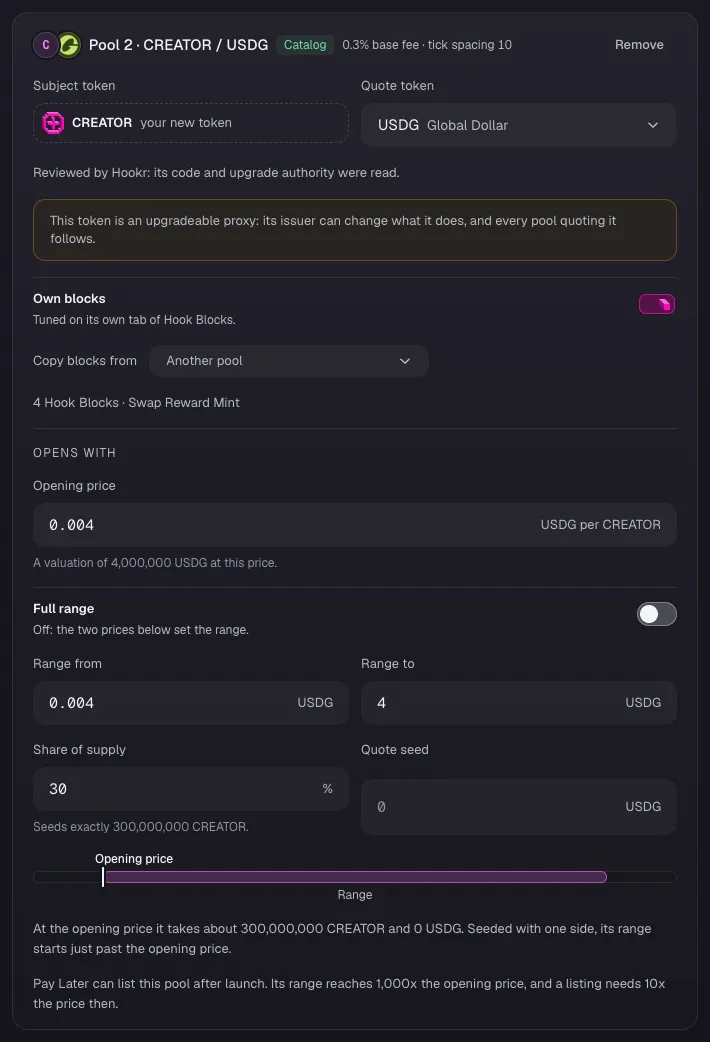
- On Pool 2 · CREATOR / USDG, type 0.004 under Opening price, 0.004 under Range from and 4 under Range to.
- Check that the card reads tick spacing 10, Share of supply 30 and 4 Hook Blocks · Swap Reward Mint.
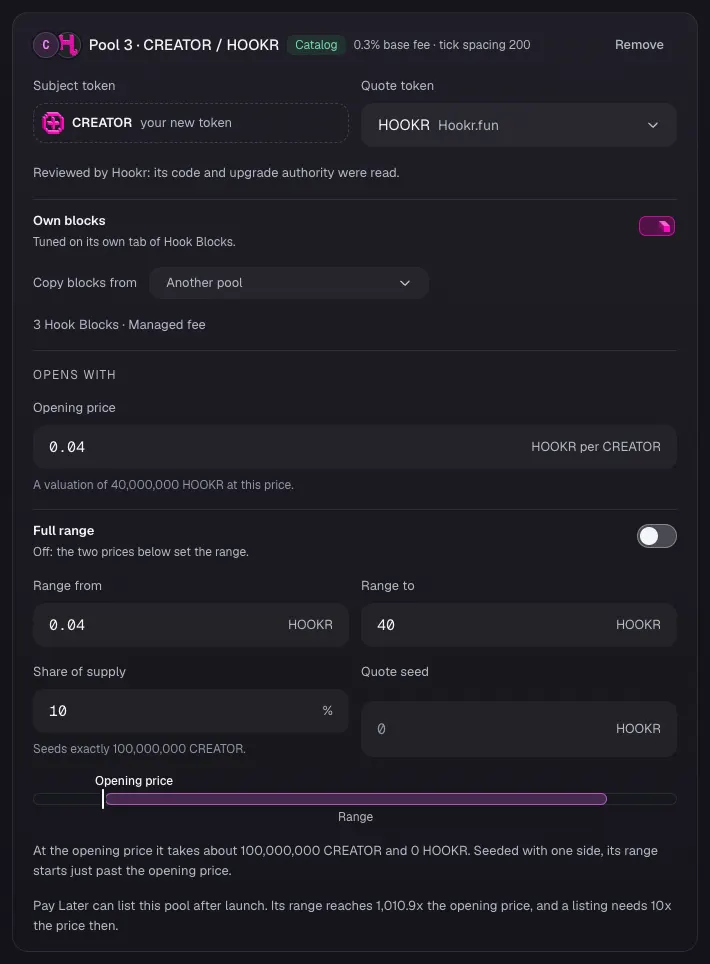
Open the Desk pool on HOOKR
- On Pool 3 · CREATOR / HOOKR, type 0.04 under Opening price, 0.04 under Range from and 40 under Range to.
- Check that the card reads tick spacing 200, Share of supply 10 and 3 Hook Blocks · Managed fee.
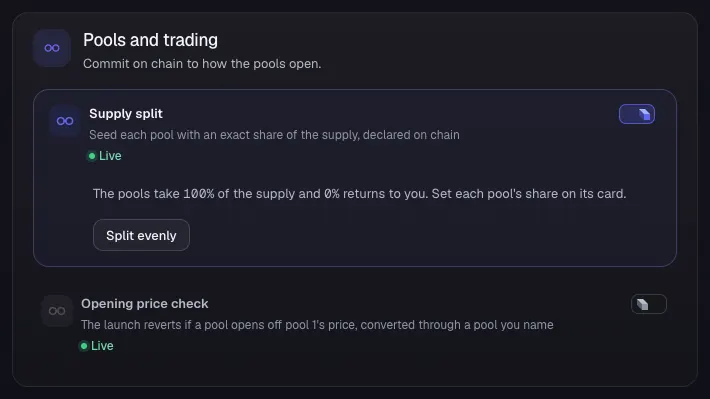
Keep the supply split
- Under Pools and trading, keep Supply split on.
- Leave Opening price check off.
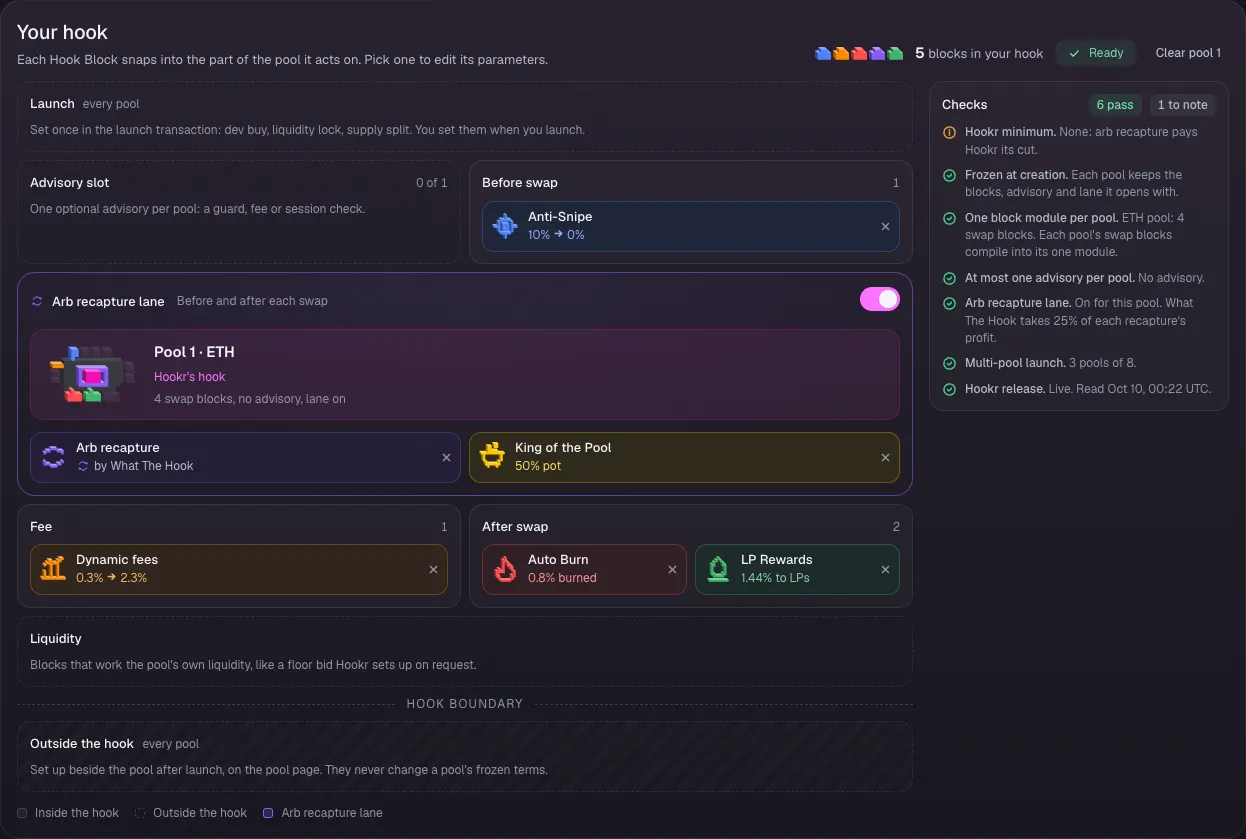
Check the Stage pool's Hook Blocks
- Open 3 Hook Blocks and pick the Pool 1 · CREATOR / ETH tab.
- Check Your hook: Anti-Snipe before the swap, Dynamic fees, Auto Burn and LP Rewards after it, Arb recapture lane on with King of the Pool, and an empty Advisory slot.
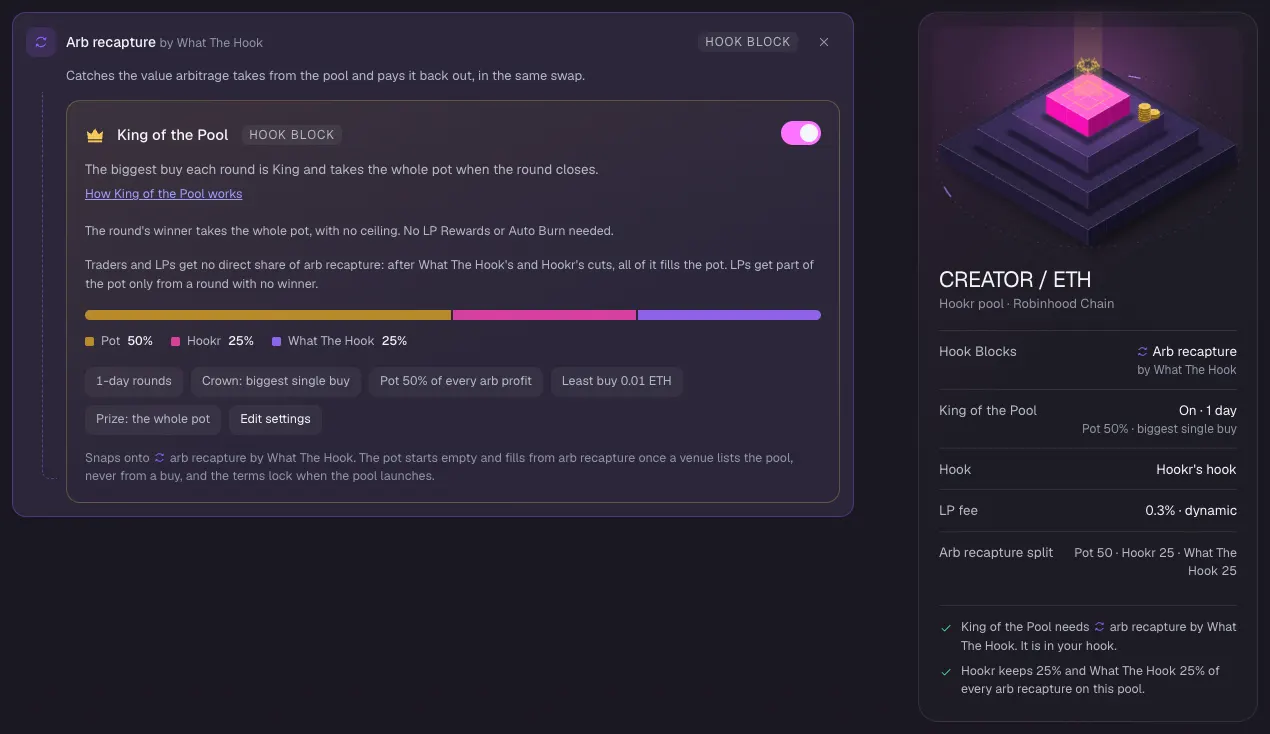
Keep King of the Pool on
- Under Arb recapture by What The Hook, keep King of the Pool switched on.
- Check Pot 50%, Hookr 25%, What The Hook 25%, 1-day rounds and Least buy 0.01 ETH.
- If it reads LPs 25% · Pot 25% and the board says 2 settings to fix, open Arb recapture and set Pot share to 100%.
Swap Reward Mint needs a reward token
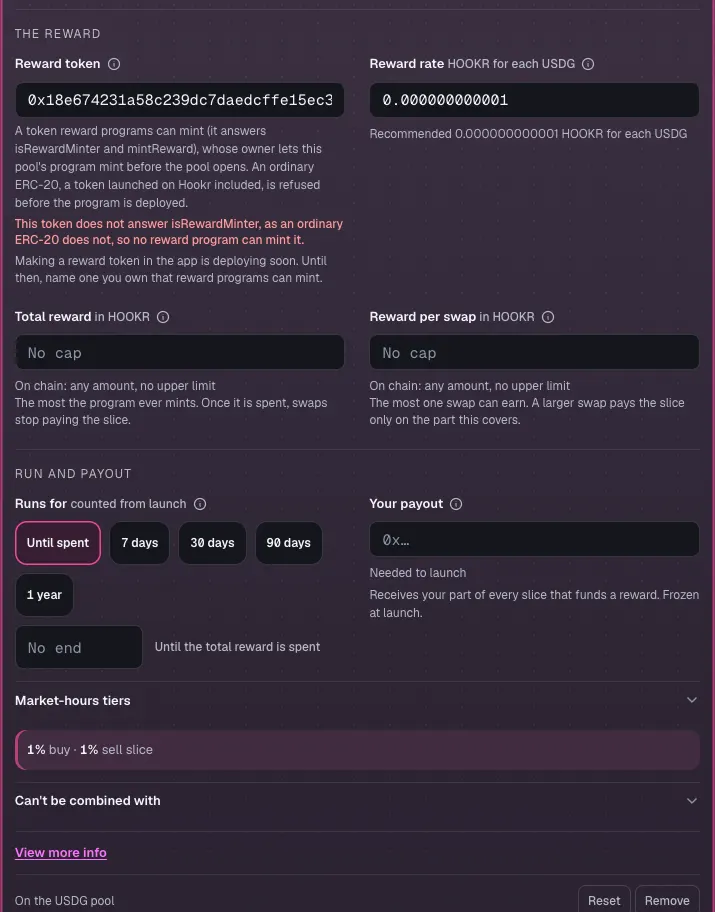
- Pick the Pool 2 · CREATOR / USDG tab and open Swap Reward Mint in the block list.
- Leave Buy slice and Sell slice at 1%.
- Under Reward token, paste a reward token you own that reward programs can mint. An ordinary token such as HOOKR is refused, and making a reward token in the app is deploying soon.
- Under Your payout, paste the wallet that takes your part of each slice.
Check the Fan club pool's Hook Blocks
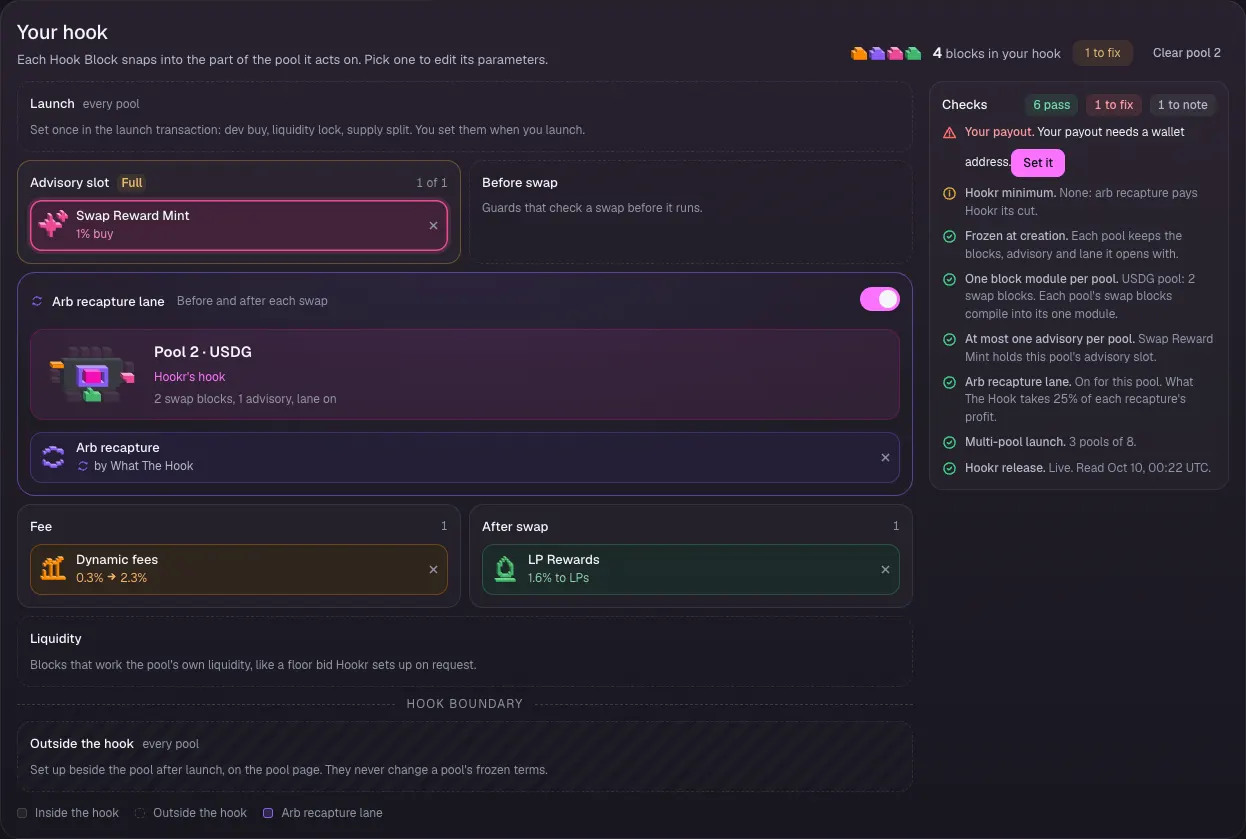
- Check Your hook: Swap Reward Mint fills the Advisory slot, Arb recapture lane is on, and Dynamic fees and LP Rewards stay on.
Check the Managed fee on the Desk pool
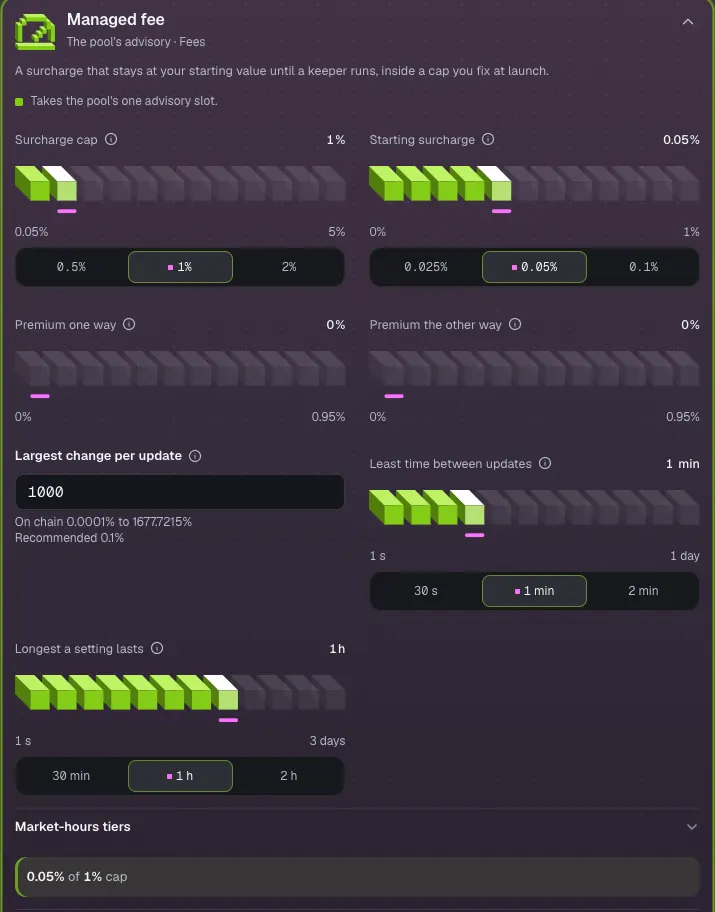
- Pick the Pool 3 · CREATOR / HOOKR tab and open Managed fee in the block list.
- Check Surcharge cap 1% and Starting surcharge 0.05%.
- Leave the rest as it is. Largest change per update shows 1000, which Review reads as 0.1%.
Check the Desk pool's Hook Blocks
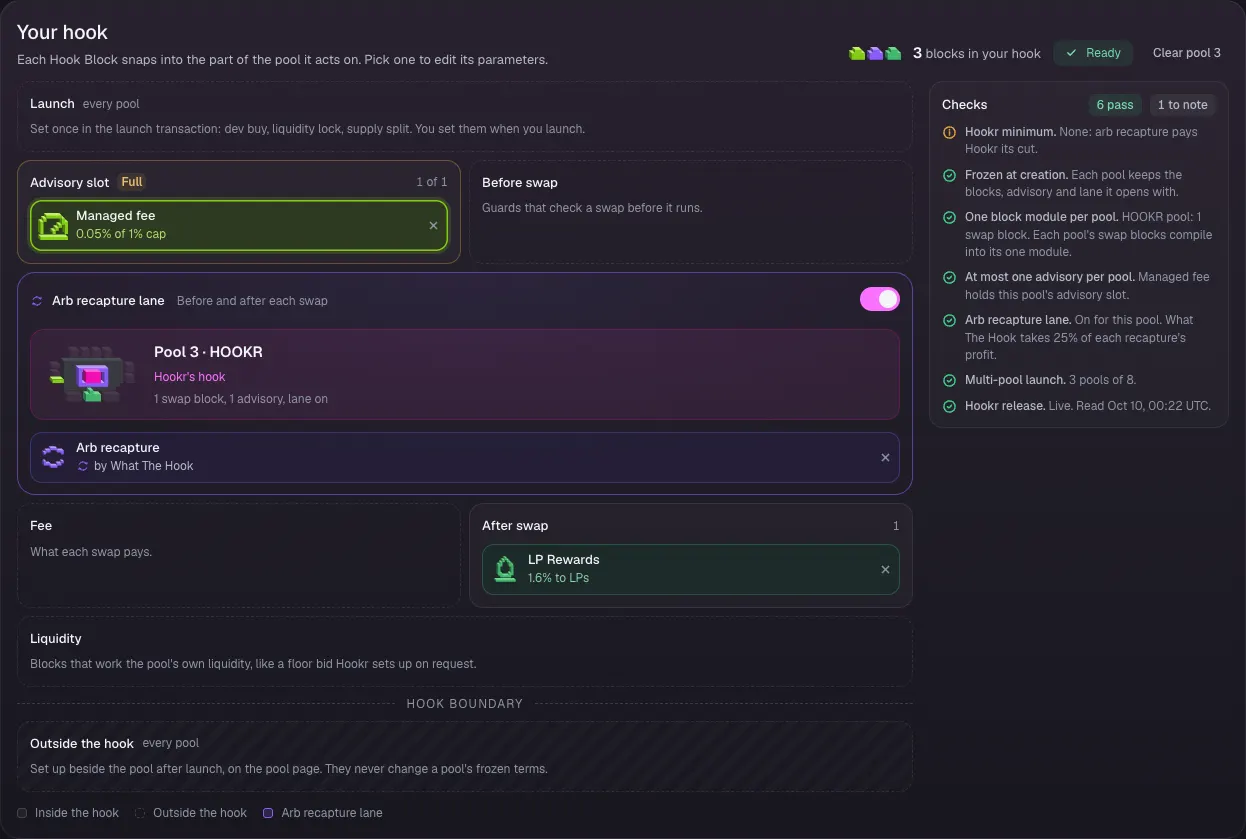
- Check Your hook: Managed fee fills the Advisory slot, LP Rewards stays on and Arb recapture lane is on.
Keep at most 5% and split the royalty
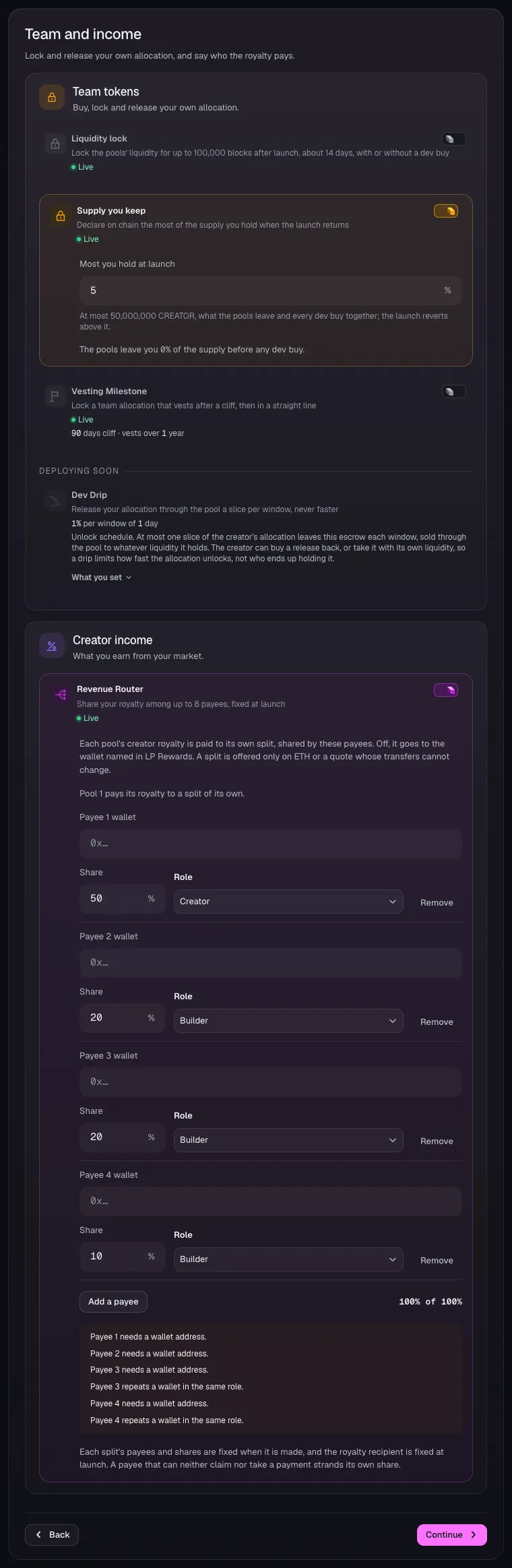
- Open 4 Team and income.
- Check that Supply you keep is on with 5 under Most you hold at launch.
- Turn on Revenue Router. Click Add a payee until there are four rows.
- Type 50, 20, 20 and 10 under Share, pick each payee's Role, and paste each payee's wallet.
- Dev Drip is deploying soon.
Check the royalty goes to the split
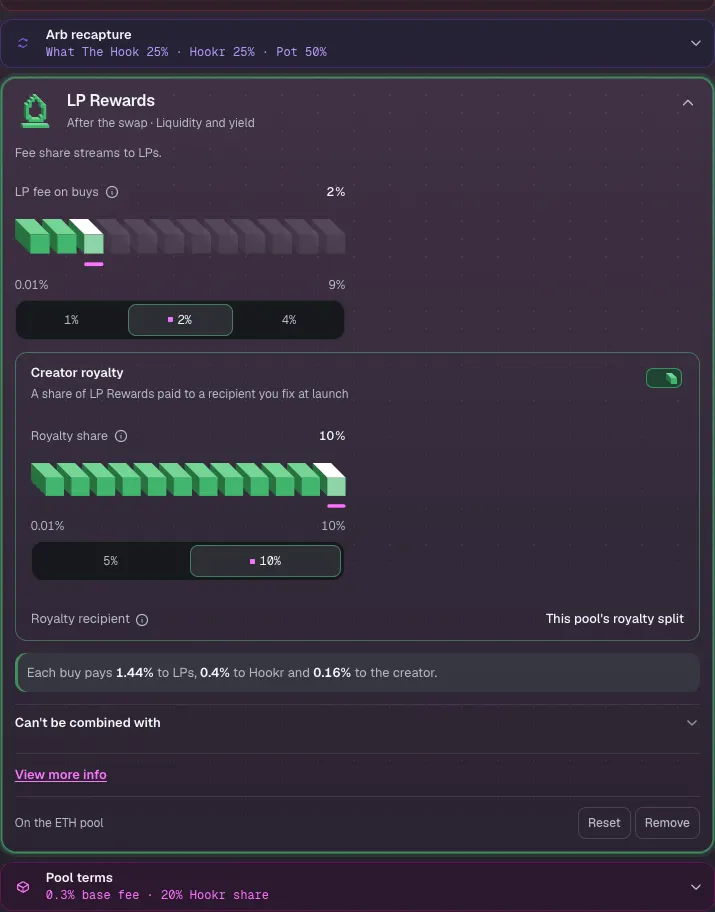
- Open 3 Hook Blocks, pick the Pool 1 tab and open LP Rewards.
- Check Royalty share 10% and Royalty recipient This pool's royalty split.
Review the three pools
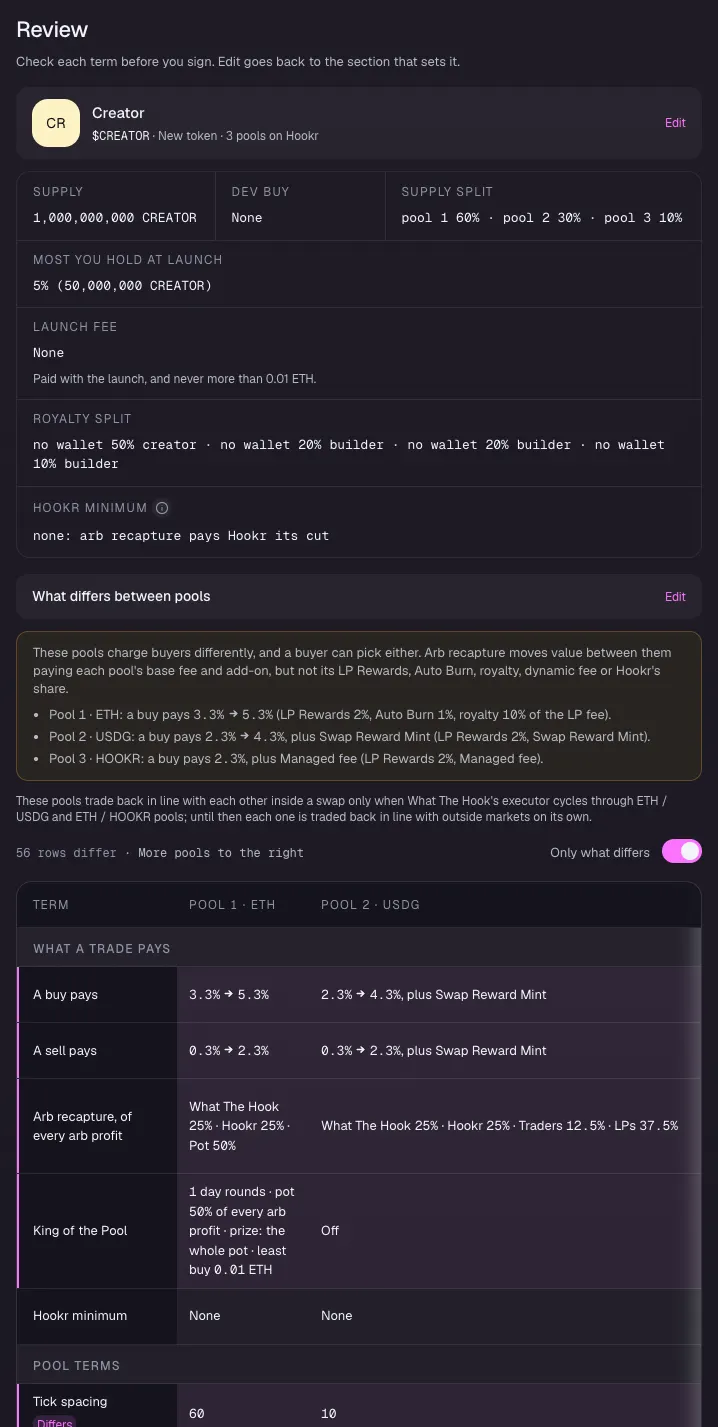
- Open 5 Review.
- Check Supply split pool 1 60% · pool 2 30% · pool 3 10% and the retained cap of 5%.
- Under What differs between pools, check King of the Pool on pool 1, Swap Reward Mint on pool 2 and Managed fee on pool 3.
Clear what stops the launch
- Read Fix before launching: it lists Pool 2: Your payout and each payee's wallet until you paste them.
- It does not list the reward token. Make sure pool 2 names a token reward programs can mint before you connect your wallet, or launch without the Fan club pool for now.
