Season Ladder
For a project that wants its market to open in stages.
On this page
Deploying soonSet it up now without Dev Drip, which is deploying soon. Both seasons run on live blocks today and can open by hand at the milestone. Dev Drip is deploying soon.
Season one is a guarded ETH pool and a USDG vault pool that only the token's own USDG feeder can lift. Season two adds a crown pool and stock pools once the family reaches a milestone.
Why it is different. The market opens in stages. Today the team opens season two by hand; a Milestone Trigger would let anyone open it once the milestone is met.
The pools
Season 1
2 pools · split 80/20 · liquidity locked a week
- ETHtick spacing 60
Open pool, round trips refused
- Live:Anti-Snipe
- Live:Dynamic fees
- Live:LP Rewards
- Live:Arb recapture
- Live:Buy/Sell Blockadvisory
- USDGtick spacing 10
Vault pool, zap-only buys
- Live:Anti-Snipe
- Live:Dynamic fees
- Live:LP Rewards
- Live:Zap Relay targetadvisory
Season 1 feeder
1 pool · USDG on a new tick spacing
- USDGtick spacing 60
Feeds the vault pool
- Live:Dynamic fees
- Live:Auto Burn
- Live:LP Rewards
- Live:Arb recapture
- Live:Zap Relay sourceadvisory
Feeds Season 1: USDG vault
Season 2, opened at the milestone
3 pools · same token, sent by hand at the milestone
- NVDAtick spacing 30
Session pool
- Live:Dynamic fees
- Live:LP Rewards
- Live:Arb recapture
- Live:Market-hours feeadvisory
- SPYtick spacing 100
Session pool
- Live:Dynamic fees
- Live:LP Rewards
- Live:Arb recapture
- Live:Market-hours feeadvisory
How the pools work together
- The USDG feeder sends 1% of each buy into the vault pool through Zap Relay.
- Milestone Trigger would watch for crown rounds with a least buy, or volume net of round trips. Proposed
- At the milestone anyone could send the season-two launch prepared at launch, and Dev Drip windows would start. Proposed
- Phase Gate would let a vault pool open to public buys at the milestone; a Zap Relay target stays zap-only for good. Proposed
Beside the pools and at launch
- Live:Liquidity lock
- Live:Vesting Milestone
- Deploying soon:Dev DripDeploying soon
- Live:Limit orders
Proposed connectors
- Proposed:Family Ledger
- Proposed:Milestone Trigger + Phase Gate
Walkthrough
Every section of the launch floor this combo uses, in order, with what to check, select and fill in each. The screenshots use HOOKR (0x18e674231a58c239dc7daedcffe15ec3a24cff5c) for the season one feeder, WTH (0xb8fa8010833463aac5595b55b9045479239eff79) for season two; both are only examples standing in for SEASON, which launches new in season one as the token.
Full walkthrough: Launch 1: Season one
Open the launch page on this family
- Open the launch page on this family with the button above.
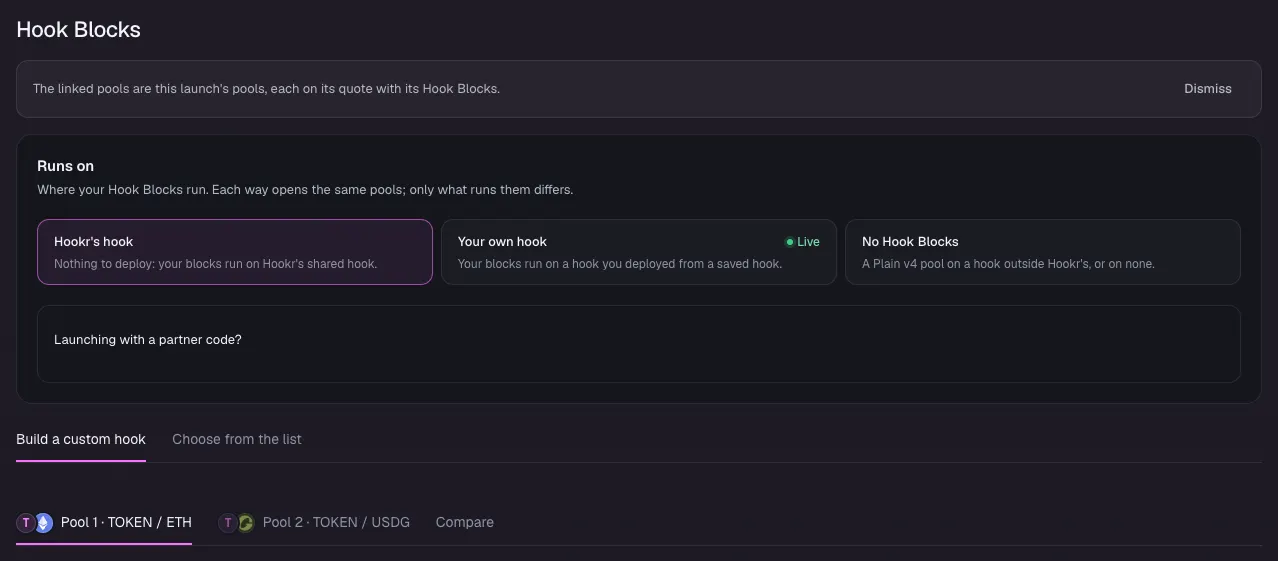
- Check that Hook Blocks says The linked pools are this launch's pools, with a pool on ETH and a pool on USDG.
- Keep Runs on at Hookr's hook.
Name the token
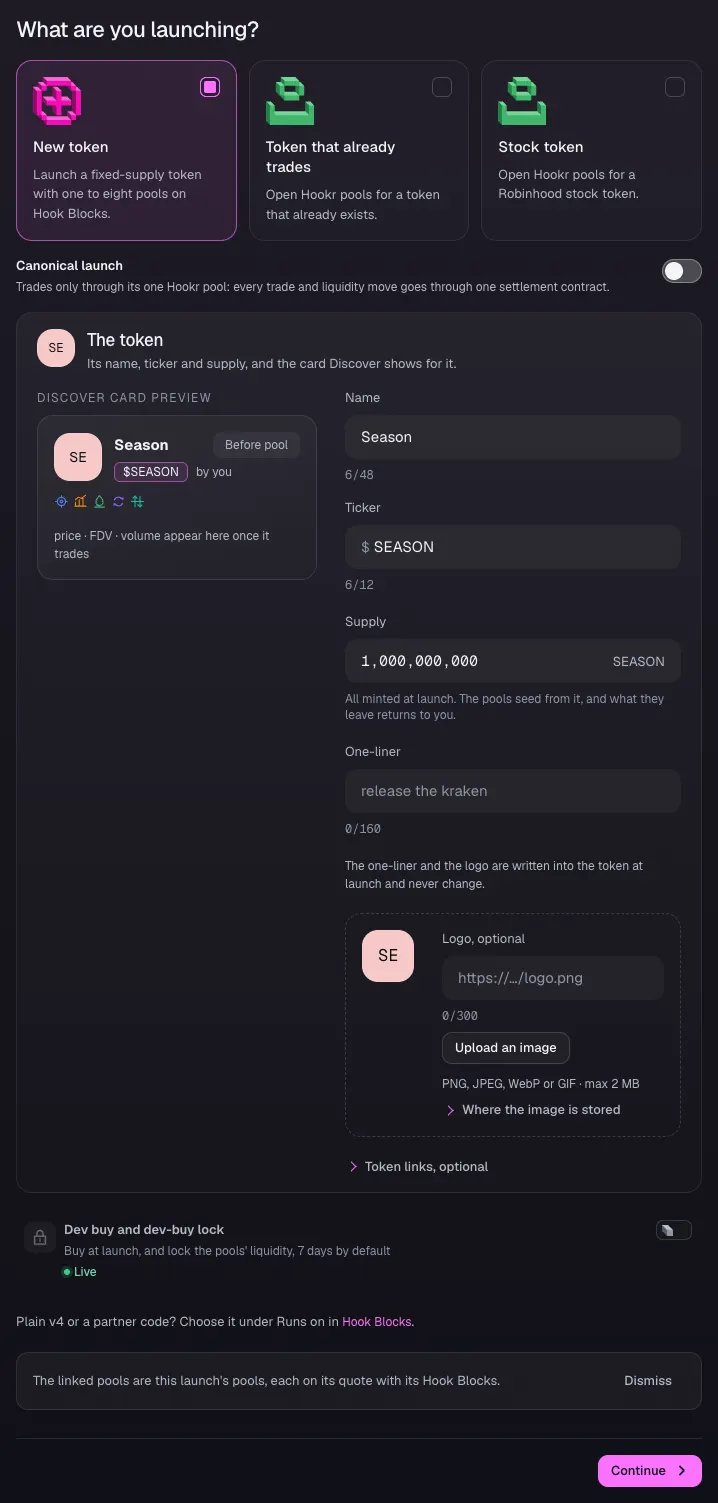
- Open 1 Token and pick New token.
- Type Season under Name and SEASON under Ticker.
- Leave Supply at 1,000,000,000.
Open pool 1 on ETH
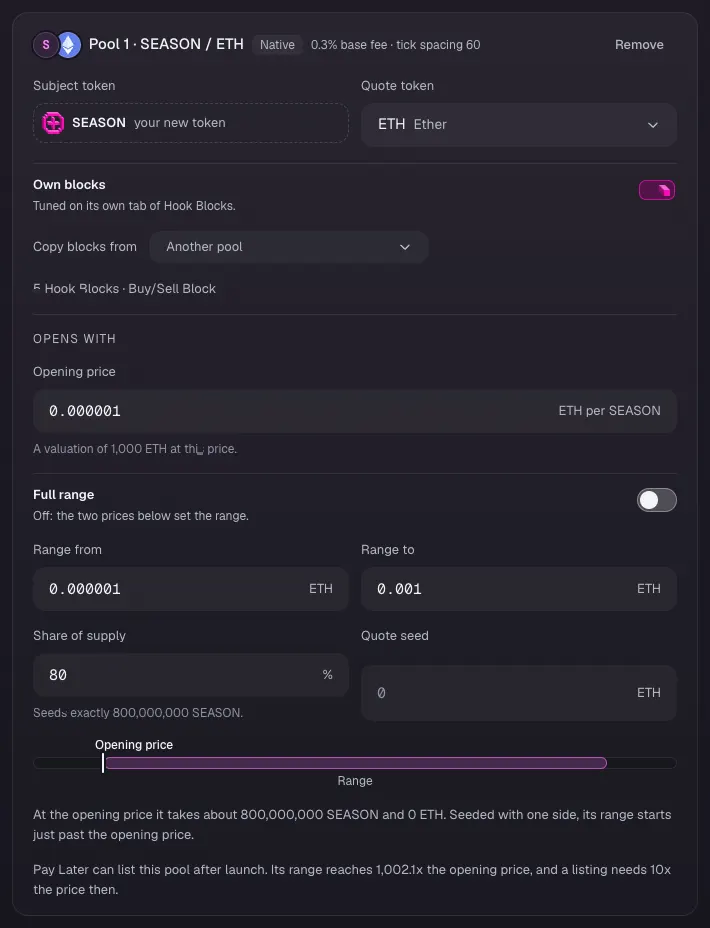
- Open 2 Pools.
- On Pool 1 · SEASON / ETH, type 0.000001 under Opening price. The prices and ranges here are examples.
- Leave Full range off. Type 0.000001 under Range from and 0.001 under Range to.
- Check that the card reads tick spacing 60 and Share of supply 80.
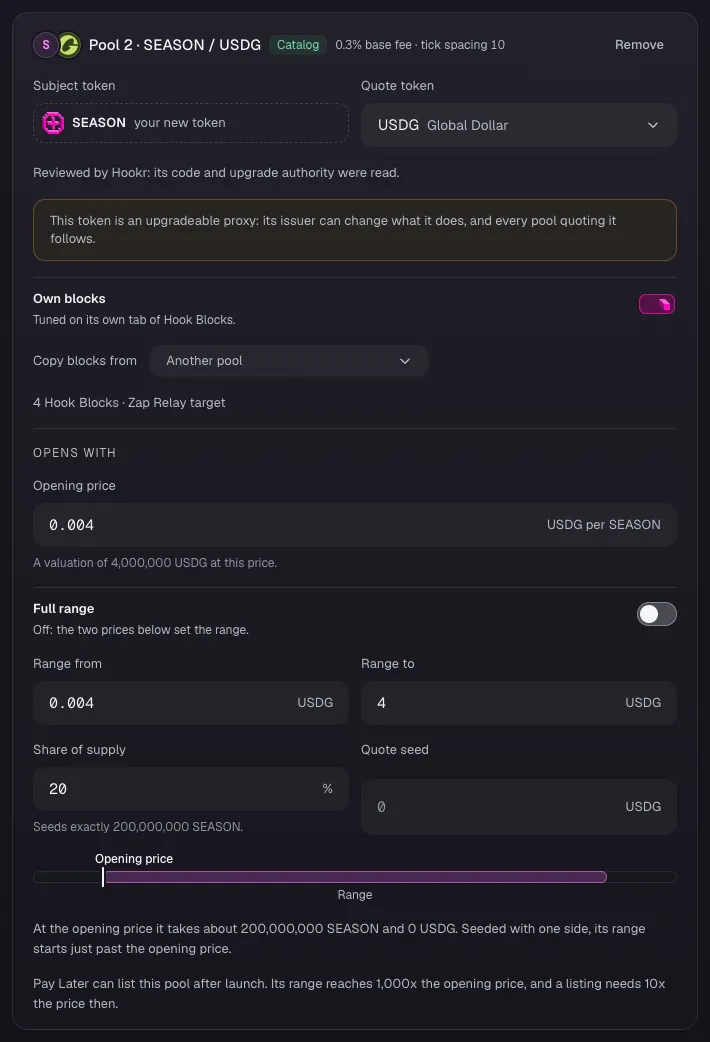
Open pool 2 on USDG
- On Pool 2 · SEASON / USDG, type 0.004 under Opening price.
- Type 0.004 under Range from and 4 under Range to.
- Check that the card reads tick spacing 10, Share of supply 20 and 4 Hook Blocks · Zap Relay target.
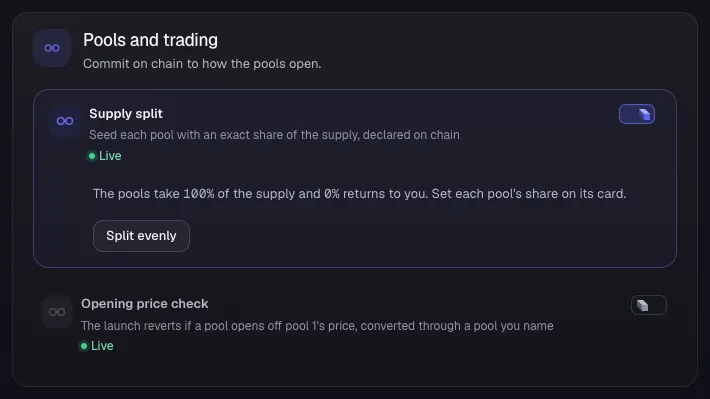
Keep the supply split
- Under Pools and trading, keep Supply split on.
- Leave Opening price check off.
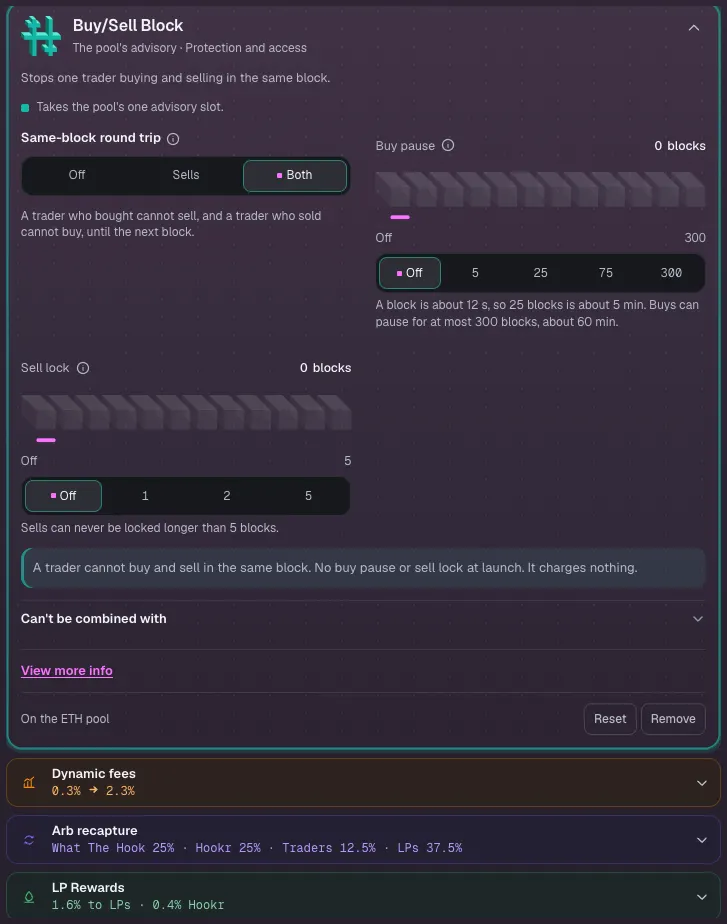
Check the Buy/Sell Block on pool 1
- Open 3 Hook Blocks and pick the Pool 1 · SEASON / ETH tab.
- Open Buy/Sell Block in the block list.
- Keep Same-block round trip on Both. Leave Buy pause and Sell lock off.
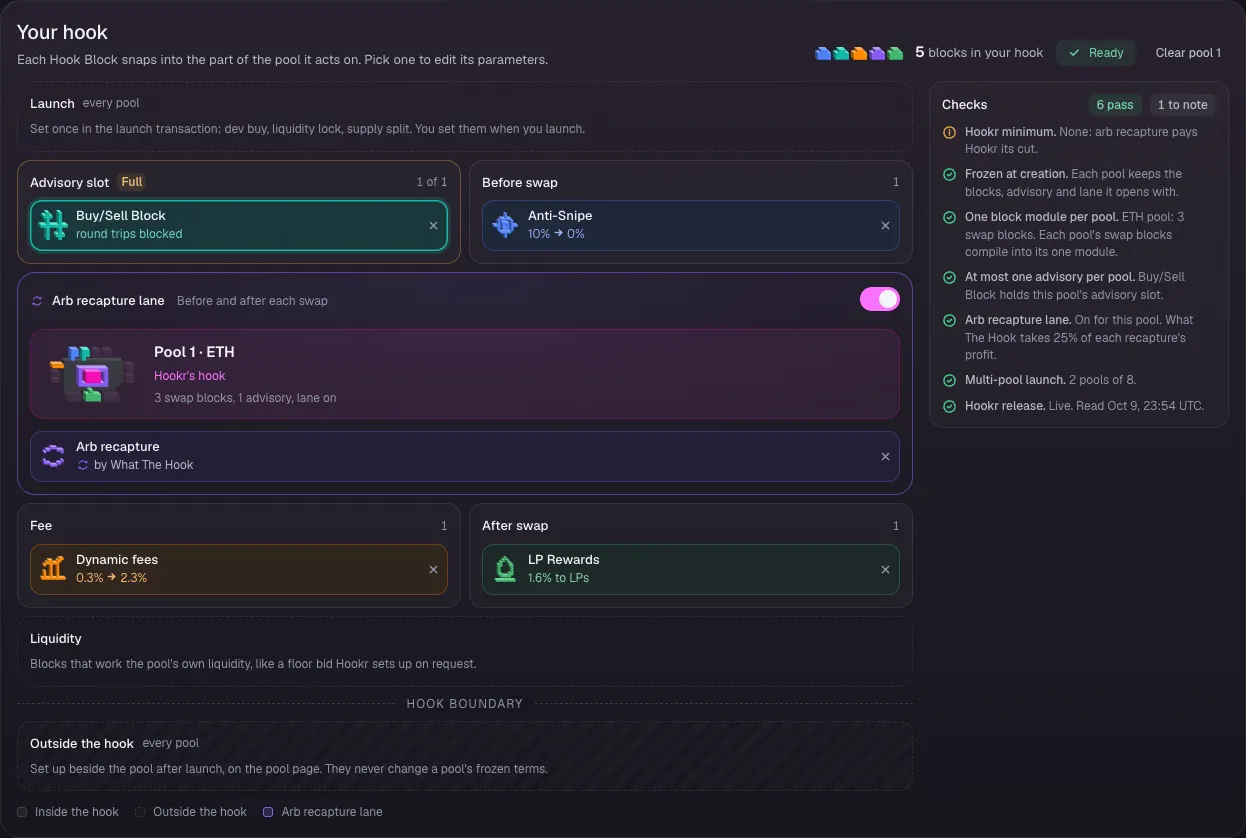
Check pool 1's Hook Blocks
- Check Your hook: Buy/Sell Block fills the Advisory slot, Anti-Snipe runs before the swap, Dynamic fees and LP Rewards stay on, and Arb recapture lane is on with King of the Pool off.
Check the Zap Relay target on pool 2
- Pick the Pool 2 · SEASON / USDG tab and open Zap Relay target in the block list.
- Leave What a zap does on Buy and burn, Price rise per window at 5% and Zap once this much gathers at 1,200 USDG.
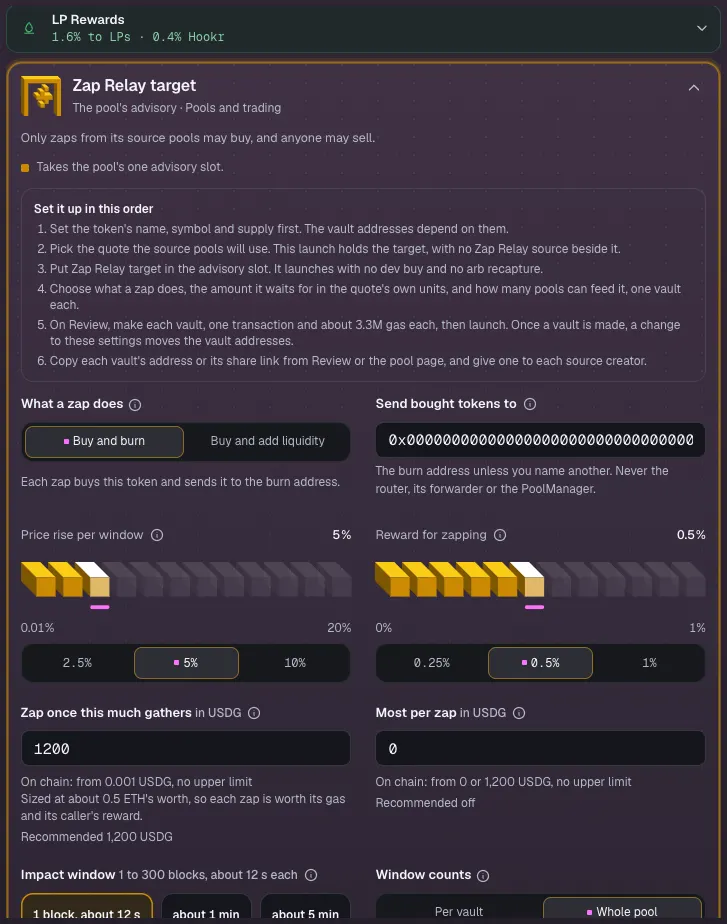
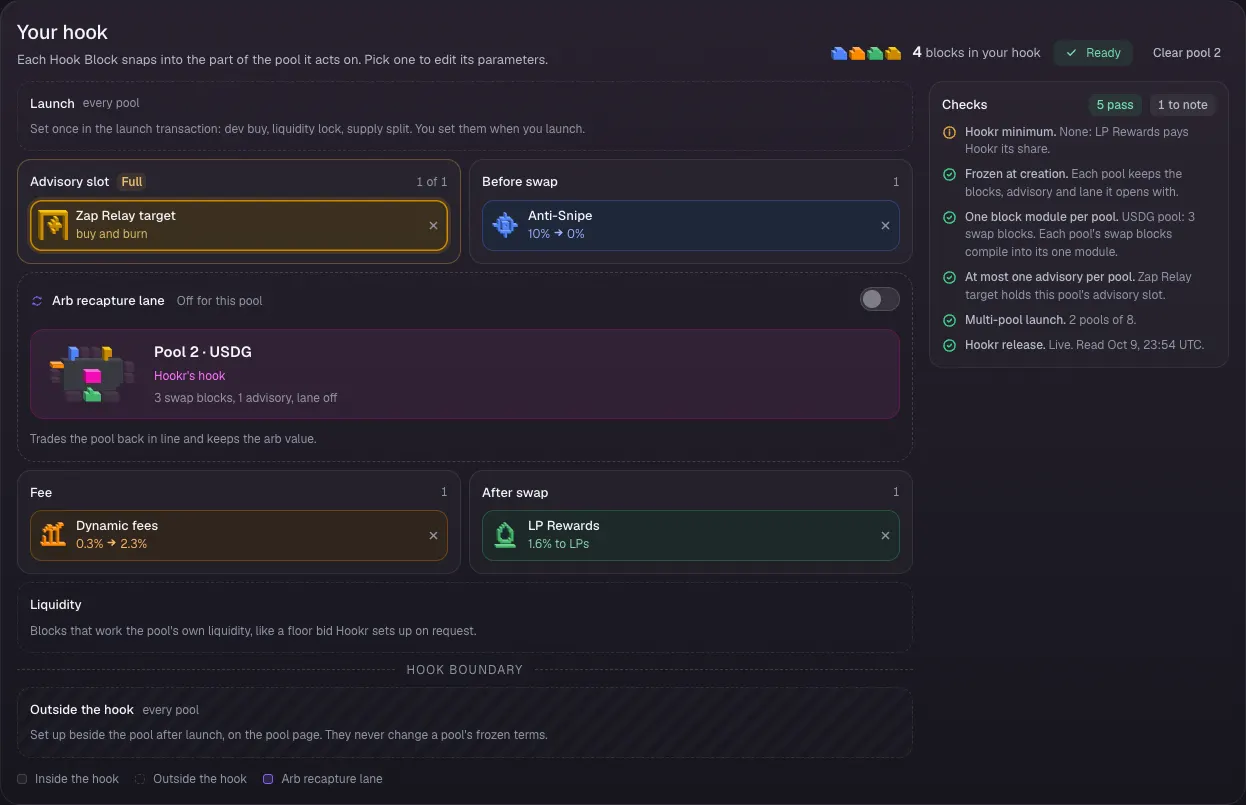
Check pool 2's Hook Blocks
- Check Your hook: Zap Relay target fills the Advisory slot, Anti-Snipe runs before the swap, Arb recapture lane is off, and Dynamic fees and LP Rewards stay on.
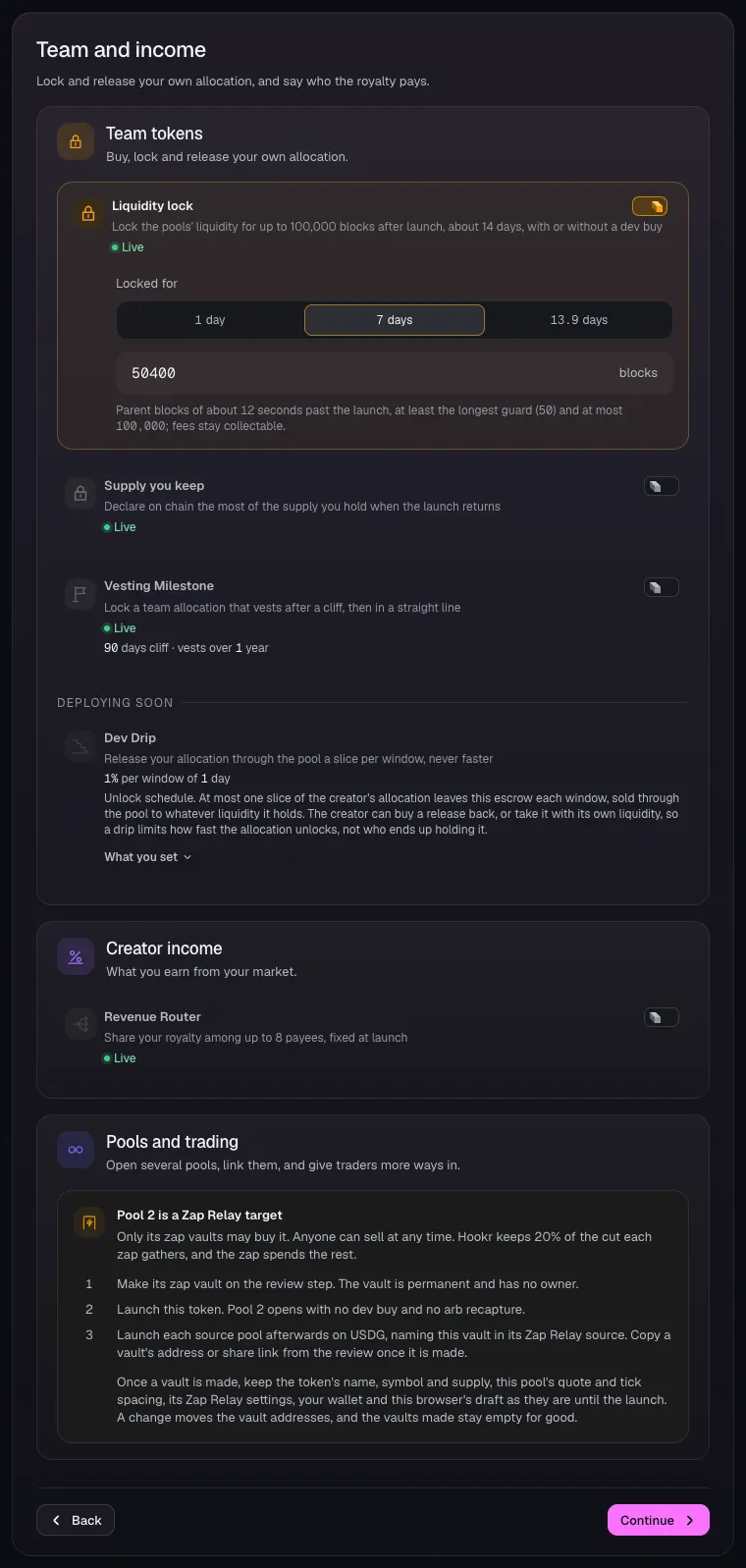
Lock the liquidity for a week
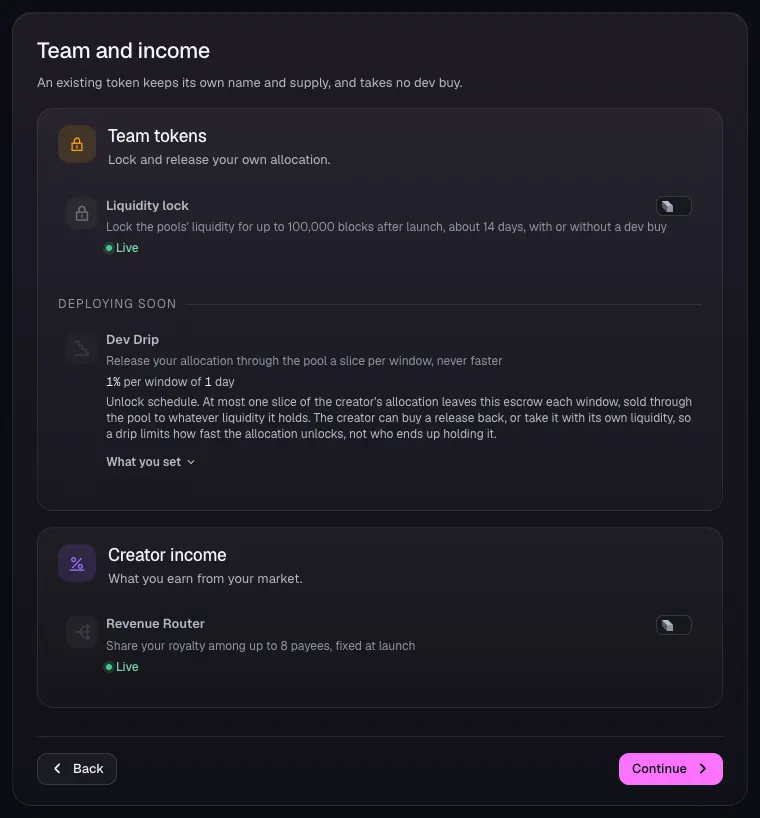
- Open 4 Team and income.
- Check that Liquidity lock is on with 7 days picked, 50400 blocks.
- Leave Supply you keep and Vesting Milestone off. Dev Drip is deploying soon.
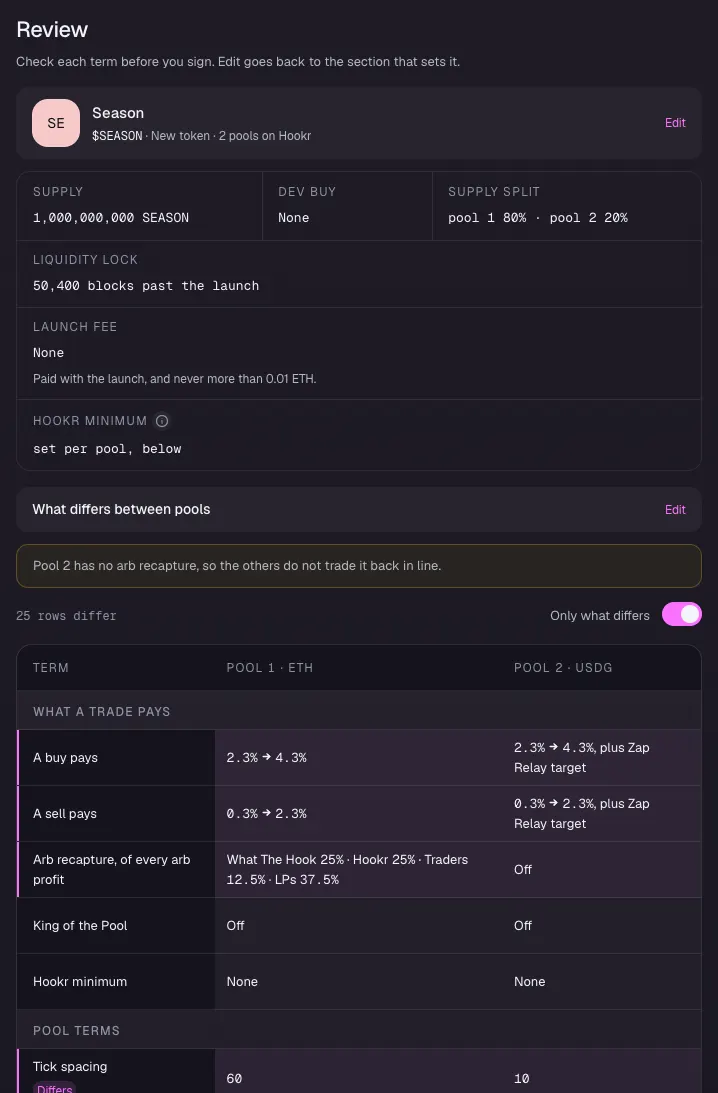
Review season one
- Open 5 Review.
- Check Supply split pool 1 80% · pool 2 20% and Liquidity lock 50,400 blocks past the launch.
- Under What differs between pools, check that pool 1 has arb recapture and the Buy/Sell Block and pool 2 has the Zap Relay target.
Make the vault and launch
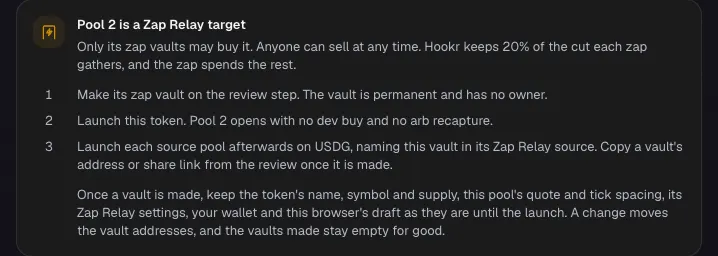
- Read Pool 2 is a Zap Relay target.
- Connect your wallet, make pool 2's zap vault on Review, then sign the launch.
- Copy the vault's address for the season one feeder.
Full walkthrough: Launch 2: Season one feeder
Open the launch page on this family
- Open the launch page on this family with the button above.
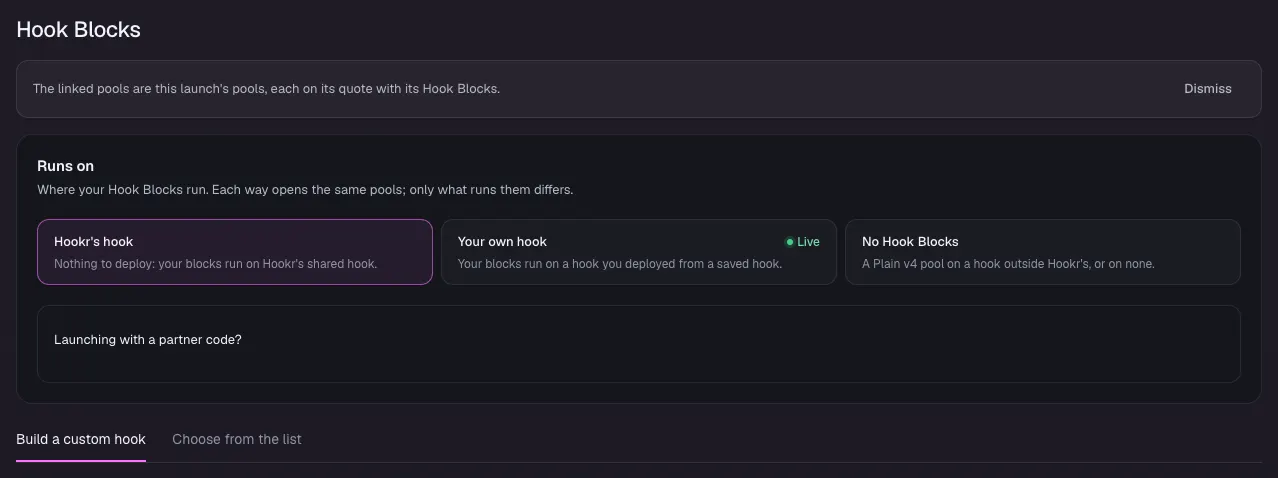
- Check that Hook Blocks says The linked pools are this launch's pools, with one pool on USDG.
- Keep Runs on at Hookr's hook.
Pick the token that already trades
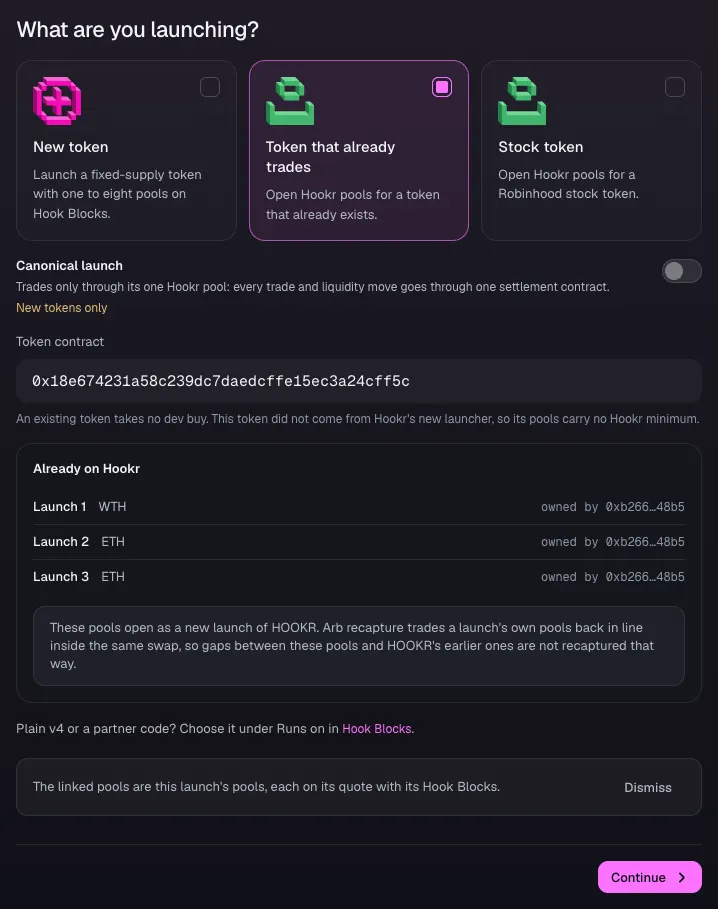
- Open 1 Token and pick Token that already trades.
- Paste SEASON's contract address under Token contract. The pictures use HOOKR as an example token.
Open the feeder pool on USDG
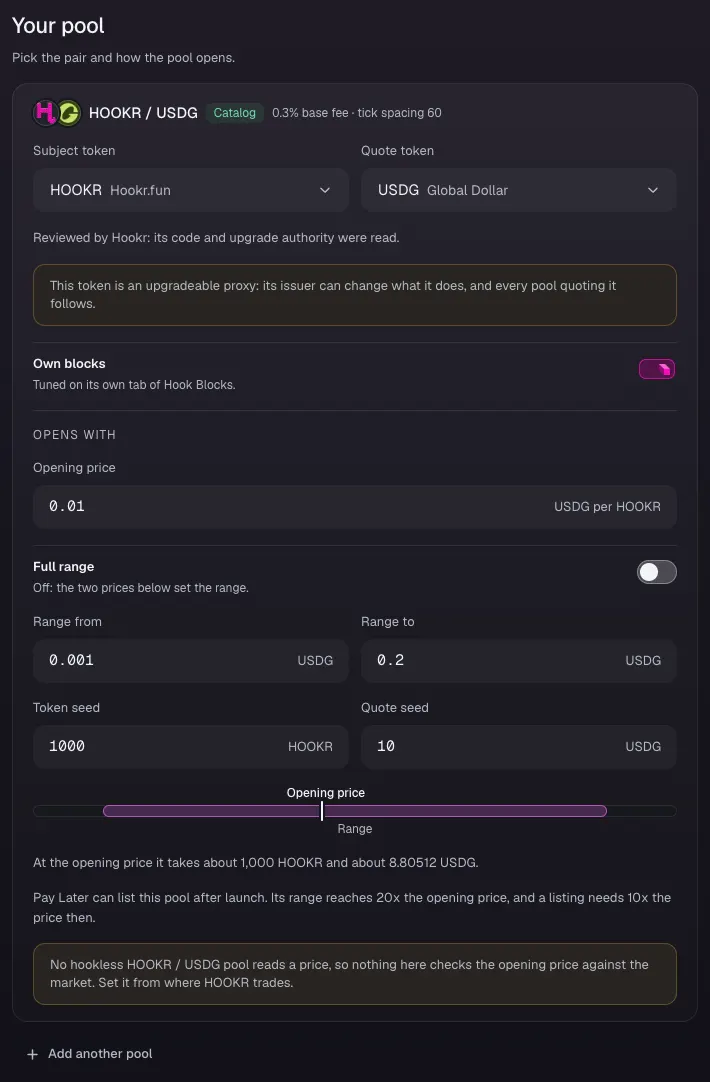
- Open 2 Pools.
- Check that the card reads tick spacing 60, a new spacing beside season one's USDG pool at 10.
- Type 0.01 under Opening price, 0.001 under Range from and 0.2 under Range to. These are example values.
- Type 1000 under Token seed and 10 under Quote seed.
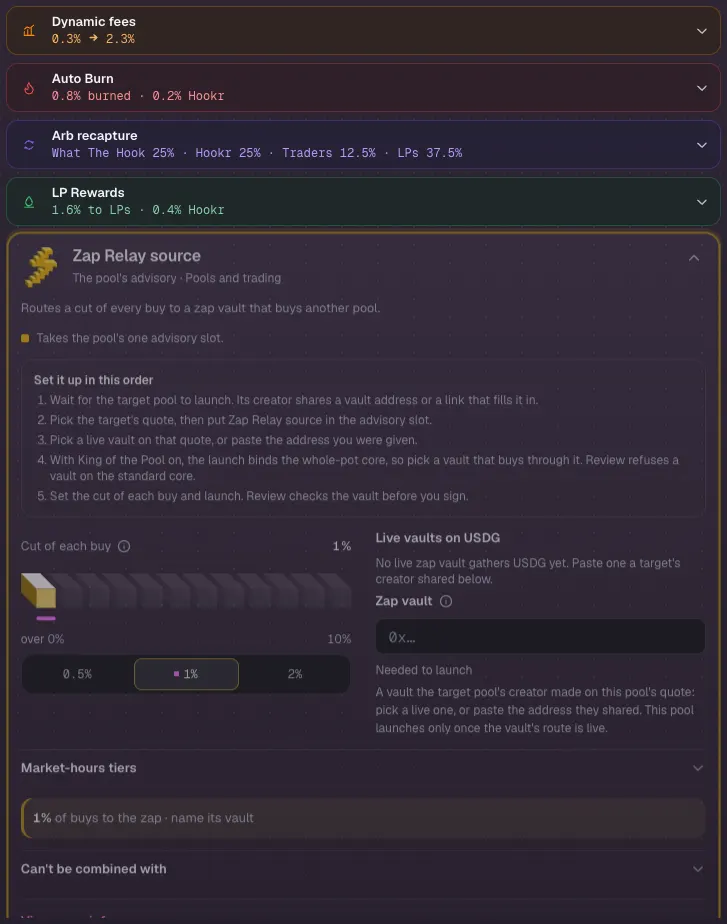
Name the vault in the Zap Relay source
- Open 3 Hook Blocks and open Zap Relay source in the block list.
- Leave Cut of each buy at 1%.
- Clear the Zap vault field, then paste the vault address from season one's launch receipt. Until you do, it says Needed to launch.
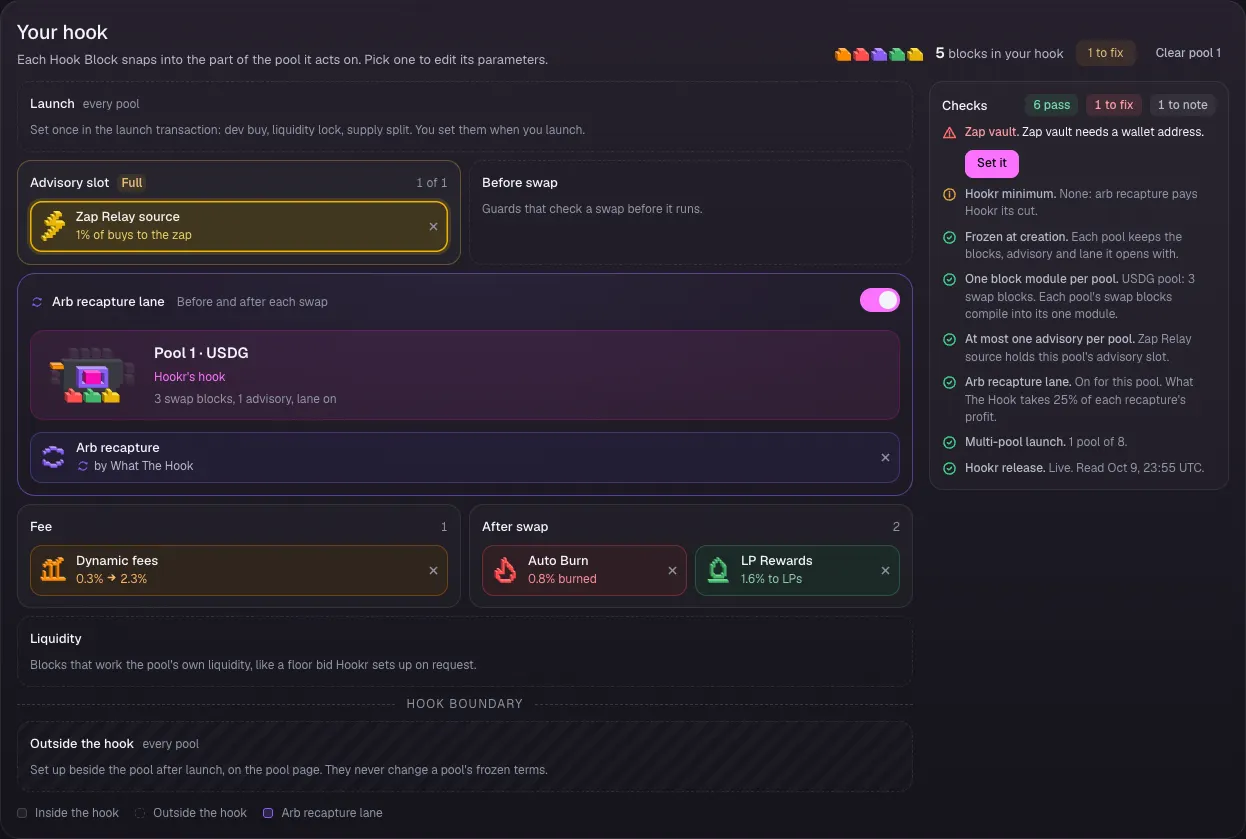
Check the pool's Hook Blocks
- Check Your hook: Zap Relay source fills the Advisory slot, Arb recapture lane is on, and Dynamic fees, Auto Burn and LP Rewards stay on.
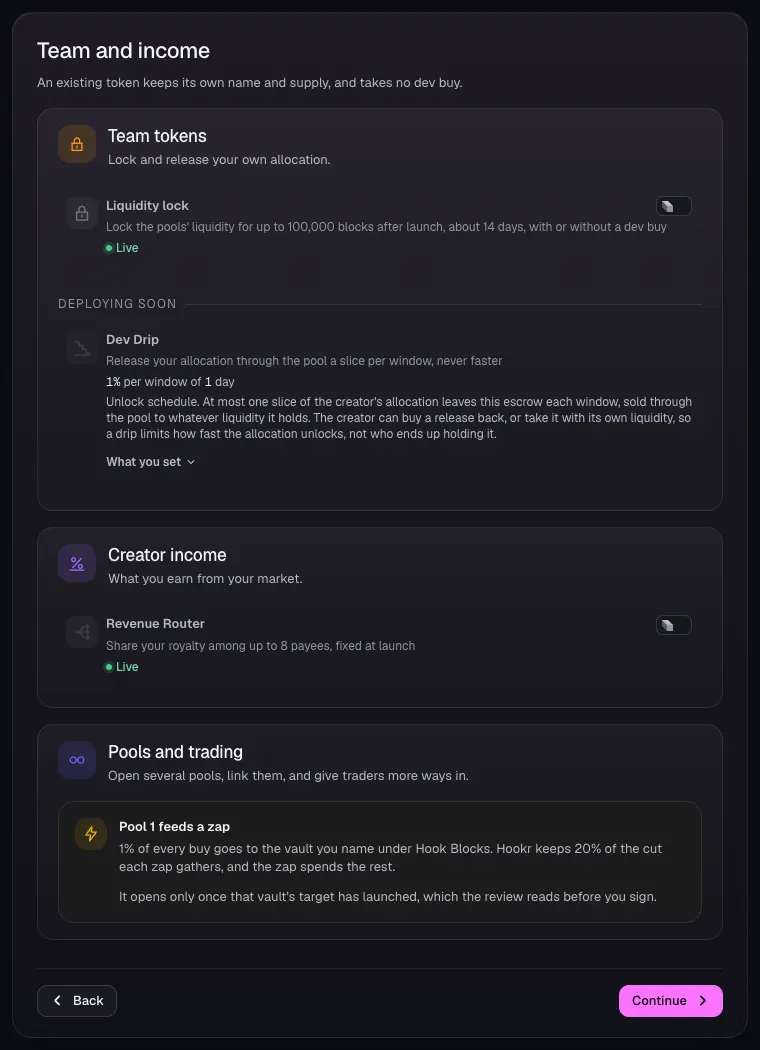
Leave Team and income as it is
- Open 4 Team and income and leave every row off.
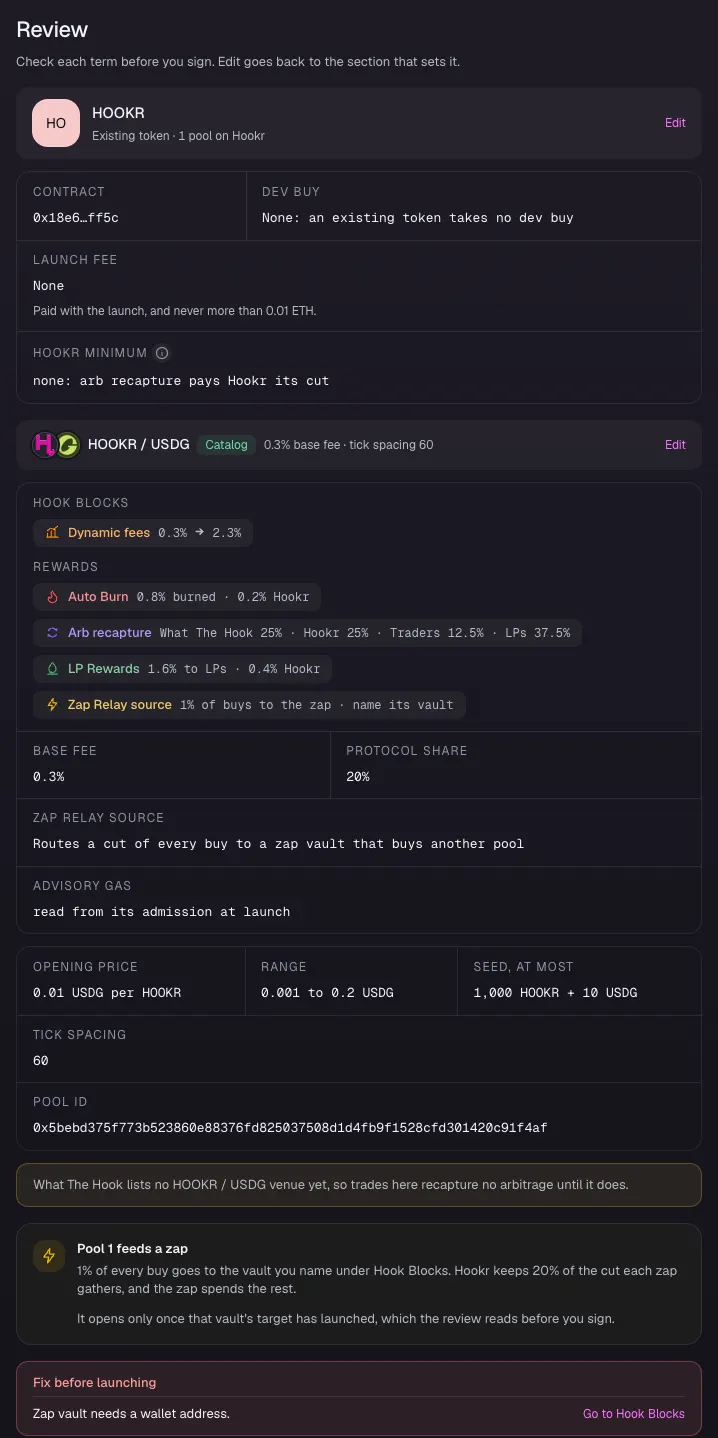
Review and launch
- Open 5 Review and read Pool 1 feeds a zap.
- Fix before launching lists the Zap vault until season one's vault is pasted. Then connect your wallet and sign.
Full walkthrough: Launch 3: Season two, opened at the milestone
Open the launch page on this family
- Open the launch page on this family with the button above.
- If this browser holds another launch's draft, click Discard draft under Your launch on 1 Token before you open the link, so King of the Pool loads with its whole pot.
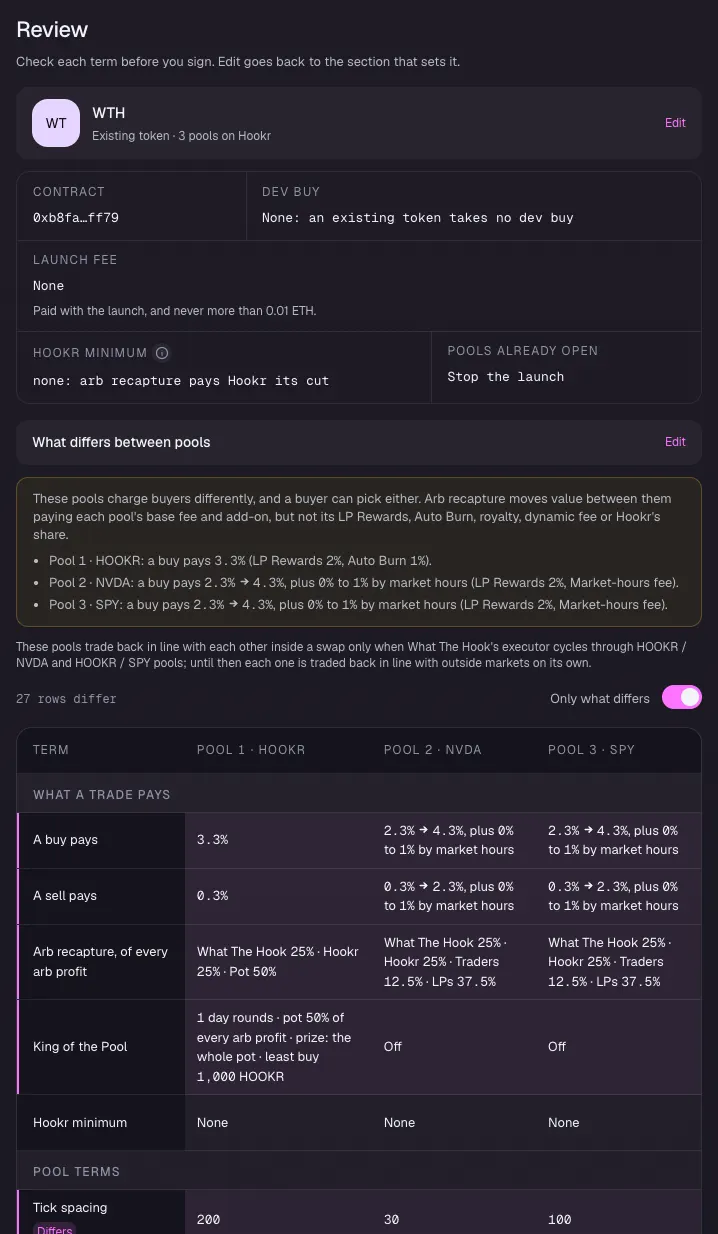
- Check that Hook Blocks says The linked pools are this launch's pools, with pools on HOOKR, NVDA and SPY.
- Keep Runs on at Hookr's hook.
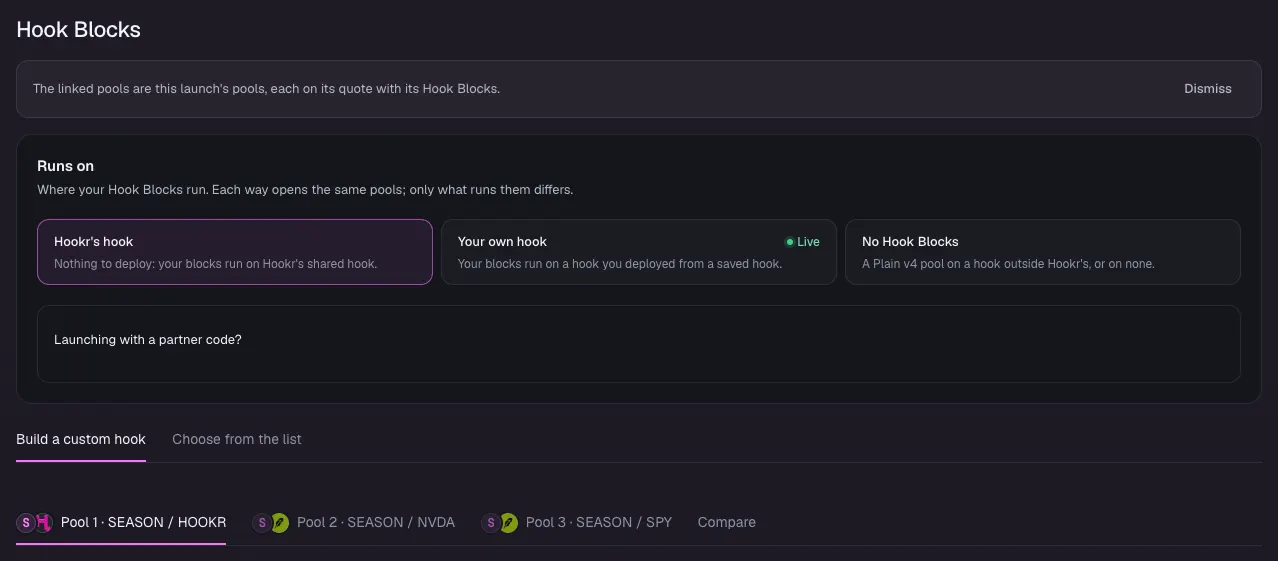
Pick the token that already trades
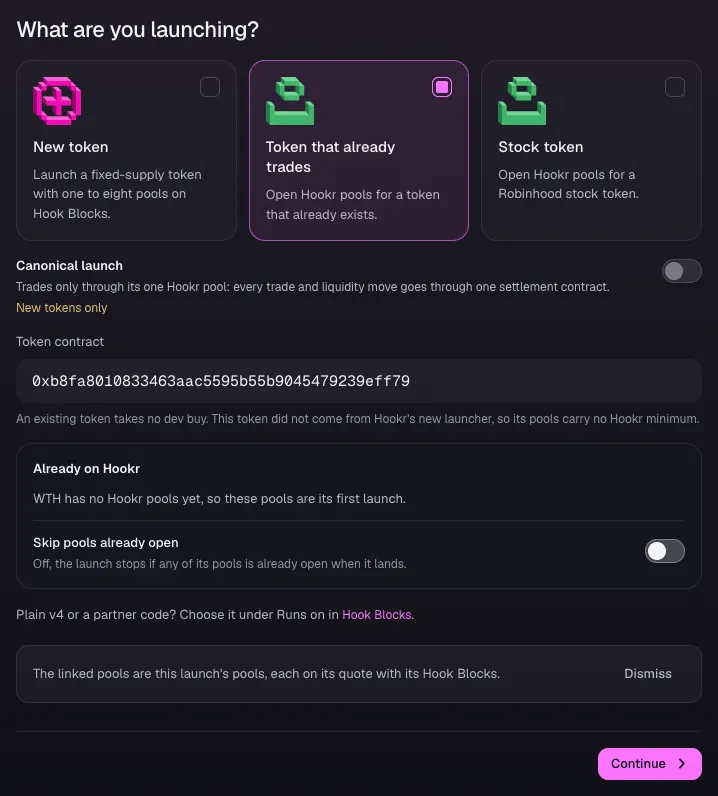
- Open 1 Token and pick Token that already trades.
- Paste SEASON's contract address under Token contract. The pictures use WTH as an example token.
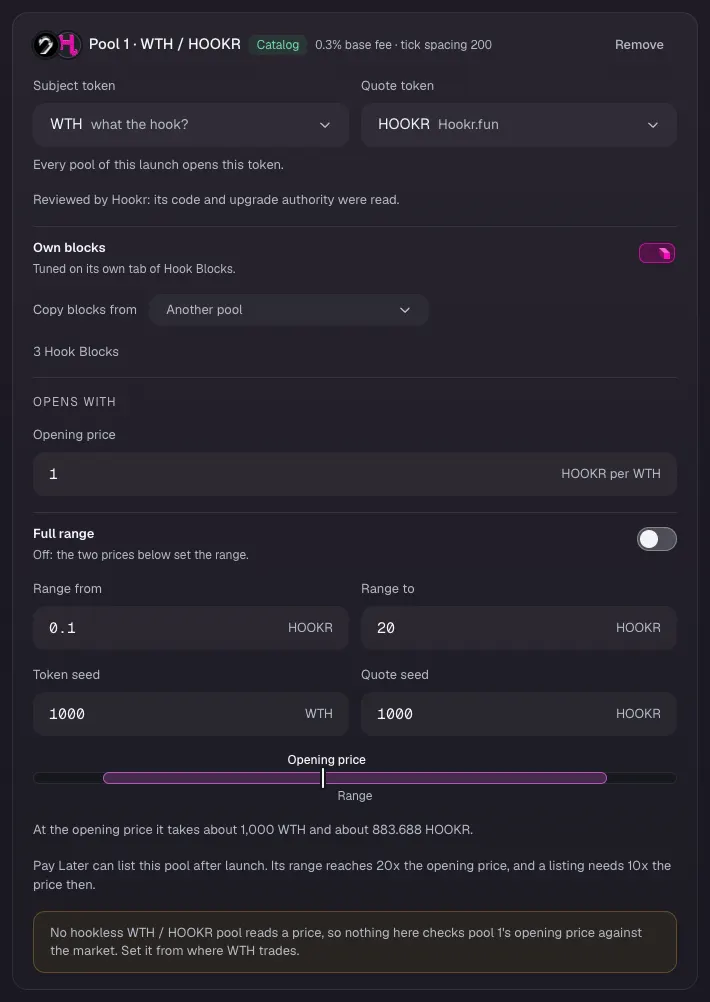
Open the HOOKR crown pool
- Open 2 Pools.
- On Pool 1, check that the card reads tick spacing 200.
- Type 1 under Opening price, 0.1 under Range from and 20 under Range to. These are example values.
- Type 1000 under Token seed and 1000 under Quote seed.
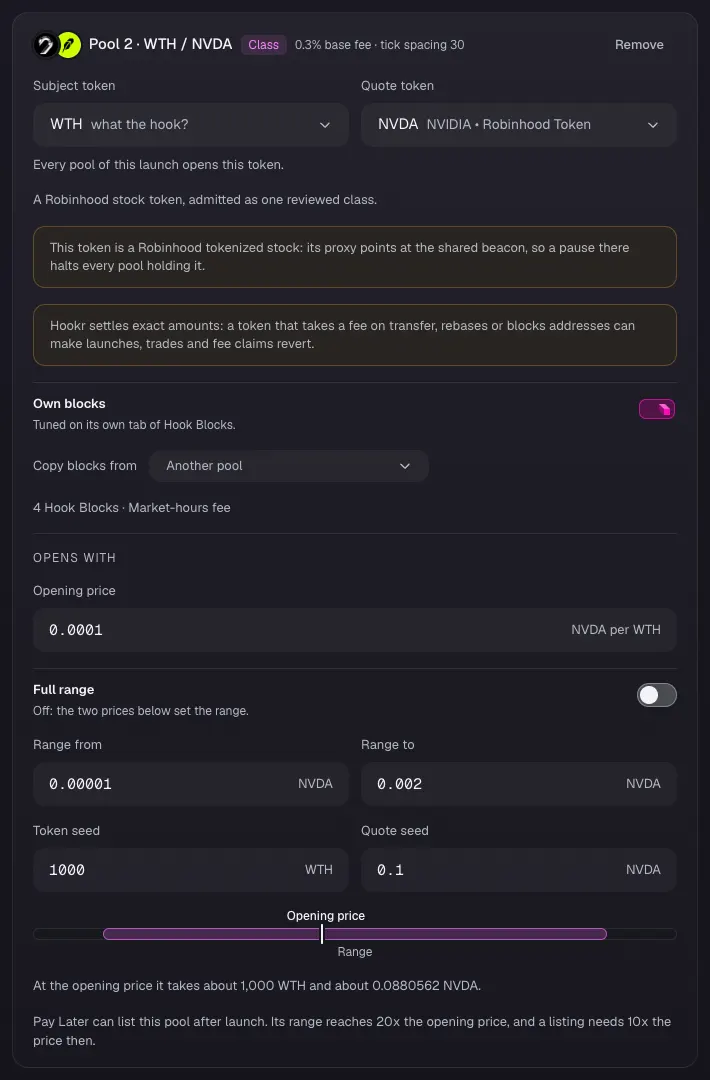
Open the NVDA session pool
- On Pool 2, check that the card reads tick spacing 30 and 4 Hook Blocks · Market-hours fee.
- Type 0.0001 under Opening price, 0.00001 under Range from and 0.002 under Range to.
- Type 1000 under Token seed and 0.1 under Quote seed.
Open the SPY session pool
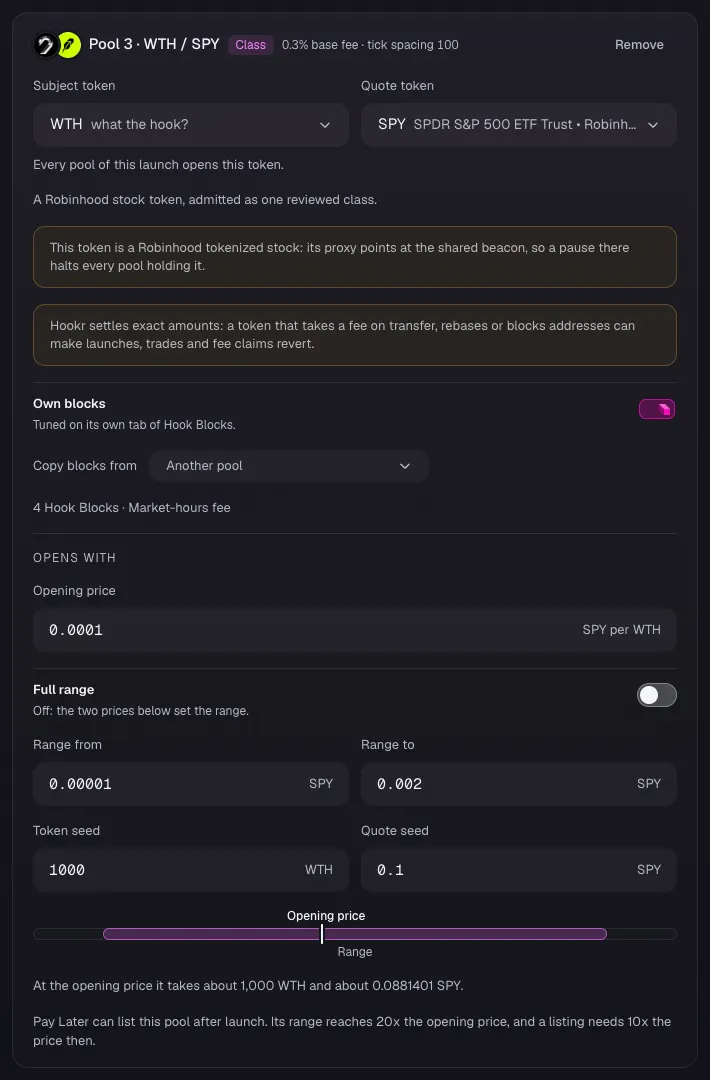
- On Pool 3, check that the card reads tick spacing 100 and 4 Hook Blocks · Market-hours fee.
- Type 0.0001 under Opening price, 0.00001 under Range from and 0.002 under Range to.
- Type 1000 under Token seed and 0.1 under Quote seed.
Check King of the Pool's pot
- Open 3 Hook Blocks and pick the Pool 1 tab.
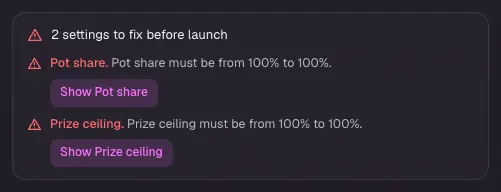
- If it says 2 settings to fix before launch, for Pot share and Prize ceiling, do the next step. This happens when the browser already held another draft; Discard draft before opening the link avoids it.
Set the pot to the whole recapture
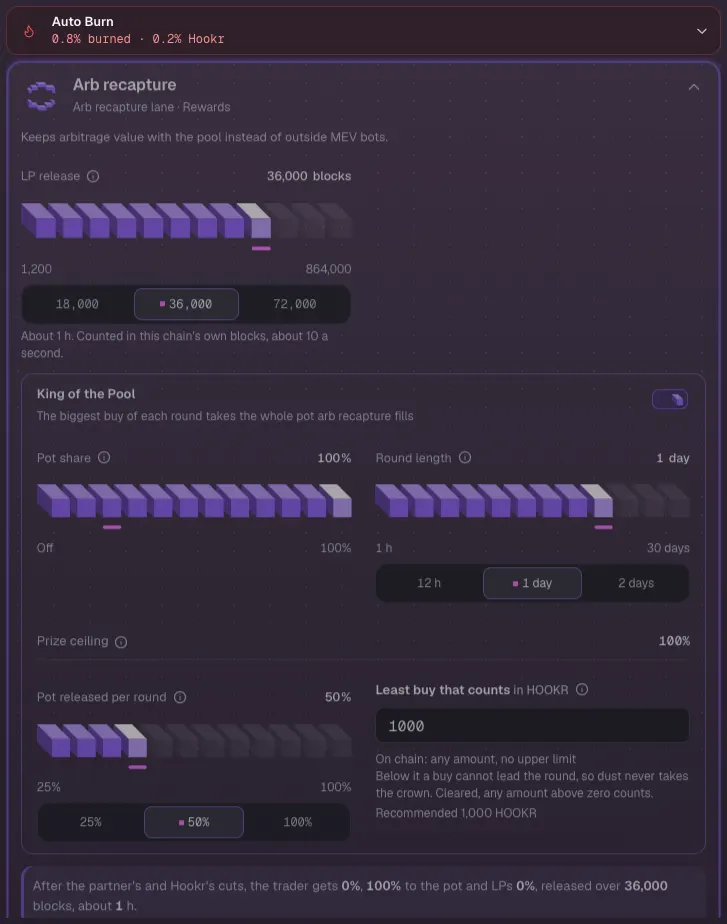
- Open Arb recapture in the block list.
- Under King of the Pool, set Pot share to 100%. Prize ceiling turns to 100%.
- Leave Round length at 1 day and Least buy that counts at 1000 HOOKR.
Check pool 1's Hook Blocks
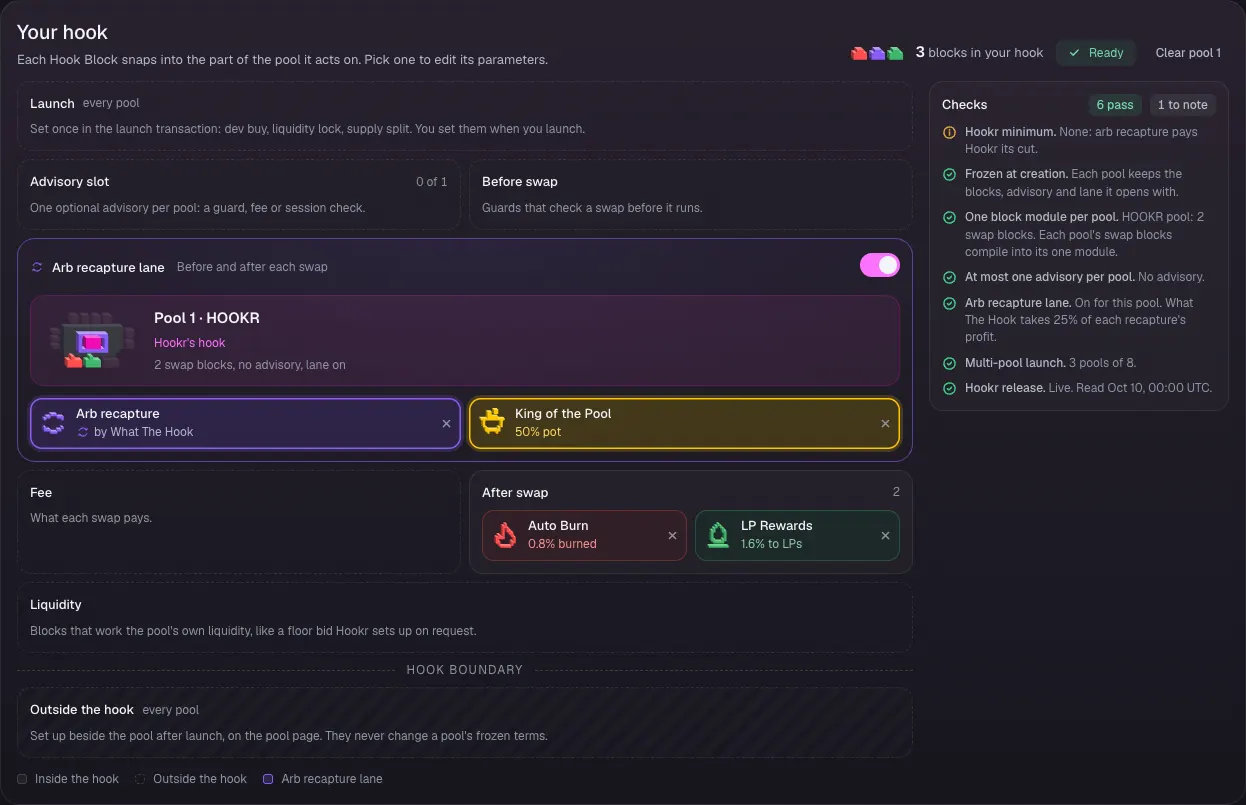
- Check Your hook: Auto Burn and LP Rewards after the swap, Arb recapture lane on with King of the Pool, and an empty Advisory slot.
Keep King of the Pool on
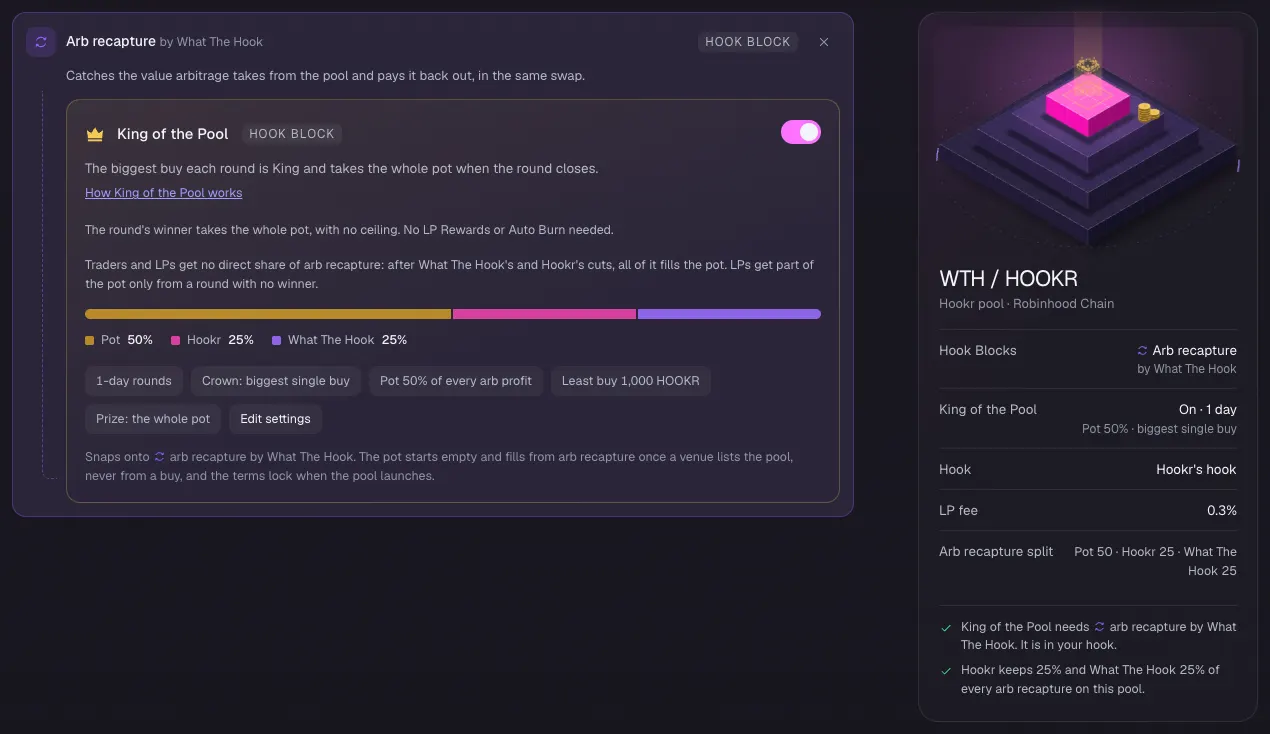
- Under Arb recapture by What The Hook, keep King of the Pool switched on.
- Check Pot 50%, Hookr 25%, What The Hook 25% and Least buy 1,000 HOOKR.
Check the market-hours tiers
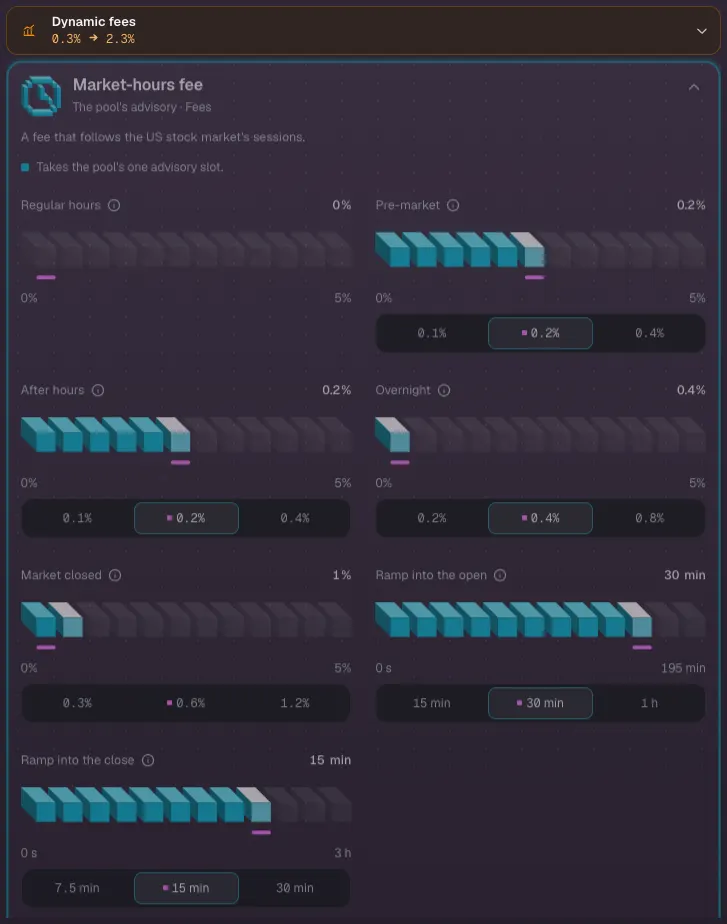
- Pick the Pool 2 tab and open Market-hours fee in the block list.
- Check Regular hours 0%, Pre-market 0.2%, After hours 0.2%, Overnight 0.4% and Market closed 1%.
- Check Ramp into the open 30 min and Ramp into the close 15 min.
Check pool 2's Hook Blocks
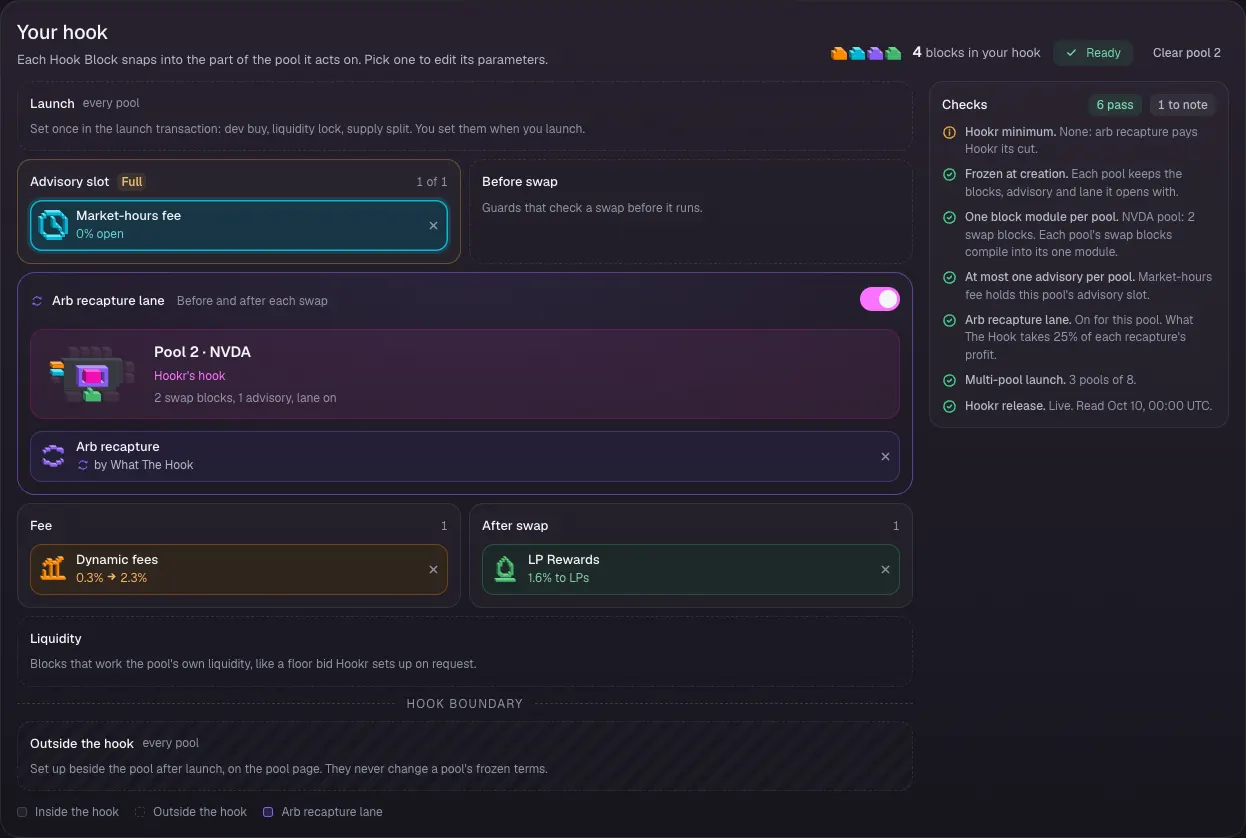
- Check Your hook: Market-hours fee fills the Advisory slot, Arb recapture lane is on, and Dynamic fees and LP Rewards stay on.
Check pool 3's Hook Blocks
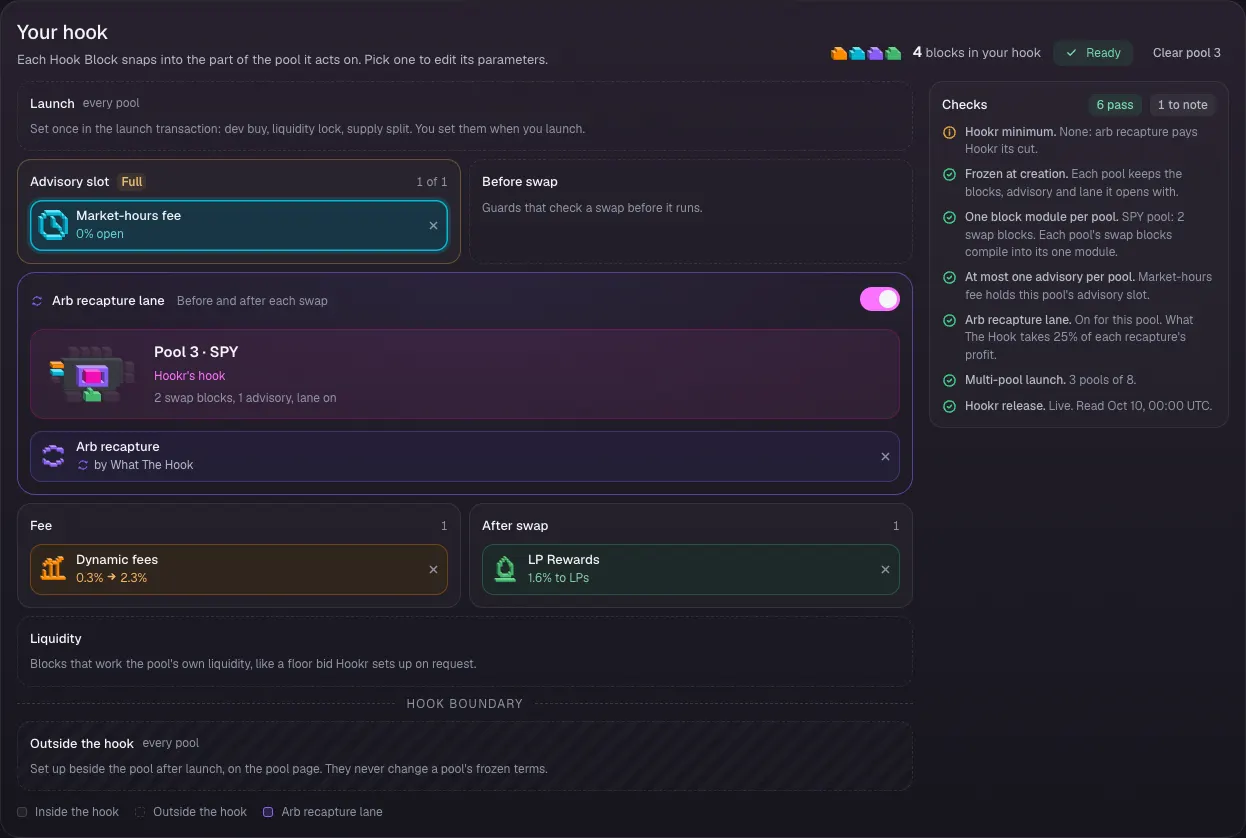
- Pick the Pool 3 tab.
- Check Your hook: the same Market-hours fee, Dynamic fees, LP Rewards and Arb recapture lane as pool 2. Open Market-hours fee to check the same tiers.
Leave Team and income as it is
- Open 4 Team and income and leave every row off.
Review season two
- Open 5 Review.
- Under What differs between pools, check King of the Pool on pool 1 with least buy 1,000 HOOKR, and 0% to 1% by market hours on pools 2 and 3.
- Connect your wallet and sign when the milestone is met.