Loyalty points
For a token with a large, long-held community.
On this page
Deploying soonSet it up now without A reward token made in the app, for Swap Reward Mint, which is deploying soon. Runs on live blocks.
New pools where swaps on the ETH pool mint LOYAL points, LPs earn a share of every buy, and the top buyer of each round wears the crown, without touching the token contract. A proposed Hold Pass would turn LOYAL and LP age into lower fees.
Why it is different. Loyalty added where the token trades, for a token that cannot change its own code.
The pools
Three pools · existing token
- ETHtick spacing 60
Swaps mint LOYAL points
- Live:Dynamic fees
- Live:LP Rewards
- Live:Arb recapture
- Live:Swap Reward Mintadvisory
- USDGtick spacing 10
Round trips refused
- Live:Dynamic fees
- Live:LP Rewards
- Live:Arb recapture
- Live:Buy/Sell Blockadvisory
How the pools work together
- LOYAL points are minted on ETH pool swaps.
- Hold Pass would turn a LOYAL balance and LP age into a lower fee tier on all three pools. Proposed
- Family Crown would run one crown across the three pools. Proposed
Beside the pools and at launch
- Live:Limit orders
Proposed connectors
- Proposed:Family Crown
- Proposed:Hold Pass
Walkthrough
Every section of the launch floor this combo uses, in order, with what to check, select and fill in each. The screenshots use WTH (0xb8fa8010833463aac5595b55b9045479239eff79), only an example: HOOKR is one of this launch's quotes, so the walkthrough uses WTH as the token.
Full walkthrough: Launch 1: three pools for a token that already trades
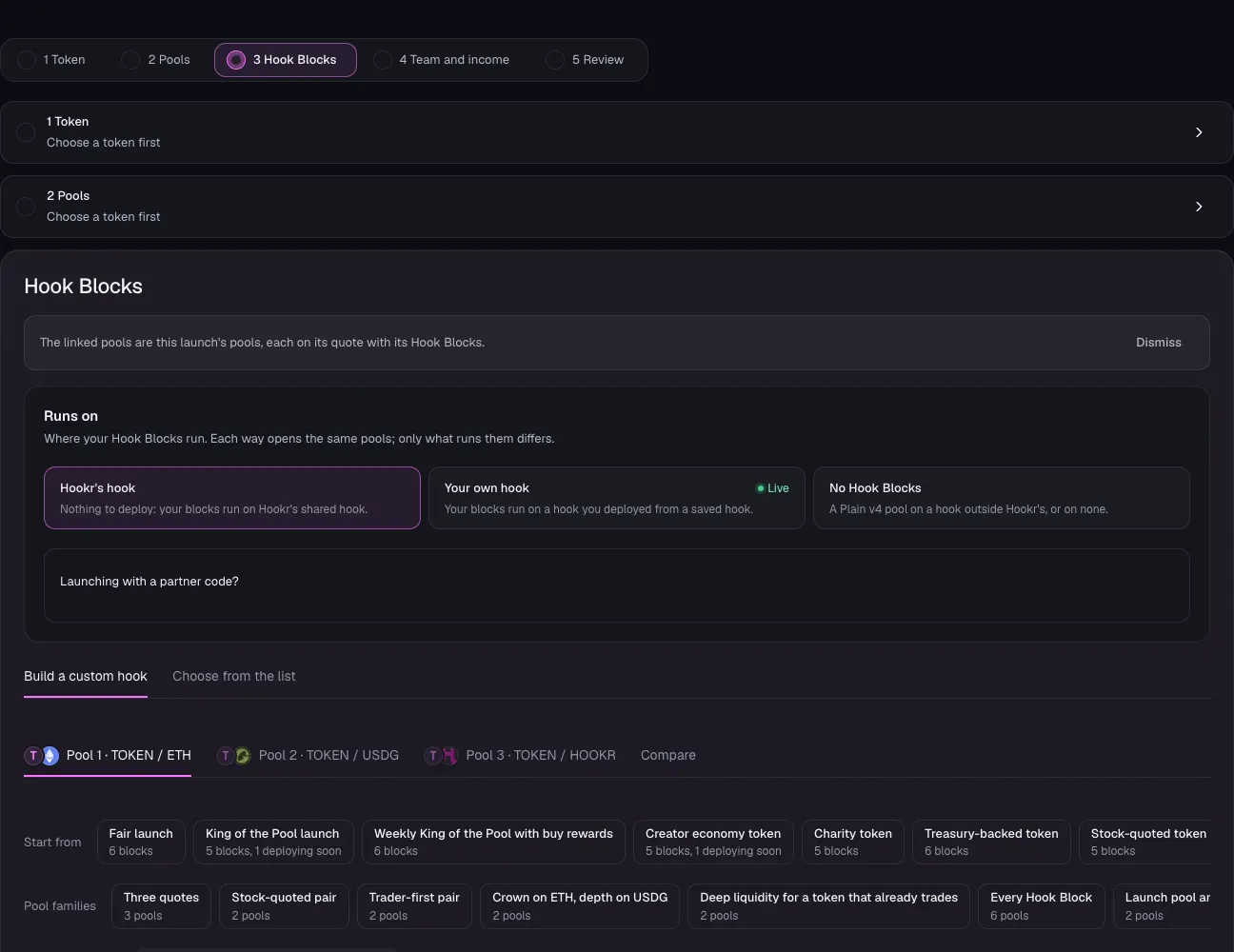
Open the launch page on this family
- Open the launch page on this family.
- Check the banner reads: The linked pools are this launch's pools, each on its quote with its Hook Blocks.
- Check the tabs read Pool 1 · TOKEN / ETH, Pool 2 · TOKEN / USDG and Pool 3 · TOKEN / HOOKR.
- Under Runs on, keep Hookr's hook.
Pick the token that already trades
- Open 1 Token.
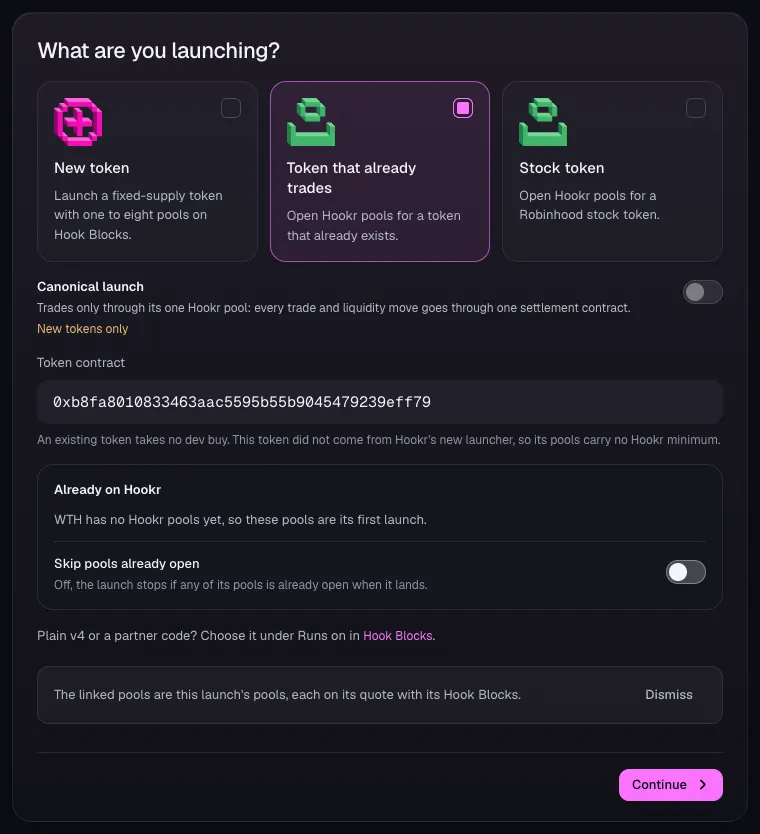
- Under What are you launching?, choose Token that already trades.
- In Token contract, paste your token's address. This example uses WTH, 0xb8fa8010833463aac5595b55b9045479239eff79. The token cannot be ETH, USDG or HOOKR, the three quotes.
- Check Already on Hookr. For WTH it reads: WTH has no Hookr pools yet, so these pools are its first launch.
- Leave Skip pools already open off.
- Click Continue.
Pool 1 · TOKEN / ETH: how it opens
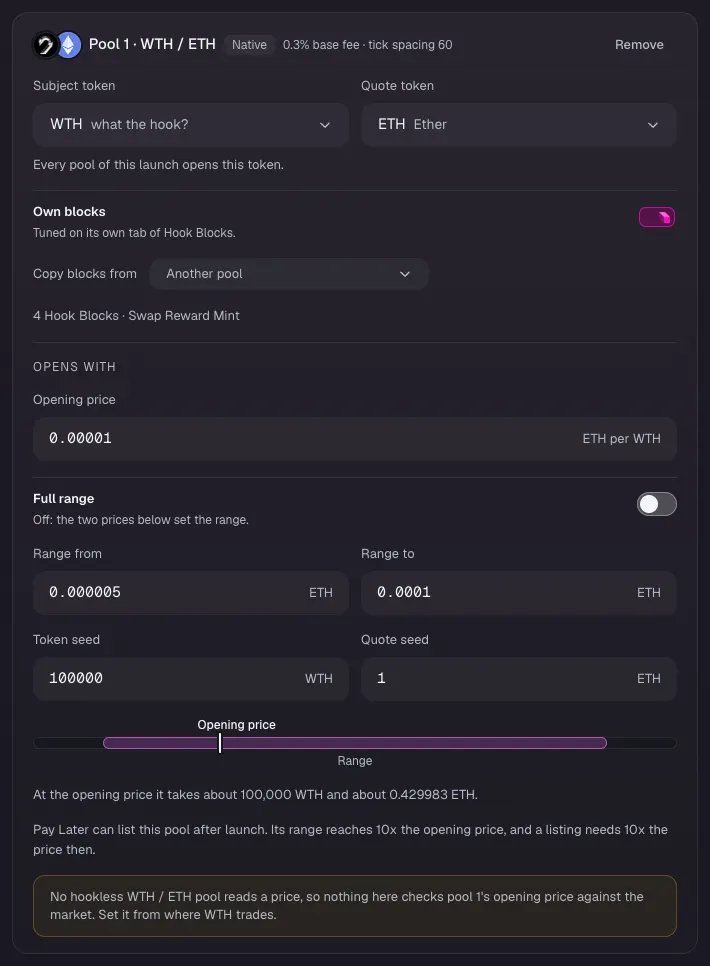
- In 2 Pools, check Pool 1 reads WTH / ETH, Native, 0.3% base fee · tick spacing 60, and 4 Hook Blocks · Swap Reward Mint.
- Leave Own blocks on.
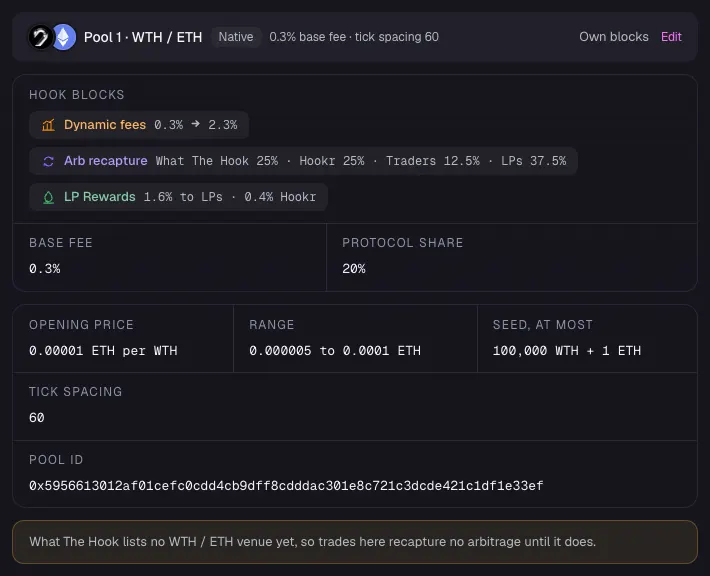
- Set Opening price in ETH per token. This example uses 0.00001; set it from where your token trades.
- Leave Full range off. Set Range from 0.000005 and Range to 0.0001 (examples, 10x the price on top).
- Set Token seed and Quote seed. This example uses 100000 and 1.
Pool 2 · TOKEN / USDG: how it opens
- Check Pool 2 reads WTH / USDG, Catalog, 0.3% base fee · tick spacing 10, and 4 Hook Blocks · Buy/Sell Block.
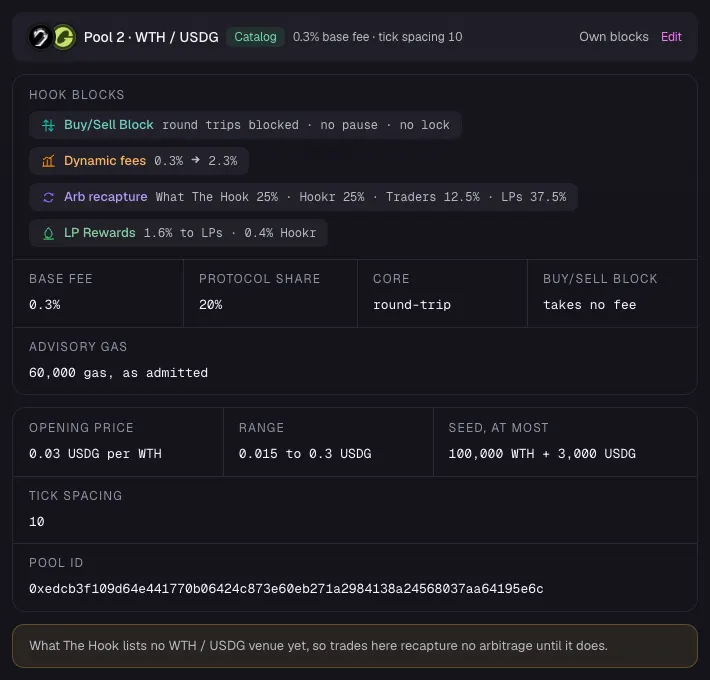
- Set Opening price in USDG per token, Range from, Range to, Token seed and Quote seed. This example uses 0.03, 0.015, 0.3, 100000 and 3000.
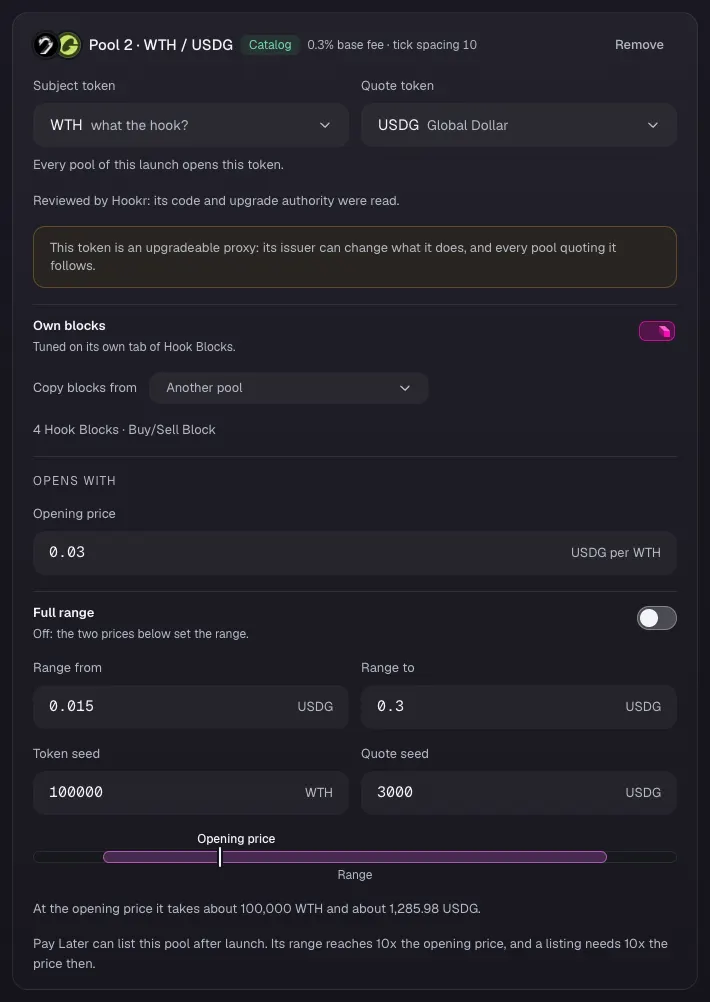
Pool 3 · TOKEN / HOOKR: how it opens
- Check Pool 3 reads WTH / HOOKR, Catalog, 0.3% base fee · tick spacing 200, and 2 Hook Blocks.
- Set Opening price in HOOKR per token, Range from, Range to, Token seed and Quote seed. This example uses 30, 15, 300, 100000 and 3000000.
- Leave Opening price check off, then click Continue.
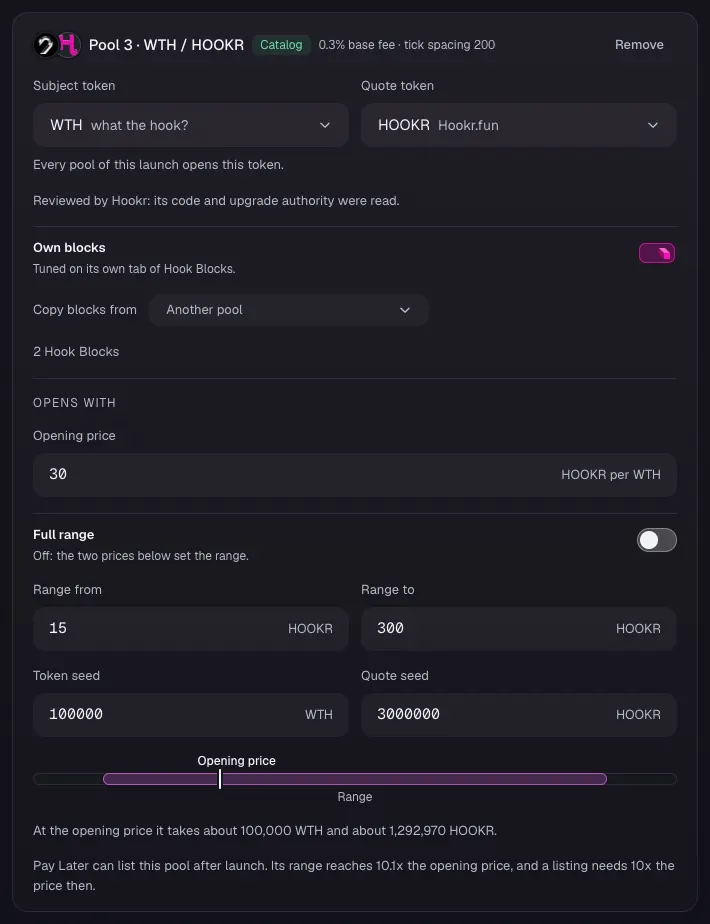
Pool 1 Hook Blocks
- Open 3 Hook Blocks, click the Pool 1 · WTH / ETH tab and scroll to Your hook.
- Check Advisory slot shows Swap Reward Mint, Fee shows Dynamic fees, After swap shows LP Rewards, and Arb recapture lane reads Before and after each swap.
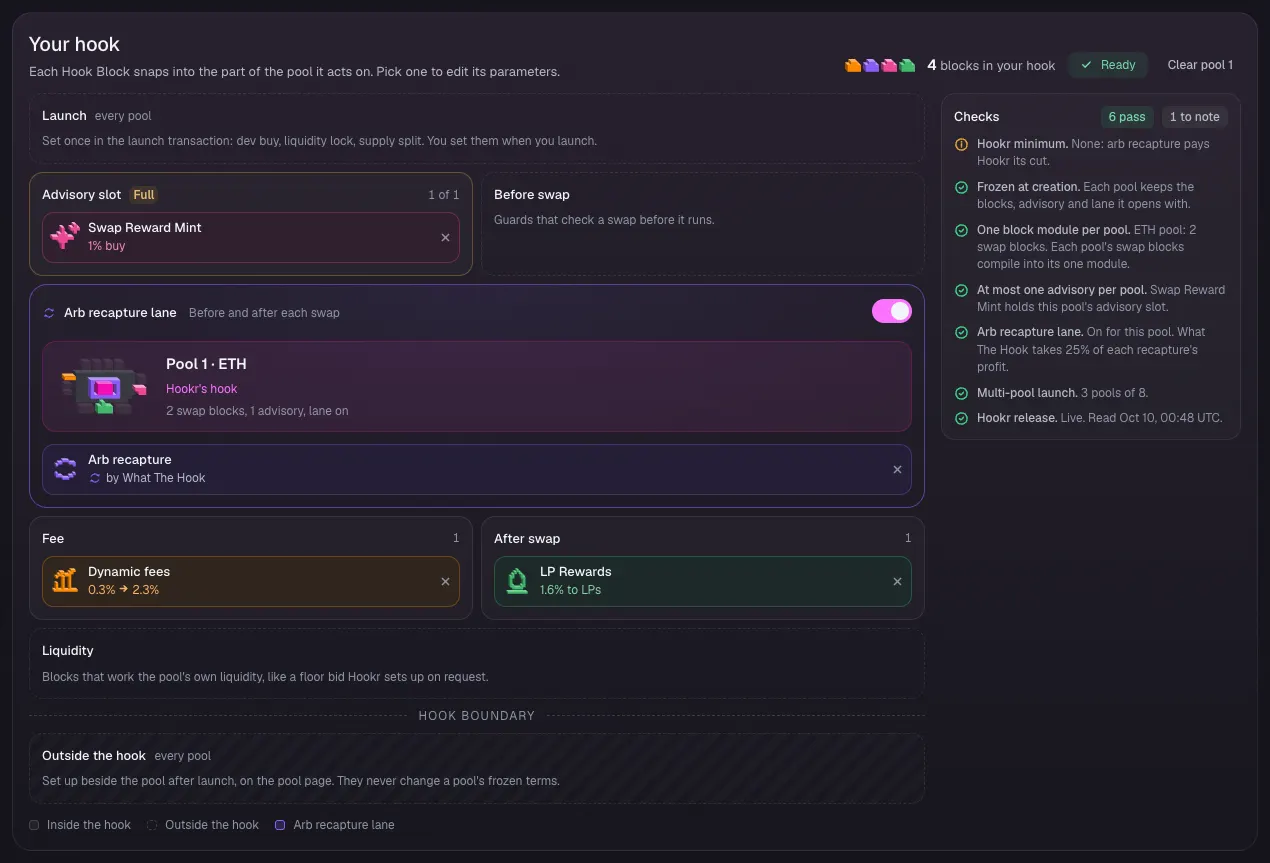
Pool 1: Swap Reward Mint needs your reward token
- Click Swap Reward Mint in the block list to open its settings.
- Leave Buy slice and Sell slice at 1%.
- In Reward token, paste the address of a reward token you own that reward programs can mint (it answers isRewardMinter and mintReward). This mints the LOYAL points.
- Making a reward token in the app is deploying soon. An ordinary token, a Hookr token included, is refused.
- Leave Reward rate at 1 and Runs for at Until spent. In Your payout, paste your wallet.
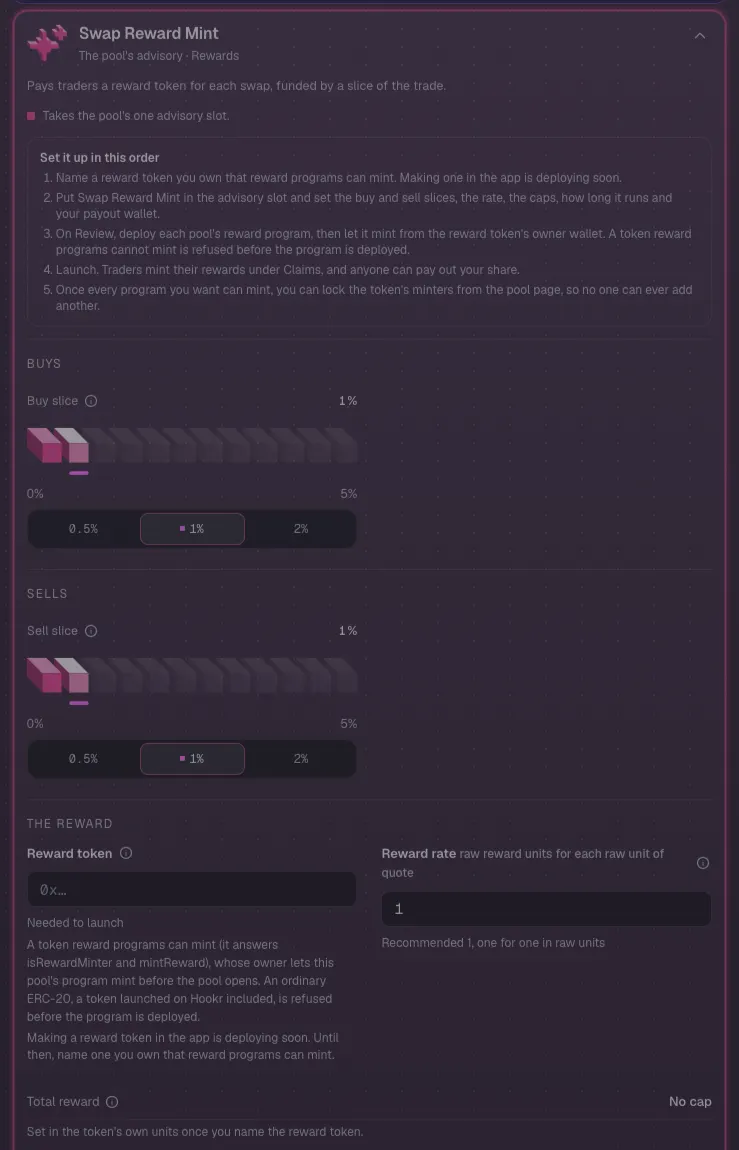
Pool 1 without a reward token
- If you have no reward token built for reward programs, click Remove at the foot of Swap Reward Mint.
- Check Advisory slot reads 0 of 1. Pool 1 then opens with Dynamic fees, LP Rewards and arb recapture, and no LOYAL points.
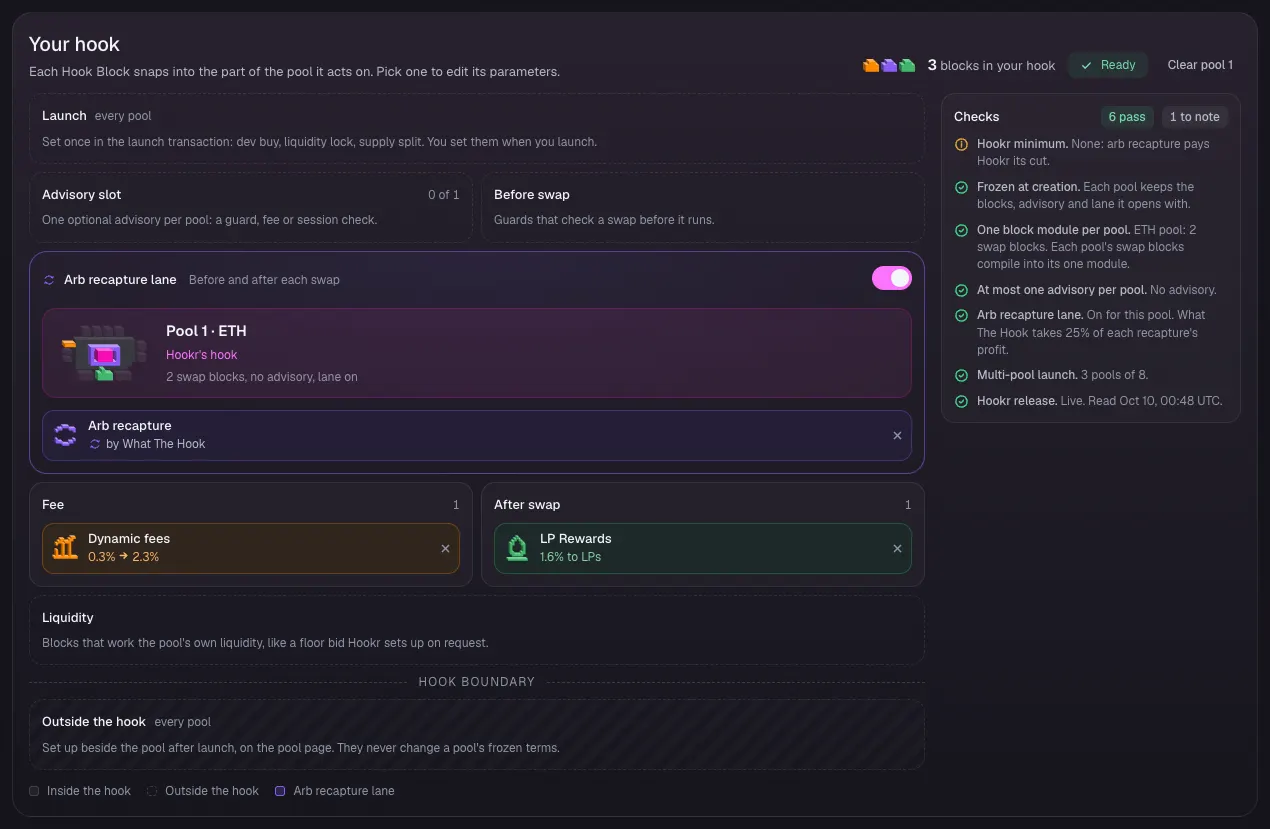
Pool 2 Hook Blocks
- Click the Pool 2 · WTH / USDG tab.
- Check Advisory slot shows Buy/Sell Block, Fee shows Dynamic fees, After swap shows LP Rewards, and the arb recapture lane is on.
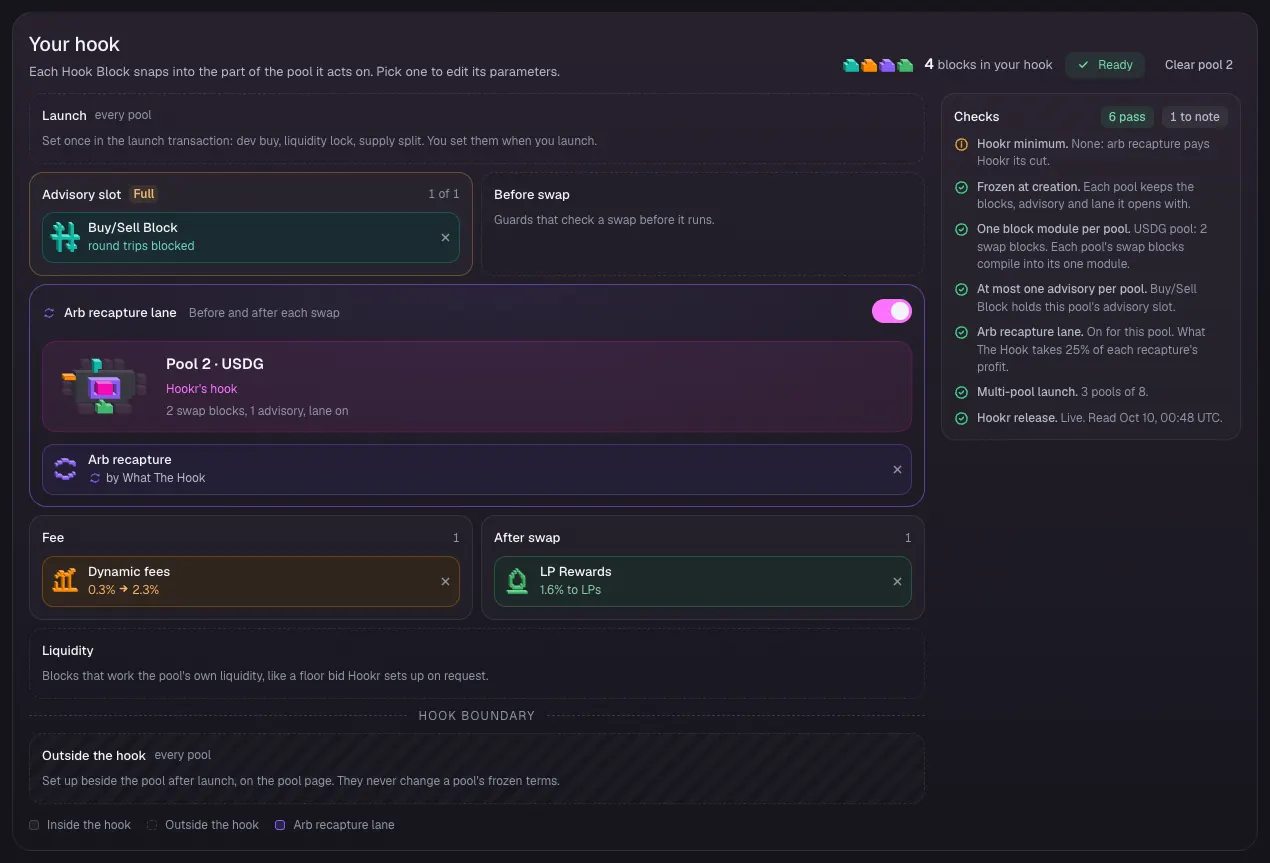
Pool 2: refuse round trips
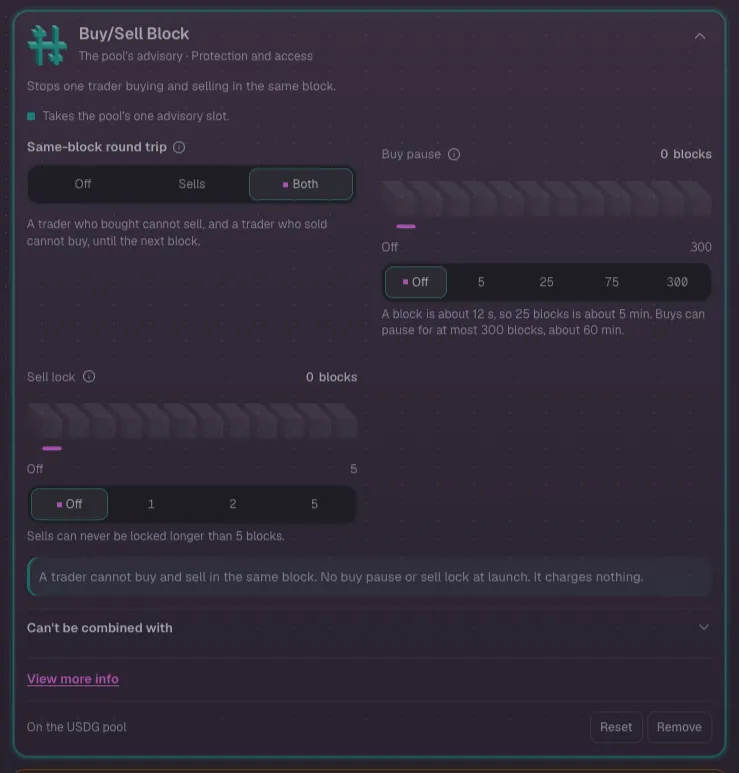
- Click Buy/Sell Block in the block list.
- Under Same-block round trip, keep Both.
- Leave Buy pause and Sell lock Off.
Pool 3 Hook Blocks
- Click the Pool 3 · WTH / HOOKR tab.
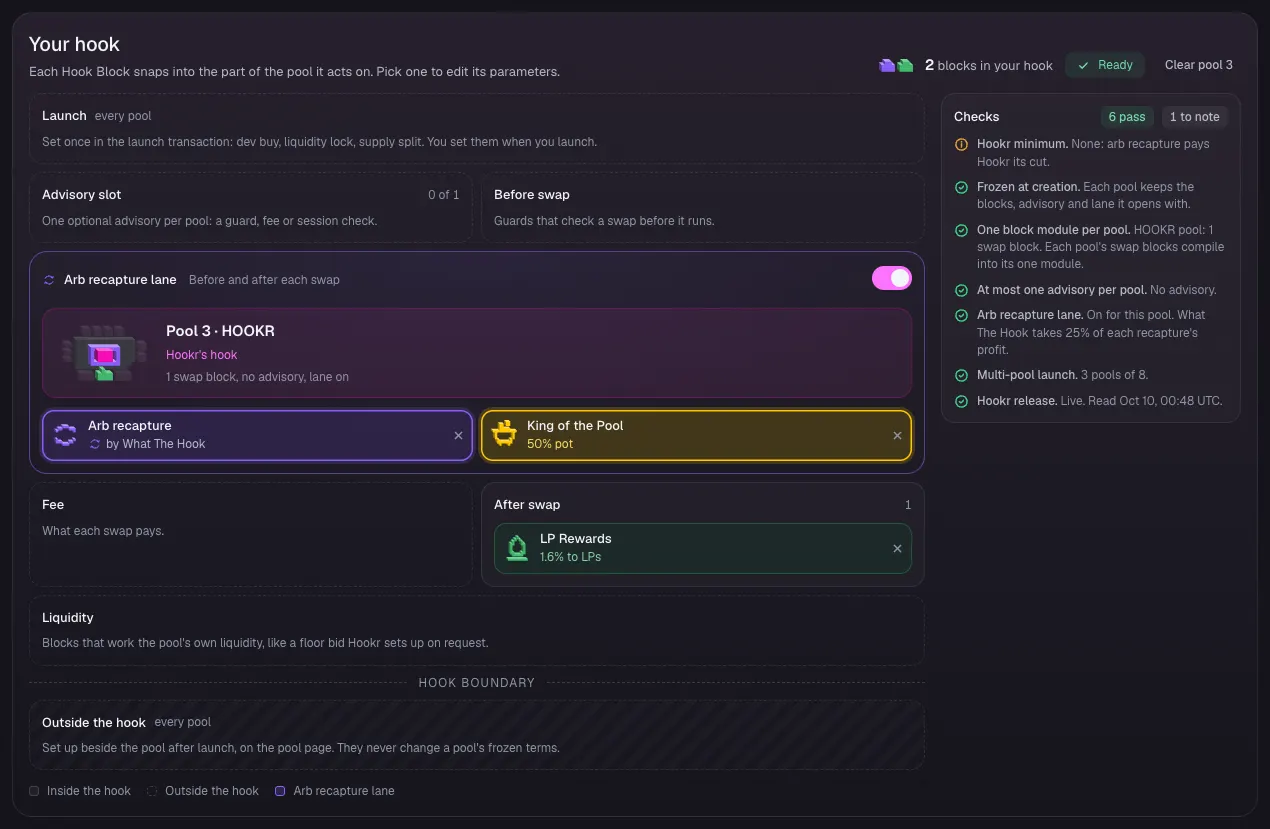
- Check Advisory slot reads 0 of 1, Arb recapture lane shows Arb recapture and King of the Pool, and After swap shows LP Rewards.
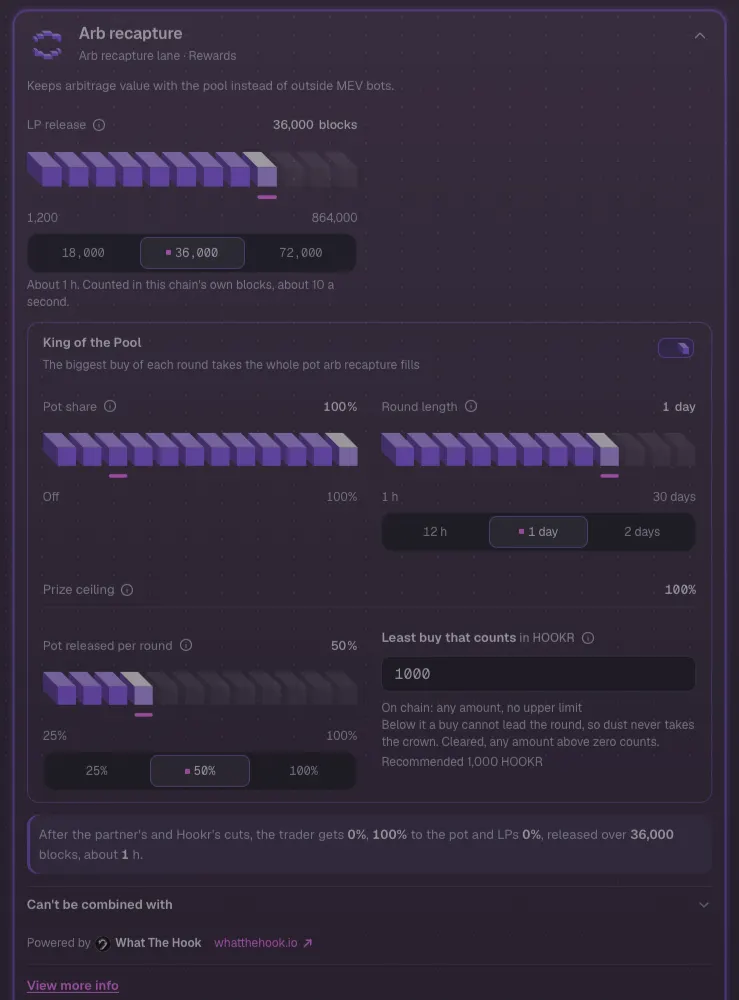
- Right after the family link loads, Checks lists Pot share must be from 100% to 100% and Prize ceiling must be from 100% to 100%, and King of the Pool reads 25% pot. Fix it in the next step.
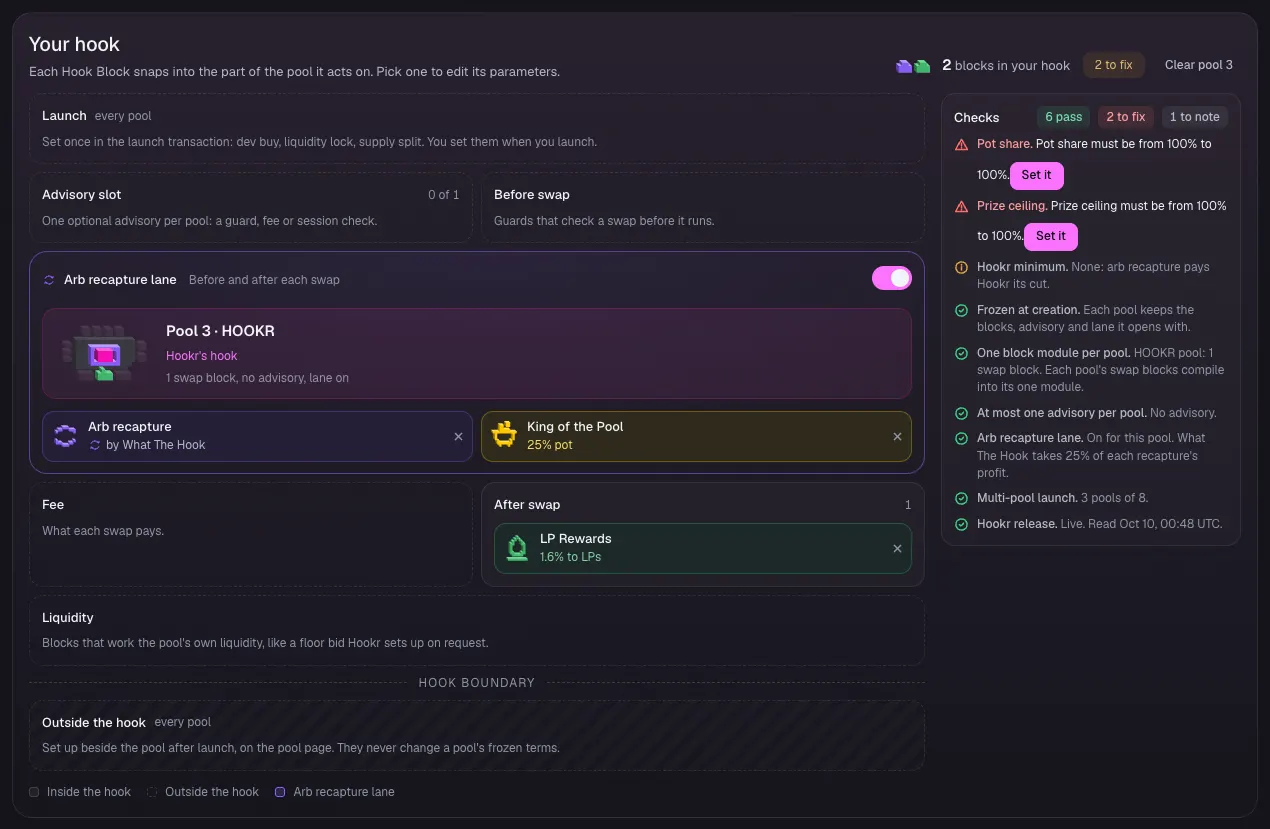
Pool 3: set Pot share to 100%
- In Checks, click Set it beside Pot share. The Arb recapture settings open.
- In Pot share, type 100 and press Enter.
- Check Prize ceiling reads 100%, Round length 1 day, Pot released per round 50% and Least buy that counts 1000.
Pool 3 is ready
- Check King of the Pool reads 50% pot and Checks lists nothing to fix.
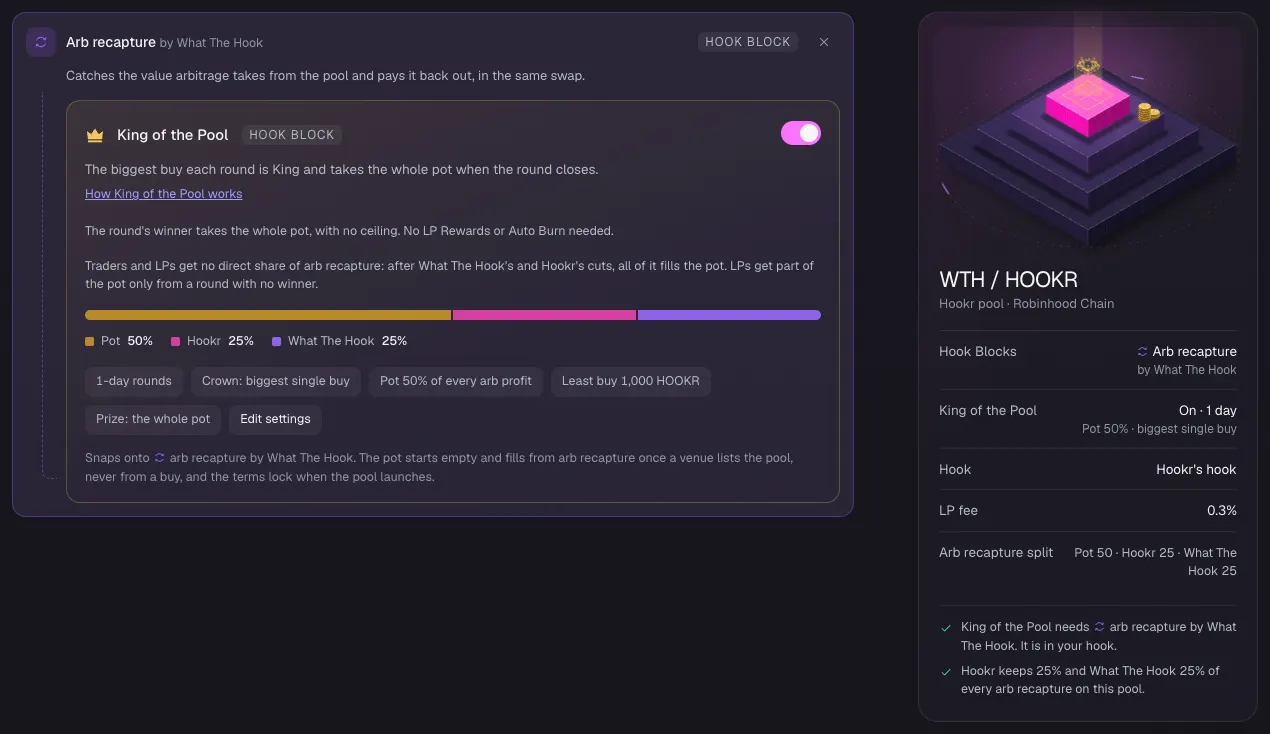
Pool 3: King of the Pool
- Under Arb recapture by What The Hook, check the King of the Pool switch is on.
- Check the chips read 1-day rounds, Crown: biggest single buy, Pot 50% of every arb profit, Least buy 1,000 HOOKR and Prize: the whole pot.
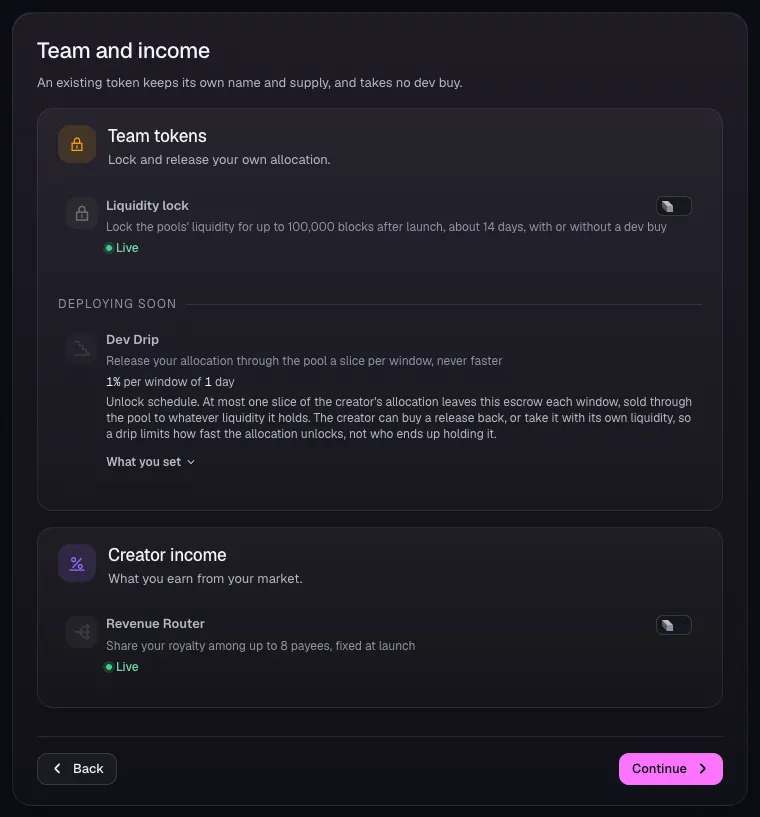
Team and income
- Open 4 Team and income.
- Leave Liquidity lock and Revenue Router off. This family sets neither.
- Click Continue.
Review: what differs between pools
- Open 5 Review.
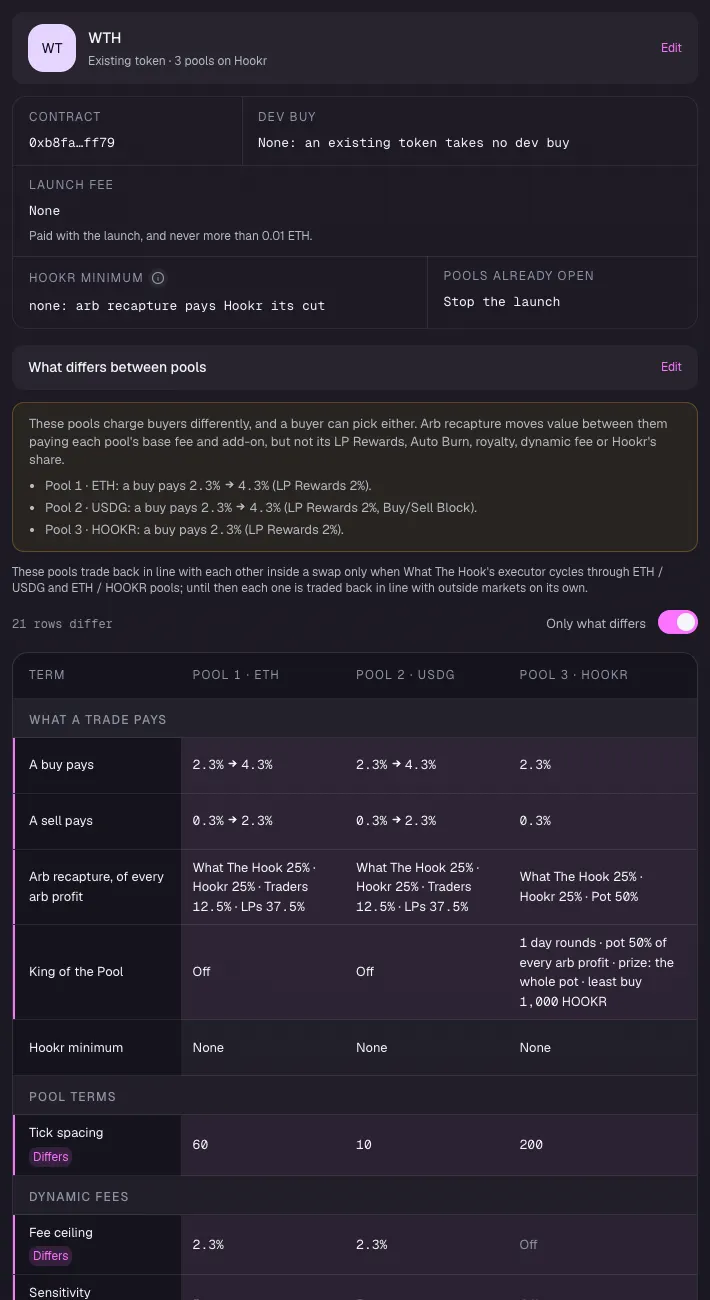
- Under What differs between pools, check Pool 2 · USDG carries Buy/Sell Block and Pool 3 · HOOKR runs King of the Pool with 1 day rounds.
- Check Tick spacing reads 60, 10 and 200.
Review: Pool 1
- Check Pool 1's Hook Blocks, opening price, range and seed.
Review: Pool 2
- Check Pool 2's Hook Blocks, opening price, range and seed.
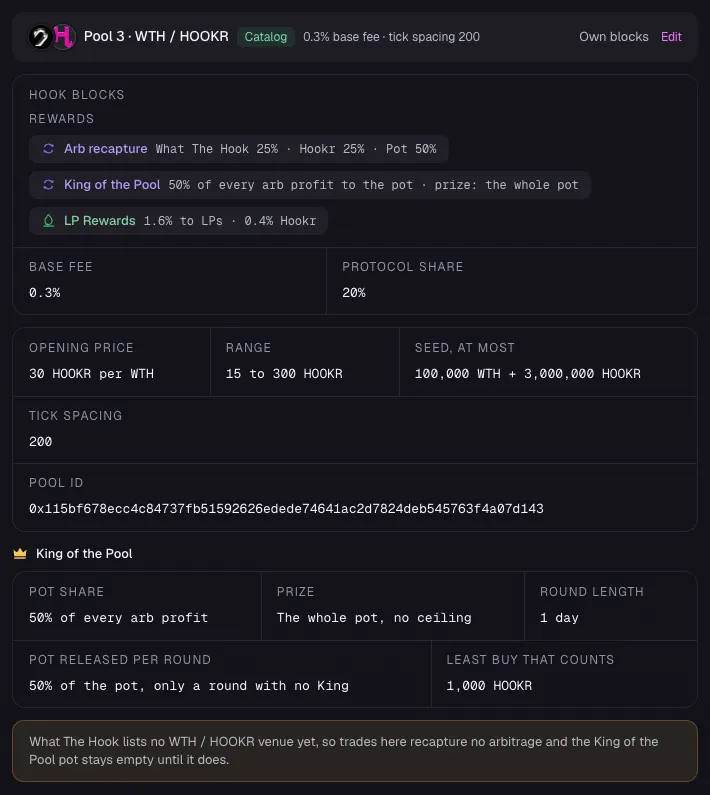
Review: Pool 3 and its crown
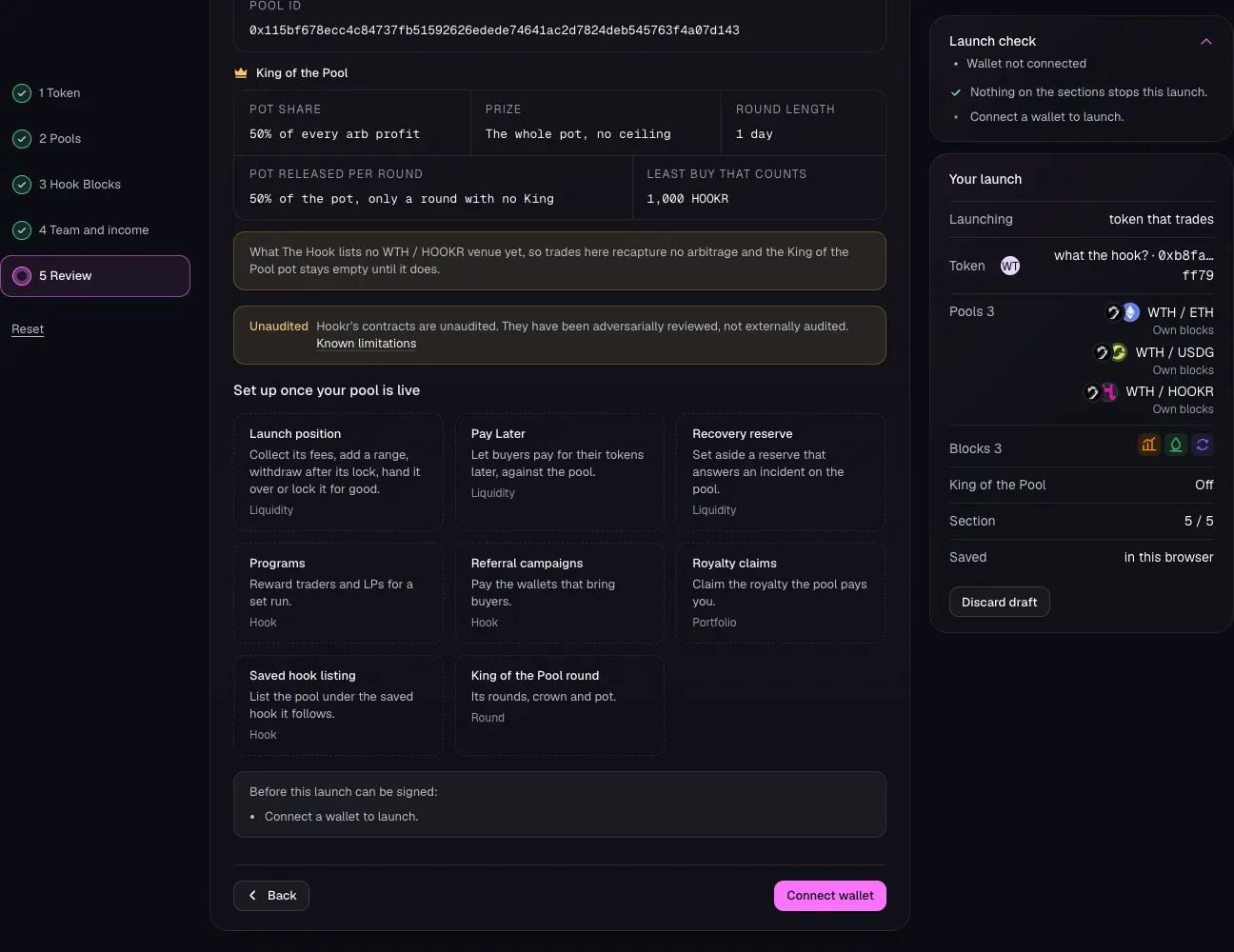
- Check King of the Pool reads Pot share 50% of every arb profit, Prize the whole pot, Round length 1 day and Least buy that counts 1,000 HOOKR.
- Read the note: What The Hook lists no WTH / HOOKR venue yet, so the pot stays empty until it does.
Launch
- Check Fix before launching is not shown and Launch check has nothing to fix.
- Click Connect wallet and launch.