Community bridge
For two communities that want a shared market.
On this page
Deploying soonSet it up now without A reward token made in the app, for Swap Reward Mint, which is deploying soon. Runs on live blocks. A quote outside Hookr's reviewed list trades in any-quote mode and shows as unreviewed.
A pool quoting one community's token in the other's, and each community's USDG buyers lifting the other's reserve.
Why it is different. Two communities sharing liquidity and a leaderboard.
The pools
A's reserve
1 pool · launches first
- USDGtick spacing 10
A's reserve: B's zaps only
- Live:Dynamic fees
- Live:LP Rewards
- Live:Zap Relay targetadvisory
B's reserve
1 pool · launches first
- USDGtick spacing 10
B's reserve: A's zaps only
- Live:Dynamic fees
- Live:LP Rewards
- Live:Zap Relay targetadvisory
A quoted in B, and A's feeder
2 pools · B is any token Hookr quotes
- Btick spacing 60
The bridge pool: swaps mint BRIDGE points
- Live:Dynamic fees
- Live:LP Rewards
- Live:Arb recapture
- Live:Swap Reward Mintadvisory
- USDGtick spacing 60
Feeds B's reserve
- Live:Dynamic fees
- Live:LP Rewards
- Live:Arb recapture
- Live:Zap Relay sourceadvisory
Feeds B's reserve: USDG vault
B's feeder
1 pool · names A's vault
- USDGtick spacing 60
Feeds A's reserve
- Live:Dynamic fees
- Live:LP Rewards
- Live:Arb recapture
- Live:Zap Relay sourceadvisory
Feeds A's reserve: USDG vault
How the pools work together
- The bridge pool lets each community buy the other without leaving its own token, and its swaps mint shared BRIDGE points.
- A's USDG buyers lift B's reserve, and B's lift A's.
- League Crown would give both communities one crown, if each side launches a King of the Pool pool that joins the league at launch. Proposed
Beside the pools and at launch
- Live:Limit orders
Proposed connectors
- Proposed:Family Crown
- Proposed:Zap Mesh
Walkthrough
Every section of the launch floor this combo uses, in order, with what to check, select and fill in each. The screenshots use A = HOOKR (0x18e674231a58c239dc7daedcffe15ec3a24cff5c) and B = WTH (0xb8fa8010833463aac5595b55b9045479239eff79); HOOKR is only an example of community A's token, WTH is the combo's B as the token.
Full walkthrough: Launch 1: A's reserve
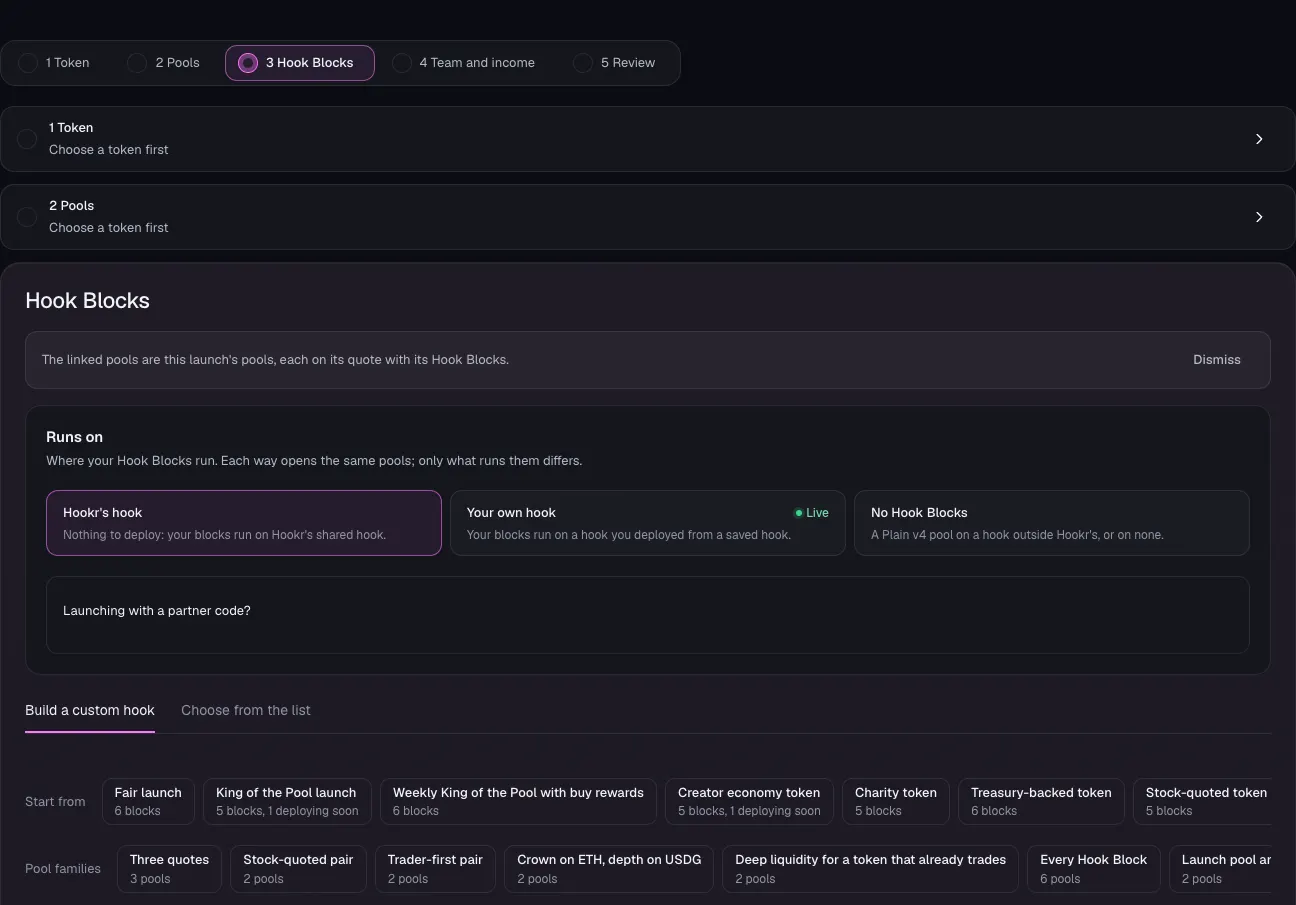
Open the launch page on this family
- Open the launch page on this family.
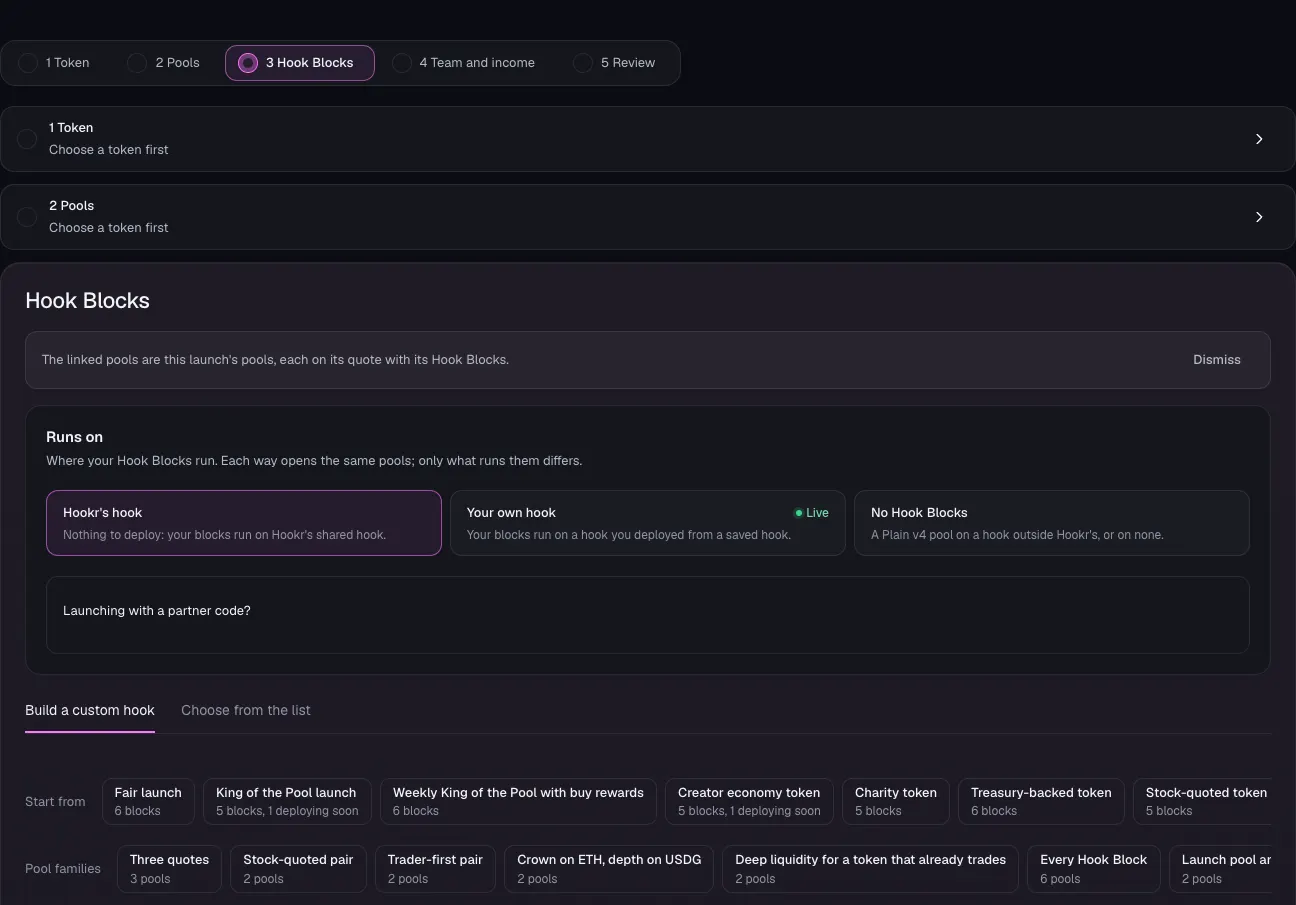
- Check the banner reads: The linked pools are this launch's pools, each on its quote with its Hook Blocks.
- Under Runs on, keep Hookr's hook.
Pick A's token
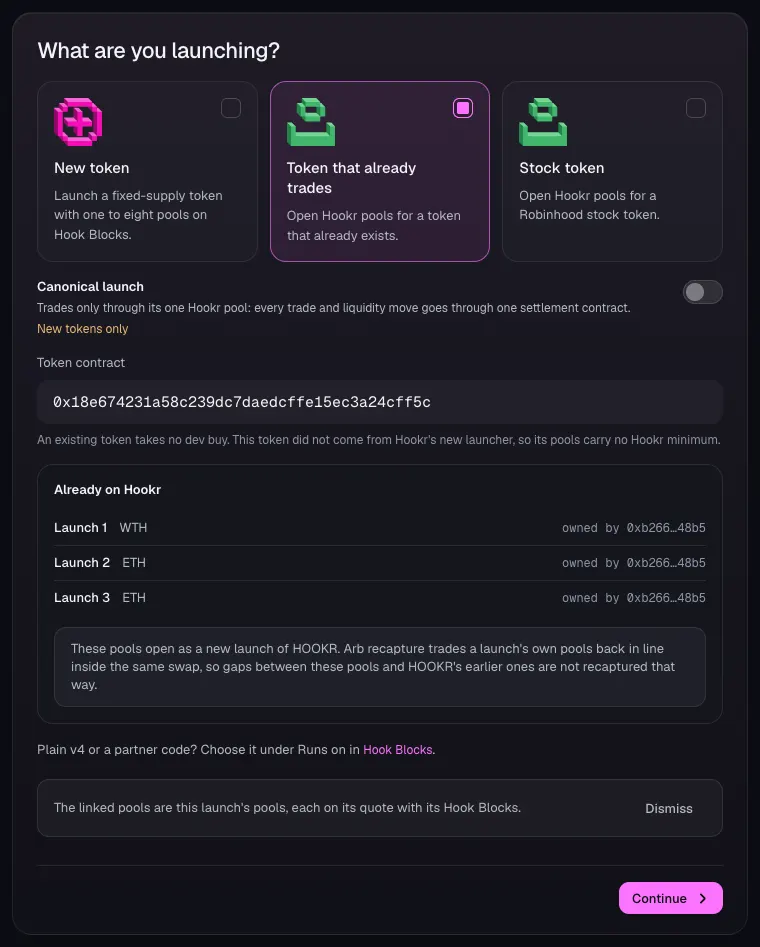
- Open 1 Token and choose Token that already trades.
- In Token contract, paste A's token address. This example uses HOOKR, 0x18e674231a58c239dc7daedcffe15ec3a24cff5c.
- Check Already on Hookr, then click Continue.
Set how A's reserve opens
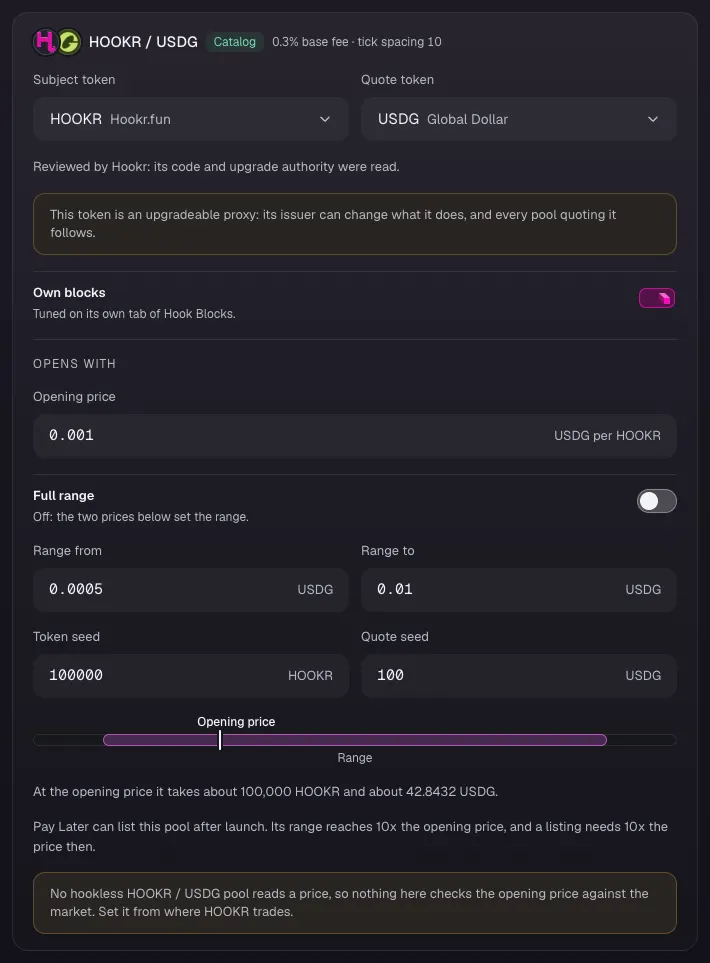
- In 2 Pools, check the card reads HOOKR / USDG, Catalog, 0.3% base fee · tick spacing 10.
- Set Opening price in USDG per HOOKR, Range from, Range to, Token seed and Quote seed. This example uses 0.001, 0.0005, 0.01 and 100000 and 100.
- Click Continue.
Check the reserve's Hook Blocks
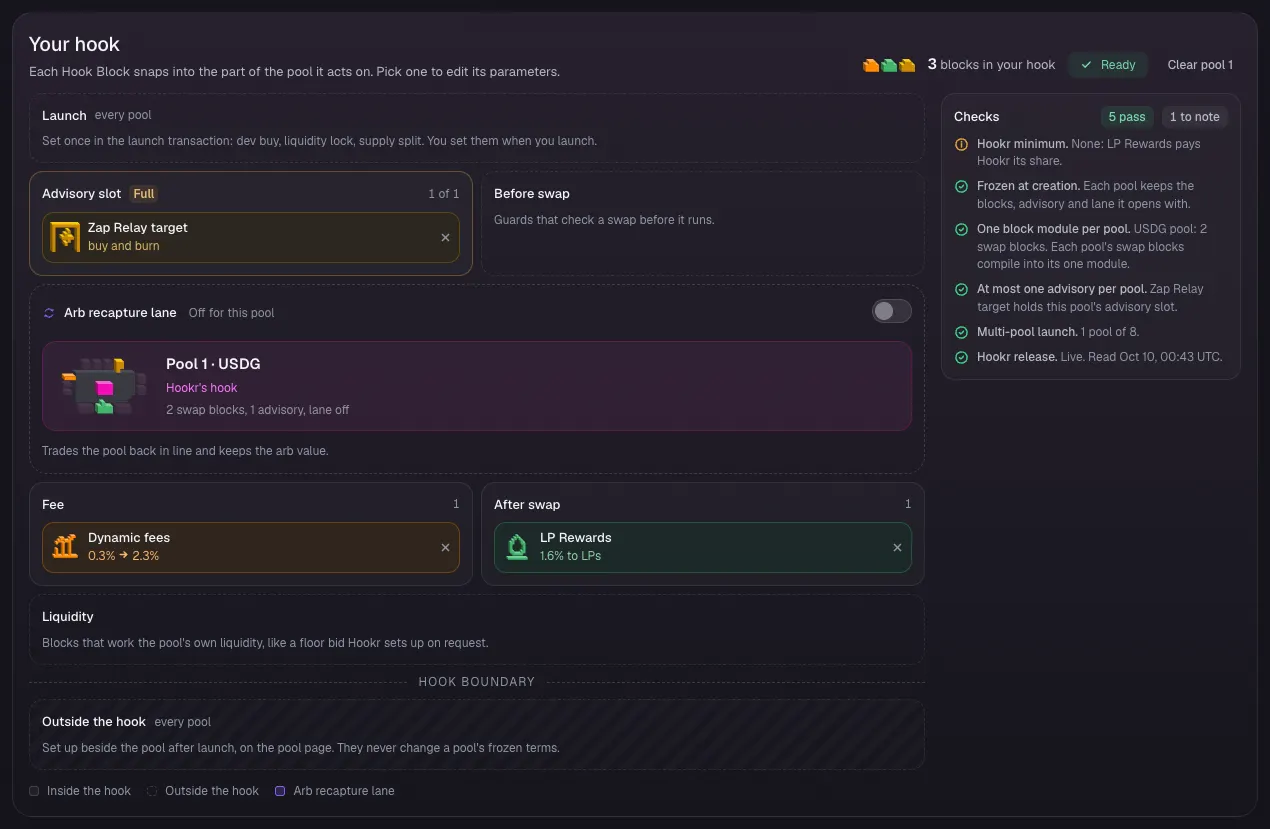
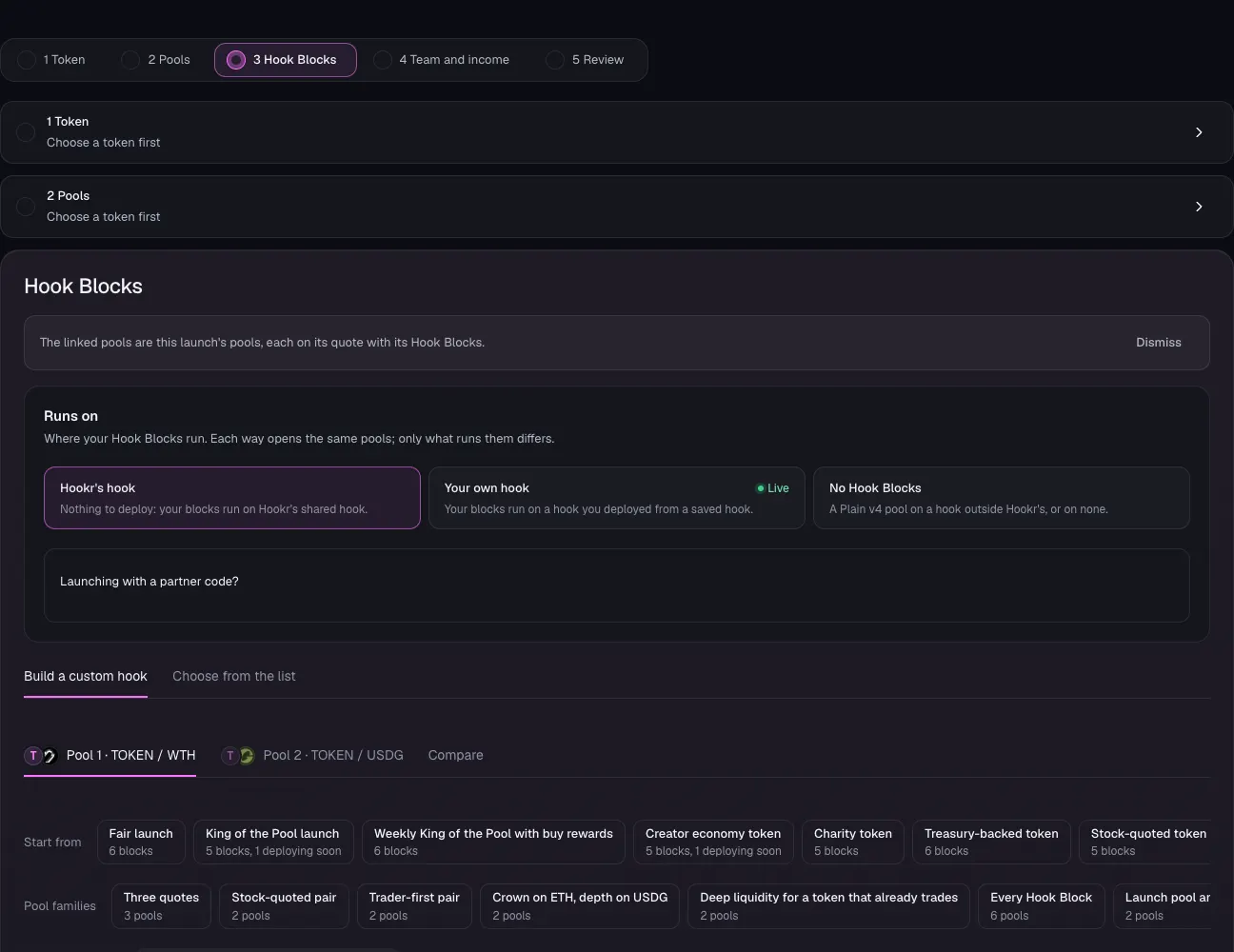
- Open 3 Hook Blocks and scroll to Your hook.
- Check Advisory slot shows Zap Relay target, Fee shows Dynamic fees, After swap shows LP Rewards, and Arb recapture lane reads Off for this pool.
Set the Zap Relay target
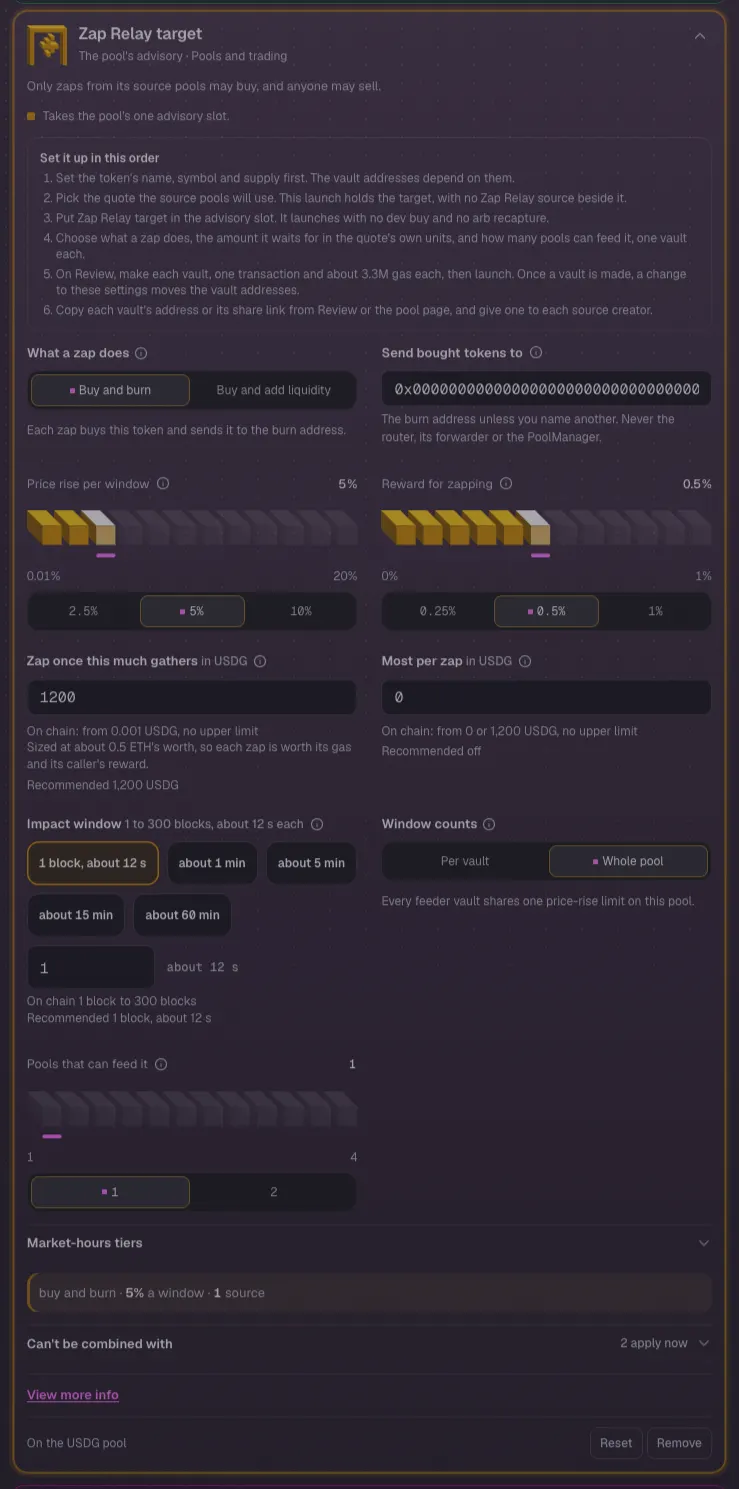
- Click Zap Relay target in the block list.
- Under What a zap does, keep Buy and burn, or choose Buy and add liquidity to grow the reserve's depth.
- Leave Price rise per window at 5%, Reward for zapping at 0.5% and Zap once this much gathers at 1200 USDG.
- Keep Pools that can feed it at 1, for B's feeder.
Team and income
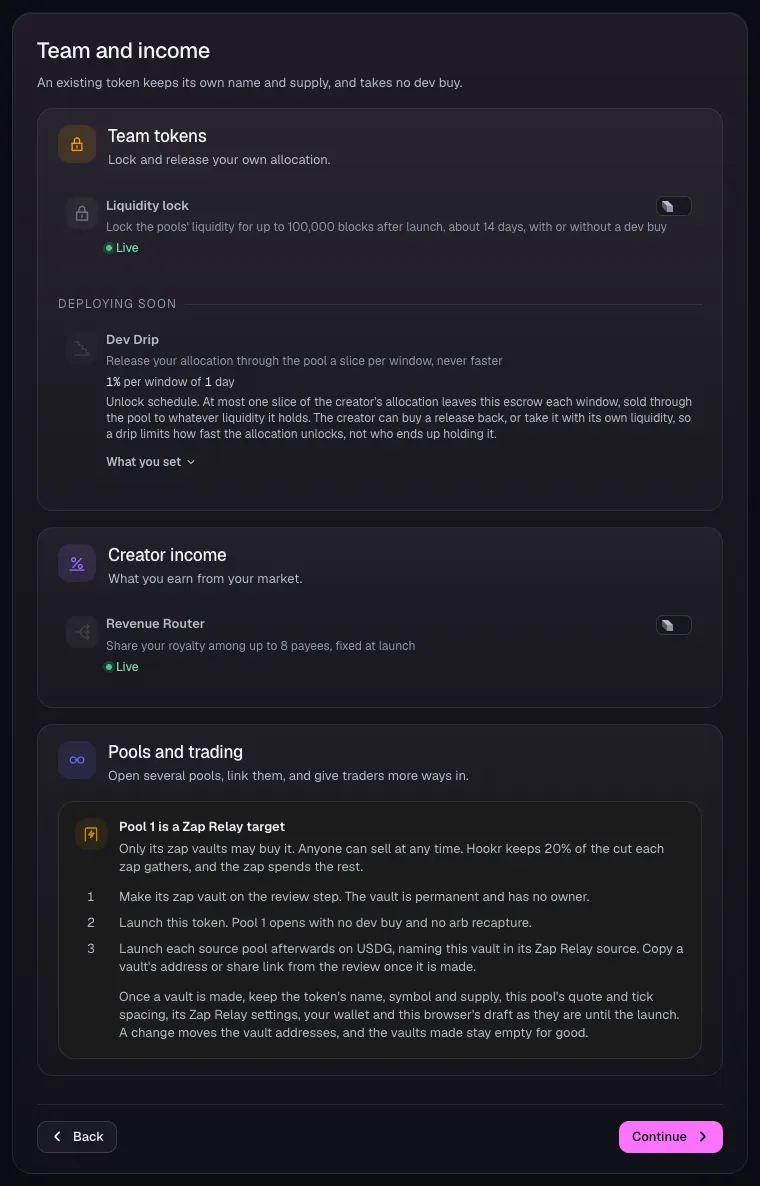
- Open 4 Team and income and leave Liquidity lock and Revenue Router off.
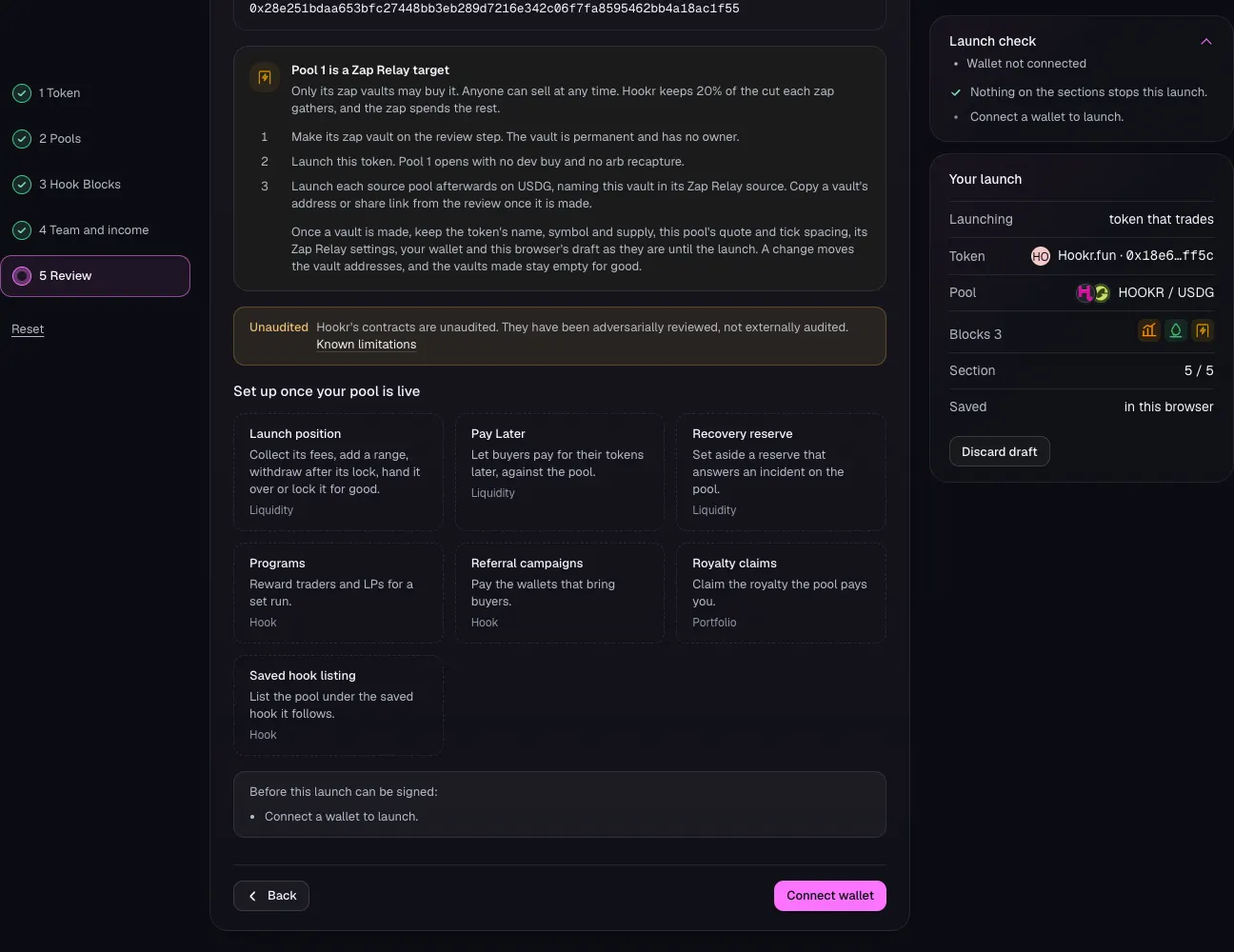
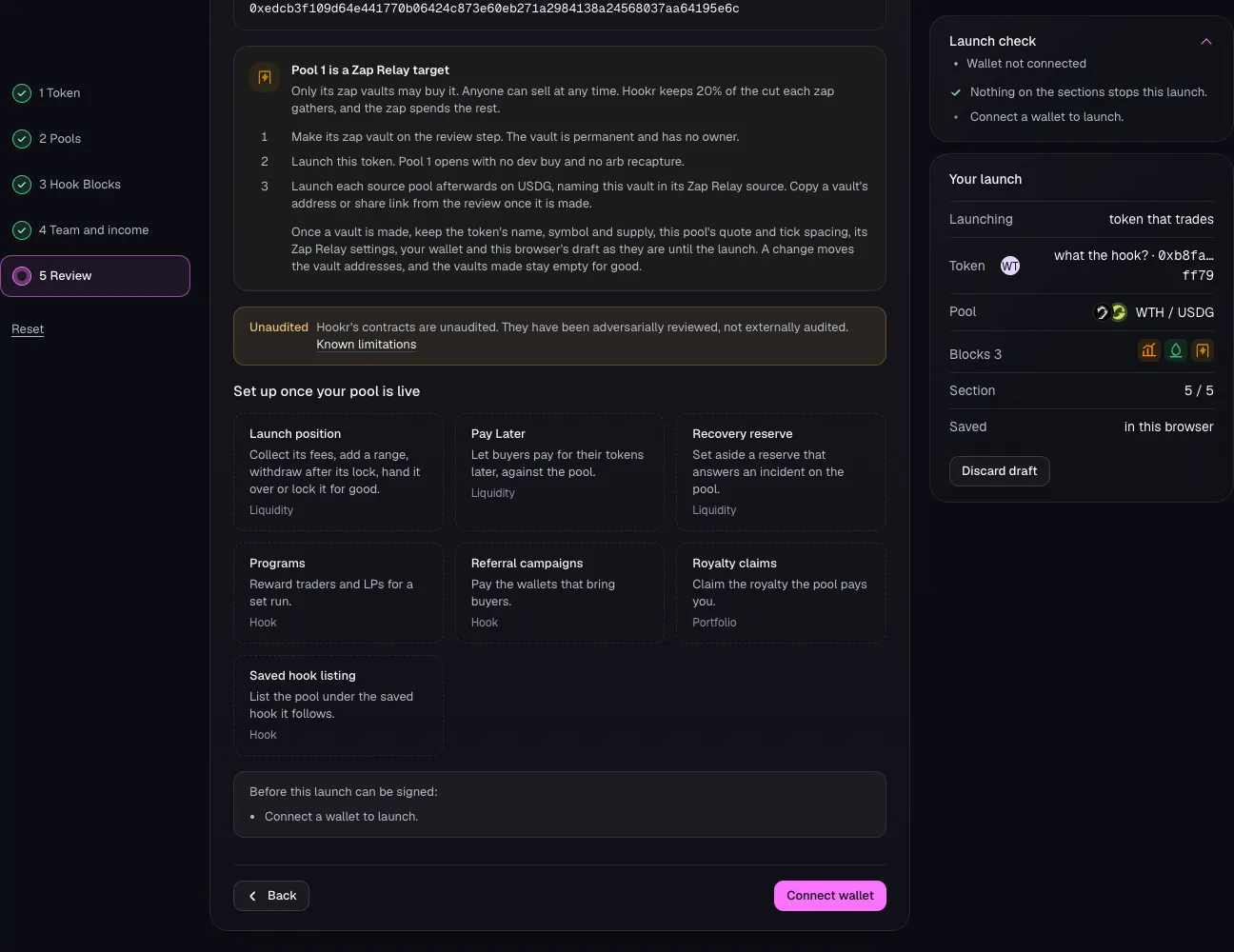
- Read Pool 1 is a Zap Relay target, then click Continue.
Review the reserve
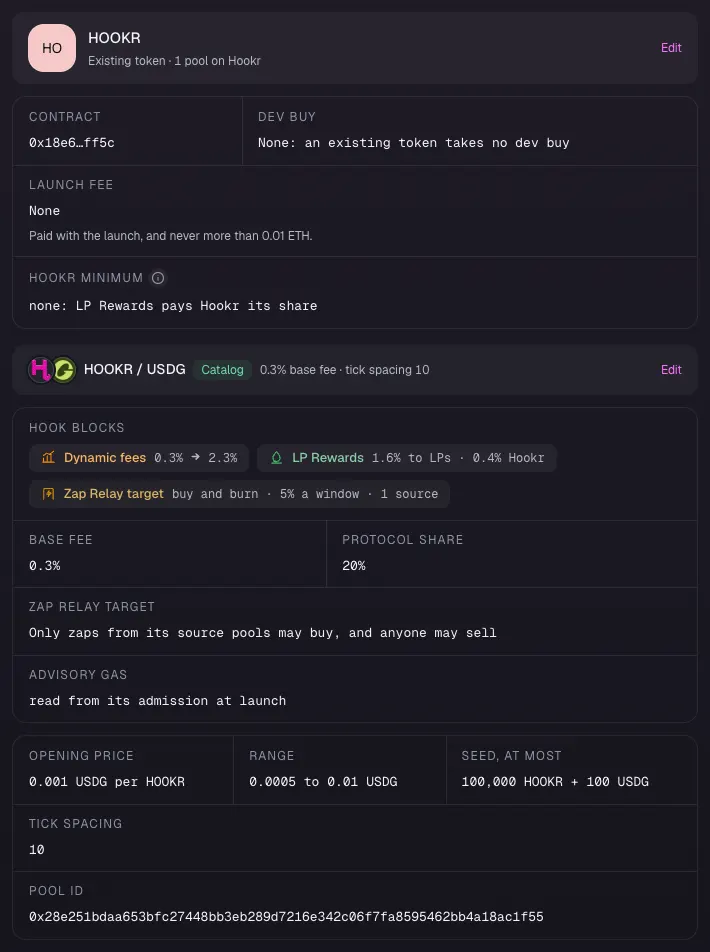
- Open 5 Review.
- Check Hook Blocks lists Dynamic fees, LP Rewards and Zap Relay target, and Tick spacing reads 10.
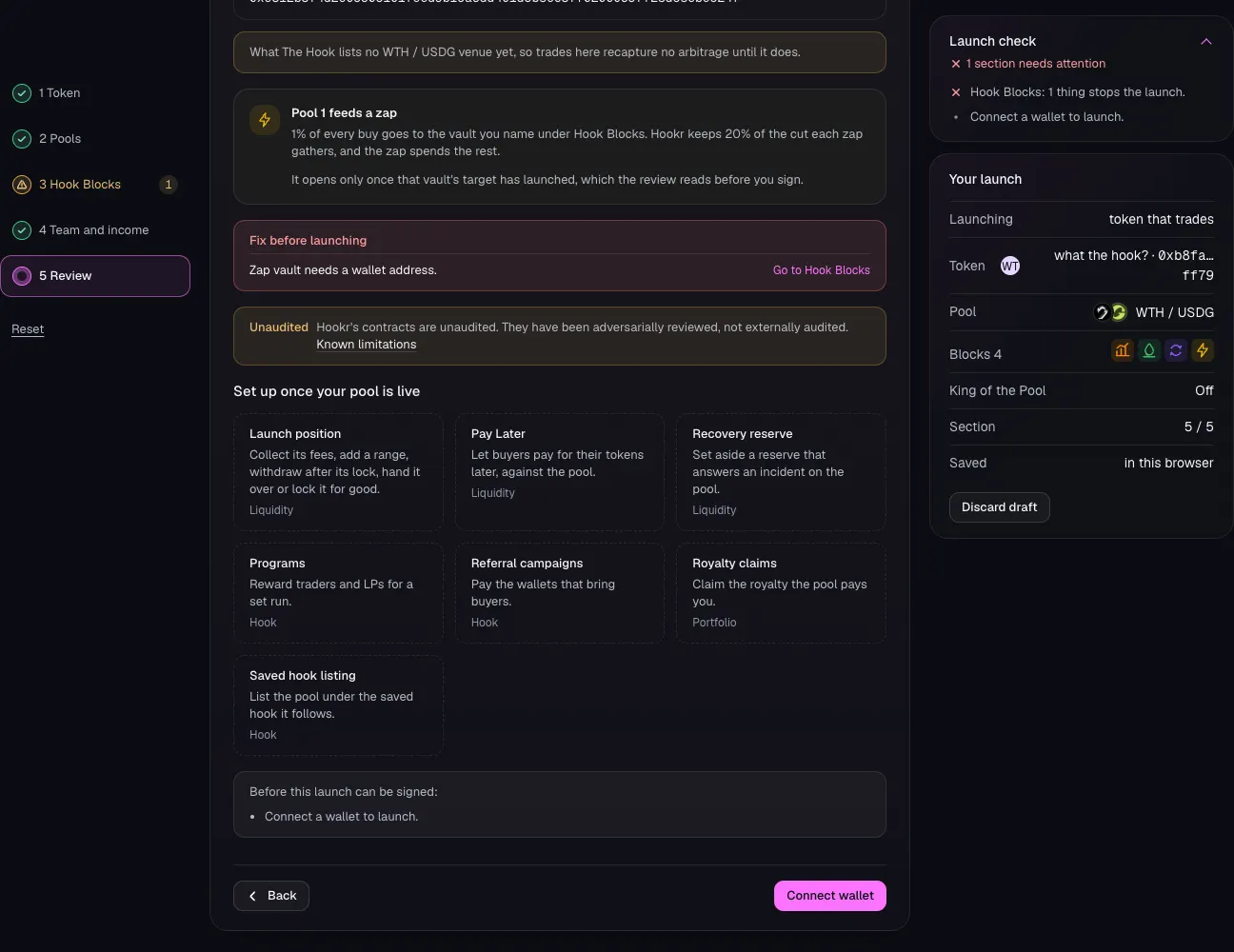
Make the vault, then launch
- Check Launch check reads Nothing on the sections stops this launch.
- Click Connect wallet, make the zap vault on Review, then launch.
- Copy the vault's address and give it to B. B's feeder names it.
Full walkthrough: Launch 2: B's reserve
Open the launch page on this family
- Open the launch page on this family.
- Check the banner reads: The linked pools are this launch's pools, each on its quote with its Hook Blocks.
- Under Runs on, keep Hookr's hook.
Pick B's token
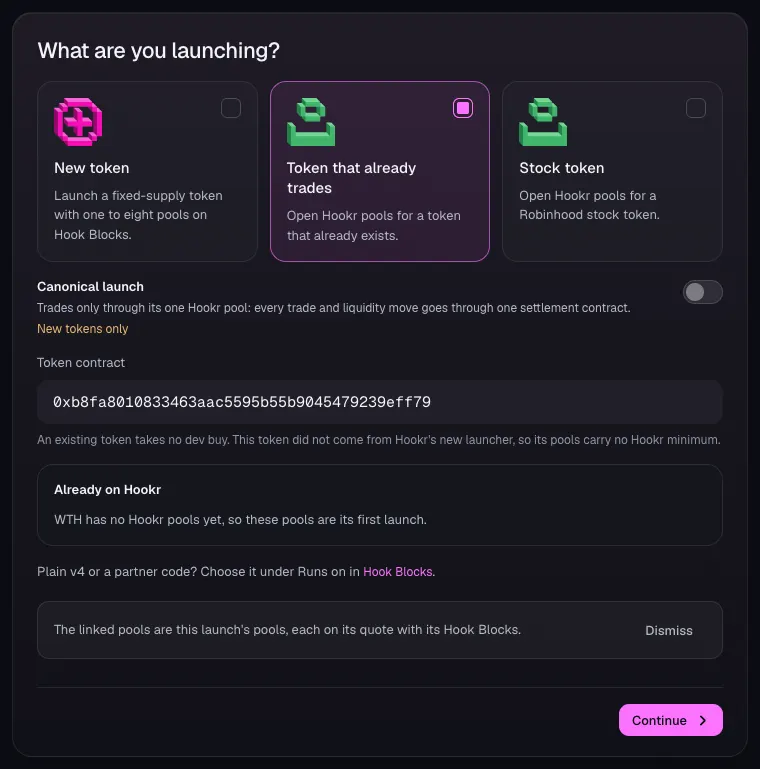
- Open 1 Token and choose Token that already trades.
- In Token contract, paste B's token address. This example uses WTH, 0xb8fa8010833463aac5595b55b9045479239eff79.
- Check Already on Hookr, then click Continue.
Set how B's reserve opens
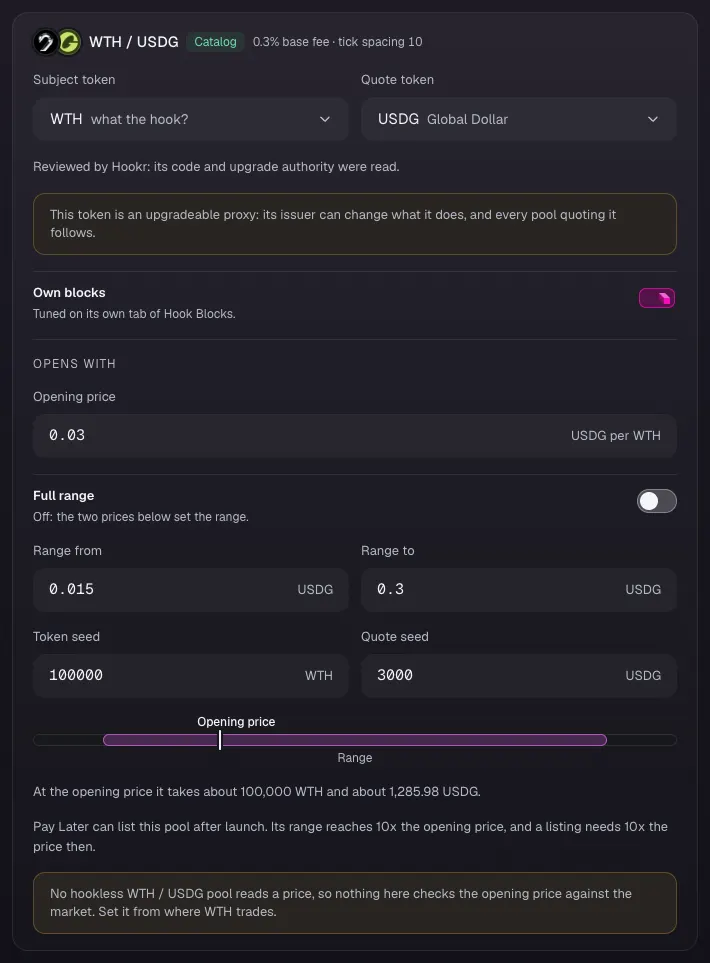
- In 2 Pools, check the card reads WTH / USDG, Catalog, 0.3% base fee · tick spacing 10.
- Set Opening price in USDG per WTH, Range from, Range to, Token seed and Quote seed. This example uses 0.03, 0.015, 0.3 and 100000 and 3000.
- Click Continue.
Check the reserve's Hook Blocks
- Open 3 Hook Blocks and scroll to Your hook.
- Check Advisory slot shows Zap Relay target, Fee shows Dynamic fees, After swap shows LP Rewards, and Arb recapture lane reads Off for this pool.
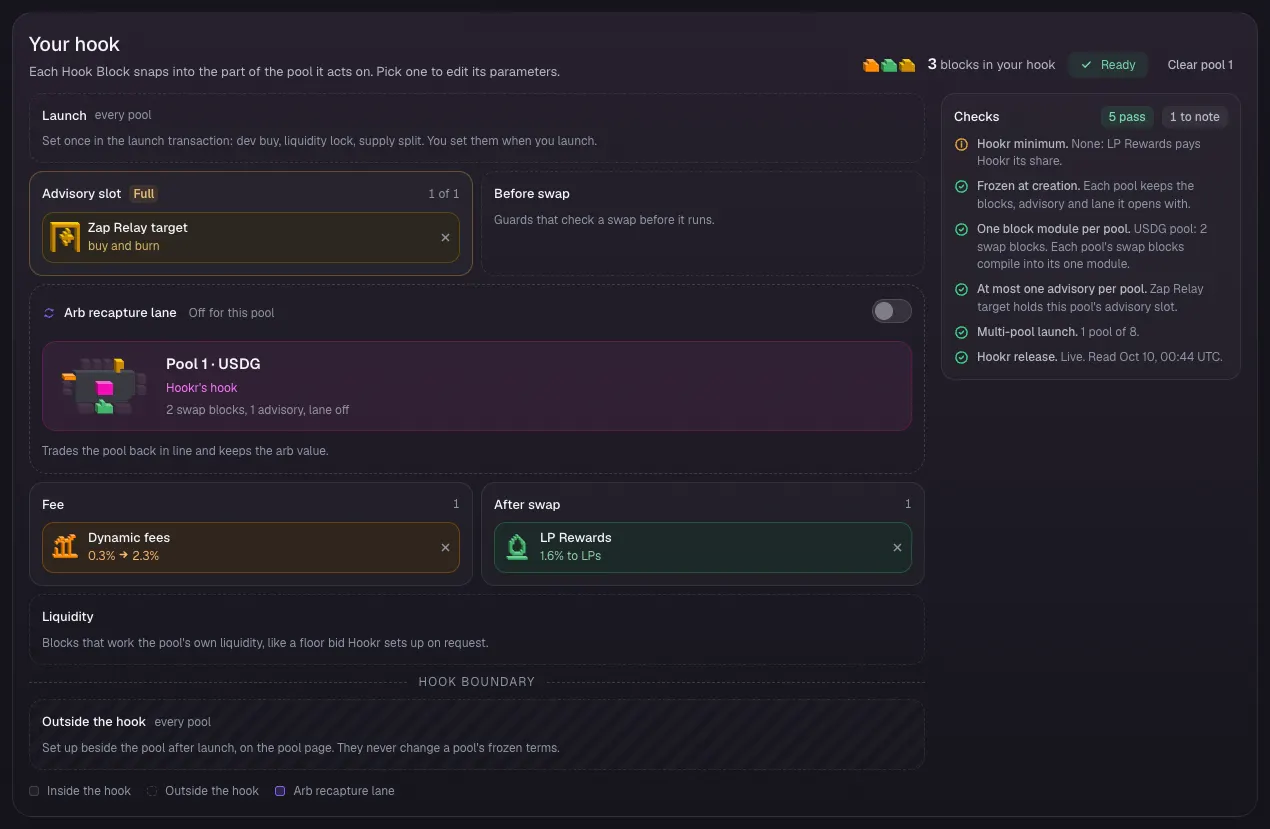
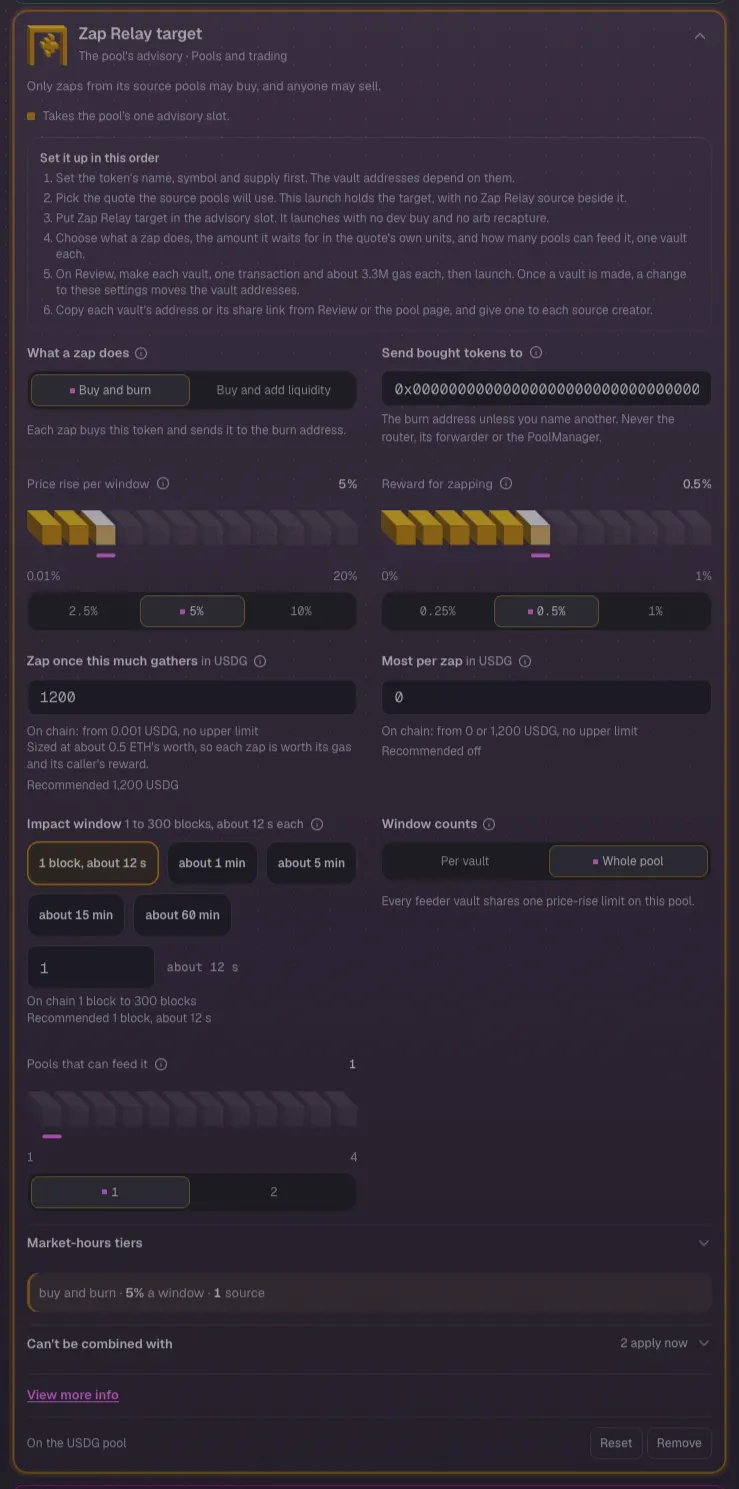
Set the Zap Relay target
- Click Zap Relay target in the block list.
- Under What a zap does, keep Buy and burn, or choose Buy and add liquidity to grow the reserve's depth.
- Leave Price rise per window at 5%, Reward for zapping at 0.5% and Zap once this much gathers at 1200 USDG.
- Keep Pools that can feed it at 1, for A's feeder.
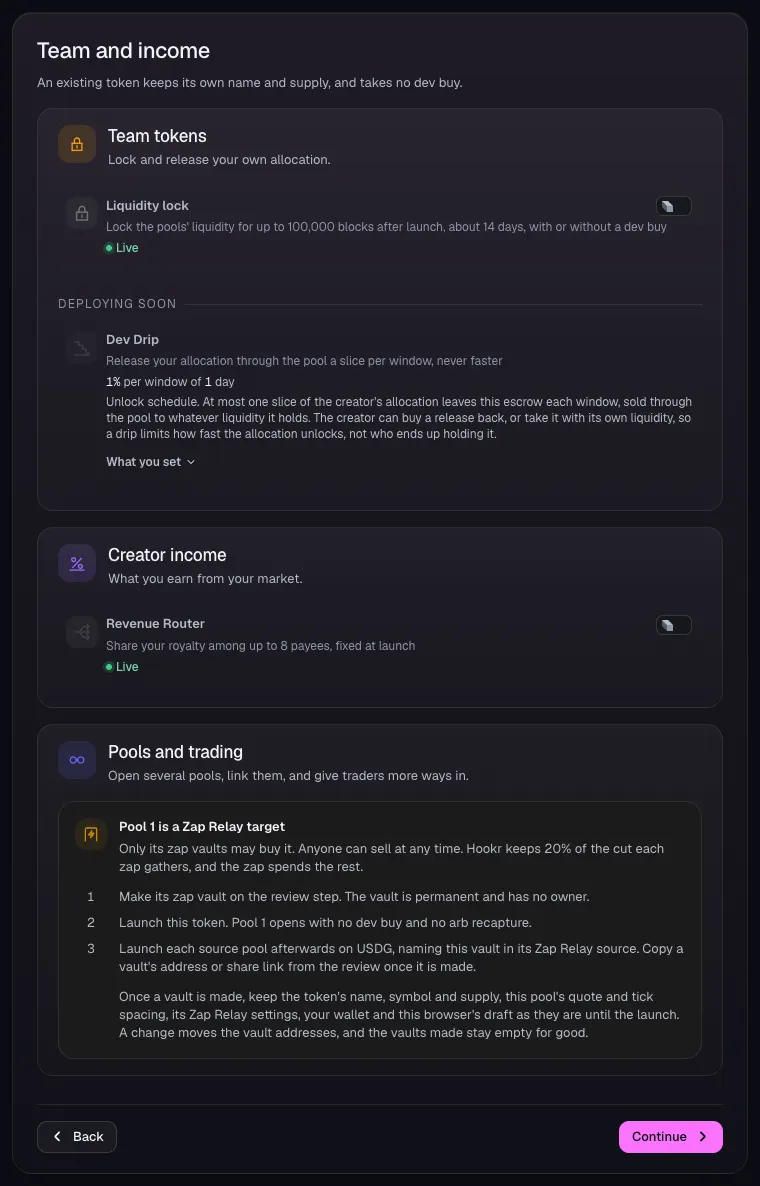
Team and income
- Open 4 Team and income and leave Liquidity lock and Revenue Router off.
- Read Pool 1 is a Zap Relay target, then click Continue.
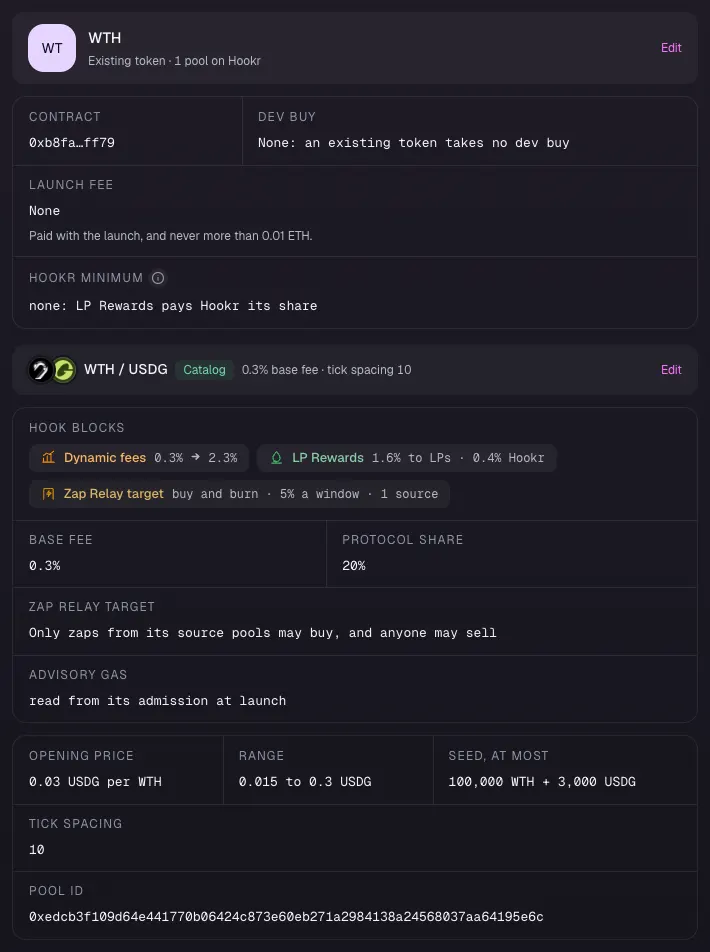
Review the reserve
- Open 5 Review.
- Check Hook Blocks lists Dynamic fees, LP Rewards and Zap Relay target, and Tick spacing reads 10.
Make the vault, then launch
- Check Launch check reads Nothing on the sections stops this launch.
- Click Connect wallet, make the zap vault on Review, then launch.
- Copy the vault's address and give it to A. A's feeder names it.
Full walkthrough: Launch 3: A quoted in B, and A's feeder
Open the launch page on this family
- Launch B's reserve first, and keep its vault address.
- Open the launch page on this family.
- Check the banner reads: The linked pools are this launch's pools, each on its quote with its Hook Blocks.
- Under Runs on, keep Hookr's hook.
Pick A's token
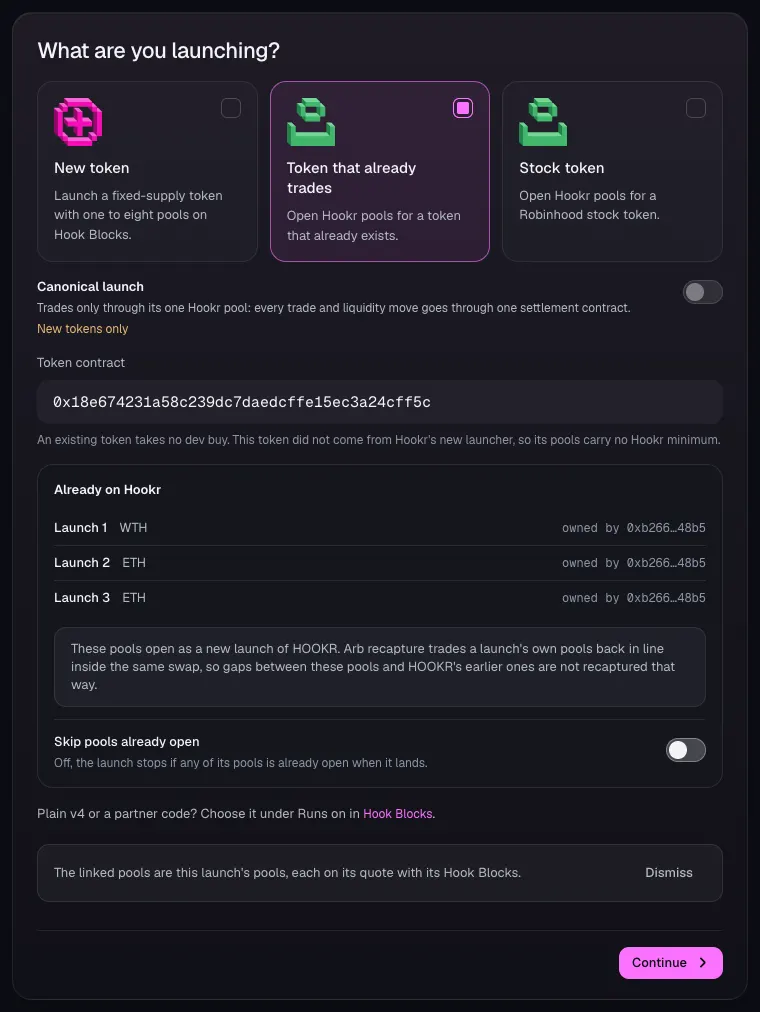
- Open 1 Token and choose Token that already trades.
- In Token contract, paste A's token address. This example uses HOOKR, 0x18e674231a58c239dc7daedcffe15ec3a24cff5c.
- Check Already on Hookr, then click Continue.
Pool 1 · A / B: the bridge pool
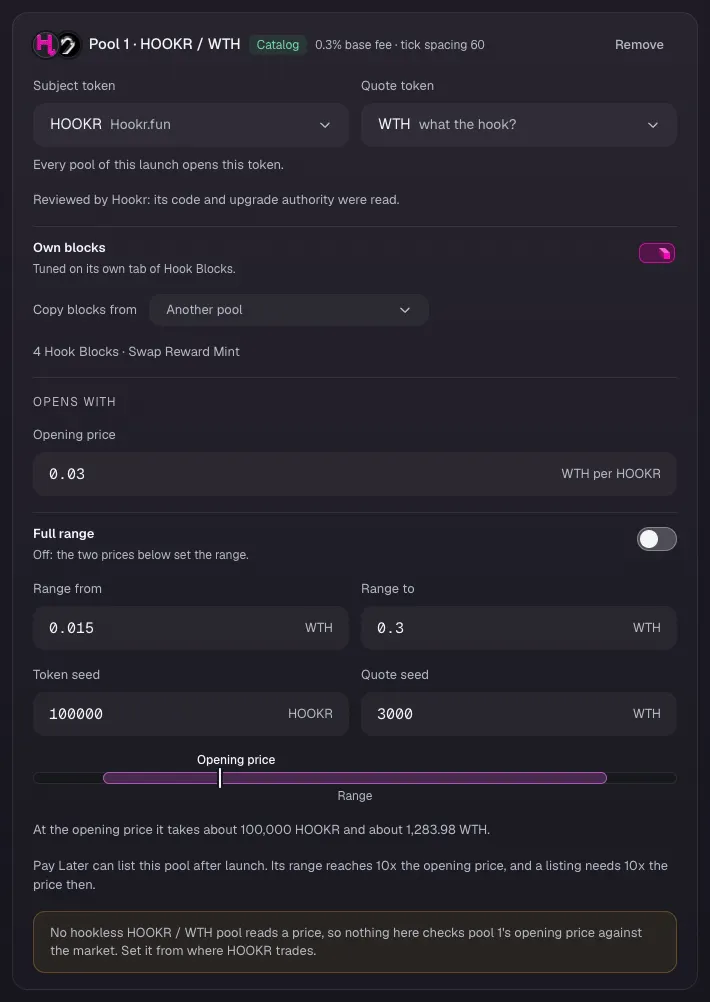
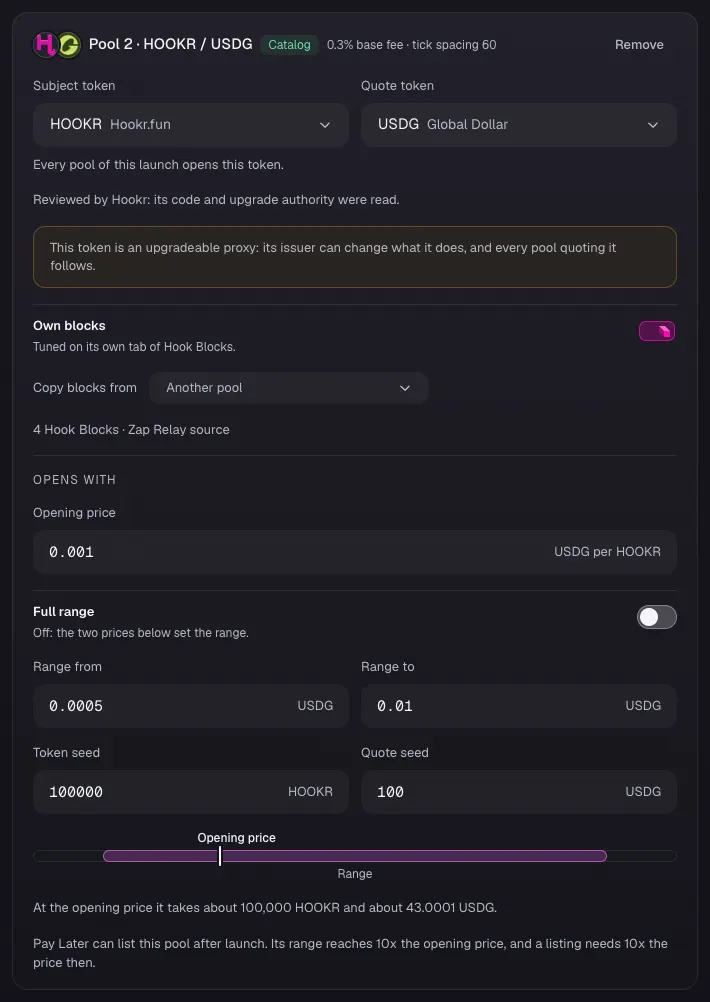
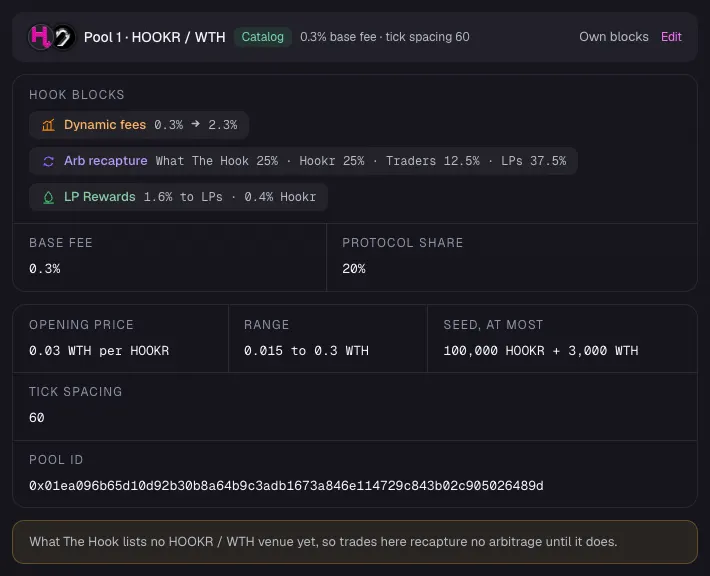
- In 2 Pools, check Pool 1 reads HOOKR / WTH, 0.3% base fee · tick spacing 60, and 4 Hook Blocks · Swap Reward Mint.
- Set Opening price in WTH per HOOKR, Range from, Range to, Token seed and Quote seed. This example uses 0.03, 0.015, 0.3, 100000 and 3000.
Pool 2 · A / USDG: A's feeder
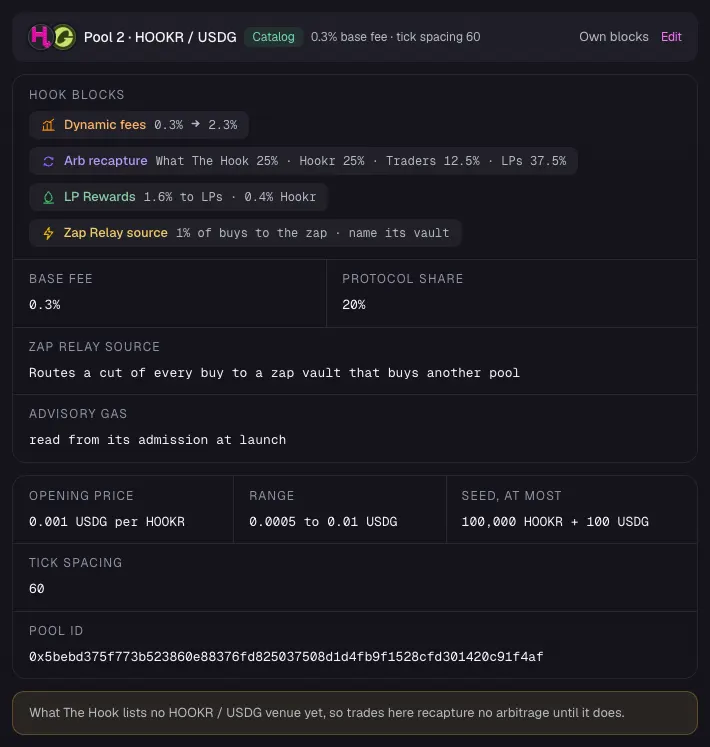
- Check Pool 2 reads HOOKR / USDG, Catalog, 0.3% base fee · tick spacing 60. The new tick spacing keeps it apart from A's reserve on tick spacing 10.
- Set Opening price, Range from, Range to, Token seed and Quote seed. This example uses 0.001, 0.0005, 0.01, 100000 and 100.
- Click Continue.
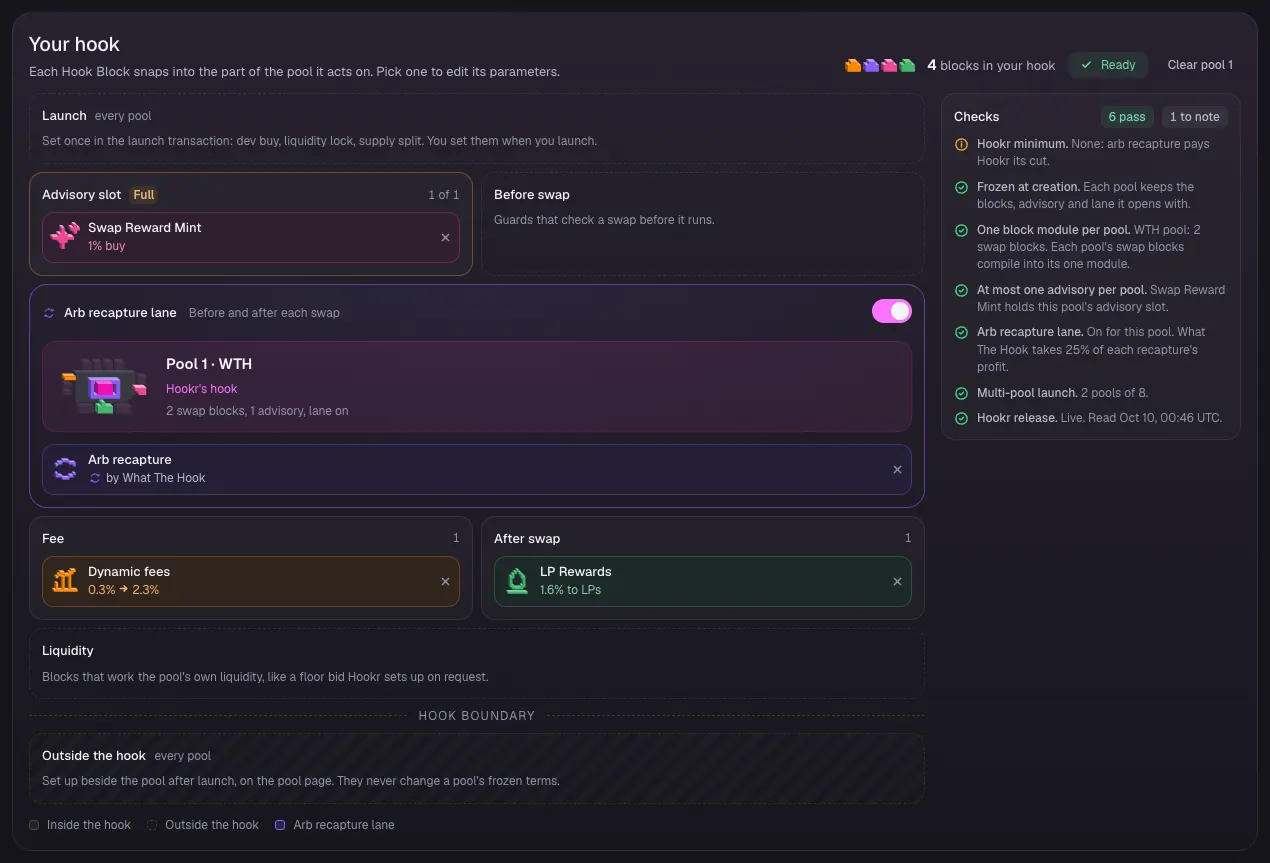
Pool 1 Hook Blocks
- Open 3 Hook Blocks, click the Pool 1 · HOOKR / WTH tab and scroll to Your hook.
- Check Advisory slot shows Swap Reward Mint, Fee shows Dynamic fees, After swap shows LP Rewards, and the arb recapture lane is on.
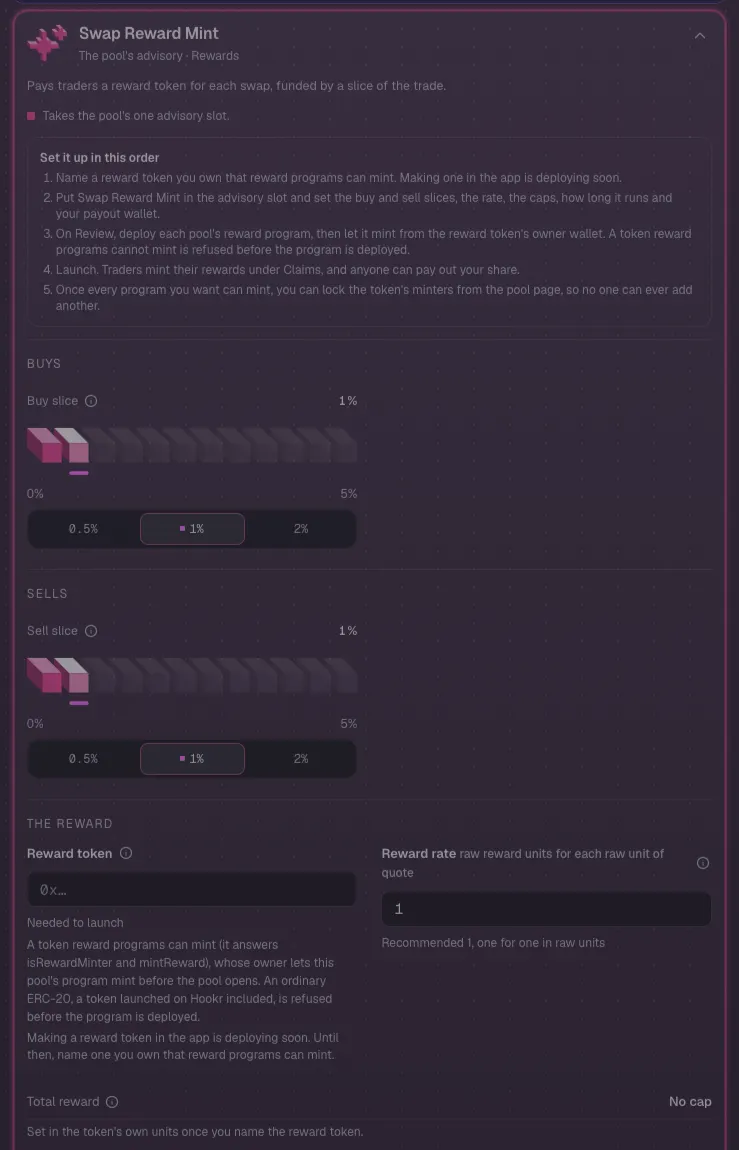
Pool 1: Swap Reward Mint needs your reward token
- Click Swap Reward Mint in the block list.
- In Reward token, paste the address of a reward token you own that reward programs can mint. It mints the BRIDGE points.
- Making a reward token in the app is deploying soon. An ordinary token is refused.
- In Your payout, paste your wallet.
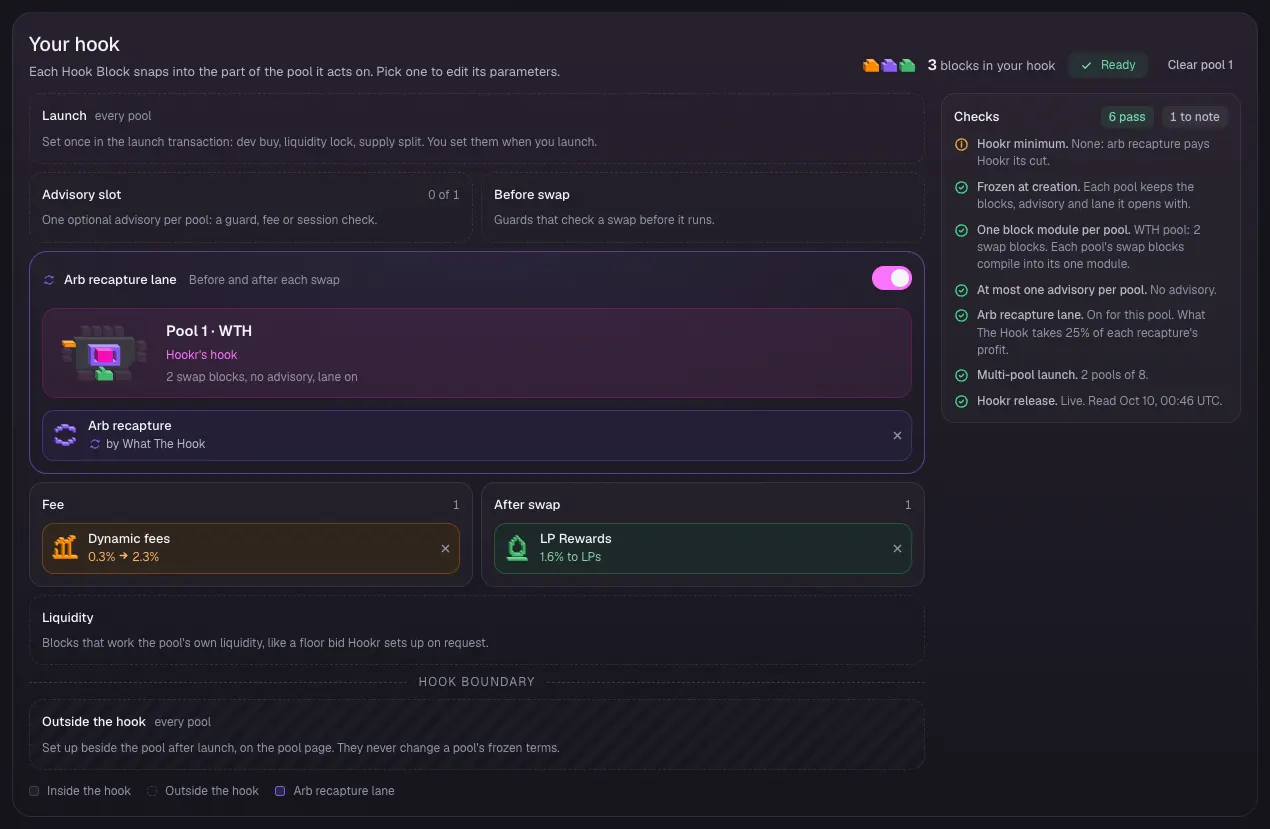
Pool 1 without a reward token
- If you have no reward token built for reward programs, click Remove at the foot of Swap Reward Mint.
- Check Advisory slot reads 0 of 1. The bridge pool still lets each community buy the other, with no BRIDGE points.
Pool 2 Hook Blocks
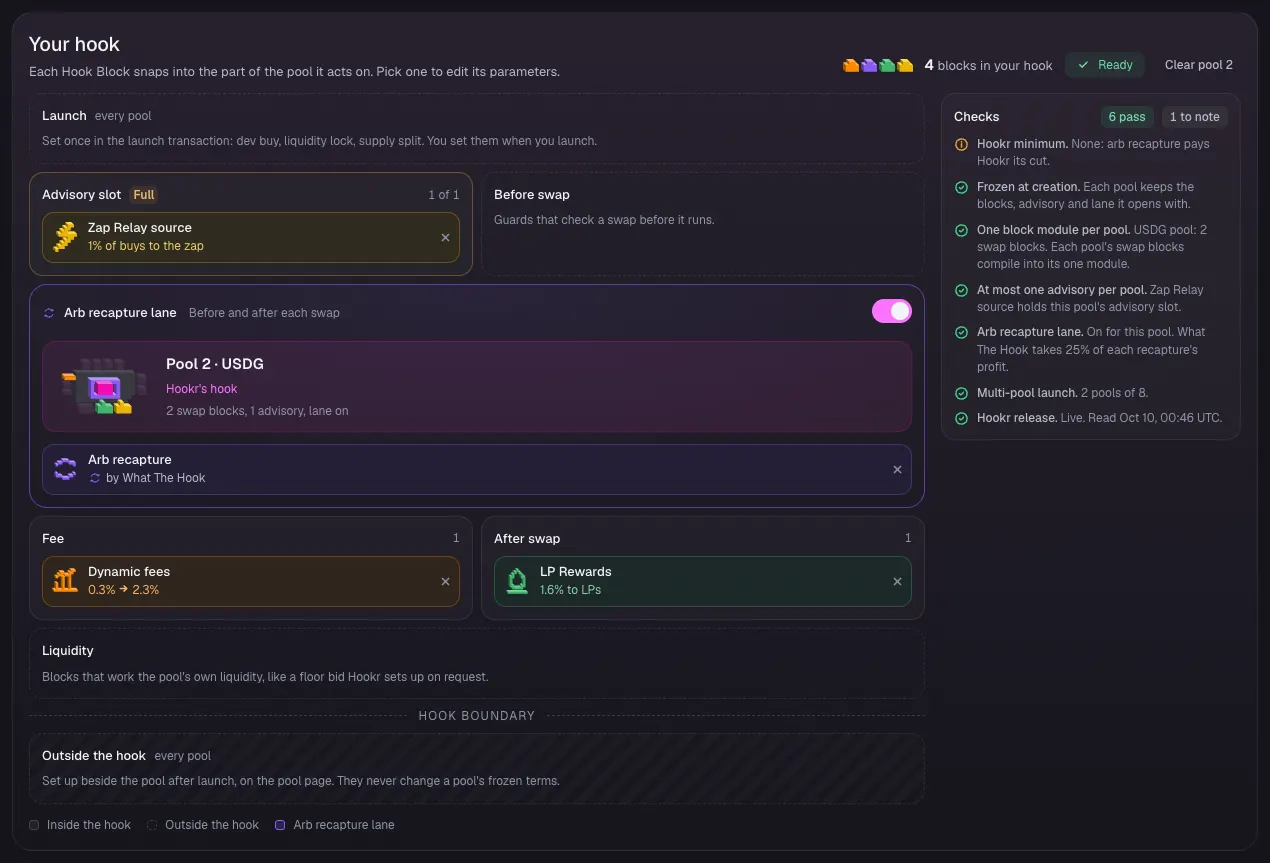
- Click the Pool 2 · HOOKR / USDG tab.
- Check Advisory slot shows Zap Relay source, Fee shows Dynamic fees, After swap shows LP Rewards, and the arb recapture lane is on.
Pool 2: name B's vault
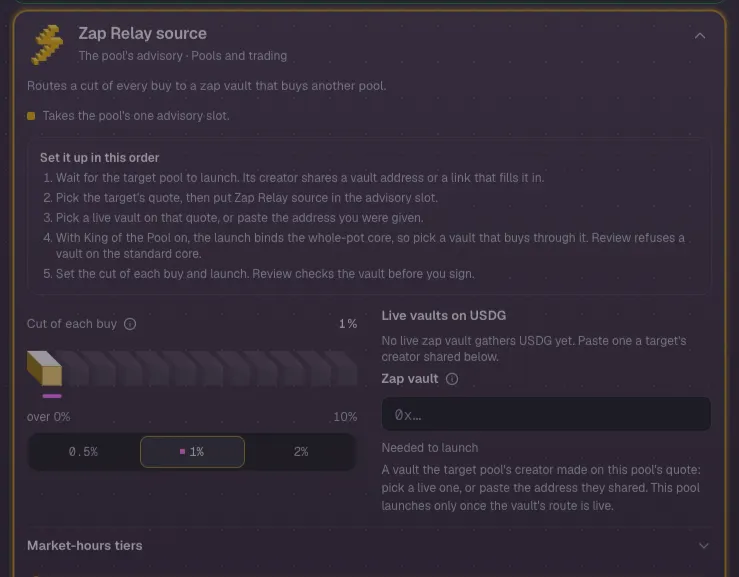
- Click Zap Relay source in the block list. Leave Cut of each buy at 1%.
- Under Live vaults on USDG, pick B's reserve vault once it shows there.
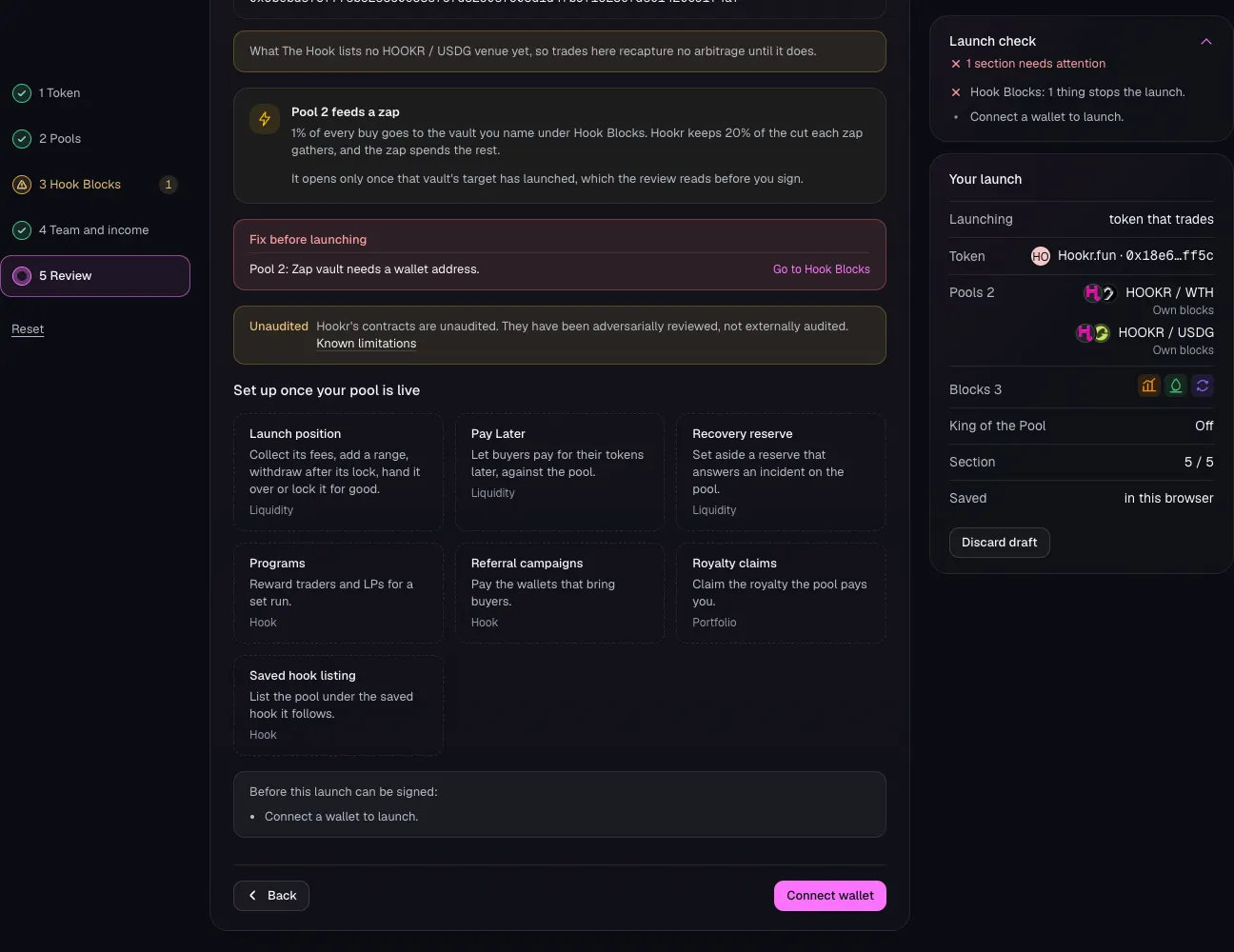
- Or paste the vault address from the target launch's receipt into Zap vault. Until then it reads Needed to launch.
Team and income
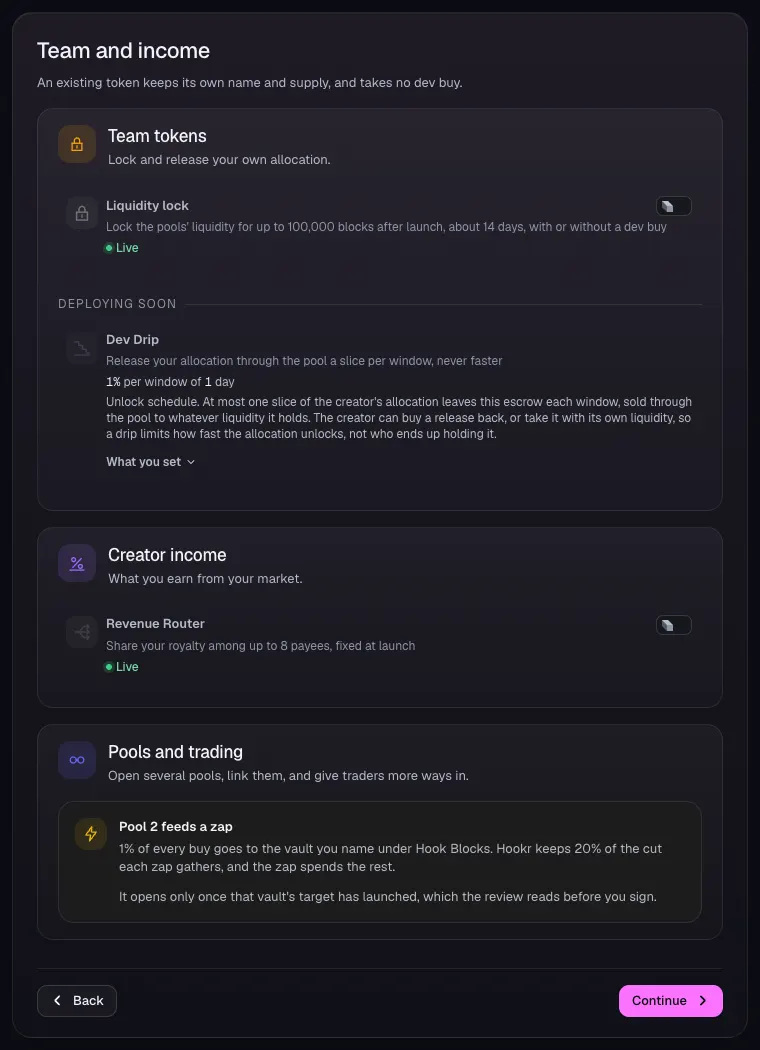
- Open 4 Team and income and leave Liquidity lock and Revenue Router off.
- Read Pool 2 feeds a zap, then click Continue.
Review: what differs between pools
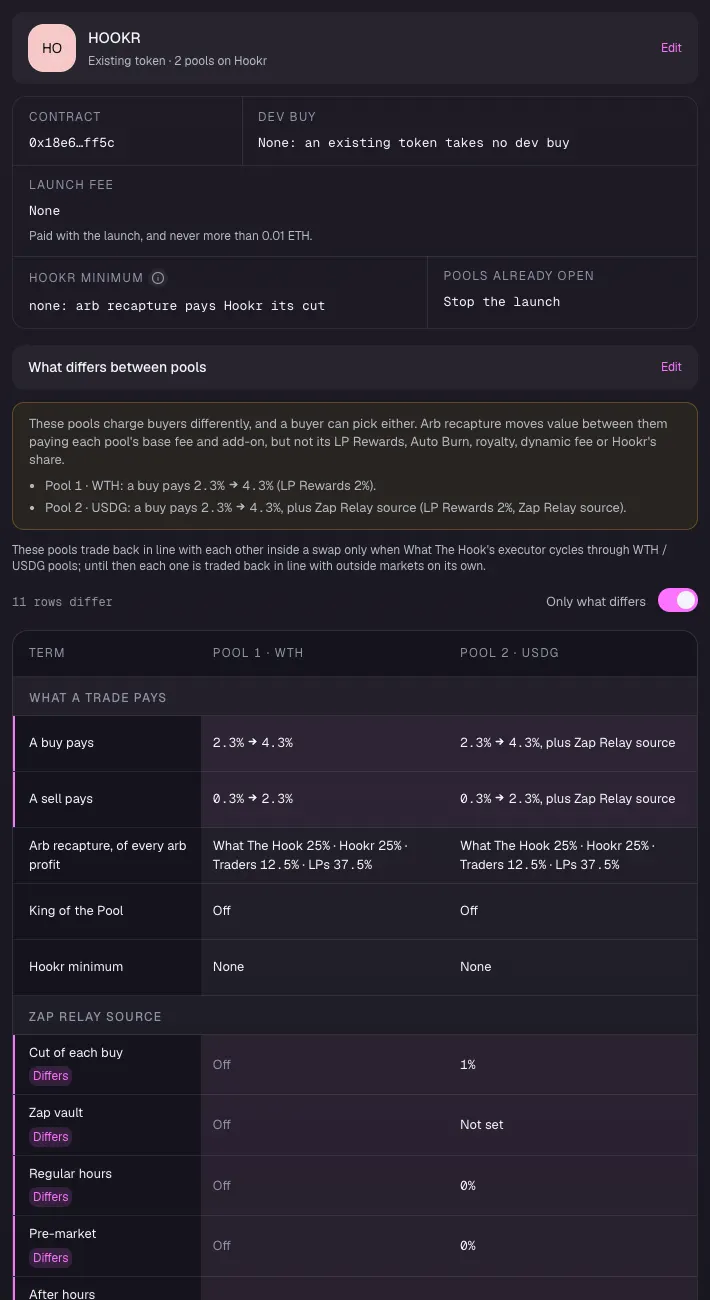
- Open 5 Review.
- Under What differs between pools, check both pools run Dynamic fees, LP Rewards and arb recapture, on tick spacing 60.
Review: the bridge pool
- Check Pool 1's Hook Blocks, opening price, range and seed.
Review: A's feeder
- Check Pool 2 lists Zap Relay source.
Launch
- Check Fix before launching is empty. It lists Zap vault until you name B's vault.
- Click Connect wallet and launch.
Full walkthrough: Launch 4: B's feeder
Open the launch page on this family
- Launch A's reserve first, and keep its vault address.
- Open the launch page on this family.
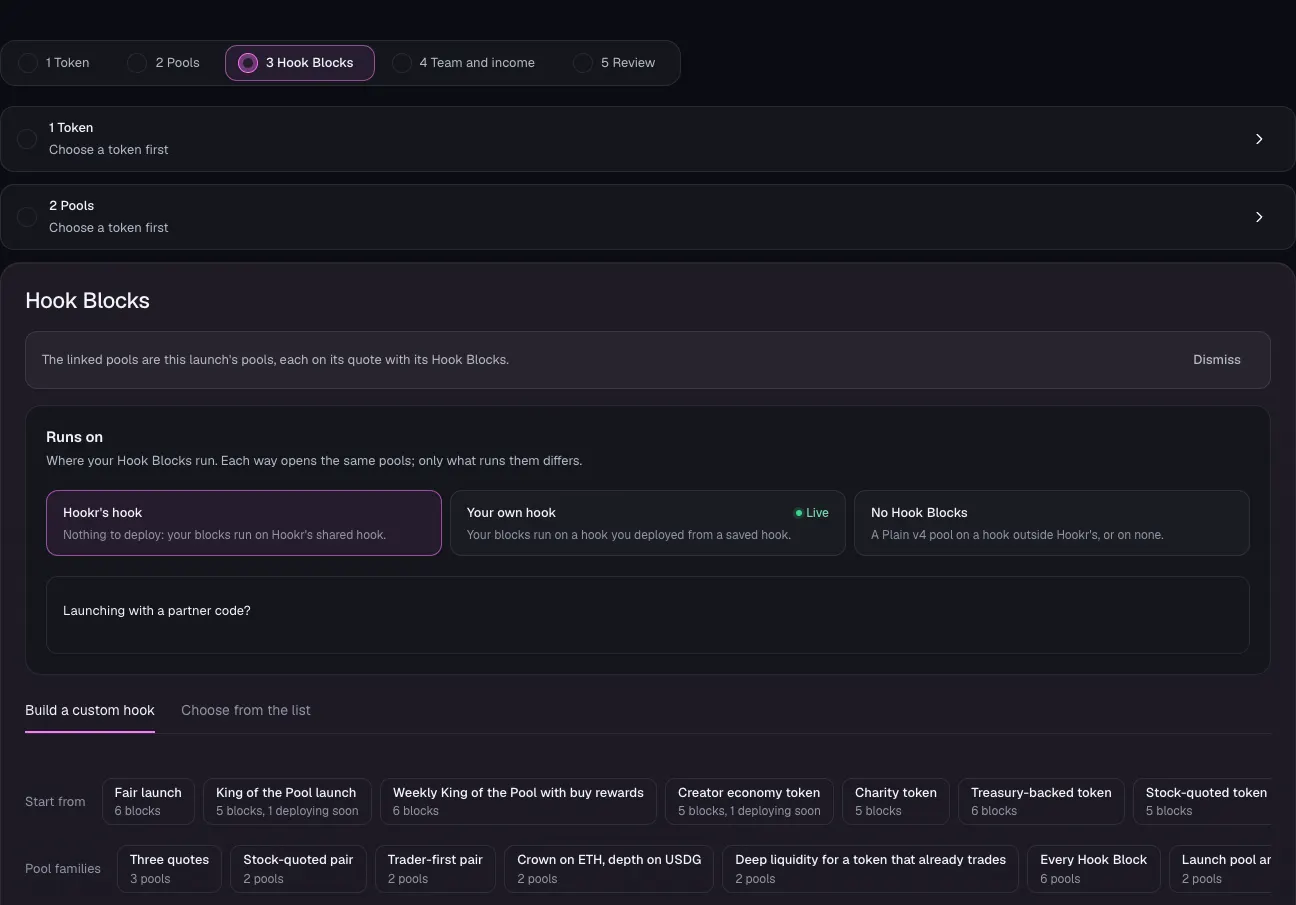
- Check the banner reads: The linked pools are this launch's pools, each on its quote with its Hook Blocks.
- Under Runs on, keep Hookr's hook.
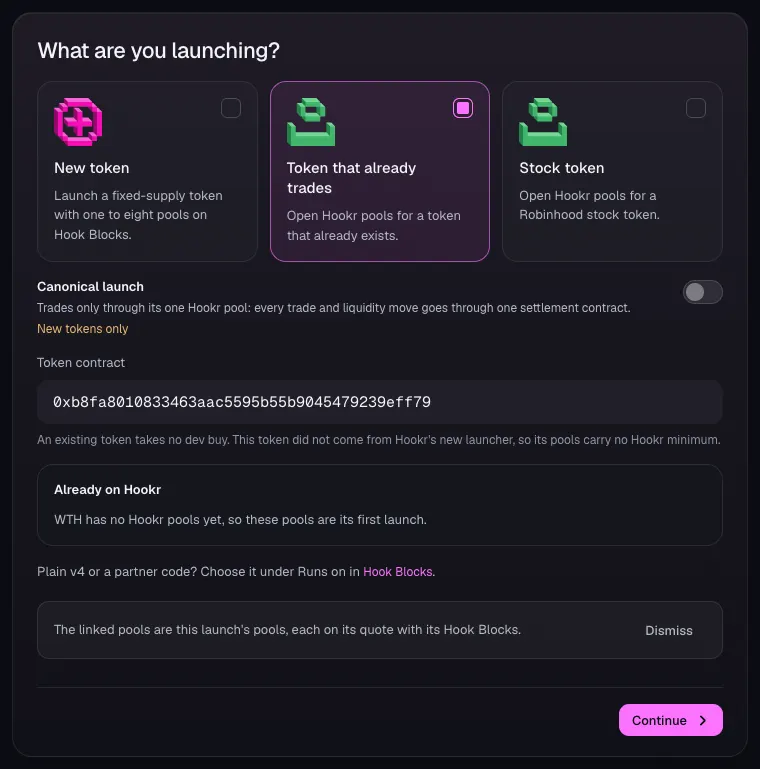
Pick B's token
- Open 1 Token and choose Token that already trades.
- In Token contract, paste B's token address. This example uses WTH, 0xb8fa8010833463aac5595b55b9045479239eff79.
- Check Already on Hookr, then click Continue.
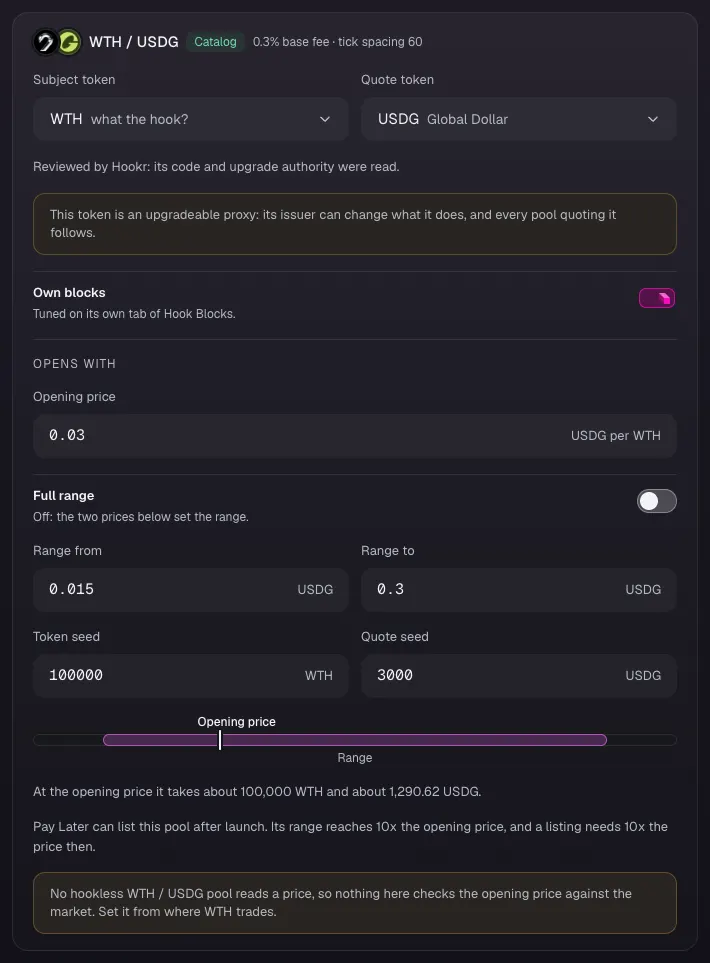
Set how B's feeder opens
- In 2 Pools, check the card reads WTH / USDG, Catalog, 0.3% base fee · tick spacing 60.
- Set Opening price, Range from, Range to, Token seed and Quote seed. This example uses 0.03, 0.015, 0.3, 100000 and 3000.
- Click Continue.
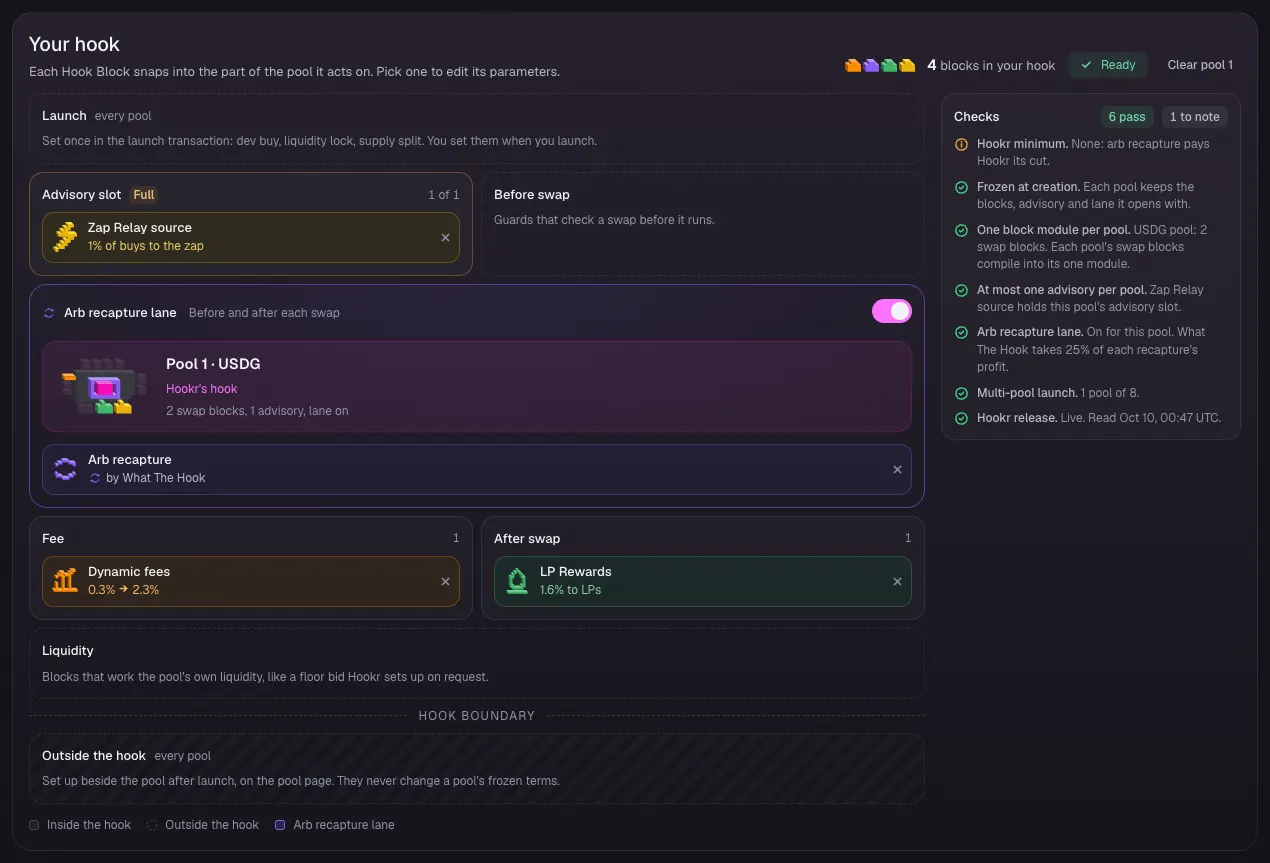
Check the feeder's Hook Blocks
- Open 3 Hook Blocks and scroll to Your hook.
- Check Advisory slot shows Zap Relay source, Fee shows Dynamic fees, After swap shows LP Rewards, and the arb recapture lane is on.
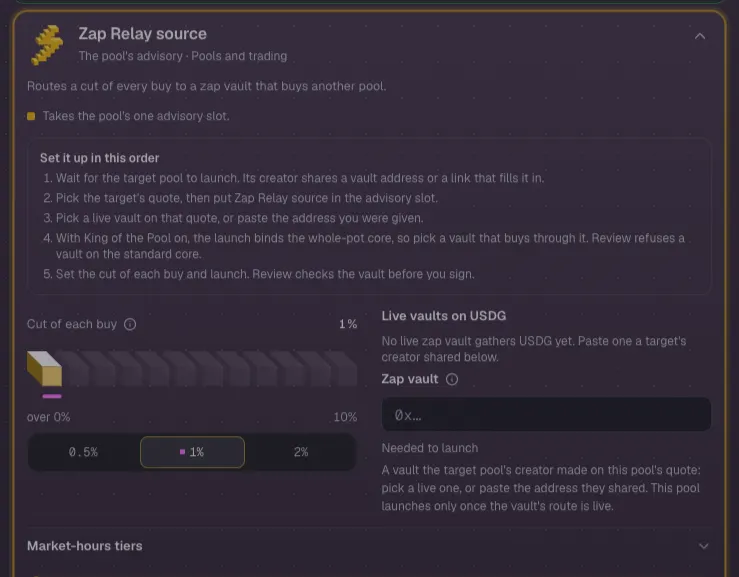
Name A's vault
- Click Zap Relay source in the block list. Leave Cut of each buy at 1%.
- Pick A's reserve vault under Live vaults on USDG, or paste the vault address from the target launch's receipt into Zap vault.
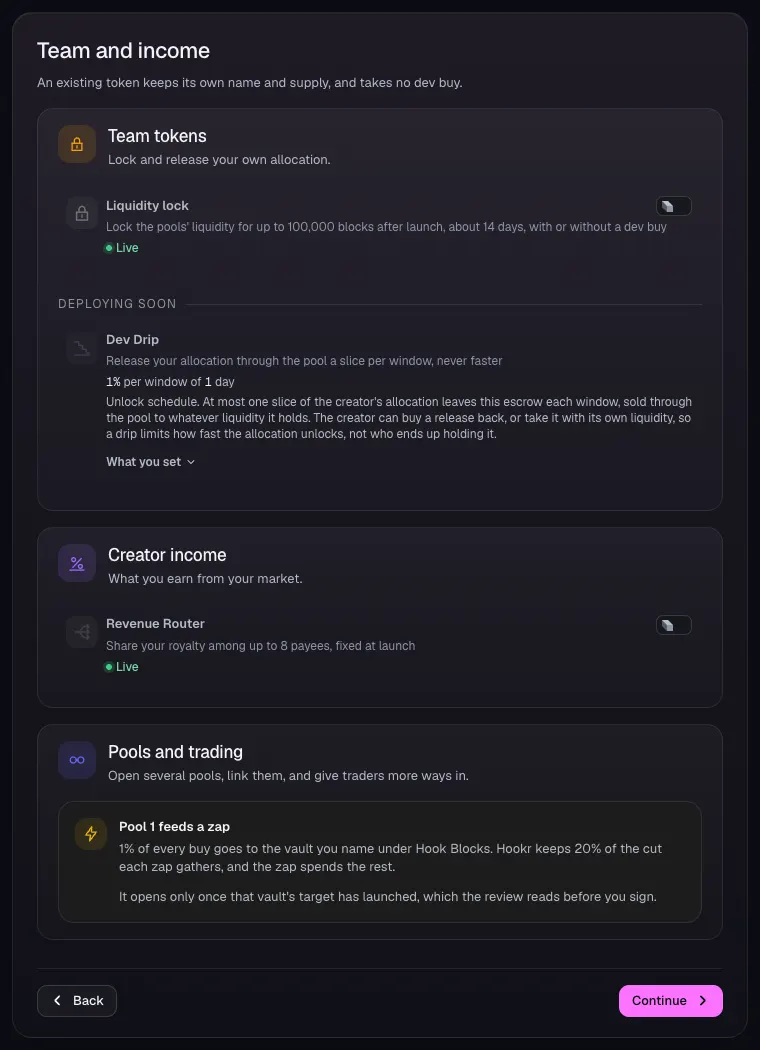
Team and income
- Open 4 Team and income and leave Liquidity lock and Revenue Router off.
- Click Continue.
Review the feeder
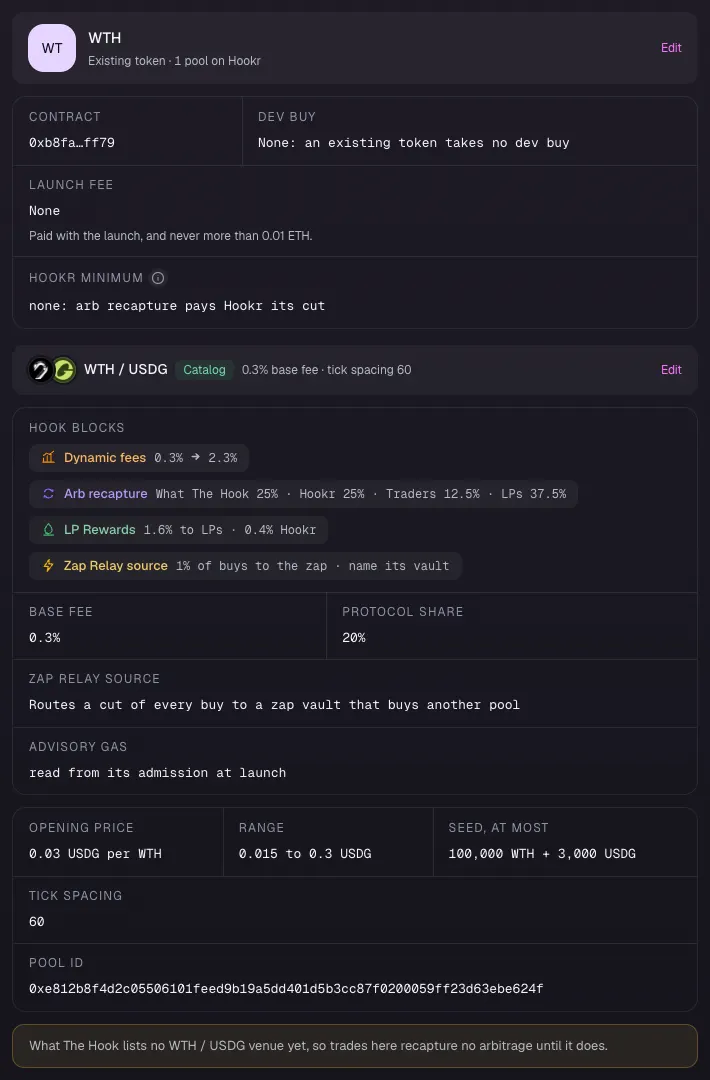
- Open 5 Review.
- Check Hook Blocks lists Dynamic fees, Arb recapture, LP Rewards and Zap Relay source, and Tick spacing reads 60.
Launch
- Check Fix before launching is empty once A's vault is named.
- Click Connect wallet and launch.