Stock-hours expansion
For any token whose holders also hold stock tokens.
On this page
LiveEverything outside the proposed connectors is live. Runs on live blocks.
New pools that let stock-token holders buy without selling first, priced for the hours the market is shut.
Why it is different. Robinhood Chain's stock-token holders can buy without a sell step.
The pools
Five pools · existing token
- NVDAtick spacing 30
Session pool
- Live:Dynamic fees
- Live:LP Rewards
- Live:Arb recapture
- Live:Market-hours feeadvisory
- TSLAtick spacing 30
Session pool
- Live:Dynamic fees
- Live:LP Rewards
- Live:Arb recapture
- Live:Market-hours feeadvisory
- SPYtick spacing 30
Session pool
- Live:Dynamic fees
- Live:LP Rewards
- Live:Arb recapture
- Live:Market-hours feeadvisory
- AAPLtick spacing 30
Session pool
- Live:Dynamic fees
- Live:LP Rewards
- Live:Arb recapture
- Live:Market-hours feeadvisory
- USDGtick spacing 10
Desk: a capped surcharge
- Live:Dynamic fees
- Live:LP Rewards
- Live:Arb recapture
- Live:Managed feeadvisory
How the pools work together
- Closed-market fees pay each stock pool's LPs for carrying the jump at the open.
- Family Pulse would raise sells on all five pools if the family sells hard at the open. Proposed
Beside the pools and at launch
- Live:Limit orders
Proposed connectors
- Proposed:Family Ledger
- Proposed:Family Pulse
Walkthrough
Every section of the launch floor this combo uses, in order, with what to check, select and fill in each. The screenshots use HOOKR 0x18e674231a58c239dc7daedcffe15ec3a24cff5c (an example; any token that already trades and is not one of the five quotes) as the token.
Full walkthrough: Launch 1: five stock-hours pools on HOOKR
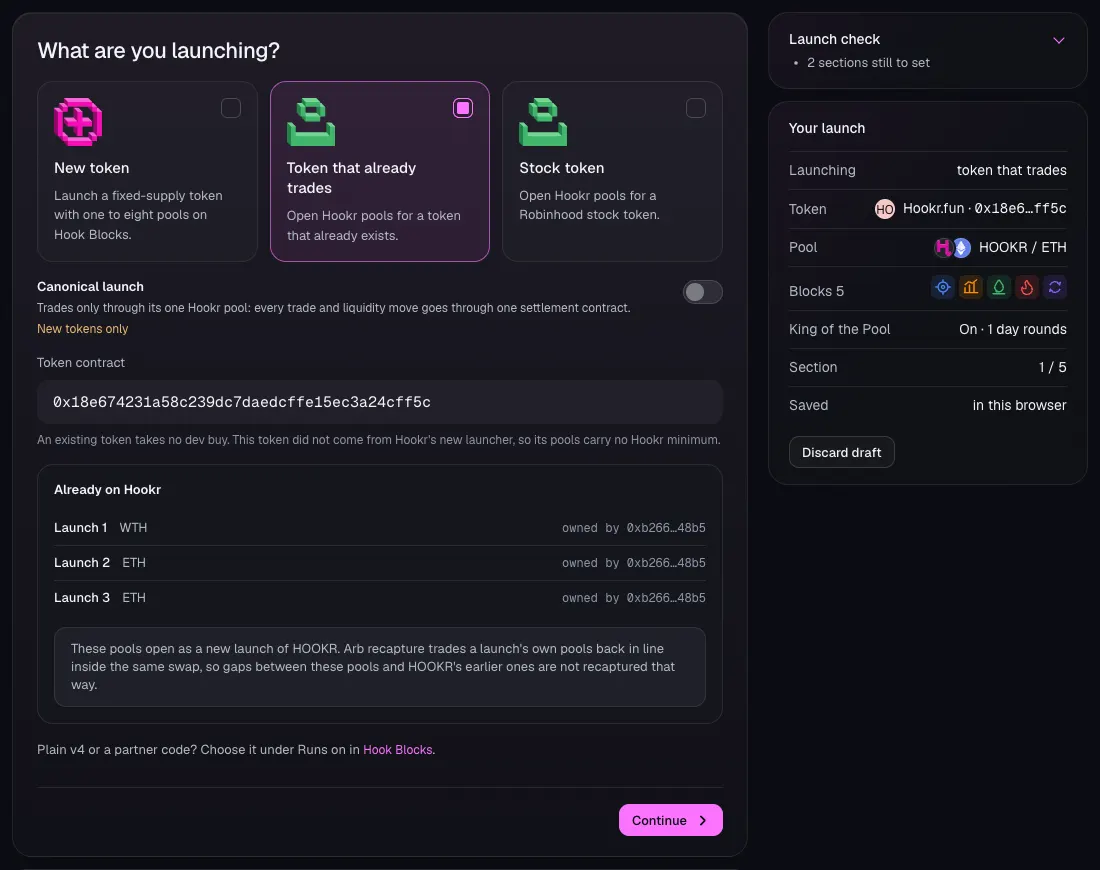
Open the launch page and choose the token
- Open hookr.fun/launch and click 1 Token. This family has no link, so you build it by hand.
- Choose Token that already trades.
- Paste the token's address in Token contract. This walkthrough uses HOOKR, 0x18e674231a58c239dc7daedcffe15ec3a24cff5c, as an example.
- Click Continue.
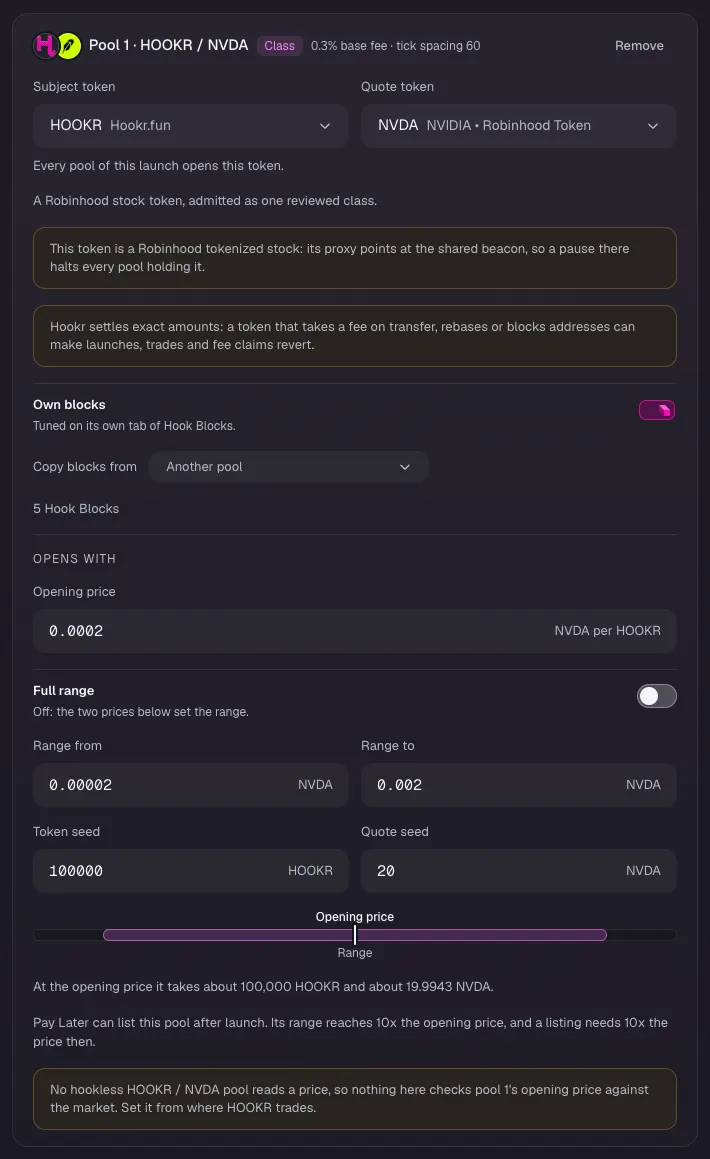
Pool 1: NVDA
- On the pool card, click Quote token, type NVDA and pick NVDA NVIDIA • Robinhood Token.
- Type 0.0002 in Opening price (NVDA per HOOKR), 0.00002 in Range from and 0.002 in Range to.
- Type 100000 in Token seed and 20 in Quote seed. These are example values.
- Leave its tick spacing and blocks for Hook Blocks.
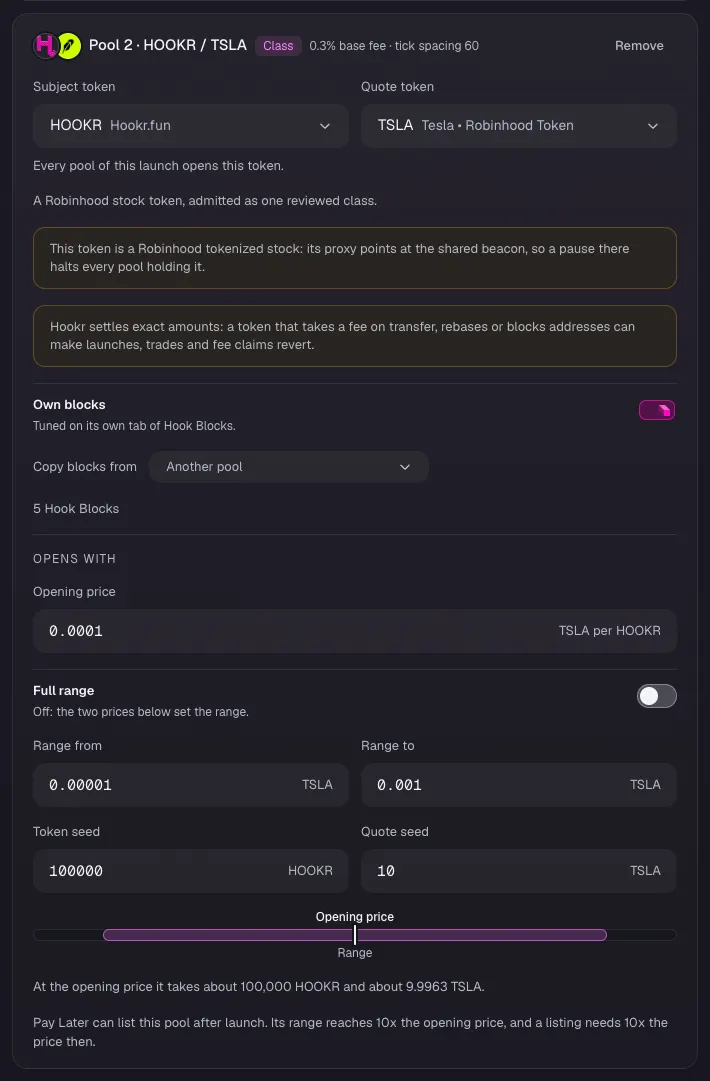
Pool 2: TSLA
- Click Add another pool. On Pool 2, click Quote token, type TSLA and pick TSLA Tesla • Robinhood Token.
- Type 0.0001 in Opening price, 0.00001 in Range from, 0.001 in Range to, 100000 in Token seed and 10 in Quote seed. These are example values.
Pool 3: SPY
- Click Add another pool. On Pool 3, click Quote token, type SPY and pick SPY SPDR S&P 500 ETF Trust • Robinhood Token.
- Type 0.00005 in Opening price, 0.000005 in Range from, 0.0005 in Range to, 100000 in Token seed and 5 in Quote seed. These are example values.
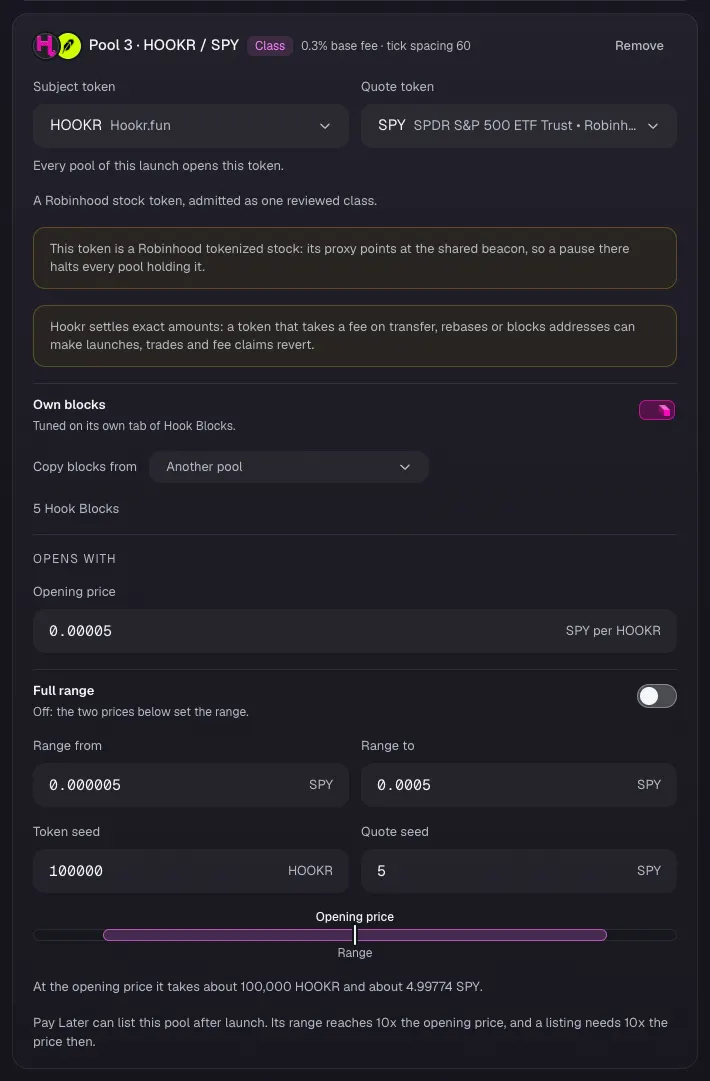
Pool 4: AAPL
- Click Add another pool. On Pool 4, click Quote token, type AAPL and pick AAPL Apple • Robinhood Token.
- Type 0.0001 in Opening price, 0.00001 in Range from, 0.001 in Range to, 100000 in Token seed and 10 in Quote seed. These are example values.
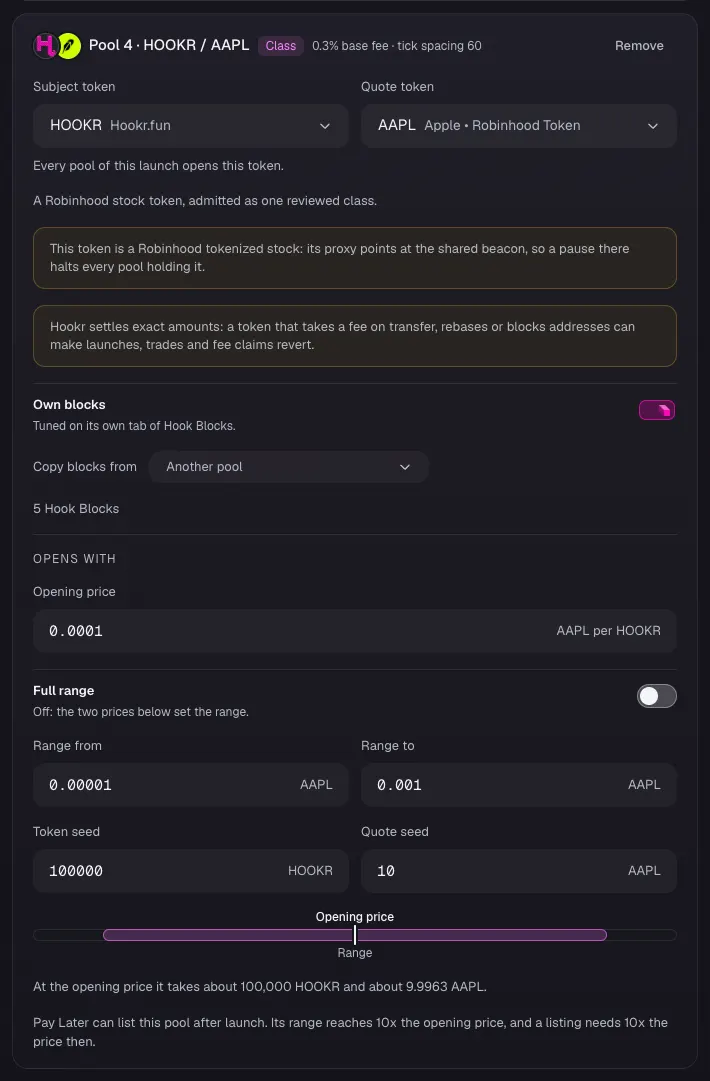
Pool 5: USDG
- Click Add another pool. On Pool 5, click Quote token, type USDG and pick USDG Global Dollar.
- Type 0.03 in Opening price, 0.003 in Range from, 0.3 in Range to, 100000 in Token seed and 3000 in Quote seed. These are example values.
- Leave Opening price check off and click Continue.
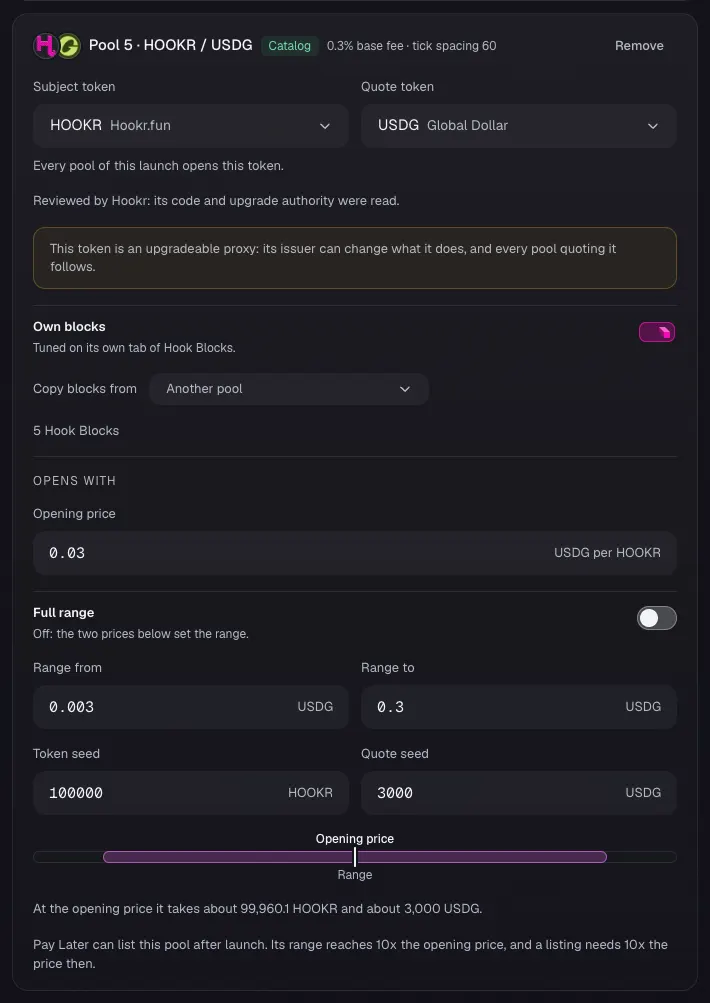
NVDA pool blocks
- Click the Pool 1 · HOOKR / NVDA tab.
- Under Start from, click Start blank.
- In Every Hook Block, click Dynamic fees, LP Rewards, Arb recapture and Market-hours fee.
- Check Your hook shows Dynamic fees, Arb recapture and LP Rewards, with Market-hours fee in the Advisory slot at 1 of 1 and no King of the Pool.
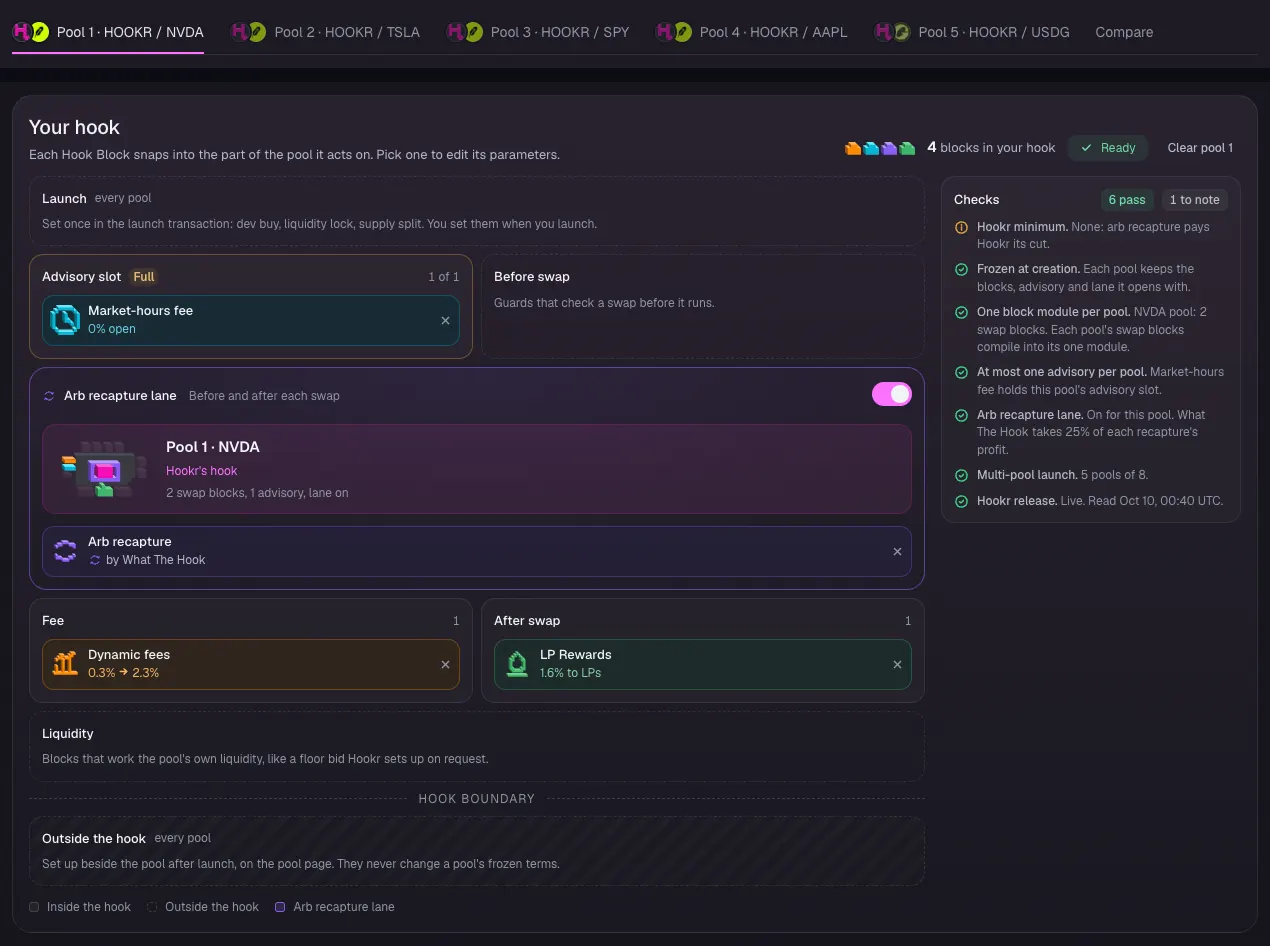
Market-hours tiers
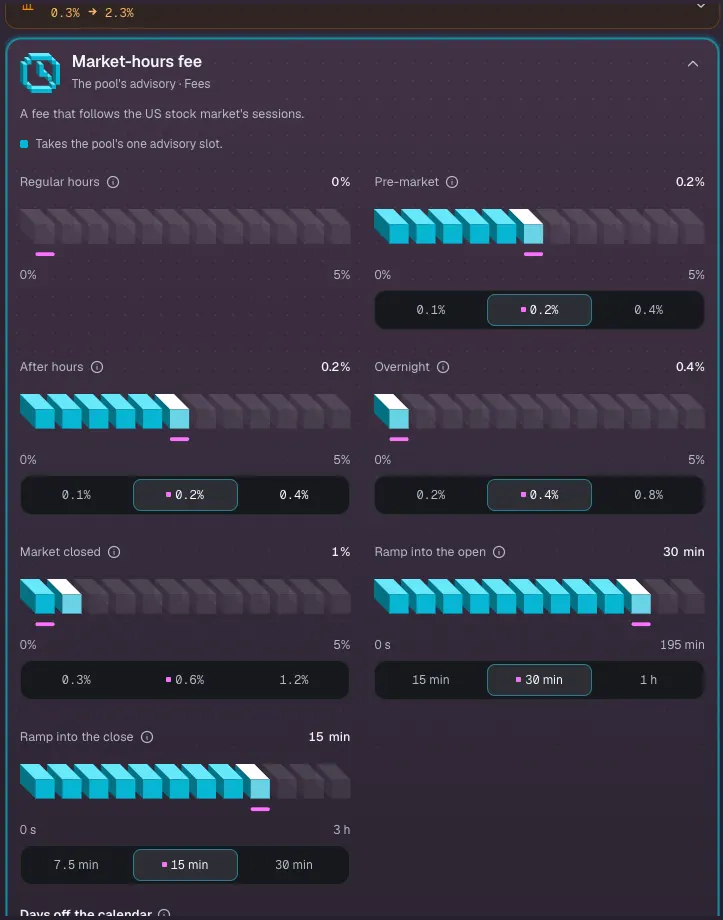
- Click Market-hours fee on the board.
- Leave Regular hours at 0%, Pre-market at 0.2%, After hours at 0.2% and Overnight at 0.4%.
- Set Market closed to 1%.
- Leave Ramp into the open at 30 min and Ramp into the close at 15 min.
Tick spacing 30
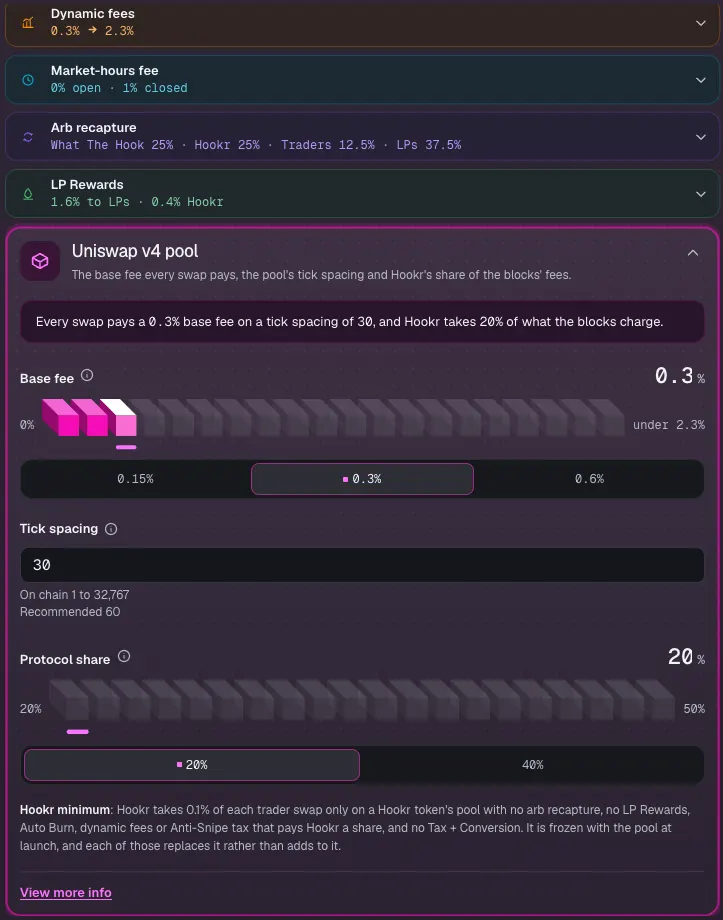
- Click Pool terms.
- Type 30 in Tick spacing. Leave Base fee at 0.3% and Protocol share at 20%.
TSLA pool blocks
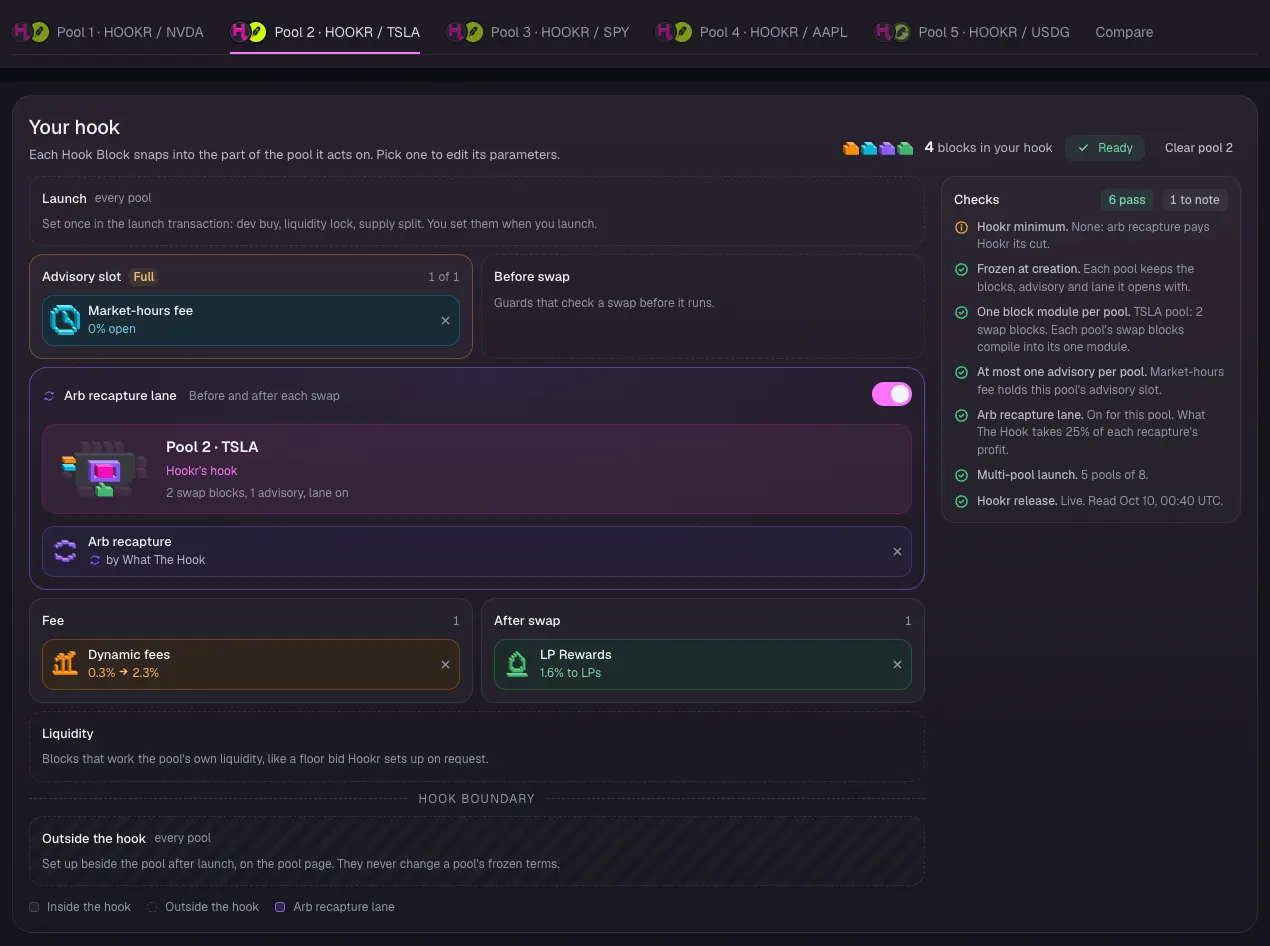
- Click the Pool 2 · HOOKR / TSLA tab.
- Under Copy blocks from, pick Pool 1 · NVDA. It copies the blocks, the market-hours tiers and tick spacing 30.
- Check Your hook matches the NVDA pool.
SPY pool blocks
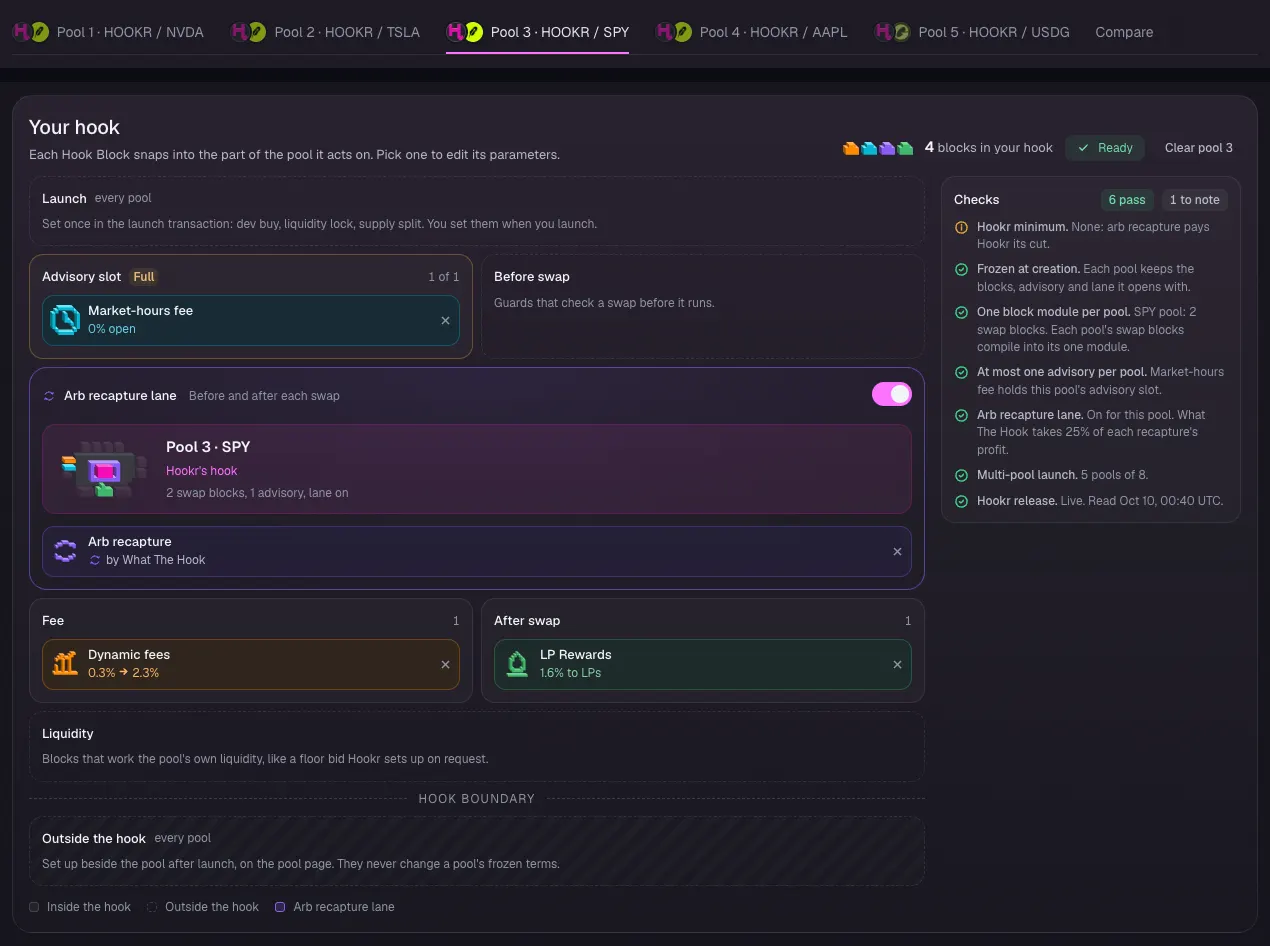
- Click the Pool 3 · HOOKR / SPY tab.
- Under Copy blocks from, pick Pool 1 · NVDA.
- Check Your hook matches the NVDA pool.
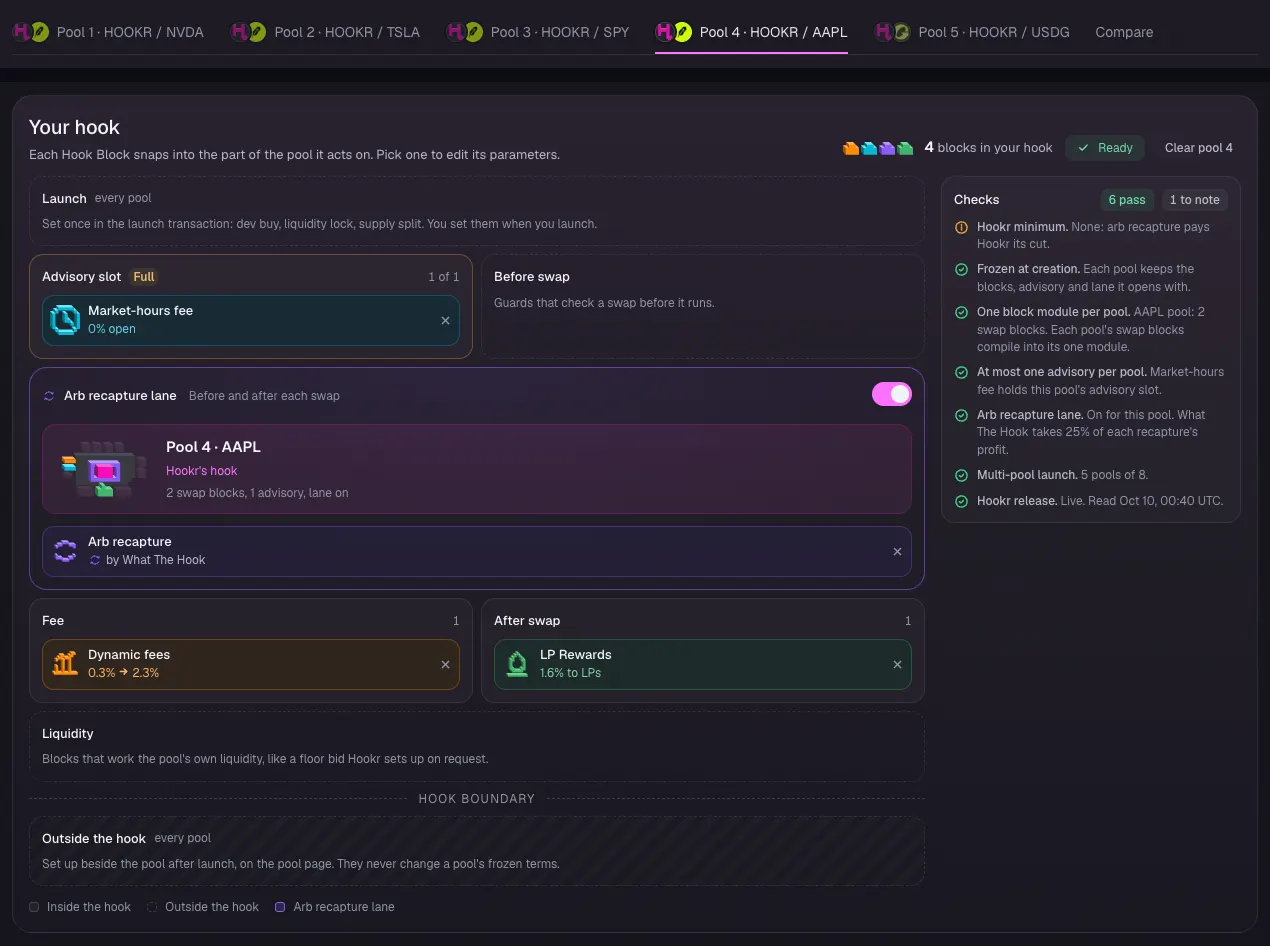
AAPL pool blocks
- Click the Pool 4 · HOOKR / AAPL tab.
- Under Copy blocks from, pick Pool 1 · NVDA.
- Check Your hook matches the NVDA pool.
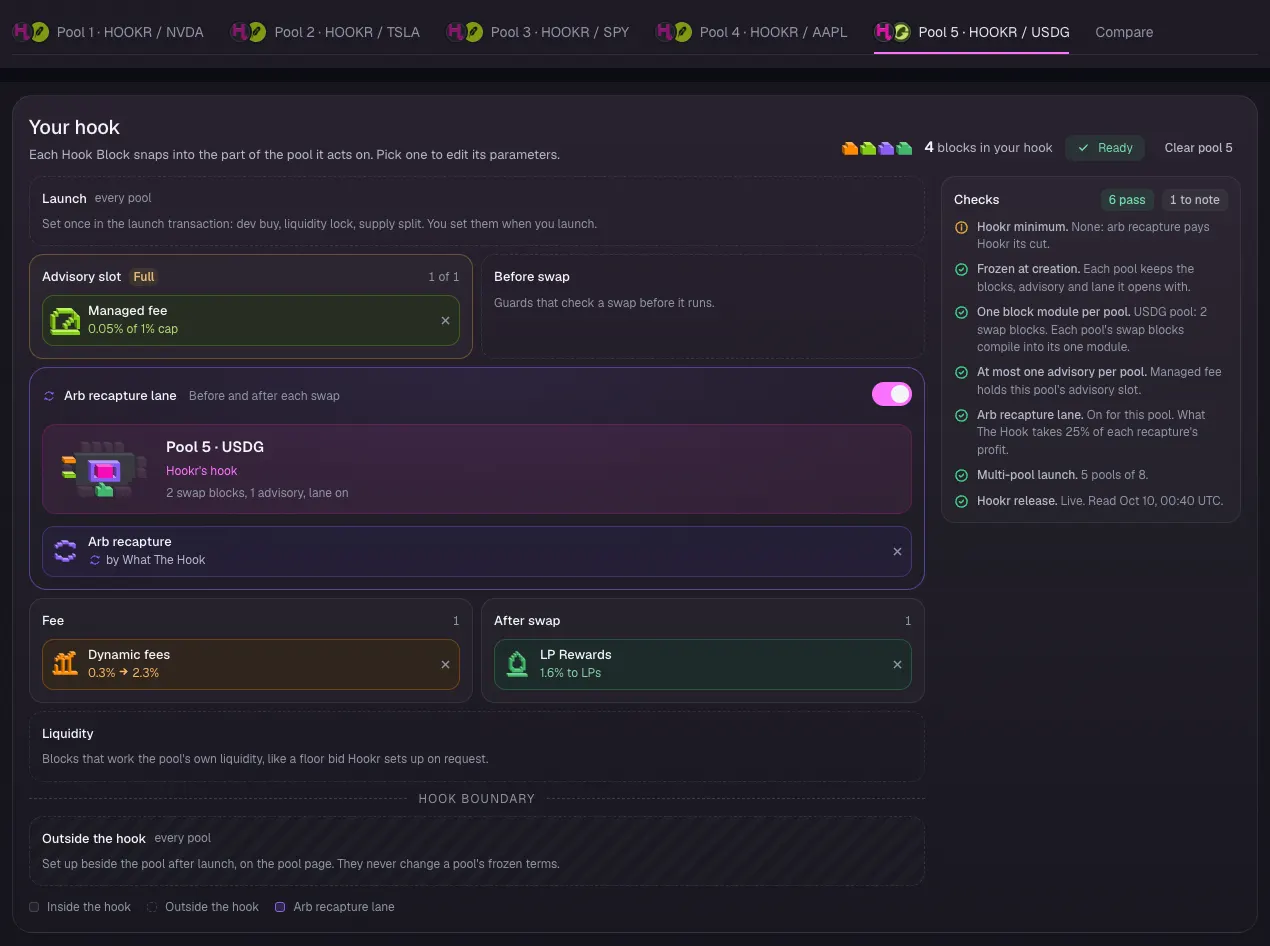
USDG desk blocks
- Click the Pool 5 · HOOKR / USDG tab.
- Click Start blank, then Dynamic fees, LP Rewards, Arb recapture and Managed fee in Every Hook Block.
- Click Pool terms and type 10 in Tick spacing.
- Check the Advisory slot holds Managed fee at 0.05% of 1% cap.
- Click Continue.
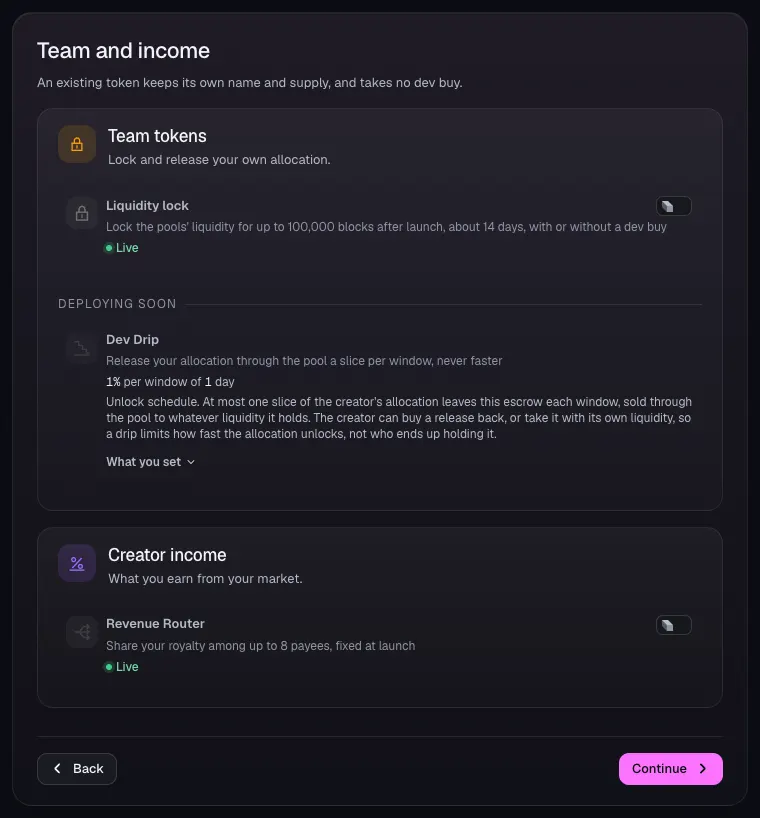
Team and income
- Leave Liquidity lock and Revenue Router off.
- Click Continue.
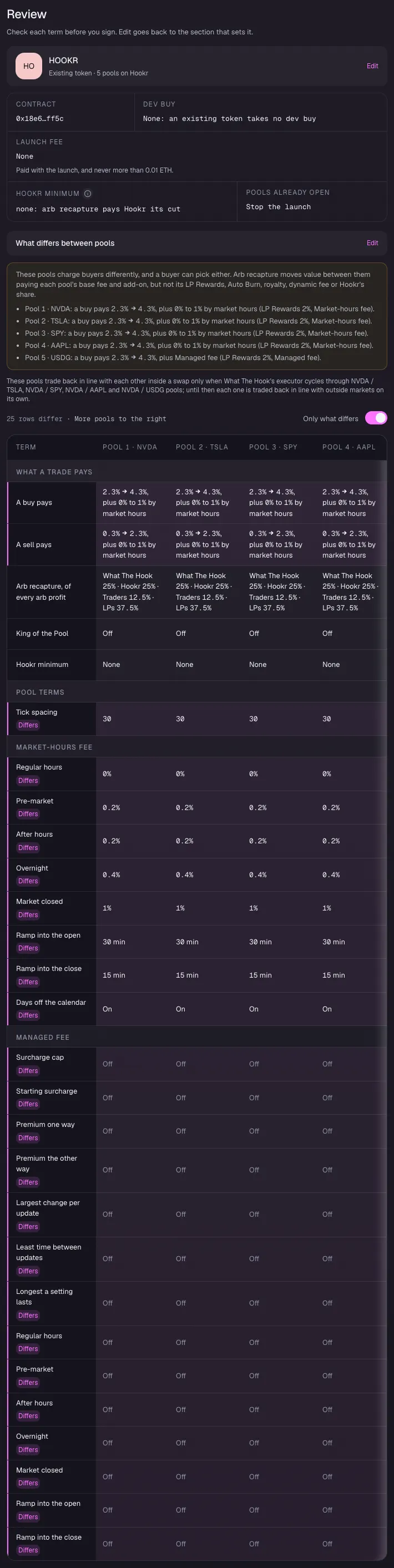
Review the pools
- Under What differs between pools, check tick spacing 30 on the four stock pools and 10 on USDG.
- Check the stock pools read Pre-market 0.2%, After hours 0.2%, Overnight 0.4% and Market closed 1%, and the USDG pool carries Managed fee.
Sign
- Stop at Review when it says Connect a wallet to launch. Connecting a wallet and signing is yours to do.