Game economy, GEM and GOLD
For a game with an everyday currency and a premium one.
On this page
Deploying soonSet it up now without A reward token made in the app, for Swap Reward Mint and Pay Later, which are deploying soon. Runs on live blocks.
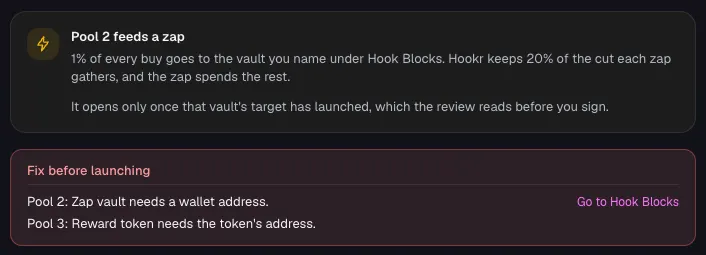
GOLD is the everyday currency, and every GOLD buy on USDG deepens GEM's USDG reserve, which nothing else can buy.
Why it is different. Every buy of the everyday currency on USDG deepens the premium one.
The pools
GEM
2 pools · split 40/60
- USDGtick spacing 10
GEM reserve: GOLD's zaps only
- Live:Dynamic fees
- Live:LP Rewards
- Live:Zap Relay targetadvisory
- ETHtick spacing 60
GEM's open market
- Live:Anti-Snipe
- Live:Dynamic fees
- Live:Auto Burn
- Live:LP Rewards
- Live:Arb recapture
- Live:King of the Pool
GOLD
3 pools · split 50/40/10 · names GEM's vault · both launches run King of the Pool
- ETHtick spacing 60
GOLD's open market
- Live:Anti-Snipe
- Live:Dynamic fees
- Live:Auto Burn
- Live:LP Rewards
- Live:Arb recapture
- Live:King of the Pool
- USDGtick spacing 10
Feeds GEM's reserve
- Live:Dynamic fees
- Live:LP Rewards
- Live:Arb recapture
- Live:Zap Relay sourceadvisory
Feeds GEM: USDG vault
How the pools work together
- GOLD/USDG buys send 1% to a vault that buys and adds liquidity on GEM/USDG.
- XP is minted on GOLD/HOOKR swaps.
- Hold Pass would give GEM holders a lower fee tier on GOLD's pools. Proposed
- Milestone Trigger would open each new season's pools. Proposed
- Family Pinger would call GEM's vault whenever it is ready. Proposed
Beside the pools and at launch
- Live:Supply split
- Live:Limit orders
- Deploying soon:Pay LaterDeploying soon
Proposed connectors
- Proposed:Family Pinger
- Proposed:Milestone Trigger + Phase Gate
- Proposed:Hold Pass
Walkthrough
Every section of the launch floor this combo uses, in order, with what to check, select and fill in each.
Full walkthrough: Launch 1: GEM
Open the launch page on GEM's family
- Open the launch page on this family.
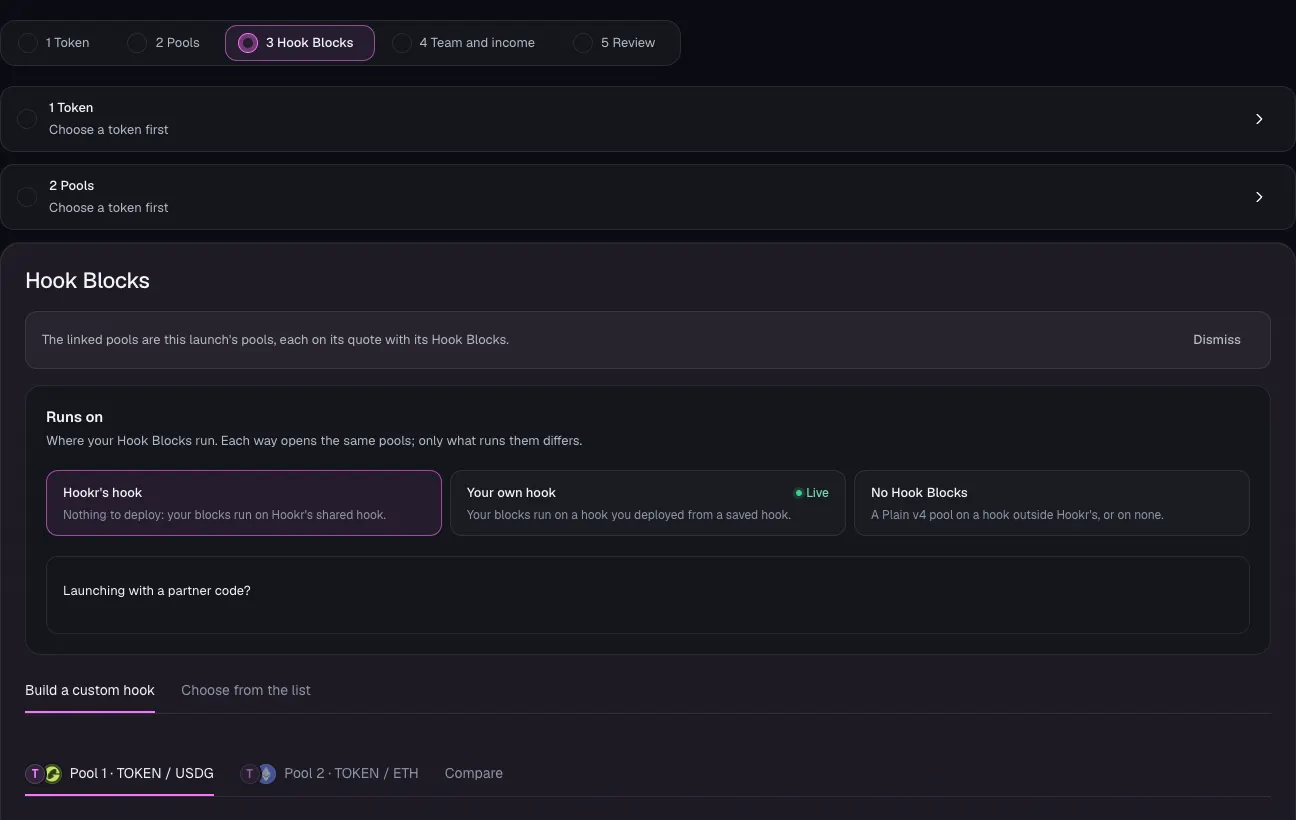
- Check that Hook Blocks shows Pool 1 · TOKEN / USDG and Pool 2 · TOKEN / ETH.
- Launch GEM before you open GOLD's link. GOLD's USDG pool needs GEM's vault, and opening another family link in the same browser replaces this draft.
Name the token
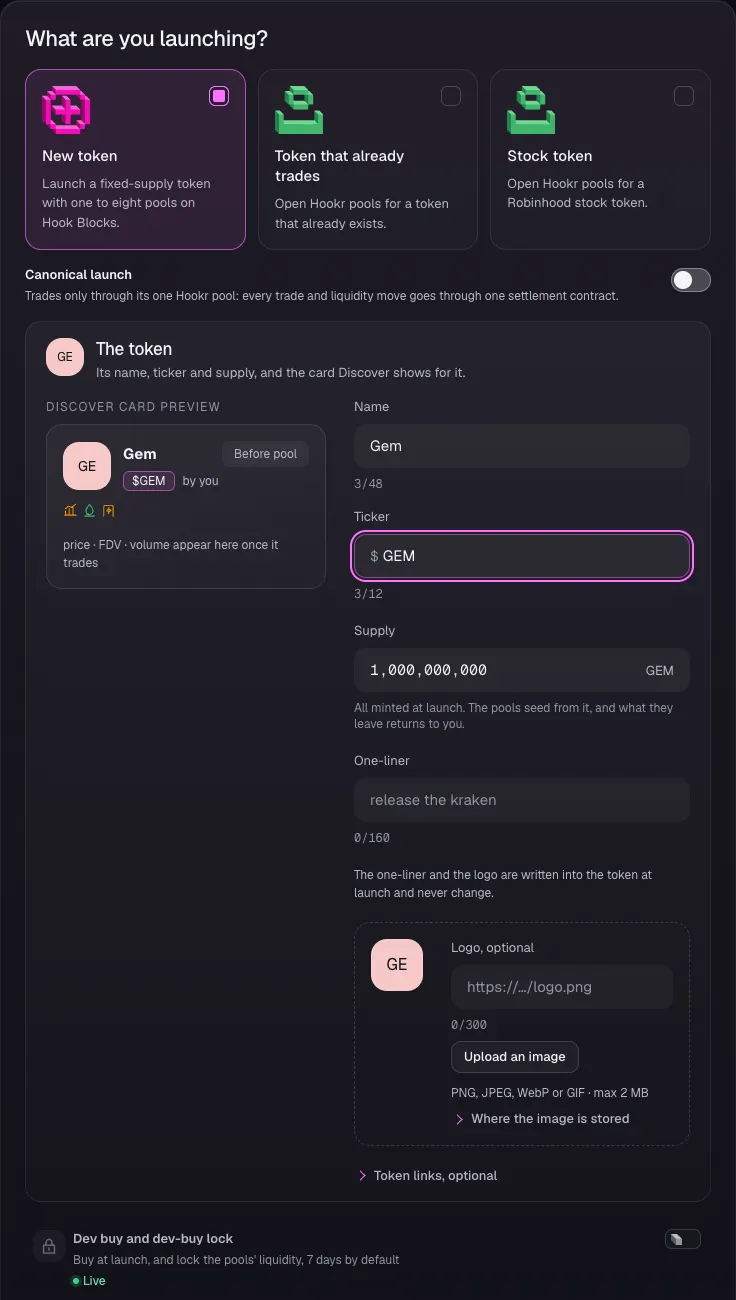
- Open 1 Token and keep New token selected.
- Type Gem in Name and GEM in Ticker.
- Leave Supply at 1,000,000,000 and Dev buy and dev-buy lock off. GEM's USDG pool opens with no dev buy.
- Click Continue.
Open pool 1 on USDG
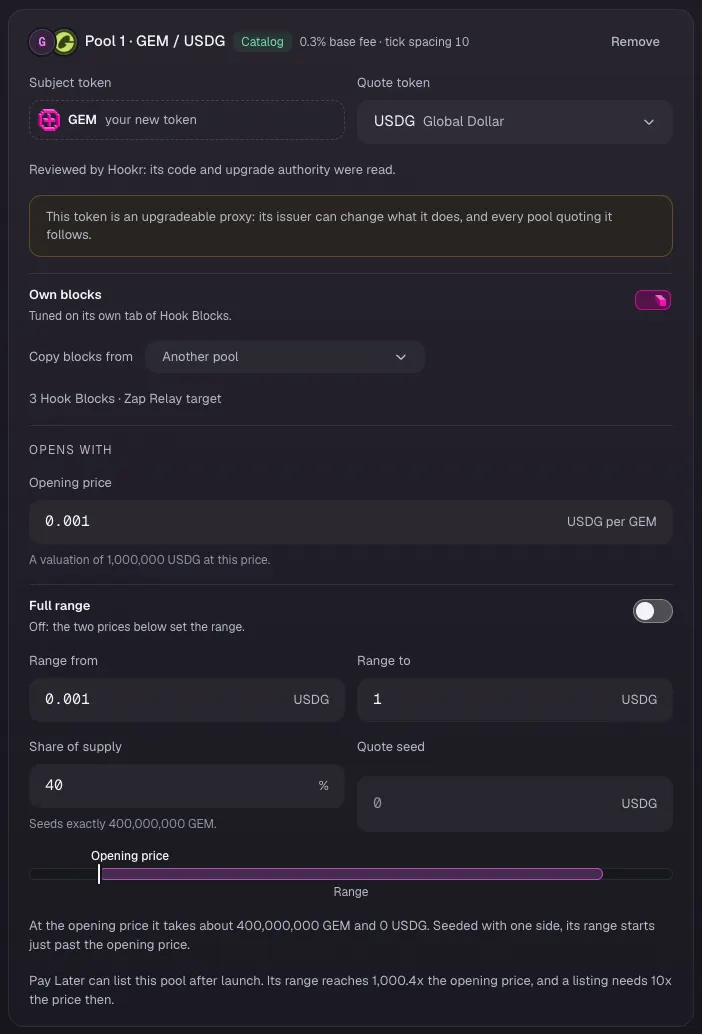
- In 2 Pools, on Pool 1 · GEM / USDG, type the Opening price in USDG per GEM. This example uses 0.001.
- Leave Full range off and type Range from and Range to. This example uses 0.001 to 1.
- Check that Share of supply reads 40 and leave Quote seed empty.
Open pool 2 on ETH
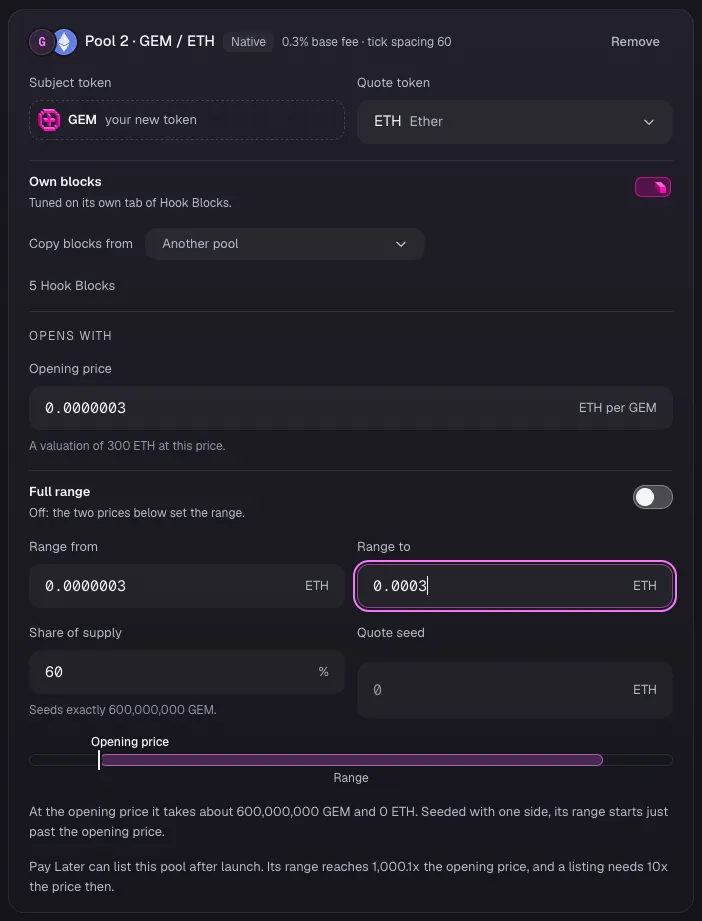
- On Pool 2 · GEM / ETH, type the Opening price in ETH per GEM. This example uses 0.0000003.
- Leave Full range off and type Range from and Range to. This example uses 0.0000003 to 0.0003.
- Check that Share of supply reads 60 and leave Quote seed empty.
Check the supply split
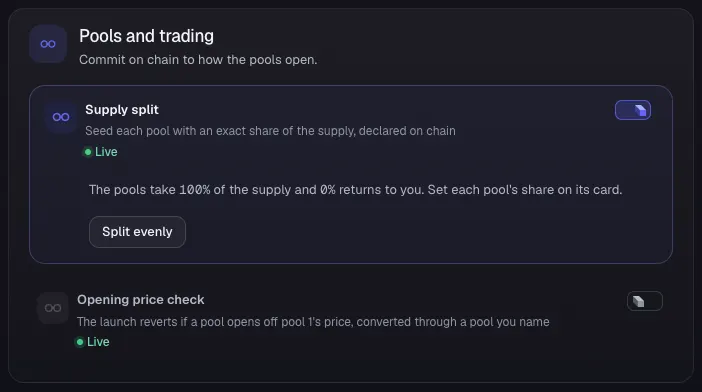
- Under Pools and trading, check that Supply split is on and the pools take 100% of the supply.
- Leave Opening price check off.
- Click Continue.
Check pool 1's Hook Blocks
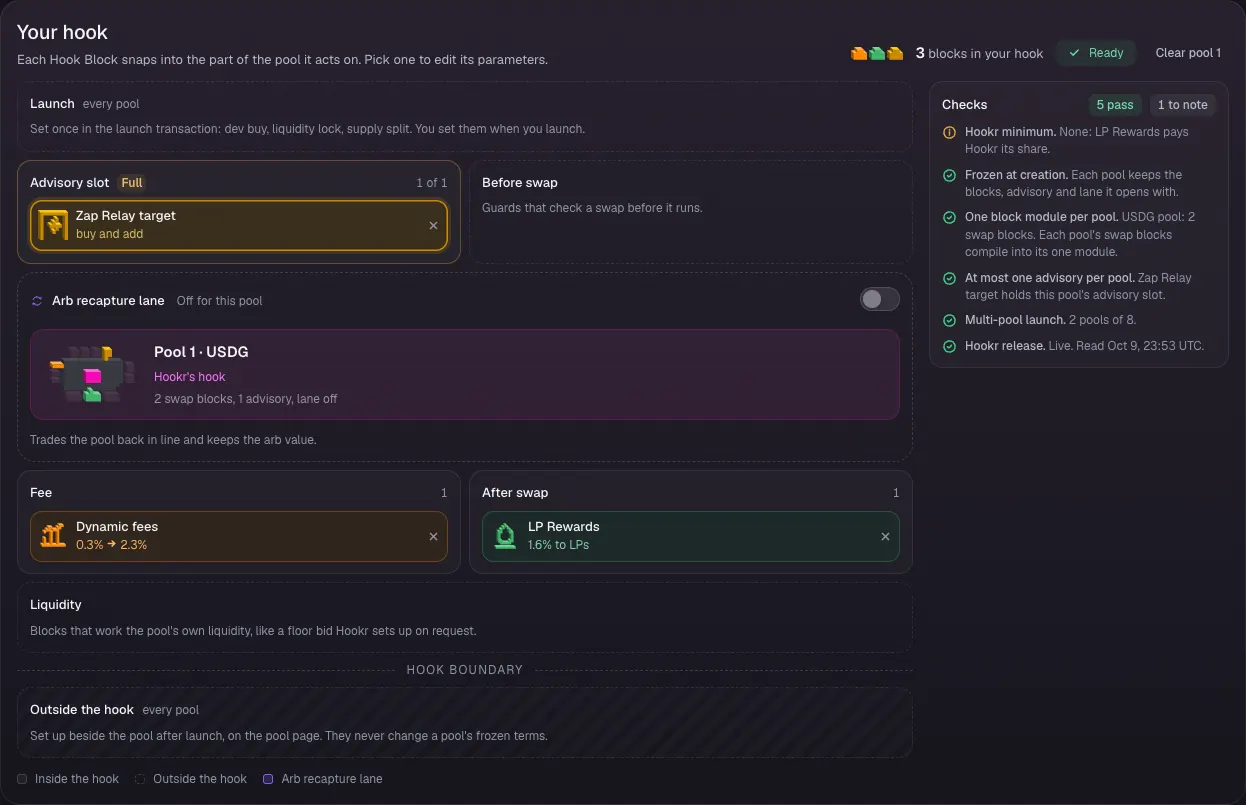
- In 3 Hook Blocks, click the Pool 1 · GEM / USDG tab.
- Check that Your hook shows Dynamic fees and LP Rewards, with Zap Relay target in the Advisory slot (1 of 1) and the Arb recapture lane off.
Make the reserve buy and add liquidity
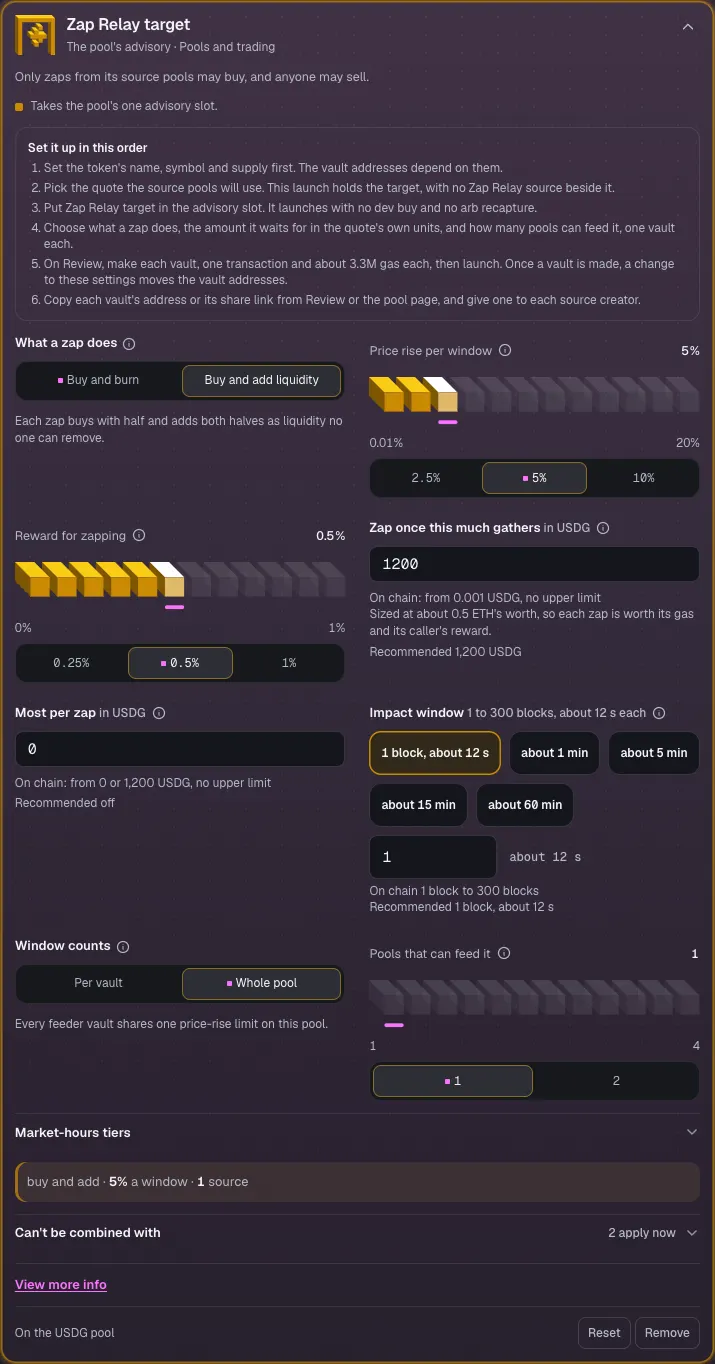
- Click Zap Relay target to open its settings.
- Under What a zap does, pick Buy and add liquidity.
- Check Price rise per window 5%, Reward for zapping 0.5%, Zap once this much gathers 1200 USDG and Pools that can feed it 1.
Check pool 2's Hook Blocks
- Click the Pool 2 · GEM / ETH tab.
- Check that Your hook shows Anti-Snipe, Dynamic fees, Auto Burn, LP Rewards and Arb recapture with King of the Pool, and the Advisory slot empty (0 of 1).
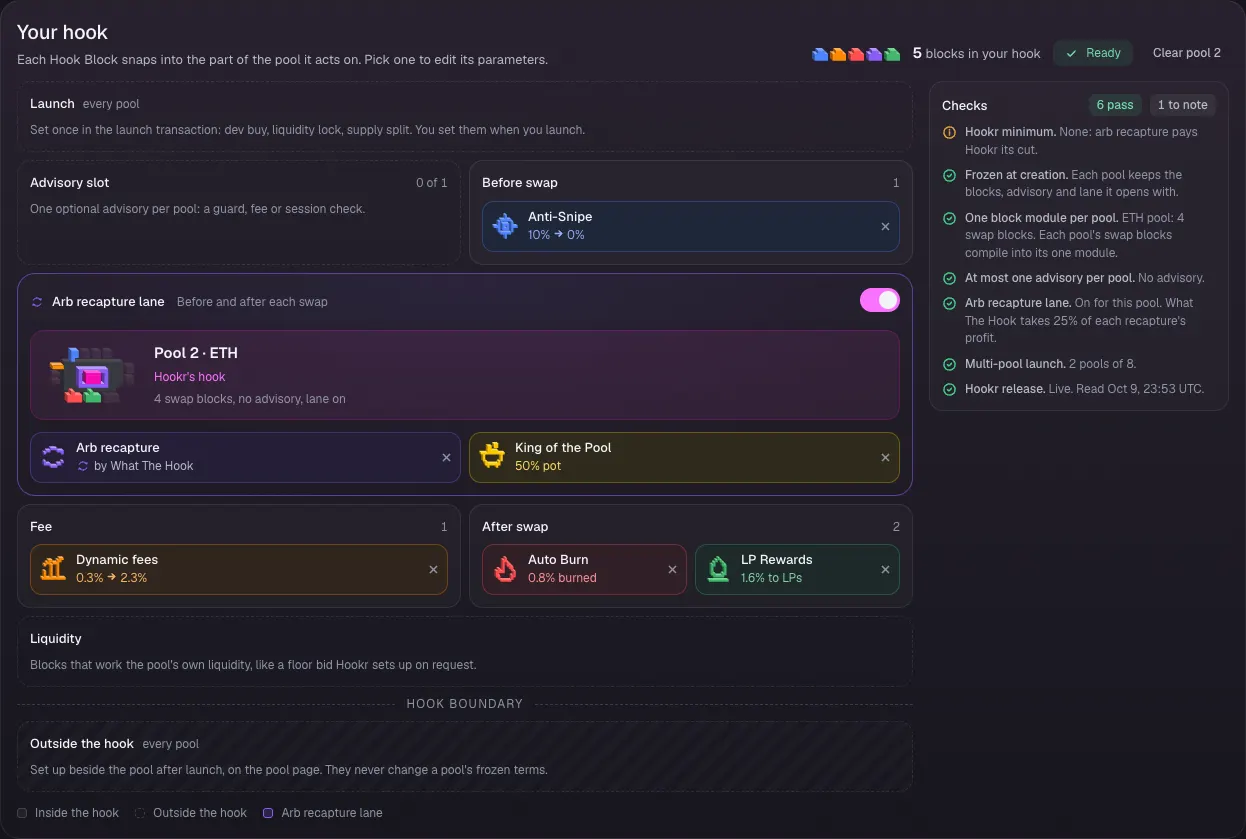
Check King of the Pool
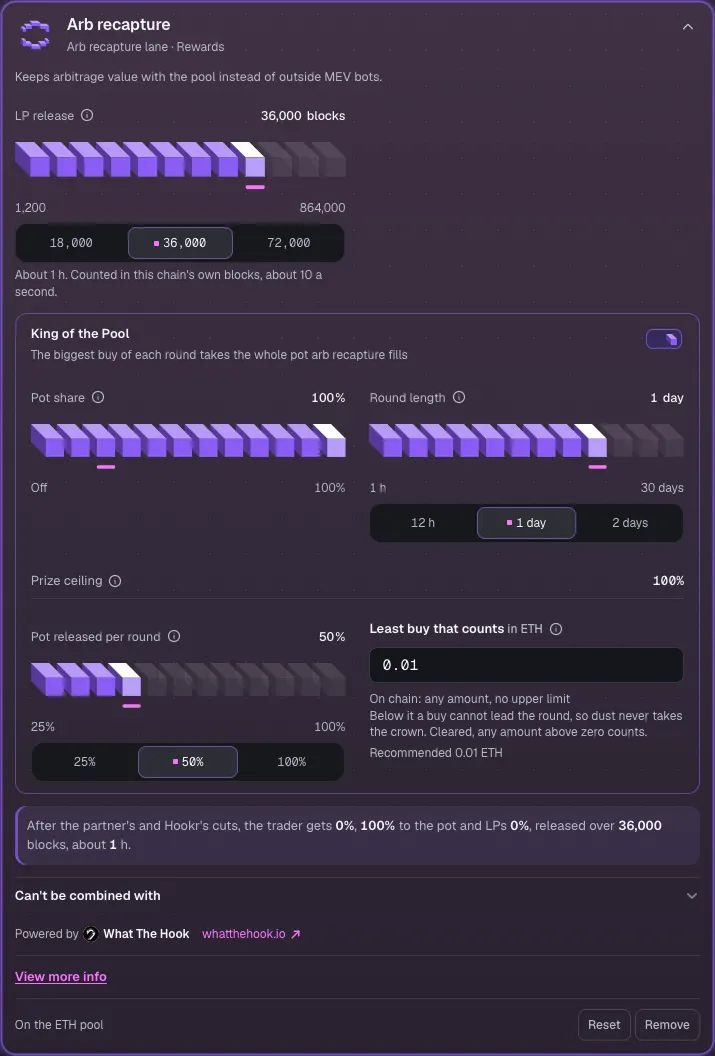
- Click Arb recapture to open its settings.
- Check that King of the Pool is on with Pot share 100%, Round length 1 day, Prize ceiling 100%, Pot released per round 50% and Least buy that counts 0.01 ETH.
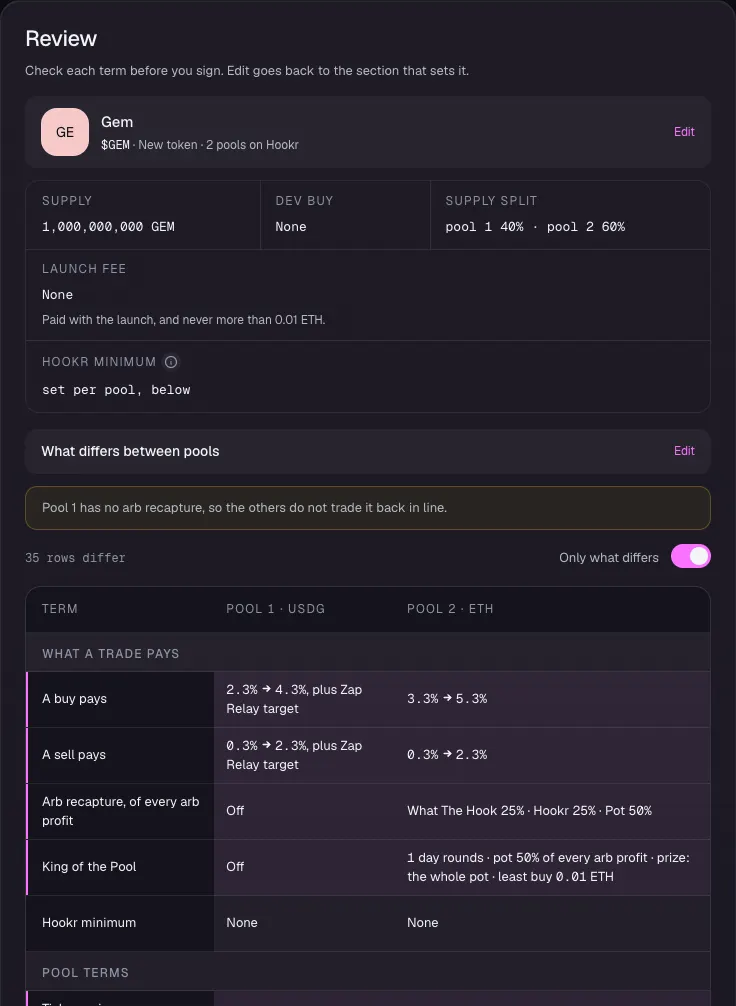
Review the launch
- Open 4 Team and income and click Continue. GEM needs nothing there.
- In 5 Review, check Supply split pool 1 40% · pool 2 60%.
- Check that King of the Pool reads 1 day rounds and the whole pot on pool 2 and Off on pool 1.
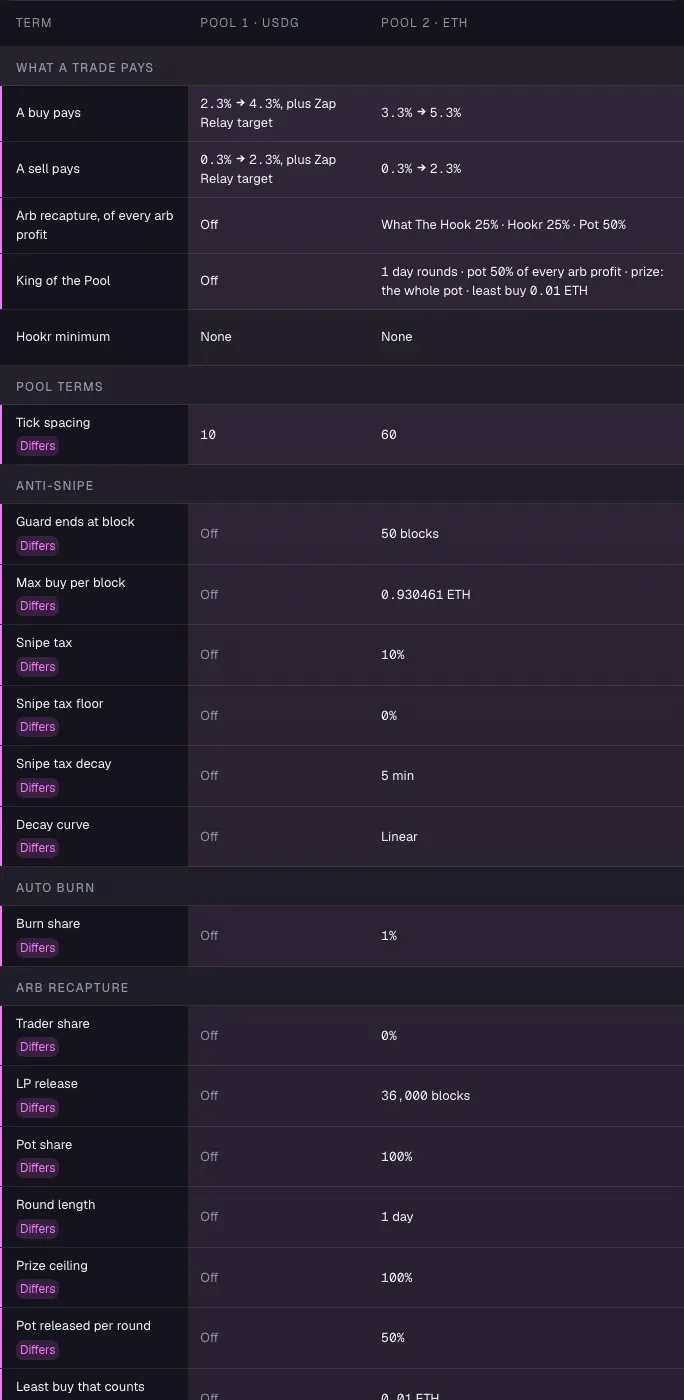
Compare the pools
- In the pools table, check tick spacing 10 on USDG and 60 on ETH, and Arb recapture Off on USDG.
- Check that the USDG pool shows Zap Relay target with buy and add.
Make GEM's vault and launch
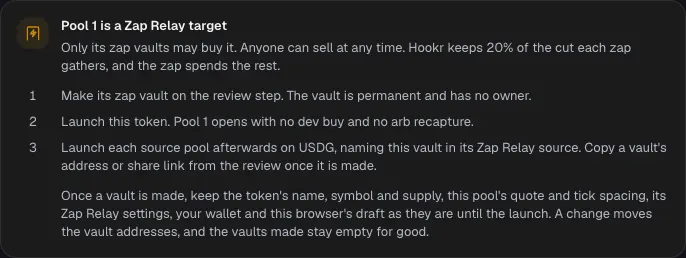
- Read Pool 1 is a Zap Relay target on Review.
- Connect your wallet, make the zap vault on Review, then launch GEM. This walkthrough stops before the wallet.
- Copy the vault's address from Review or the pool page. GOLD's launch pastes it.
Full walkthrough: Launch 2: GOLD
Open the launch page on GOLD's family
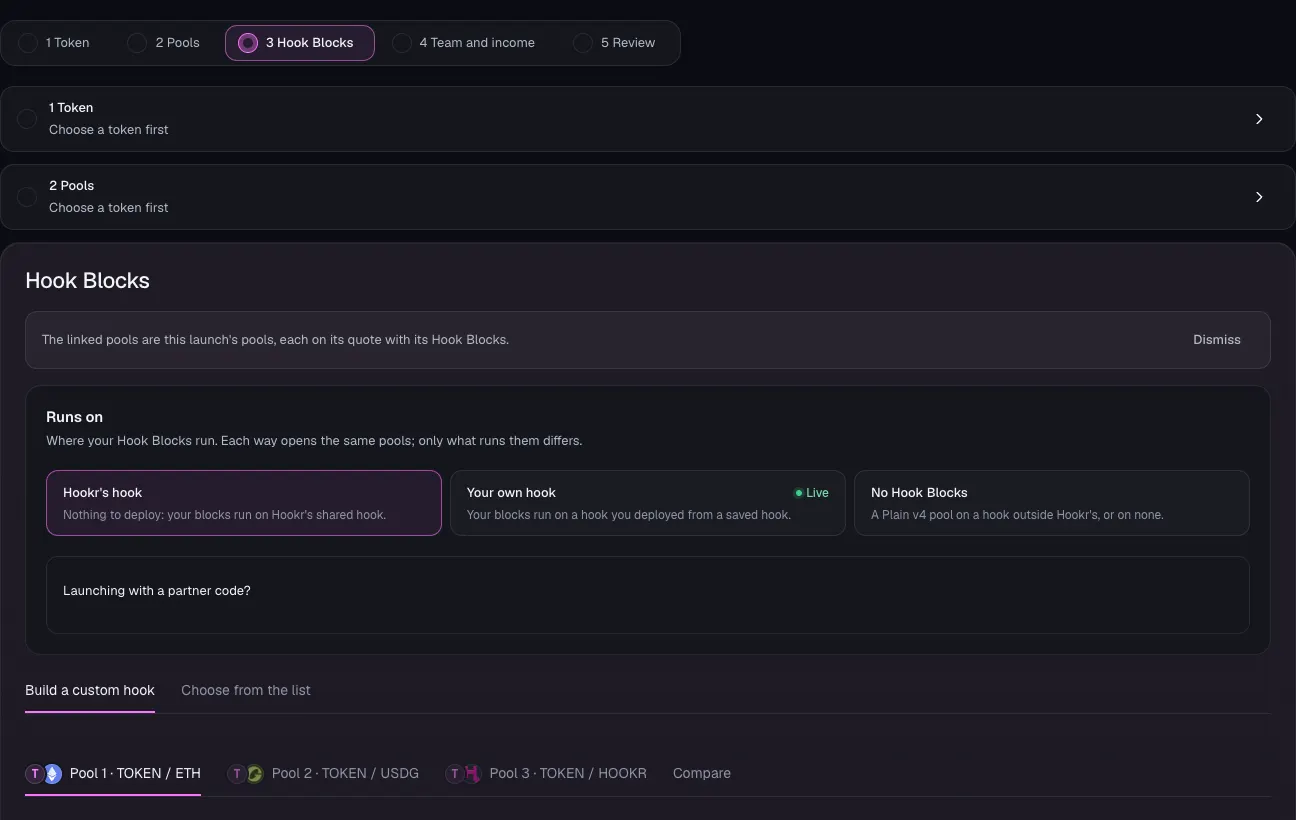
- After GEM has launched, open the launch page on this family.
- Check that Hook Blocks shows Pool 1 · TOKEN / ETH, Pool 2 · TOKEN / USDG and Pool 3 · TOKEN / HOOKR.
Name the token
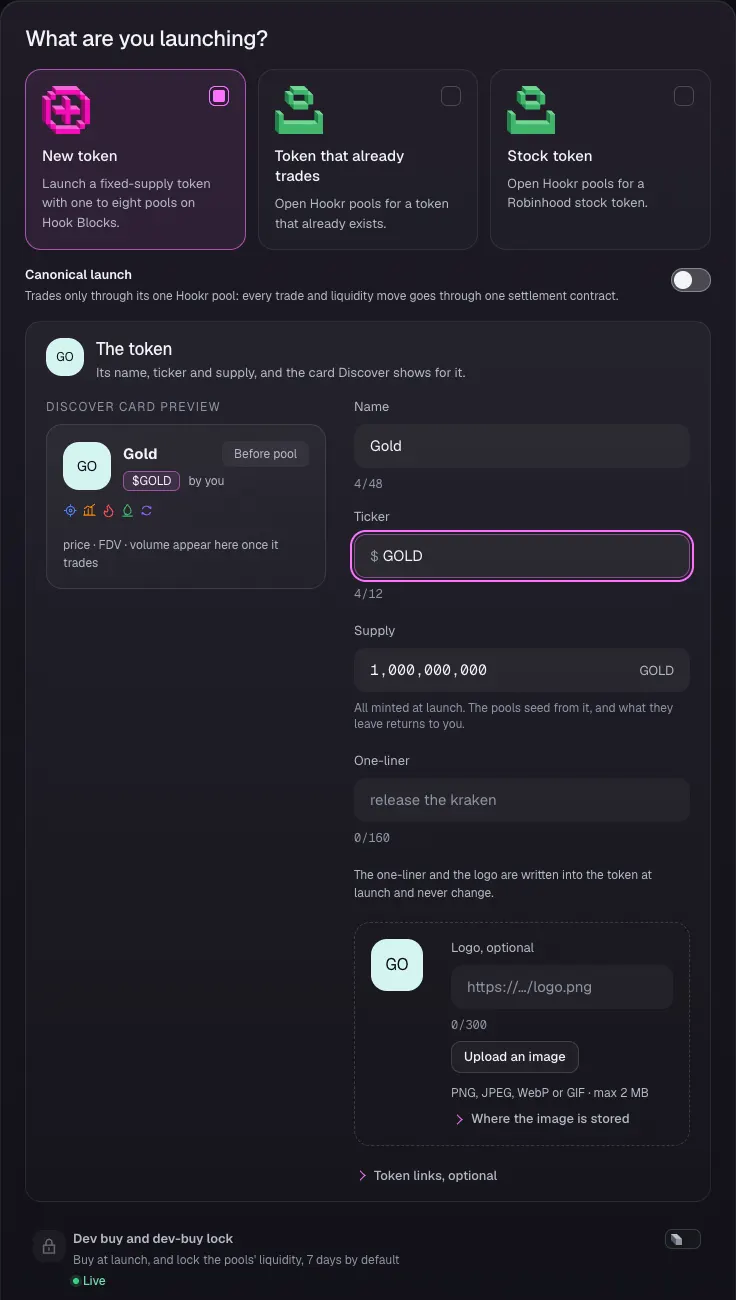
- Open 1 Token and keep New token selected.
- Type Gold in Name and GOLD in Ticker. If GEM's name is still there, replace it.
- Leave Supply at 1,000,000,000 and Dev buy and dev-buy lock off.
- Click Continue.
Open pool 1 on ETH
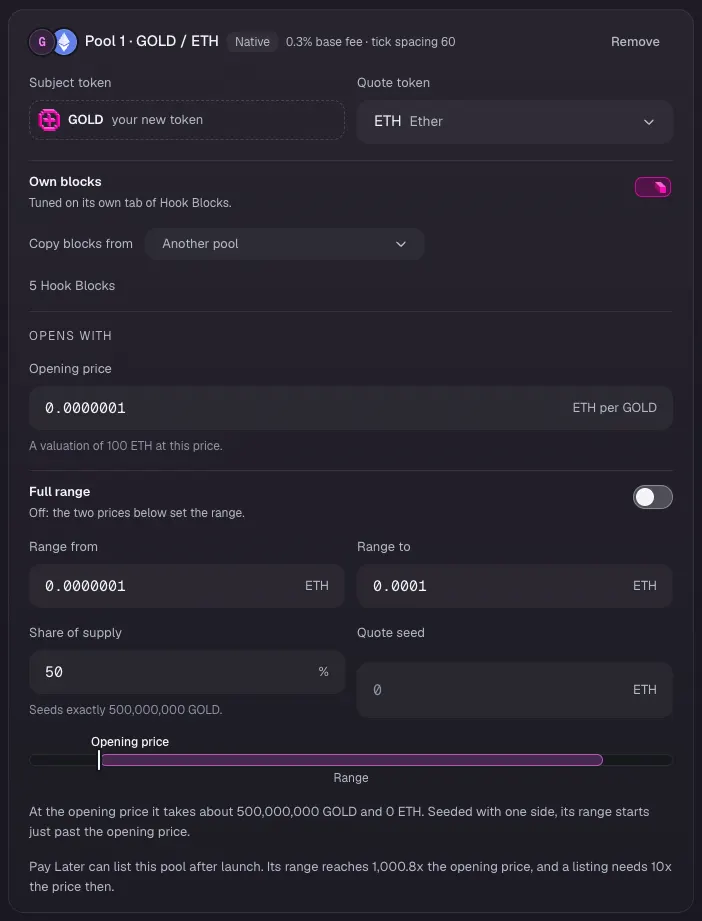
- In 2 Pools, on Pool 1 · GOLD / ETH, type the Opening price in ETH per GOLD. This example uses 0.0000001.
- Leave Full range off and type Range from and Range to. This example uses 0.0000001 to 0.0001.
- Check that Share of supply reads 50 and leave Quote seed empty.
Open pool 2 on USDG
- On Pool 2 · GOLD / USDG, type the Opening price in USDG per GOLD. This example uses 0.0003.
- Leave Full range off and type Range from and Range to. This example uses 0.0003 to 0.3.
- Check that Share of supply reads 40 and leave Quote seed empty.
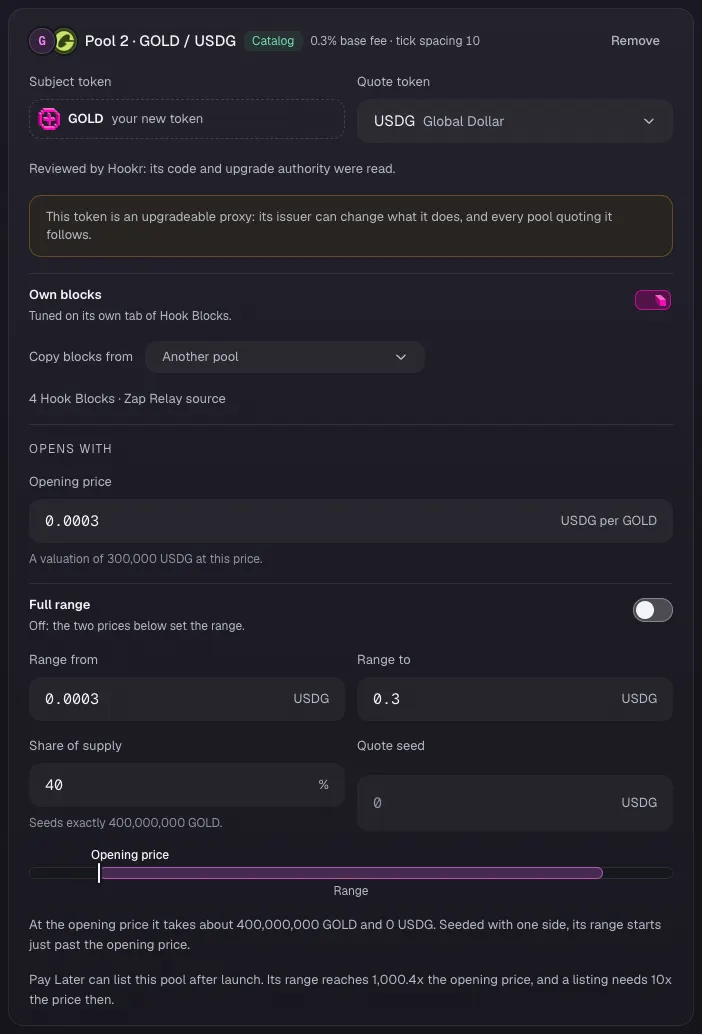
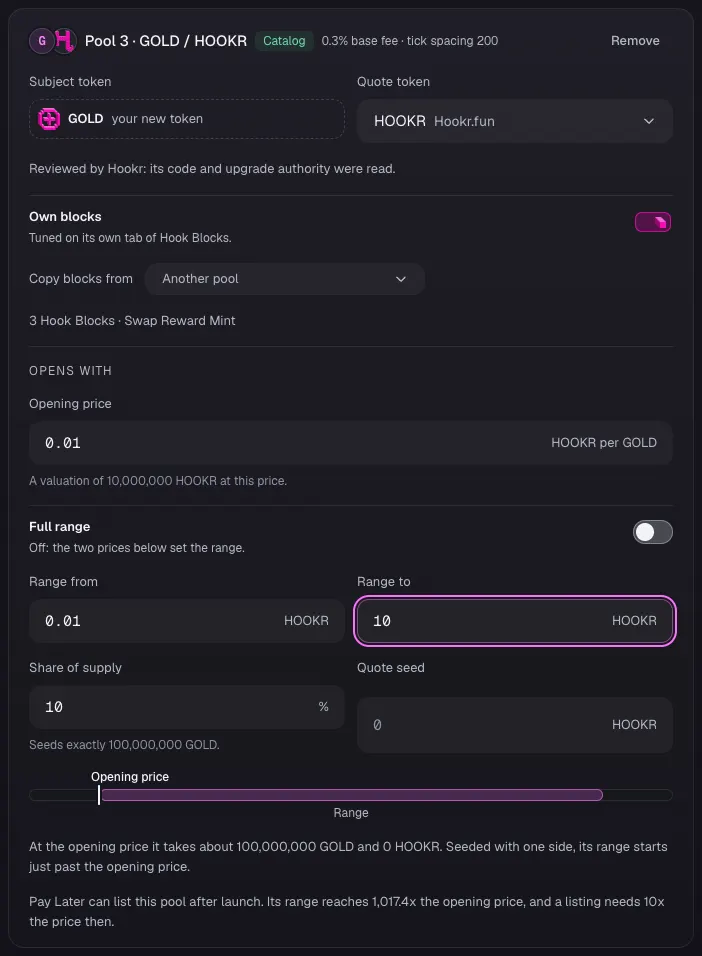
Open pool 3 on HOOKR
- On Pool 3 · GOLD / HOOKR, type the Opening price in HOOKR per GOLD. This example uses 0.01.
- Leave Full range off and type Range from and Range to. This example uses 0.01 to 10.
- Check that Share of supply reads 10 and leave Quote seed empty.
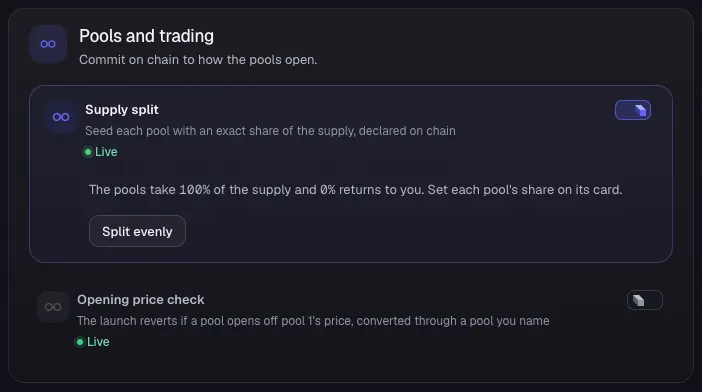
Check the supply split
- Under Pools and trading, check that Supply split is on and the pools take 100% of the supply.
- Leave Opening price check off.
- Click Continue.
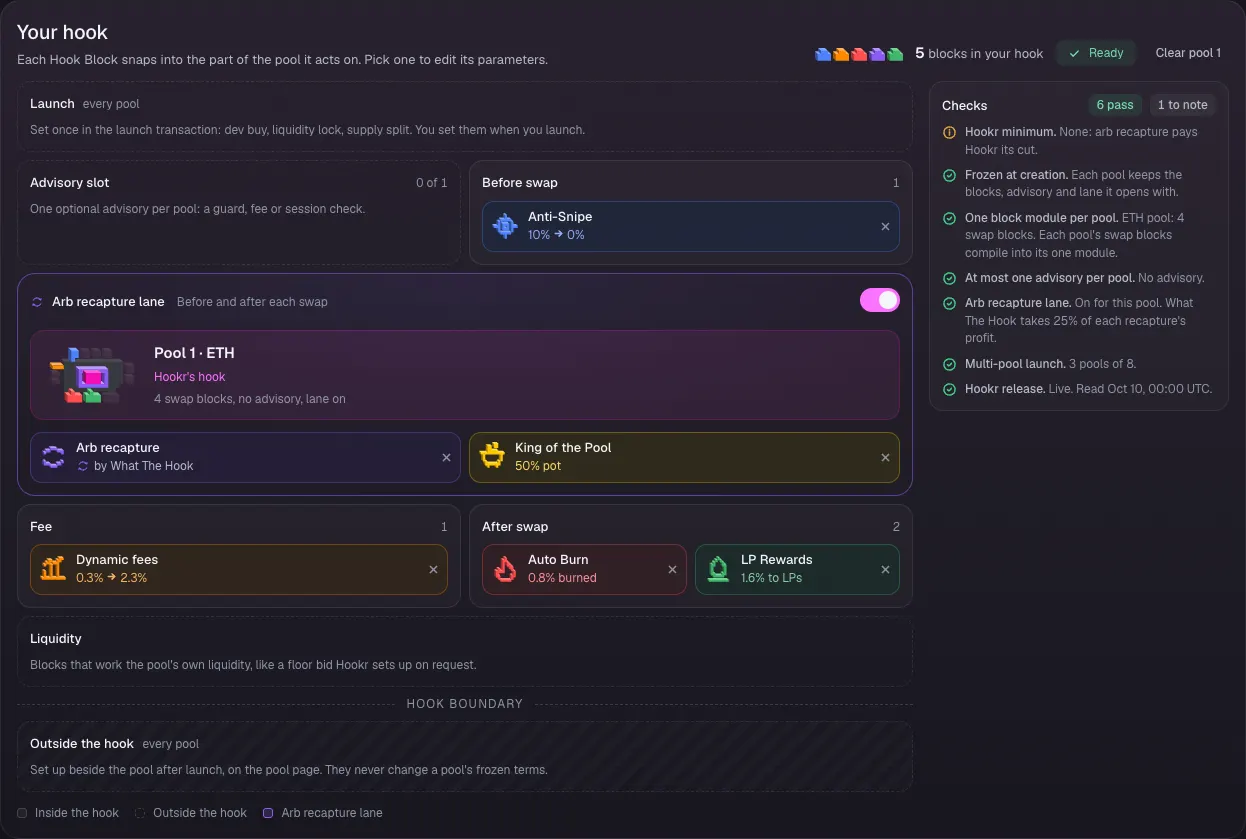
Check pool 1's Hook Blocks
- In 3 Hook Blocks, click the Pool 1 · GOLD / ETH tab.
- Check that Your hook shows Anti-Snipe, Dynamic fees, Auto Burn, LP Rewards and Arb recapture with King of the Pool, and the Advisory slot empty (0 of 1).
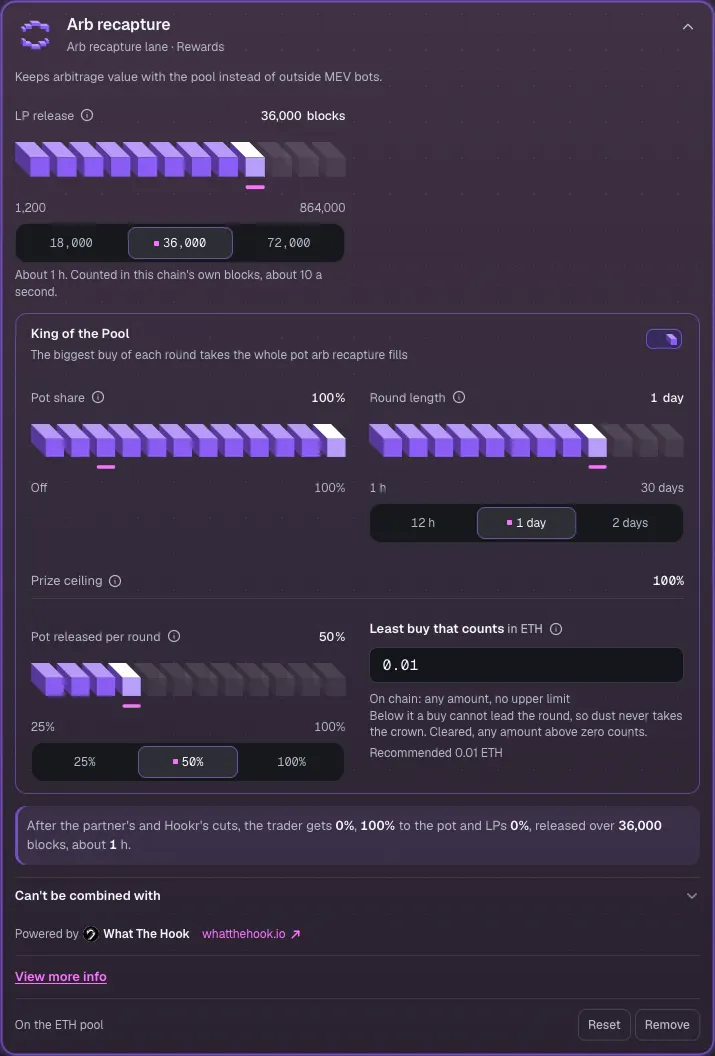
Check King of the Pool
- Click Arb recapture to open its settings.
- Check that King of the Pool is on with Pot share 100%, Round length 1 day, Pot released per round 50% and Least buy that counts 0.01 ETH.
Check pool 2's Hook Blocks
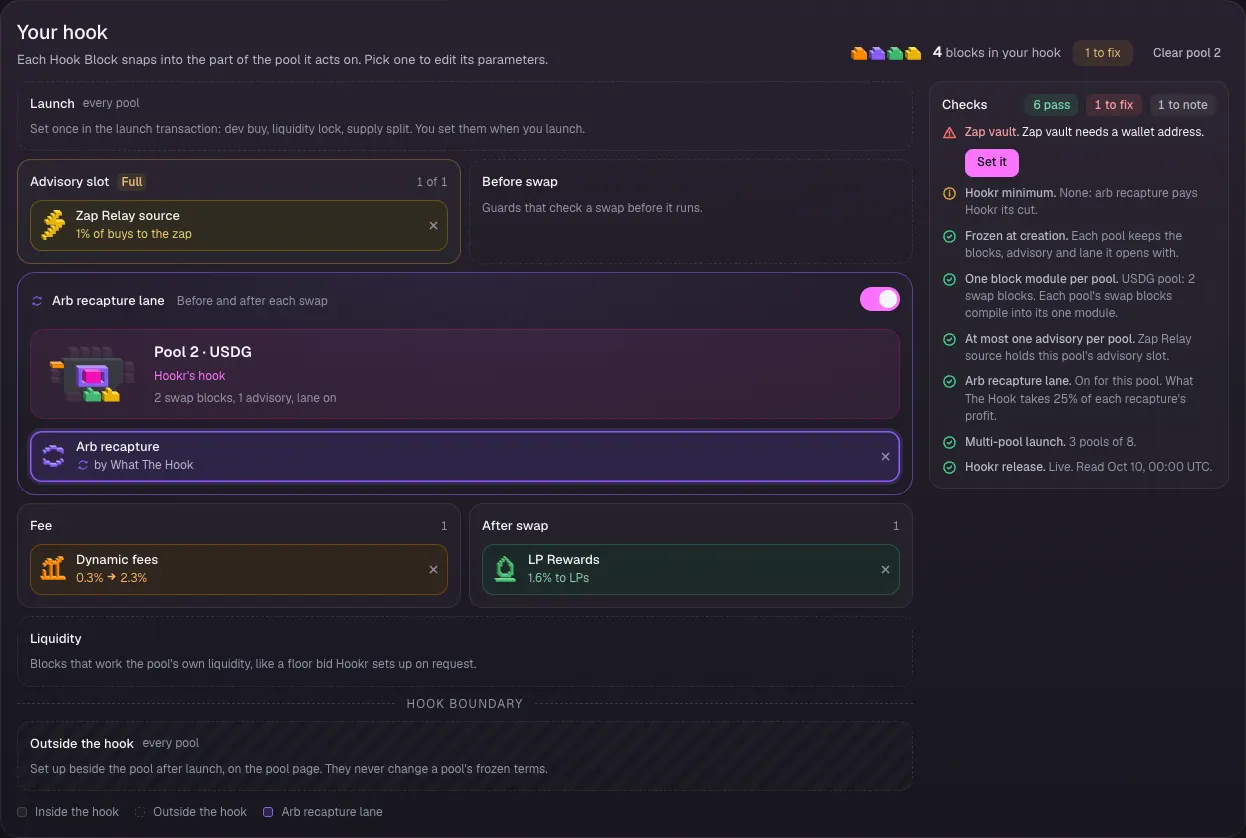
- Click the Pool 2 · GOLD / USDG tab.
- Check that Your hook shows Dynamic fees, LP Rewards and Arb recapture, with Zap Relay source in the Advisory slot (1 of 1).
Name GEM's vault
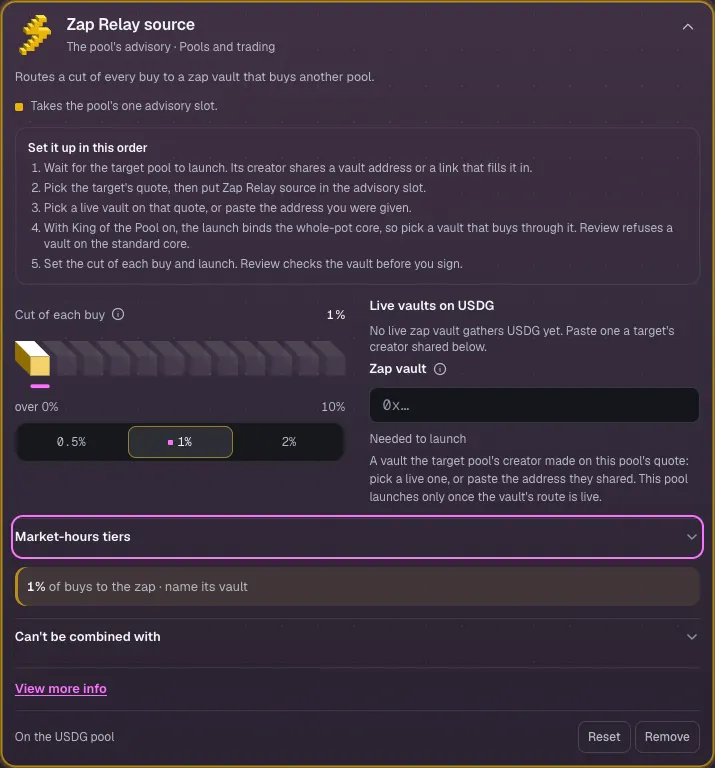
- Click Zap Relay source to open its settings.
- Check that Cut of each buy is 1%.
- Paste the vault address from the target launch's receipt into Zap vault. so replace it. Until a vault is named, Zap vault reads Needed to launch.
Check pool 3's Hook Blocks
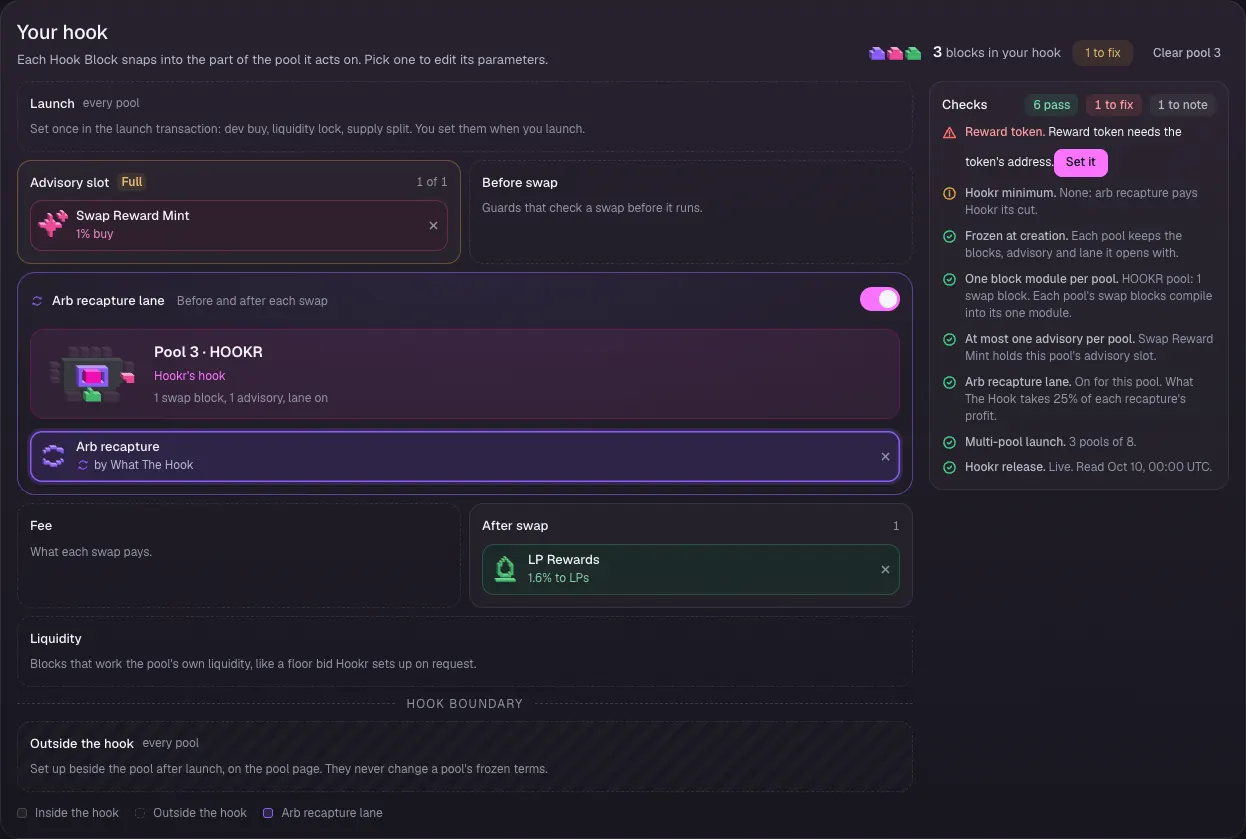
- Click the Pool 3 · GOLD / HOOKR tab.
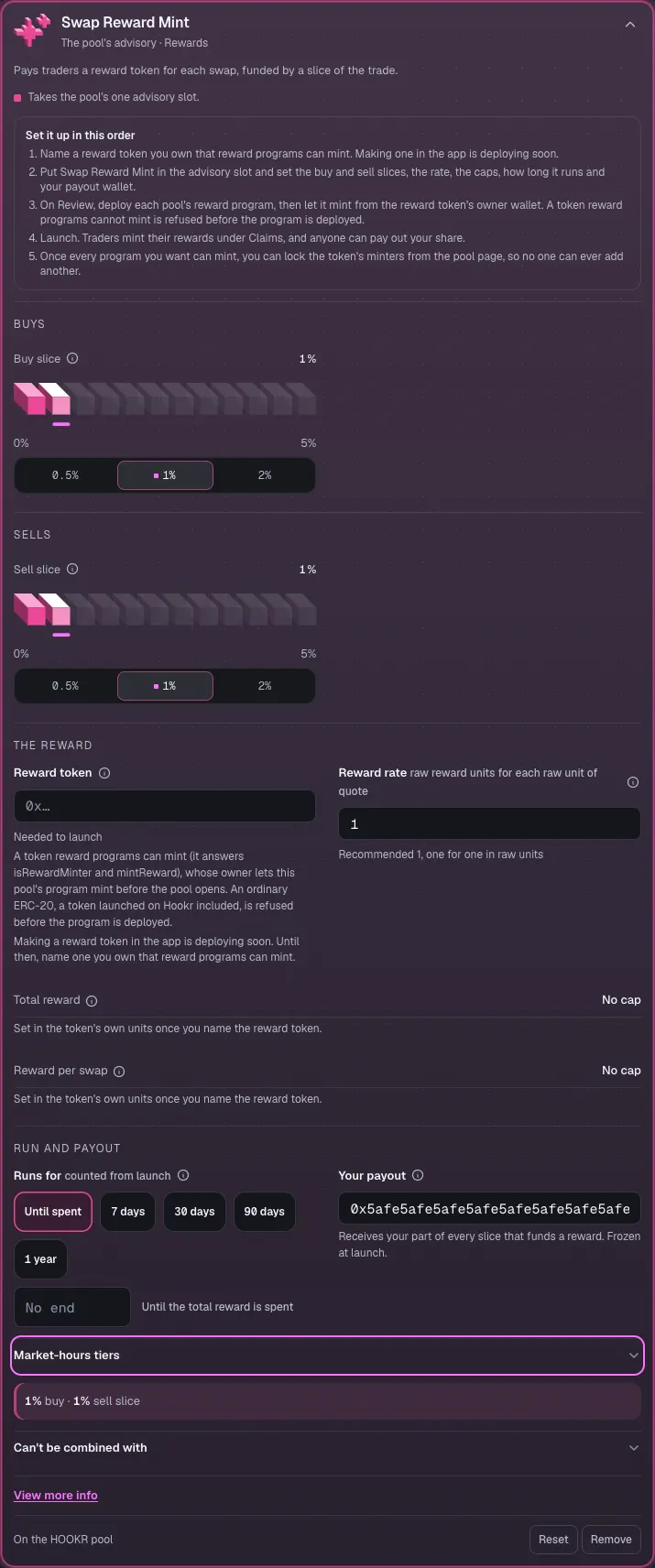
- Check that Your hook shows LP Rewards and Arb recapture, with Swap Reward Mint in the Advisory slot (1 of 1).
Set up XP on swaps
- Click Swap Reward Mint to open its settings.
- Check Buy slice 1% and Sell slice 1%.
- Paste a reward token you own that reward programs can mint into Reward token. An ordinary token such as HOOKR is refused before the program is deployed, and making one in the app is deploying soon.
- Set Your payout to your team's Safe or wallet address. This example shows 0x5afe…5afe.
Review the launch
- Open 4 Team and income and click Continue. GOLD needs nothing there.
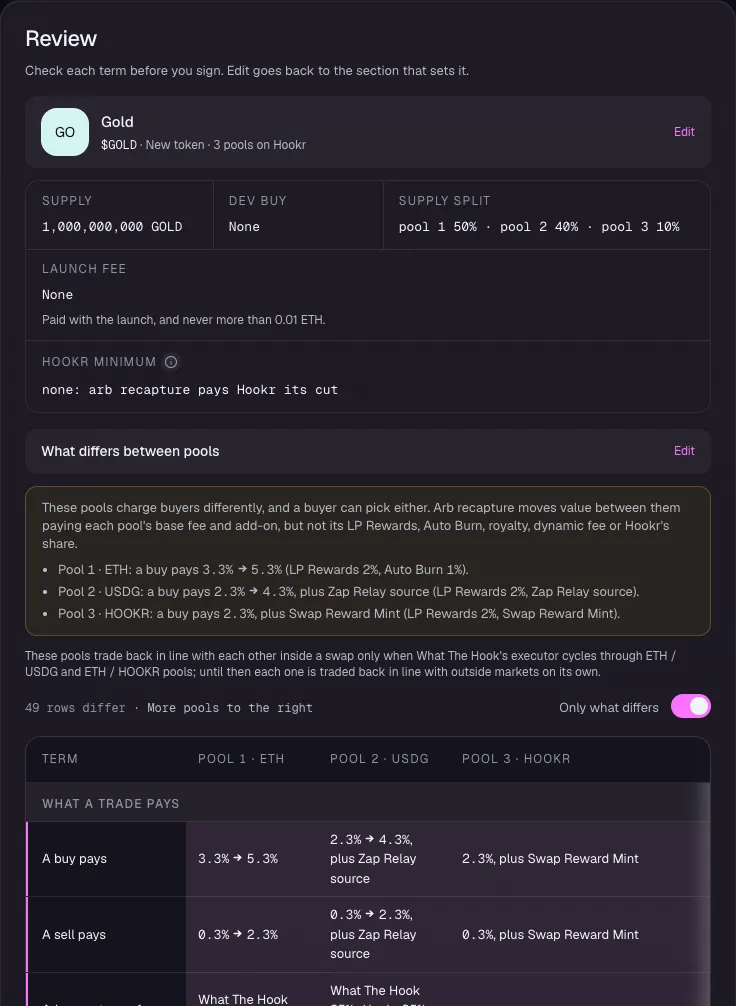
- In 5 Review, check Supply split pool 1 50% · pool 2 40% · pool 3 10%.
- Under What differs between pools, check that USDG adds Zap Relay source and HOOKR adds Swap Reward Mint.
Compare the pools
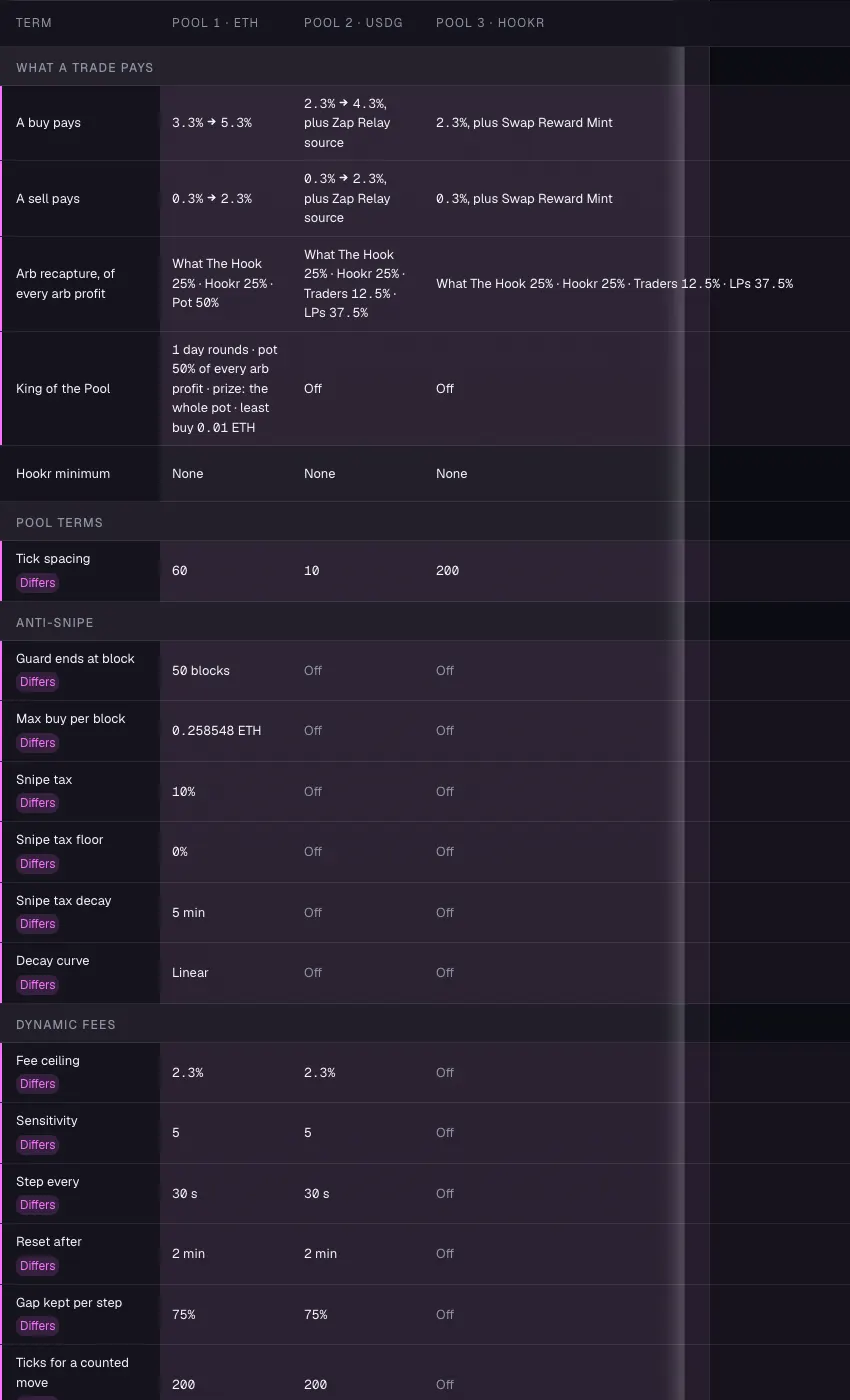
- In the pools table, check tick spacing 60, 10 and 200, King of the Pool on ETH only, and Zap vault on USDG showing GEM's vault.
Clear the fix list and launch
- Check that Fix before launching is empty once Zap vault and Reward token are set. This example shows both still to set.
- Connect your wallet, deploy the reward program on Review and let it mint from the reward token's owner wallet, then launch. This walkthrough stops before the wallet.
- After launch, set up Limit orders from each pool's page.